
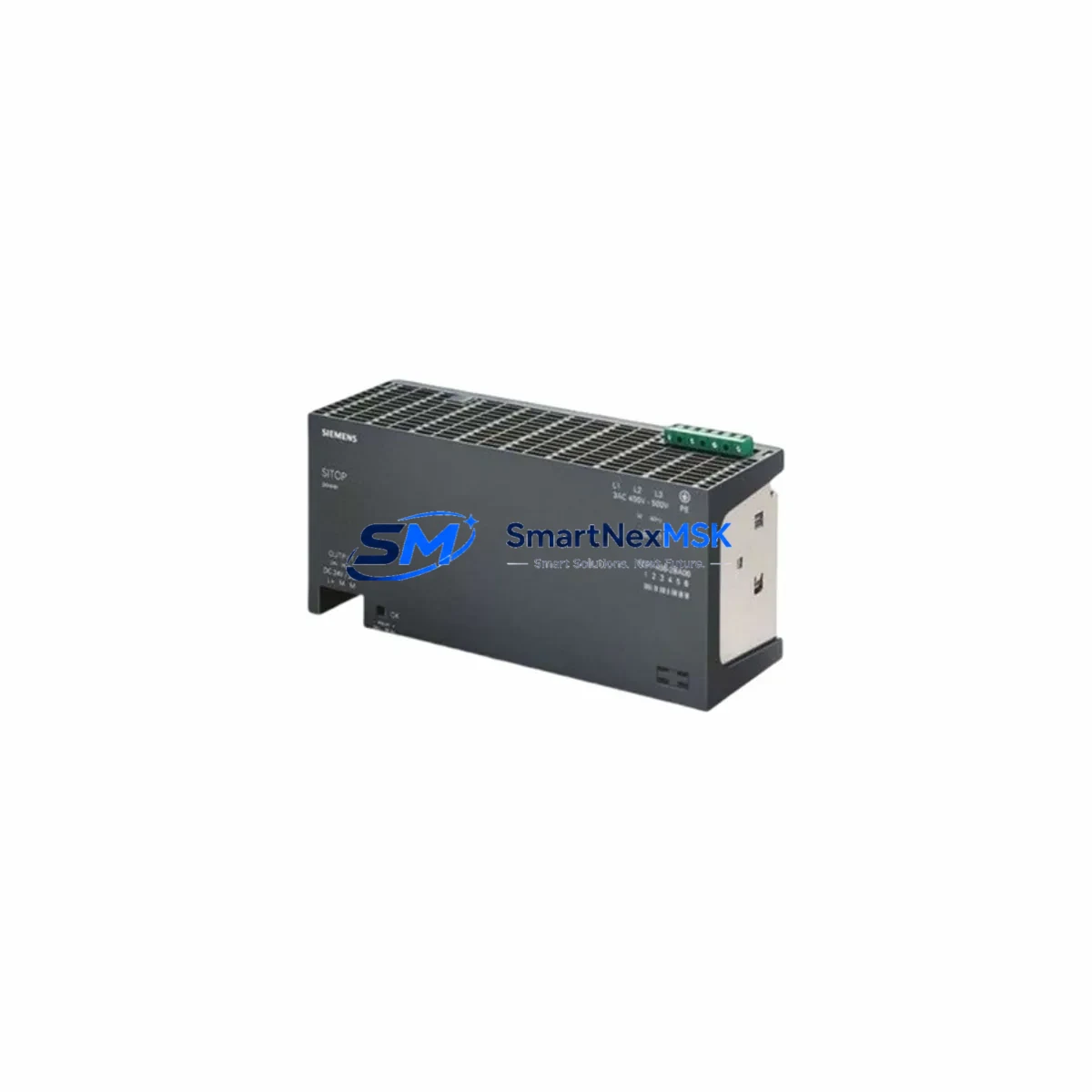
Siemens 6EP1336-2BA00 Maintenance-Ready Spare for SITOP Automation
The Siemens 6EP1336-2BA00 is a SITOP PSU100S series 240 W stabilized DIN-rail power supply delivering a regulated 24 VDC output. Designed for continuous-duty industrial environments, it is a primary power source for Siemens S7-300 and S7-400 PLC racks, distributed I/O stations, and control-cabinet bus systems. When this unit fails or reaches end-of-service life, unplanned downtime can cascade across the entire automation cell. Stocking a verified replacement spare is the single most effective step a maintenance team can take to protect production continuity.
Every 6EP1336-2BA00 unit dispatched by SMARTNEXMSK undergoes pre-shipment functional verification — output voltage, ripple, and load-regulation checks — before packaging. Each unit ships with a 12-month warranty covering manufacturing defects and is traceable to original Siemens production documentation.
Spare Maintenance Table
| Parameter | Specification |
|---|---|
| Part Number (SKU) | 6EP1336-2BA00 |
| Series | SITOP PSU100S |
| Brand | Siemens |
| Output Voltage | 24 VDC (adjustable 22.8–26.4 V) |
| Output Current | 10 A continuous |
| Rated Output Power | 240 W |
| Input Voltage Range | AC 120–230 V, 50/60 Hz (wide-range) |
| Mounting | DIN rail (EN 60715 TH35) |
| Protection Class | IP20 |
| Ambient Temperature | 0 °C to +60 °C (operating) |
| Efficiency | ≥ 89 % at full load |
| Approvals | CE, UL, cUL, ATEX Zone 2 |
| Compatibility | Siemens S7-300, S7-400, ET 200M, ET 200S, PROFIBUS DP stations |
| Country of Origin | Germany |
| Warranty | 12 Months (SMARTNEXMSK) |
| Pre-shipment Test | Output voltage, load regulation, ripple verified |
| Replacement For | 6EP1336-2BA00, 6EP1336-1SH01 (functional equivalent check required) |
Maintenance Planning for Continuous Operation
A power supply failure rarely occurs in isolation. When a 6EP1336-2BA00 is replaced during a scheduled or emergency outage, experienced maintenance engineers use the opportunity to inspect the entire power distribution chain within the control cabinet. The 24 VDC bus fed by this unit typically supplies the CPU module (e.g., a Siemens CPU 315-2 DP or CPU 317-2 PN/DP), digital input/output modules on the S7-300 rack, and any PROFIBUS DP or PROFINET communication modules installed in the same rack.
Before energizing the replacement unit, verify the condition of the 24 VDC wiring harness and terminal blocks — corroded or loose connections on Phoenix Contact or Weidmüller-style terminal strips are a common secondary cause of premature PSU failure. Check the upstream AC fuse or miniature circuit breaker (MCB) feeding the PSU; a nuisance trip or a slow-blow fuse that has degraded will stress the new unit immediately. If the cabinet includes a Siemens SITOP UPS1600 or a battery buffer module (e.g., 6EP1931-2EC42), inspect the buffer capacitors or battery pack for end-of-life indicators — a failing buffer can cause voltage dips that corrupt PLC memory.
For cabinets running PROFIBUS DP networks, also inspect the DP bus connector (e.g., Siemens 6ES7972-0BA52-0XA0 with integrated termination resistor) and the PROFIBUS repeater if segment lengths exceed 100 m. Signal integrity issues on the DP bus often surface after a power cycle and are misdiagnosed as PSU faults. Similarly, if the cabinet hosts a Siemens TP700 Comfort or TP900 Comfort HMI panel, confirm that the HMI’s 24 VDC supply rail is stable after the PSU swap — HMI panels are sensitive to voltage transients during startup.
For installations where the 6EP1336-2BA00 powers relay output modules or safety relay modules (e.g., Siemens 3SK1 safety relay), verify relay coil voltages and contact integrity after replacement. Relay contacts that have been operating under marginal voltage conditions may have accelerated wear. Replacing the PSU is also an ideal time to check signal isolators and analog input barriers in the same 24 VDC loop, particularly in process plants where 4–20 mA loops share the same power rail.
Recommended companion spares to stock alongside the 6EP1336-2BA00: a backup CPU module for the installed S7-300 rack, at least one digital I/O module matching the installed SM 321/SM 322 types, a spare PROFIBUS DP communication processor (CP 342-5), and a replacement SITOP buffer module. This four-item kit covers the most statistically frequent failure modes in an S7-300 automation cell and enables full system restoration within a single maintenance shift.
Site Replacement Workflow
Step 1 — Isolation: Switch the upstream MCB or isolator to OFF. Confirm zero voltage on the PSU AC input terminals using a calibrated multimeter. Lock out / tag out (LOTO) per site procedure.
Step 2 — Documentation: Photograph the existing wiring, terminal labels, and DIN-rail position before removal. Note the output voltage trim-pot setting if it has been adjusted from factory default.
Step 3 — Removal: Disconnect AC input wiring (L, N, PE) and DC output wiring (+24 V, 0 V, PE). Release the DIN-rail latch and slide the unit off the rail.
Step 4 — Installation: Clip the 6EP1336-2BA00 replacement onto the DIN rail. Reconnect AC input and DC output wiring to the same terminals. Torque terminal screws to 0.8 N·m as specified in the Siemens SITOP PSU100S manual.
Step 5 — Verification: Before reconnecting the PLC rack load, energize the PSU with a dummy load or current-limited bench supply to confirm 24 VDC output. Adjust the trim-pot if required. Then reconnect the full load and power up the PLC rack. Monitor the CPU RUN/STOP LED and check for diagnostic alarms in STEP 7 or TIA Portal.
Step 6 — Documentation close-out: Record the replacement in the equipment maintenance log with the new unit’s serial number, installation date, and pre-energization test results. Update the spare-parts inventory to trigger reorder of the consumed spare.
This workflow is compatible with both hot-standby and single-PSU S7-300 configurations. For redundant PSU installations (two 6EP1336-2BA00 units in parallel with a Siemens SITOP selectivity module), only one unit needs to be replaced at a time, eliminating the need for a full system shutdown.
Spare Parts Support FAQ
Q1: Is the 6EP1336-2BA00 still in production, and how long can I source it?
The 6EP1336-2BA00 has been in the Siemens SITOP PSU100S portfolio for many years and remains available through authorized distributors and specialist spare-parts suppliers. SMARTNEXMSK maintains long-term stock commitments for this reference to support installed-base customers through extended system lifecycles. Even as Siemens introduces successor models, we continue to source and verify original 6EP1336-2BA00 units to ensure backward compatibility for existing S7-300 and S7-400 installations.
Q2: How do I verify compatibility before installation?
Confirm that your existing installation requires a 24 VDC / 10 A / 240 W DIN-rail PSU with wide-range AC input. Cross-reference the nameplate on the failed unit against the 6EP1336-2BA00 datasheet. If your system uses a different current rating (e.g., 6EP1336-2BA10 at 10 A with enhanced diagnostics), contact our technical team at [email protected] before ordering. We provide compatibility confirmation within one business day.
Q3: What pre-shipment testing does SMARTNEXMSK perform?
Each 6EP1336-2BA00 unit is bench-tested for output voltage accuracy (24 VDC ±1%), load regulation under 50% and 100% rated load, output ripple (≤ 150 mV peak-to-peak), and short-circuit protection response. Units that fail any parameter are quarantined and not shipped. A test record is available on request. All units ship with a 12-month warranty from the date of invoice.
Q4: Can I return a unit if it does not resolve my fault?
Yes. If the 6EP1336-2BA00 does not resolve the diagnosed fault and the unit is returned in its original condition within 30 days of receipt, SMARTNEXMSK will issue a full refund or exchange. We recommend performing the site replacement workflow above and documenting the fault symptoms before return to expedite the assessment process. Contact [email protected] to initiate a return authorization.
© 2026 SMARTNEXMSK. All rights reserved.
Original Source: https://smartnexmsk.com
Contact: [email protected] | +86 18259474341



