
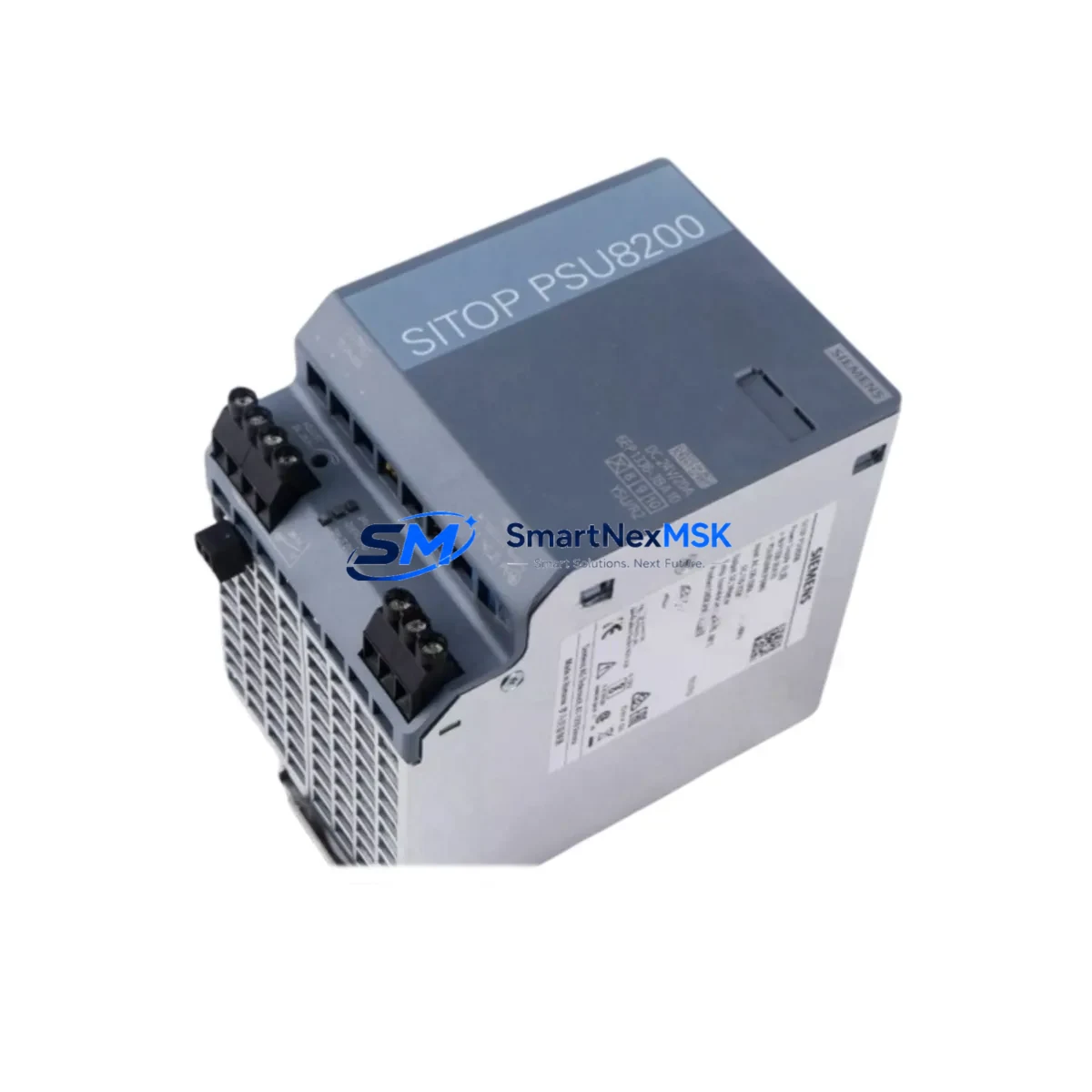
Siemens 6EP1336-3BA10 Spare for SITOP PSU8200 Automation
The Siemens 6EP1336-3BA10 is a SITOP PSU8200 series single-phase DIN rail power supply delivering a stable 24 VDC / 10 A output for demanding industrial automation environments. As a maintenance-ready original spare, this unit is engineered to support rapid field replacement in Siemens S7-300, S7-400, and S7-1500 control systems, minimizing unplanned downtime and restoring production continuity with confidence. Maintenance engineers and procurement teams managing aging Siemens control cabinets rely on the 6EP1336-3BA10 as a cornerstone of their spare parts inventory strategy — a proven, long-lifecycle component that keeps critical processes running when primary units fail.
Every unit shipped from our warehouse undergoes functional load testing and visual inspection before dispatch. With a 12-month warranty covering manufacturing defects and operational failures, you can stock this spare with full confidence in its reliability and longevity.
Spare Maintenance Table
| Parameter | Specification |
|---|---|
| SKU / Part Number | 6EP1336-3BA10 |
| Series | SITOP PSU8200 |
| Brand | Siemens |
| Output Voltage | 24 VDC (adjustable 22.5–26 V) |
| Output Current | 10 A |
| Input Voltage | 120–230 VAC, 1-phase, 50/60 Hz |
| Mounting | DIN rail (35 mm) |
| Protection Class | IP20 |
| Operating Temperature | -25°C to +70°C |
| Compatibility | Siemens S7-300, S7-400, S7-1500, ET 200 distributed I/O |
| Approvals | CE, UL, cUL, GL |
| Origin | Germany |
| Warranty | 12 Months |
| Condition | Original, New / Tested Before Shipment |
Maintenance Planning for Continuous Operation
When a 6EP1336-3BA10 fails or shows signs of output voltage drift, the replacement window is critical. Experienced maintenance engineers know that a power supply fault rarely occurs in isolation — the surrounding electrical circuit must be thoroughly inspected before and after the swap to prevent repeat failures and protect downstream components.
Begin by verifying the incoming AC supply quality at the cabinet entry point. Faulty upstream circuit breakers or worn terminal blocks on the L1/N/PE rail can introduce voltage spikes that stress the new PSU immediately after installation. Check the 24 VDC distribution bus and any associated fuse holders or miniature circuit breakers (MCBs) protecting individual load branches — a shorted I/O module or relay coil on the 24 VDC side is a common root cause of PSU overload trips.
For Siemens S7-300 and S7-400 systems, inspect the CPU module (e.g., CPU 315-2 DP or CPU 416-3) and its associated PS 307 or PS 405 power supply module if a separate rack supply is used alongside the SITOP unit. In S7-1500 configurations, verify the system power module (PM 70W or PM 190W) and the load current supply (AL-X series) are within rated capacity. The ET 200SP and ET 200MP distributed I/O stations connected via PROFINET or PROFIBUS DP should also be checked for ground faults that may have contributed to the original PSU failure.
Communication integrity is equally important: after restoring 24 VDC power, confirm that the CP 343-1 or CP 443-1 Ethernet communication processor re-establishes its PROFINET connection without fault codes. If the system uses a PROFIBUS DP network, check the DP/PA coupler or IM 153 interface module for proper bus termination. Signal isolators and barriers protecting analog I/O channels should be verified for correct output levels, as power interruptions can sometimes cause calibration drift in older isolation amplifiers.
For HMI continuity, ensure the SIMATIC HMI TP700 Comfort or MP377 panel reconnects to the PLC without communication alarms. Uninterruptible power supply (UPS) modules such as the SITOP UPS1600 should be tested for battery health and charge status after any extended outage — a degraded UPS battery may have masked the PSU fault during the initial failure event.
Stocking a minimum of two 6EP1336-3BA10 units per site is recommended for facilities operating multiple Siemens control cabinets. Pair this with a documented inspection checklist covering terminal torque values, cable insulation resistance, and output voltage calibration to ensure each replacement is completed to specification within a single maintenance window.
Site Replacement Workflow
Step 1 — Isolation & Lockout: Isolate the cabinet from the AC mains supply and apply LOTO (Lockout/Tagout) per site safety procedures. Discharge any UPS or capacitor banks before opening the enclosure.
Step 2 — Document Current Configuration: Photograph the existing wiring, terminal assignments, and DIN rail position of the 6EP1336-3BA10. Note the output voltage trim setting on the adjustment potentiometer.
Step 3 — Remove Faulty Unit: Disconnect the AC input terminals (L, N, PE) and the 24 VDC output terminals (+, –). Release the DIN rail locking tab and slide the unit free. Inspect the terminal block contacts for signs of arcing or corrosion.
Step 4 — Install Replacement Unit: Clip the new 6EP1336-3BA10 onto the DIN rail and reconnect all terminals to the documented torque specification (typically 0.5–0.6 Nm for Phoenix-style terminals). Set the output voltage trim to match the previous setting.
Step 5 — Power-On & Verification: Restore AC supply and measure the 24 VDC output under load. Confirm the green DC OK LED is illuminated and no fault indicators are active. Verify PLC CPU status, I/O module diagnostics, and HMI communication before returning the system to production.
Step 6 — Record & Restock: Log the replacement in the maintenance management system (CMMS) with the date, technician ID, and new unit serial number. Initiate a reorder for the consumed spare to maintain minimum stock levels.
Spare Parts Support FAQ
Q1: Is the 6EP1336-3BA10 compatible with both S7-300 and S7-1500 systems?
Yes. The SITOP PSU8200 10A output is a universal 24 VDC supply compatible with any Siemens automation system requiring a 24 VDC rail supply, including S7-300, S7-400, S7-1500, ET 200 distributed I/O, and third-party 24 VDC loads within the same cabinet.
Q2: What testing is performed before shipment?
Each unit undergoes a full functional load test at rated output current, output voltage verification across the adjustment range, and visual inspection for physical damage. A test report is available upon request for critical infrastructure applications.
Q3: How should I verify compatibility before ordering?
Cross-reference the part number 6EP1336-3BA10 against your existing unit’s nameplate. Key parameters to confirm are output voltage (24 VDC), output current (10 A), input voltage range (120–230 VAC), and mounting type (35 mm DIN rail). Contact our technical team with your cabinet layout if you require additional compatibility confirmation.
Q4: What does the 12-month warranty cover?
The warranty covers manufacturing defects and component failures under normal operating conditions for 12 months from the date of shipment. It does not cover damage caused by incorrect installation, overvoltage events, or operation outside the rated environmental specifications. Warranty claims are processed with priority turnaround to minimize your downtime exposure.
© 2026 SMARTNEXMSK. All rights reserved.
Original Source: https://smartnexmsk.com
Contact: [email protected] | +86 18259474341



