
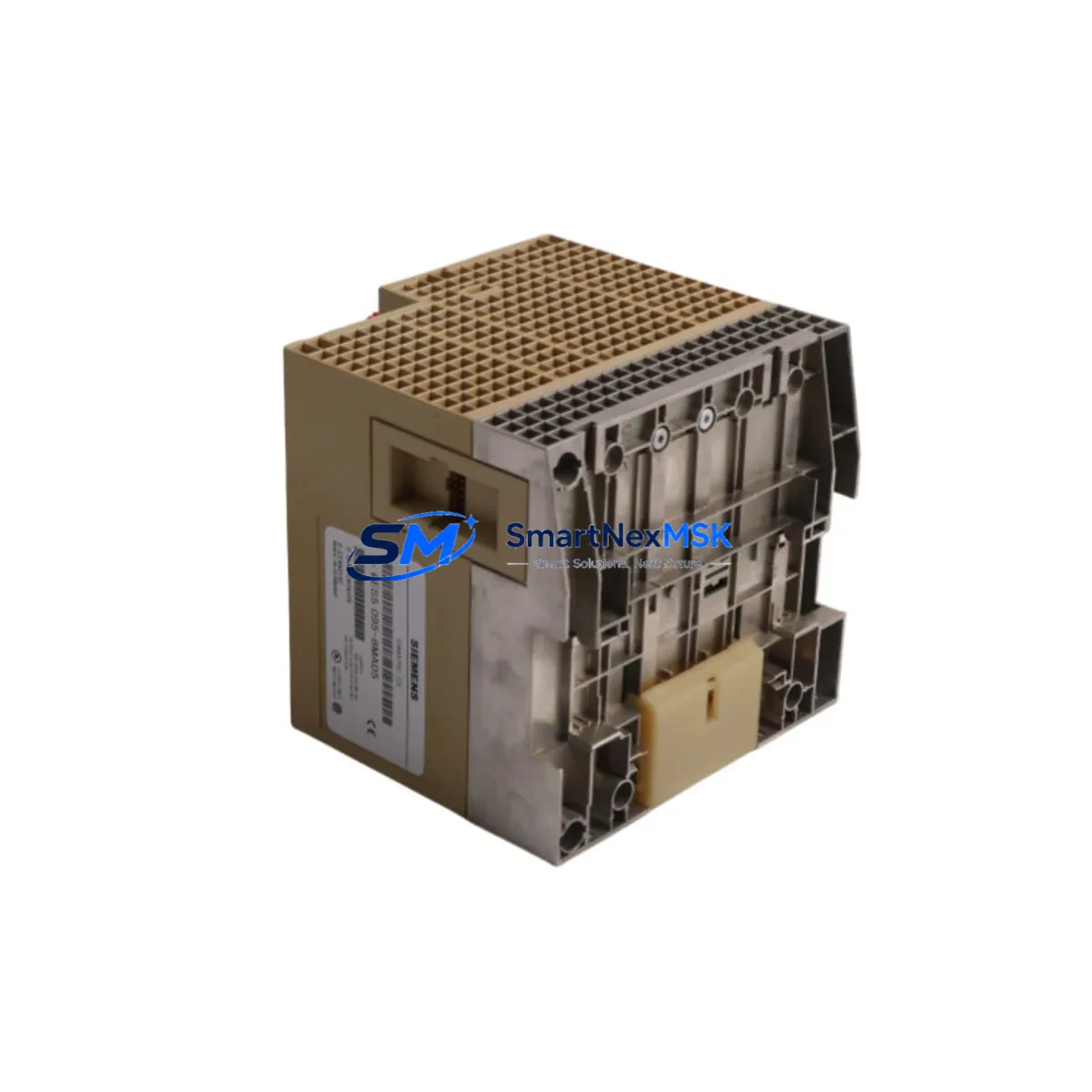
Siemens 6ES5095-8MA05 Spare for S5-95U Automation: Spare Replacement & Industrial Downtime Risk Control
The Siemens 6ES5095-8MA05 is a central controller unit for the SIMATIC S5-95U programmable logic controller series — a platform that remains deeply embedded in legacy manufacturing lines, process automation cells, and utility control systems worldwide. For maintenance engineers managing aging SIMATIC S5 infrastructure, sourcing a verified, original-spec 6ES5095-8MA05 spare is not a routine procurement task — it is a critical risk mitigation decision. Unplanned downtime caused by a failed CPU or controller module can halt production for hours or days. Having a tested, shelf-ready replacement on hand is the single most effective strategy to compress mean time to repair (MTTR) and protect operational continuity.
This unit is supplied as an original spare, inspected and function-tested prior to dispatch. It is compatible with the SIMATIC S5-95U system architecture and is suitable for direct installation in existing control cabinets without firmware modification in standard configurations. Each unit ships with a 12-month warranty covering manufacturing defects and functional failure under normal operating conditions.
Spare Maintenance Table
| Parameter | Specification |
|---|---|
| Part Number / SKU | 6ES5095-8MA05 |
| Brand | Siemens |
| Series | SIMATIC S5-95U |
| Product Type | PLC Central Controller / CPU Module |
| Supply Voltage | 24 V DC (nominal) |
| I/O Integration | Integrated digital I/O, expandable via S5 expansion modules |
| Communication Interface | AS-Interface / serial interface per S5-95U specification |
| Program Memory | Per original S5-95U CPU specification |
| Operating Temperature | 0 °C to +60 °C |
| Mounting | DIN rail / panel mount, S5 backplane compatible |
| Origin | Germany |
| Compatibility | SIMATIC S5-95U control systems; direct replacement for failed or degraded units |
| Condition | Original spare, function-tested before shipment |
| Warranty | 12 months from date of delivery |
| Shipping | Worldwide; expedited options available for urgent downtime recovery |
Maintenance Planning for Continuous Operation
When a 6ES5095-8MA05 controller unit fails or shows signs of degraded performance — erratic program execution, communication faults, or failure to initialize — the replacement workflow must extend beyond swapping the CPU module alone. Experienced maintenance engineers know that a controller failure is frequently symptomatic of broader stress in the control cabinet. A thorough site inspection should accompany any S5-95U CPU replacement.
Begin by verifying the 24 V DC power supply feeding the S5-95U rack. A failing or under-spec power supply module — such as the 6ES5955-3LC41 or equivalent S5-series PSU — can cause intermittent CPU resets and corrupt program execution before the CPU itself fails. Measure output voltage under load and check for ripple. Replace the power supply if readings fall outside tolerance.
Next, inspect the digital input and output modules installed in the S5 expansion slots. Modules such as the 6ES5420-series digital input cards and 6ES5440-series digital output cards should be checked for blown output transistors, stuck inputs, and loose field wiring terminations. Terminal blocks and screw terminals on the I/O wiring side are a common source of intermittent faults in older installations — re-torque all connections and replace any corroded or damaged terminal strips.
The AS-Interface or serial communication cabling connected to the 6ES5095-8MA05 should be inspected for insulation damage, connector corrosion, and correct shielding continuity. In systems where the S5-95U communicates upstream to a SCADA or HMI panel — including legacy Siemens OP series operator panels or third-party HMI units — verify that the communication parameters (baud rate, parity, station address) are correctly configured on the replacement unit before going live.
Relay output modules and intermediate relay banks wired to the S5-95U outputs are frequently overlooked during CPU replacement. Relay coils degrade over time, and a CPU replacement that restores digital outputs to full switching frequency can accelerate failure in relays that were already at end of life. Inspect relay modules, replace any units showing contact resistance above specification, and document relay cycle counts where available.
For systems using signal isolators or signal conditioners between field sensors and S5 analog input modules, verify isolator output ranges and calibration. A miscalibrated isolator can cause the replacement CPU to receive out-of-range analog signals, triggering fault states that appear to be CPU errors but originate upstream in the signal chain. Fuse holders and fuse elements protecting individual I/O circuits should also be checked and replaced as part of the planned maintenance event — this is low-cost insurance against nuisance trips after the system is returned to service.
Finally, if the S5-95U is mounted in a control cabinet alongside other automation components — variable frequency drives, soft starters, or motor protection relays — verify that cabinet ventilation is adequate and that no heat-generating components have been added since the original installation. Thermal stress is a leading cause of premature CPU failure in legacy PLC systems.
Site Replacement Workflow
Step 1 — Preparation: Before removing the failed 6ES5095-8MA05, back up the existing PLC program using a Siemens S5 programming device (PG 720, PG 740, or compatible) or STEP 5 software via PC adapter. Confirm the backup is complete and readable before proceeding.
Step 2 — Safe Isolation: De-energize the control cabinet following site lockout/tagout (LOTO) procedures. Verify absence of voltage on the 24 V DC bus and all I/O field circuits before touching any module.
Step 3 — Module Removal: Disconnect all field wiring connectors and communication cables from the S5-95U unit. Note cable labeling and connector positions before removal. Remove the module from the DIN rail or panel mount.
Step 4 — Replacement Installation: Install the 6ES5095-8MA05 replacement unit. Reconnect all field wiring and communication cables in the documented positions. Verify that DIP switch settings and address configurations on the replacement unit match the original.
Step 5 — Program Restore and Commissioning: Restore the backed-up program to the replacement CPU. Power up the system and verify correct initialization. Test all I/O points, communication links, and control sequences before returning the system to automatic operation.
Step 6 — Documentation: Record the replacement in the site maintenance log, including the date, failed unit serial number, replacement unit serial number, and any observations about the failure mode. Update the spare parts inventory to trigger reorder of a new shelf spare.
Spare Parts Support FAQ
Q: Is the 6ES5095-8MA05 still available as a new original spare, or is it refurbished stock?
A: We supply original spare units that have been function-tested and verified against the S5-95U specification. Each unit is inspected before dispatch. Condition and origin details are confirmed at the time of order. Contact us for current stock status.
Q: How do I verify compatibility before installing the replacement unit?
A: Confirm that your existing system is a SIMATIC S5-95U configuration. Check the order number on the failed unit against the 6ES5095-8MA05 designation. Verify DIP switch and address settings match your system documentation before powering up. If you require pre-installation compatibility confirmation, our technical team can assist.
Q: What does the 12-month warranty cover?
A: The 12-month warranty covers manufacturing defects and functional failure under normal operating conditions from the date of delivery. It does not cover damage caused by incorrect installation, overvoltage, or environmental conditions outside the specified operating range. Warranty claims are processed with return of the defective unit for inspection.
Q: Can you support long-term or recurring spare parts requirements for S5-95U systems?
A: Yes. We support planned maintenance programs and long-term supply agreements for legacy SIMATIC S5 components. If you are managing a fleet of S5-95U systems or planning a phased migration, contact us to discuss inventory reservation, lead time commitments, and volume pricing.
© 2026 SMARTNEXMSK. All rights reserved.
Original Source: https://smartnexmsk.com
Contact: [email protected] | +86 18259474341



