
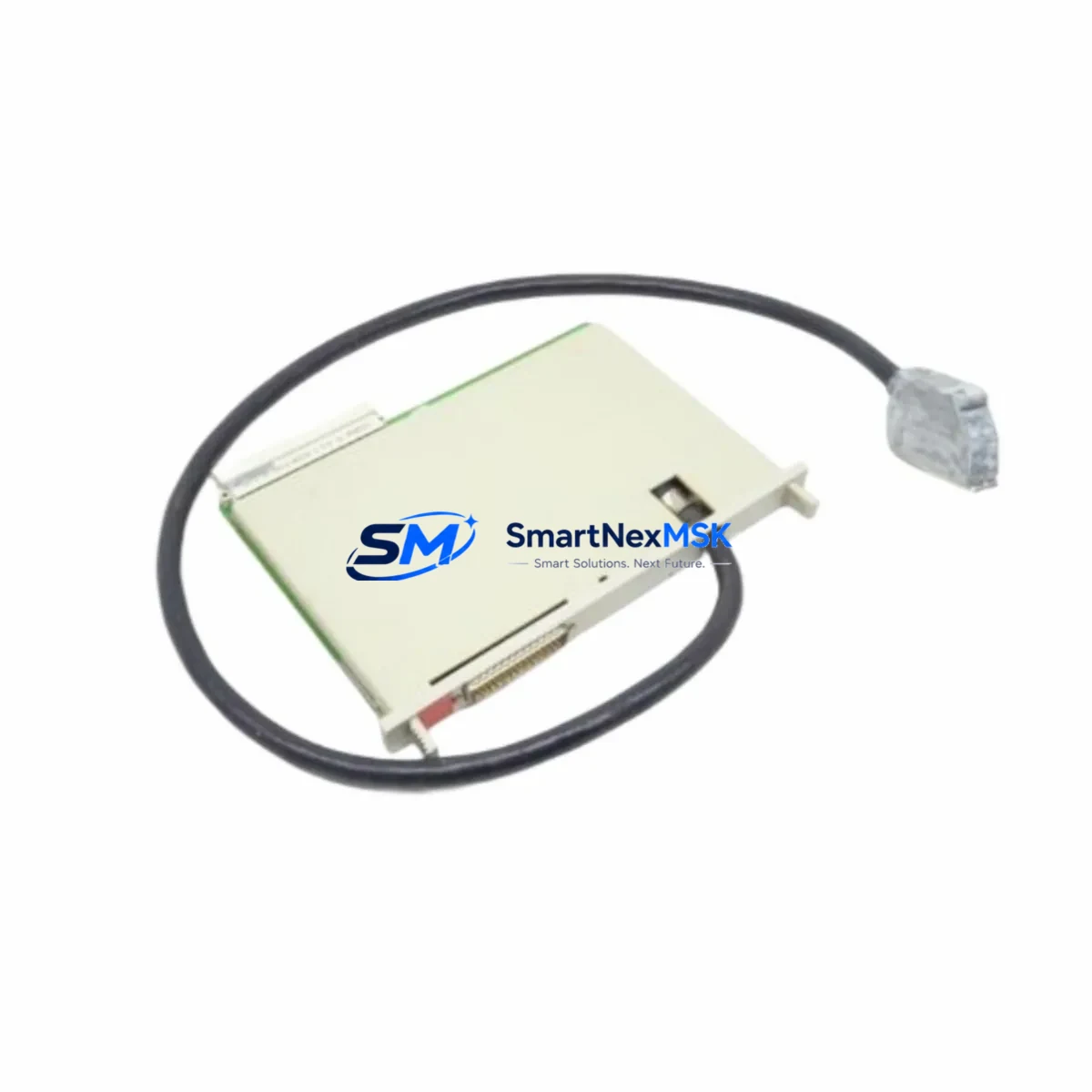
Siemens 6ES5312-3AB31 Spare for S5 Automation: Spare Replacement & Industrial Downtime Risk Control
The Siemens 6ES5312-3AB31 is the IM312 send interface module designed for the SIMATIC S5 programmable controller family, enabling reliable rack-to-rack expansion communication in distributed automation architectures. As a maintenance-ready original spare, this module is sourced, inspected, and dispatched to support rapid replacement in production environments where unplanned downtime carries significant operational and financial risk. Whether you are managing a scheduled overhaul, responding to a fault alarm, or building a strategic spare parts inventory for aging S5 systems, the 6ES5312-3AB31 delivers the compatibility and reliability your maintenance team requires.
Spare Maintenance Table
| Parameter | Specification |
|---|---|
| Part Number / SKU | 6ES5312-3AB31 |
| Module Designation | IM312 Send Interface Module |
| Compatible System | Siemens SIMATIC S5 (S5-115U, S5-135U, S5-155U) |
| Function | Rack-to-rack expansion bus communication (send side) |
| Interface Type | S5 expansion bus, parallel backplane interface |
| Supply Voltage | 5 V DC via backplane bus |
| Operating Temperature | 0 °C to +60 °C |
| Mounting | S5 central rack or expansion rack slot |
| Origin | Germany (Original Siemens) |
| Condition | Original spare, pre-shipment function tested |
| Warranty | 12 Months |
| Delivery | Express available; ESD-safe packaging |
| Compatibility Verification | Cross-referenced against S5 system configuration |
| Application Environment | Industrial automation, process control, legacy S5 systems |
Maintenance Planning for Continuous Operation
When replacing the 6ES5312-3AB31 IM312 send interface module, a thorough inspection of the surrounding control cabinet components is essential to prevent repeat failures and ensure full system restoration. Maintenance engineers should begin by verifying the corresponding receive interface module — typically the 6ES5318-3AB11 IM318 — installed in the expansion rack, as send and receive modules operate as a matched pair. A fault in either unit will interrupt the entire expansion bus segment.
The backplane power supply feeding the central rack should be checked next. The 6ES5955-3LC41 or equivalent S5 power supply module must deliver stable 5 V DC and 24 V DC rails; voltage ripple or marginal output is a common root cause of intermittent interface module faults. Inspect the power supply’s status LEDs and measure output under load before declaring the IM312 as the sole failure point.
During the same maintenance window, inspect the S5 CPU module — such as the 6ES5948-3UA23 CPU948 or 6ES5928-3UB21 CPU928 depending on your configuration — for battery backup status and memory integrity. A depleted backup battery can corrupt program memory and produce symptoms that mimic interface module failures. Replace the lithium backup battery as a standard preventive measure during any unplanned intervention.
I/O modules in the expansion rack connected via the IM312/IM318 pair should also be audited. Digital input modules such as the 6ES5421-8MA11 and digital output modules such as the 6ES5441-8MA11 are common occupants of S5 expansion racks and may have sustained damage from the same electrical event that caused the interface module failure. Check for blown fuses on output modules and verify signal integrity on critical I/O channels.
For systems with analog process signals, inspect analog input modules (e.g., 6ES5466-3LA11) and any associated signal isolators or barriers in the field wiring cabinet. Signal isolation components degrade over time in high-noise industrial environments and should be tested for drift or loss of isolation resistance. Terminal blocks and field wiring connectors on the expansion rack should be re-torqued and inspected for corrosion, particularly in humid or chemically aggressive plant areas.
If the S5 system communicates with supervisory SCADA or DCS layers, verify the communication processor — such as the 6GK1543-0AA01 CP5431 or equivalent — is operating normally after the interface module swap. Expansion bus disruptions can sometimes cause communication processors to enter fault states that require a manual reset or re-initialization of the network connection.
Finally, for sites running extended S5 system life programs, consider stocking a matched spare set: one IM312 (6ES5312-3AB31) and one IM318 receive module, alongside a spare power supply and CPU battery. This spare kit strategy eliminates the most common single points of failure and supports a sub-four-hour recovery target for critical production lines.
Site Replacement Workflow
Replacing the 6ES5312-3AB31 in the field follows a structured procedure to minimize downtime and avoid secondary damage to the S5 rack:
1. Pre-Replacement Verification: Confirm the fault is isolated to the IM312 by checking the module’s fault LED and reviewing the CPU diagnostic buffer. Document the current rack slot assignment and any DIP switch or jumper settings on the existing module before removal.
2. Safe Isolation: Place the S5 CPU in STOP mode and isolate the rack power supply before removing the module. Do not hot-swap S5 interface modules — the backplane bus does not support live insertion and damage to adjacent modules can result.
3. Module Swap: Remove the faulty 6ES5312-3AB31 and install the replacement in the same slot. Verify that any DIP switch settings on the new module match the original configuration. Seat the module firmly and secure the front panel retaining screw.
4. System Restart and Verification: Restore rack power and transition the CPU to RUN mode. Monitor the IM312 status LED for normal operation (typically a steady green). Verify that all I/O modules in the expansion rack are communicating correctly and that no new fault entries appear in the CPU diagnostic buffer.
5. Documentation: Record the replacement in the site maintenance log, including the date, replaced part number, new module serial number, and post-replacement test results. Update the spare parts inventory to trigger reorder of a replacement unit.
This workflow supports compatibility with legacy S5-115U, S5-135U, and S5-155U systems without requiring firmware changes or software reconfiguration, making the 6ES5312-3AB31 a direct drop-in replacement that preserves existing system architecture and minimizes engineering intervention time.
Spare Parts Support FAQ
Q1: Is the 6ES5312-3AB31 still available as a new original spare, or only as refurbished stock?
We supply original Siemens 6ES5312-3AB31 modules sourced from authorized distribution channels and verified surplus inventories. Each unit undergoes pre-shipment functional testing. Condition (new original or tested original) is confirmed at the time of order. We do not supply unchecked or untested units.
Q2: How do I verify compatibility with my specific S5 rack configuration before ordering?
The 6ES5312-3AB31 IM312 is compatible with SIMATIC S5-115U, S5-135U, and S5-155U central and expansion racks. To confirm compatibility, provide your existing CPU part number and rack configuration. Our technical team will cross-reference your system layout and confirm the correct send/receive module pairing before dispatch.
Q3: What does the 12-month warranty cover, and what is the claims process?
The 12-month warranty covers manufacturing defects and functional failure under normal operating conditions. If a module fails within the warranty period, contact [email protected] with your order reference and a description of the fault. We will arrange priority replacement dispatch or issue a credit note, depending on your preference and stock availability.
Q4: Can you support ongoing spare parts supply for a multi-site S5 fleet?
Yes. We maintain standing inventory of high-demand S5 spare modules and can establish a framework supply agreement for maintenance teams managing multiple S5 installations. Long-term supply commitments allow us to reserve stock and provide priority dispatch for emergency breakdown orders, supporting your site’s uptime targets and reducing exposure to end-of-life component scarcity.
© 2026 SMARTNEXMSK. All rights reserved.
Original Source: https://smartnexmsk.com
Contact: [email protected] | +86 18259474341



