
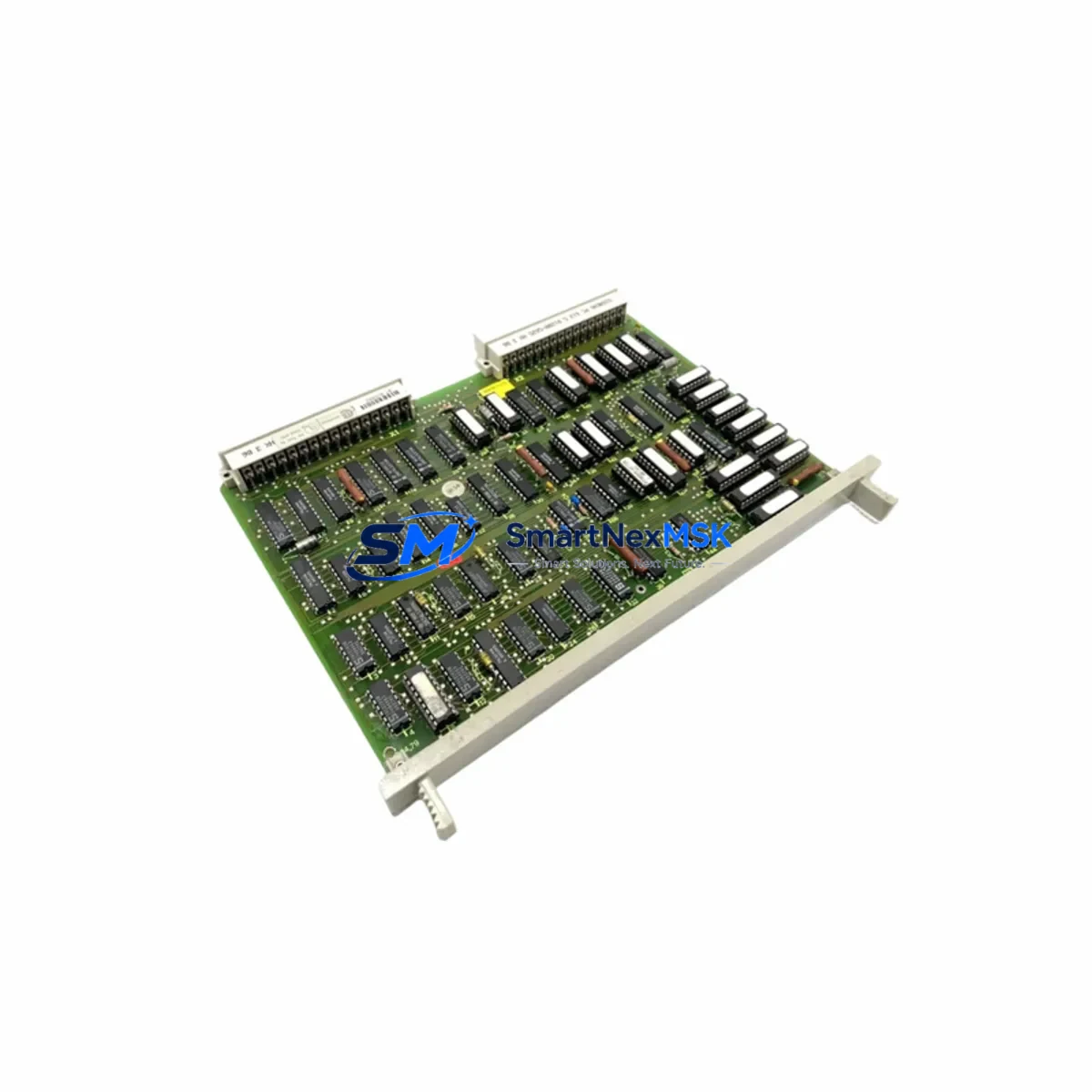
Siemens 6ES5925-3SA11 Maintenance-Ready Spare S5-115U: Spare Replacement & Industrial Downtime Risk Control
The Siemens 6ES5925-3SA11 is a CPU module designed for the SIMATIC S5-115U programmable logic controller platform — one of Siemens’ most widely deployed legacy automation systems in process industries, discrete manufacturing, and utility infrastructure. For maintenance engineers managing aging S5-series control cabinets, securing a verified, original-specification spare of the 6ES5925-3SA11 is a critical step in any planned maintenance or emergency recovery strategy.
This unit ships tested, inspected, and backed by a 12-month warranty. Each module undergoes functional verification prior to dispatch to ensure it meets the original Siemens electrical and communication specifications. Whether you are executing a scheduled turnaround, responding to an unplanned CPU fault, or building out your critical spare inventory, the 6ES5925-3SA11 provides a direct, compatible replacement path with no firmware re-engineering required.
Spare Maintenance Table
| Parameter | Specification |
|---|---|
| Part Number / SKU | 6ES5925-3SA11 |
| Brand | Siemens |
| Series | SIMATIC S5-115U |
| Module Type | CPU Module (Central Processing Unit) |
| Compatible Platform | SIMATIC S5-115U, S5-115H (with appropriate configuration) |
| Supply Voltage | 24 V DC (via backplane bus) |
| Memory | Integrated RAM/EPROM per original S5-115U CPU specification |
| Communication Interface | SINEC L1 / TTY serial interface (model-dependent) |
| Installation | S5-115U central rack (CR) or expansion rack (ER) slot |
| Operating Temperature | 0 °C to +60 °C |
| Country of Origin | Germany |
| Condition | Original spare — tested and inspected before shipment |
| Warranty | 12 Months |
| Shipping | Worldwide express; ESD-safe packaging |
| Maintenance Recommendation | Replace immediately upon CPU fault LED, watchdog trip, or repeated program cycle errors |
Maintenance Planning for Continuous Operation
When a 6ES5925-3SA11 CPU module fails or is flagged during a routine control cabinet inspection, experienced maintenance engineers know that the CPU is rarely the only component under stress. A systematic inspection of the surrounding S5-115U rack and associated electrical circuits is essential to prevent repeat failures and ensure a clean restart after replacement.
Begin with the power supply module — typically a Siemens 6ES5955-3LC41 or 6ES5955-3LF41 — which feeds the backplane bus. A degraded power supply delivering marginal voltage can cause intermittent CPU resets that mimic CPU hardware failure. Verify output voltage stability under load before inserting the replacement CPU.
Next, inspect the digital input/output modules installed in the same rack, such as the 6ES5420-series DI modules and 6ES5440-series DO modules. Faulty I/O modules can generate bus errors that stress the CPU and trigger watchdog faults. Check for blown fuses on output channels and verify that field wiring terminations on the terminal blocks are secure and free of corrosion.
For systems using analog I/O, inspect the 6ES5460-series analog input modules and 6ES5470-series analog output modules. Signal drift or open-circuit inputs can cause the CPU to enter error states during scan cycles. If signal isolators are installed between field transmitters and the S5 analog inputs, verify their power supply and output calibration — degraded isolators are a common hidden cause of analog channel faults.
Review the communication modules in the rack. If the system uses a 6ES5734-series CP (Communications Processor) for SINEC H1 or L2 networking, confirm that the CP module is functioning and that network cables are intact. A failed CP can cause the CPU to log communication errors that are sometimes misdiagnosed as CPU hardware faults.
For systems with HMI panels — such as Siemens OP5, OP7, or OP17 operator panels — connected via the MPI or TTY interface, verify that the HMI communication link is stable after CPU replacement. HMI configuration may need to be re-established if the CPU’s MPI address or baud rate settings were lost.
Finally, inspect the relay output modules and any interposing relays in the control cabinet. Relay coil failures or contact welding can create unexpected load conditions that feed back into the I/O bus. Replacing the CPU without addressing a welded relay contact in a critical output circuit will result in a repeat fault within the first operational cycle.
Building a structured spare parts kit around the 6ES5925-3SA11 — including at minimum one power supply module, one representative DI/DO module pair, and a set of fuses and terminal block spares — is the most effective strategy for reducing mean time to repair (MTTR) on S5-115U-based systems.
Site Replacement Workflow
Step 1 — Pre-replacement documentation: Before removing the faulty 6ES5925-3SA11, record the current CPU operating mode (RUN/STOP), note any active fault LEDs (BASP, INTF, EXTF), and back up the user program from EPROM or battery-backed RAM if accessible. For systems without a programming device on-site, photograph the front panel LED status for post-mortem analysis.
Step 2 — Power isolation: Switch the S5-115U power supply to STOP mode or de-energize the rack via the main isolator. Do not hot-swap the CPU module — the S5-115U backplane does not support live CPU insertion.
Step 3 — Module extraction and inspection: Remove the faulty CPU by releasing the top and bottom locking levers. Inspect the backplane connector pins for damage or contamination. Clean with isopropyl alcohol if necessary before inserting the replacement 6ES5925-3SA11.
Step 4 — Replacement insertion and configuration: Insert the new 6ES5925-3SA11 into the same slot. Verify that the module address switches (if present) are set identically to the removed unit. Restore the user program via EPROM cartridge or STEP 5 programming device (PG 740, PG 760, or compatible PC-based programmer).
Step 5 — Restart and verification: Re-energize the rack and switch the CPU to RUN mode. Monitor the BASP and INTF LEDs for the first 60 seconds. Confirm that all I/O modules are recognized and that the HMI panel re-establishes communication. Log the replacement date, module serial number, and test results in the maintenance record.
This workflow minimizes downtime, maintains system compatibility, and provides a documented audit trail for ISO and safety compliance requirements.
Spare Parts Support FAQ
Q1: Is the 6ES5925-3SA11 still available as a new original spare, or only as refurbished stock?
The SIMATIC S5 series has been discontinued by Siemens, so new factory-sealed units are increasingly scarce. We supply original Siemens 6ES5925-3SA11 modules sourced from authorized industrial surplus channels, inspected and tested to original specification. Each unit is shipped with a 12-month warranty covering functional performance.
Q2: How do I verify compatibility before installation?
Confirm that your rack is a SIMATIC S5-115U central rack (6ES5700-series) and that the slot assignment matches the original CPU position. Check the firmware version label on the module face — the 3SA11 suffix indicates a specific hardware revision. If your system previously ran a different CPU revision, contact our technical team with your STEP 5 project file details for compatibility confirmation before installation.
Q3: What pre-shipment testing is performed on each unit?
Every 6ES5925-3SA11 is powered up and subjected to a functional test cycle that verifies backplane communication, memory integrity, and CPU run/stop switching. Modules that fail any test stage are quarantined and not shipped. A test report is available upon request for quality-critical procurement processes.
Q4: What is the recommended inventory strategy for S5-115U CPU modules?
For facilities operating more than two S5-115U racks, we recommend maintaining a minimum of one 6ES5925-3SA11 CPU spare per site, supplemented by one power supply module and a matched set of the most critical I/O modules in your configuration. Given the end-of-life status of the S5 platform, lead times for sourcing CPU modules on the open market can extend to 4–8 weeks during peak demand periods. Holding on-site stock eliminates this risk entirely and supports a target MTTR of under four hours for CPU-related stoppages.
© 2026 SMARTNEXMSK. All rights reserved.
Original Source: https://smartnexmsk.com
Contact: [email protected] | +86 18259474341



