
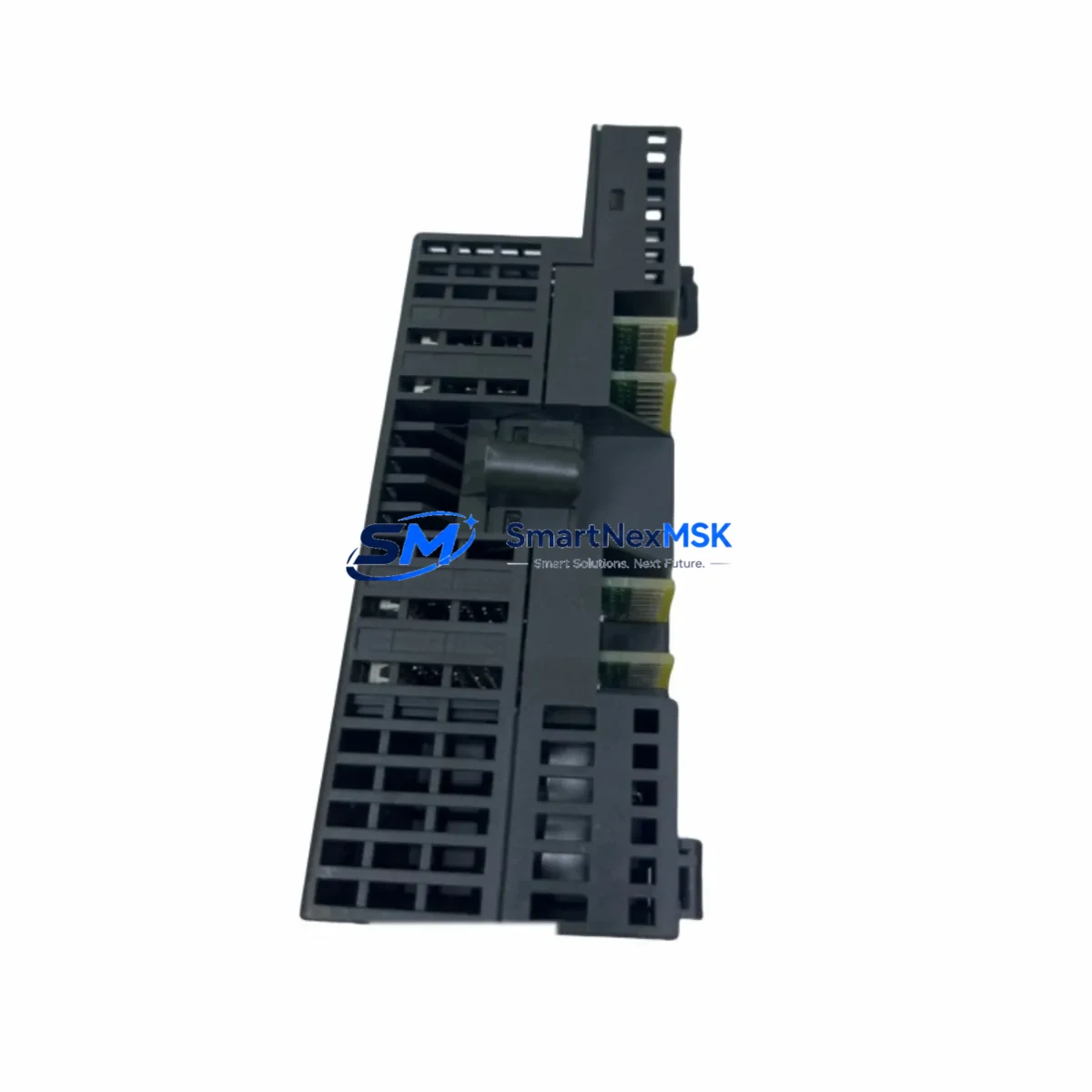
Siemens 6ES7131-1BL01-0XB0 Retrofit-Ready Digital Input Module for ET200L Control Systems
The Siemens 6ES7131-1BL01-0XB0 is a 16-channel, 24 VDC digital input module designed for the ET 200L distributed I/O station. As legacy ET200L installations approach end-of-life or require capacity expansion, this module remains one of the most sought-after retrofit components for engineers managing aging SIMATIC S7-300 and S7-400 control architectures. Whether you are replacing a failed unit on a running production line, upgrading a control cabinet to meet new safety standards, or migrating I/O infrastructure to a more maintainable platform, the 6ES7131-1BL01-0XB0 delivers a direct, wiring-compatible drop-in solution that minimizes engineering rework and unplanned downtime.
This module mounts directly onto the ET200L terminal block assembly — the 6ES7193-1CH10-0XA0 terminal block — without requiring additional adapters or backplane modifications. Its compact form factor and 16-point input density make it ideal for space-constrained control cabinets where every DIN rail slot counts. Input signal compatibility is 24 VDC IEC Type 1/Type 3, consistent with the wiring standards used across the broader SIMATIC ET200 family, including the ET200M and ET200S distributed I/O platforms.
Upgrade Compatibility Table
| Parameter | 6ES7131-1BL01-0XB0 (This Module) | Retrofit Notes |
|---|---|---|
| Platform | ET200L Distributed I/O | Compatible with existing ET200L station; no new IM interface required |
| Input Channels | 16 × 24 VDC Digital Input | Direct replacement for earlier 6ES7131-1BL00-0XB0 variant |
| Terminal Block | 6ES7193-1CH10-0XA0 | Reuse existing terminal block; no rewiring required |
| Communication | PROFIBUS DP via ET200L IM | Compatible with 6ES7151-1AA02-0AB0 and 6ES7151-1AA03-0AB0 IM modules |
| Backplane Interface | ET200L integrated bus connector | Plug-and-replace; no address switch reconfiguration needed |
| Power Supply | 24 VDC (from ET200L power bus) | Verify PS307 or equivalent 24 VDC rail capacity before installation |
| GSD / HW Config | SIMATIC Manager / TIA Portal | Existing HW Config entry valid; no GSD update required for same variant |
| Installation | DIN rail, snap-on to ET200L base | No tools required; observe ESD precautions |
| Warranty | 12-Month Warranty — covered against manufacturing defects from date of shipment | |
Retrofit Planning for Existing Automation Systems
Successful integration of the 6ES7131-1BL01-0XB0 into an existing control system begins well before the module arrives on site. Engineers should start by auditing the current ET200L station configuration in SIMATIC Manager or TIA Portal, confirming the slot assignment and the number of occupied I/O positions. In most legacy installations, the ET200L station is paired with an interface module such as the 6ES7151-1AA02-0AB0 IM, which handles PROFIBUS DP communication back to the S7-300 CPU — typically a CPU 315-2 DP or CPU 317-2 DP. Confirming that the IM firmware version supports the 01 hardware revision of this DI module is a recommended pre-installation step.
On the power side, the 24 VDC supply feeding the ET200L station — often sourced from a SITOP PSU100S 6EP1334-2BA20 or equivalent PS307 power supply — must have sufficient residual capacity to support the additional input module load. Each 16-channel DI module draws a modest current from the 24 VDC bus, but in densely populated stations with multiple DI and DO modules, cumulative load calculations are essential to avoid nuisance tripping or supply derating.
Terminal wiring is one of the most time-sensitive aspects of any retrofit. Because the 6ES7131-1BL01-0XB0 reuses the existing 6ES7193-1CH10-0XA0 terminal block, field wiring connected to the terminal block does not need to be disturbed. This is a significant advantage over cross-platform migrations — for example, moving from ET200L to ET200SP — where new terminal blocks, new base units such as the 6ES7193-6BP00-0DA0, and complete rewiring of field cables would be required. For teams considering a longer-term migration to ET200SP with a CPU 1512SP-1 PN, the 6ES7131-1BL01-0XB0 serves as a reliable interim solution that keeps the line running while the migration is planned and budgeted.
Module address configuration in the ET200L is handled automatically by the station’s physical slot position, so no DIP switch or software address assignment is needed after physical installation. However, engineers should verify the HW Config in SIMATIC Manager to ensure the slot entry matches the installed module order number. If the previous module was a 6ES7131-1BL00-0XB0 (the earlier hardware revision), the HW Config entry may need to be updated to reflect the -1BL01- variant, followed by a download to the CPU. This step is critical to avoid diagnostic alarms on the PROFIBUS segment.
For sites running PROFIBUS DP at higher baud rates — 1.5 Mbit/s or 12 Mbit/s — confirm that the PROFIBUS cable segment length and termination resistors on the 6ES7972-0BA52-0XA0 bus connector are correctly configured. Improper termination is a common source of intermittent communication faults that can be misdiagnosed as module failures during commissioning.
Downtime Control During System Migration
Minimizing production downtime during a module swap or system migration requires a structured approach. Before any physical work begins, export and archive the current S7 program from the CPU using SIMATIC Manager or TIA Portal, and save a copy of the HW Config. This ensures that if the replacement module triggers unexpected behavior, the original configuration can be restored within minutes rather than hours.
For hot-swap scenarios where the ET200L station must remain partially operational, consider temporarily reassigning critical input signals to spare channels on adjacent modules — such as a co-installed 6ES7131-1BH01-0XB0 8-channel DI module — while the 16-channel module is replaced. This approach keeps safety interlocks and process feedback signals active during the physical swap, reducing the risk of uncontrolled process states.
After physical installation, perform a controlled power cycle of the ET200L station and monitor the PROFIBUS diagnostic LEDs on the IM module. A solid green SF/BF LED pattern confirms that the new module has been recognized and is communicating correctly with the S7 CPU. Cross-check the process image in the CPU’s online monitor to verify that all 16 input channels are reading correctly before releasing the station back to production. Document the swap in the site’s maintenance log, including the module serial number, installation date, and the name of the commissioning engineer — this record supports the 12-month warranty claim process if required.
For larger-scale migrations involving multiple ET200L stations across a plant, a phased approach — replacing one station per maintenance window — is strongly recommended. This limits the blast radius of any commissioning issue and allows the engineering team to refine the procedure before tackling more complex stations with mixed DI, DO, and analog I/O configurations.
Retrofit Support FAQ
Q1: Is the 6ES7131-1BL01-0XB0 a direct replacement for the 6ES7131-1BL00-0XB0?
Yes. The -1BL01- is the successor hardware revision to the -1BL00-. It is physically and electrically compatible with the same ET200L terminal block and station. A HW Config update in SIMATIC Manager to reflect the new order number is recommended, followed by a program download to the CPU to clear any configuration mismatch alarms.
Q2: Do I need to rewire the terminal block when installing this module?
No. The 6ES7131-1BL01-0XB0 uses the same 6ES7193-1CH10-0XA0 terminal block as its predecessor. Field wiring remains undisturbed. Simply remove the old module from the terminal block, snap the new module into place, and restore power. This is one of the key advantages of staying within the ET200L platform for interim replacements.
Q3: What pre-shipment testing is performed on this module?
Each unit undergoes functional verification prior to shipment, including power-on self-test, channel continuity checks, and communication handshake validation where test equipment permits. Modules are shipped in anti-static packaging with individual serial number traceability. All units are covered by a 12-month warranty from the date of shipment, covering manufacturing defects and functional failures under normal operating conditions.
Q4: Can this module be used in a TIA Portal / S7-1500 environment?
The 6ES7131-1BL01-0XB0 is native to the ET200L / S7-300 / S7-400 PROFIBUS DP ecosystem. It is not directly compatible with PROFINET-based ET200SP or ET200MP stations used with S7-1500 CPUs. For TIA Portal environments, the functional equivalent would be an ET200SP DI module such as the 6ES7131-6BF01-0BA0. If you are planning a migration from S7-300 to S7-1500, the 6ES7131-1BL01-0XB0 is best used as a bridge solution to keep existing lines operational while the new platform is engineered and validated.
© 2026 SMARTNEXMSK. All rights reserved.
Original Source: https://smartnexmsk.com
Contact: [email protected] | +86 18259474341



