
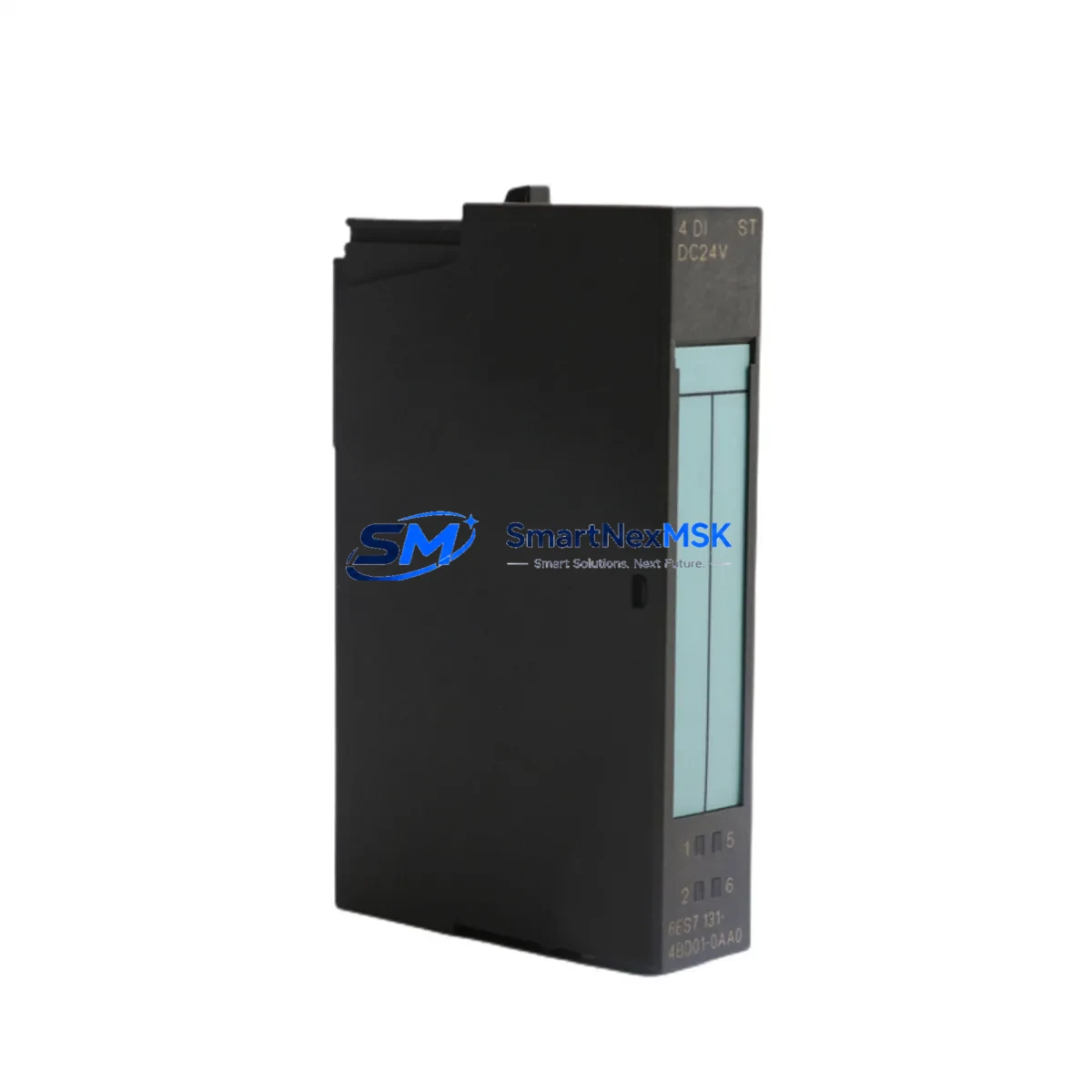
Siemens 6ES7131-4BD01-0AA0 Spare for ET 200S Automation
The Siemens 6ES7131-4BD01-0AA0 is a 4-channel 24 VDC digital input module designed for the ET 200S distributed I/O system. As a maintenance-ready original spare, it is the direct replacement for aging or failed DI modules in SIMATIC S7-300 and S7-400 controlled installations. For maintenance engineers managing aging distributed I/O racks, unplanned downtime caused by a failed digital input channel can cascade into full line stoppages. Stocking the 6ES7131-4BD01-0AA0 as a certified spare eliminates that risk and enables same-shift restoration of normal operation.
This module is sourced as an original Siemens component, tested prior to dispatch, and shipped with a 12-month warranty. It is suitable for new installations, like-for-like replacements, and long-term system life extension programs where the ET 200S platform remains the backbone of the control architecture.
Spare Maintenance Table
| Parameter | Specification |
|---|---|
| Part Number / SKU | 6ES7131-4BD01-0AA0 |
| Brand | Siemens |
| Series | ET 200S / SIMATIC S7 |
| Module Type | Digital Input (DI), 4-Channel |
| Input Voltage | 24 VDC |
| Input Current (per channel) | Approx. 4 mA at 24 VDC |
| Signal Delay | Configurable: 0.1 ms / 0.5 ms / 3 ms / 15 ms |
| Isolation | Optocoupler isolation between field and backplane |
| Backplane Interface | ET 200S terminal module (e.g. TM-E series) |
| Compatible Systems | ET 200S with IM 151-1, IM 151-3 PN, IM 151-7 CPU |
| Mounting | Plug-in onto ET 200S terminal module; no tools required |
| Operating Temperature | 0 °C to +60 °C |
| Protection Class | IP20 |
| Weight | Approx. 40 g |
| Origin | Germany |
| Warranty | 12 Months |
| Condition | Original, tested before shipment |
Maintenance Planning for Continuous Operation
When a 6ES7131-4BD01-0AA0 digital input module is flagged during a routine control cabinet inspection or fault diagnostic, experienced maintenance engineers know that the failure rarely exists in isolation. The ET 200S rack is a tightly integrated distributed I/O platform, and a single degraded module can indicate broader stress on the system.
During planned replacement of this DI module, it is best practice to simultaneously inspect the ET 200S terminal module (TM-E15S24-01) for contact wear or contamination, as the terminal module is the mechanical and electrical interface that the 6ES7131-4BD01-0AA0 plugs into. A worn terminal module will cause intermittent faults even after a new DI module is installed.
The IM 151-1 or IM 151-3 PN interface module should be checked for firmware version compatibility and PROFIBUS/PROFINET communication integrity. If the station has been running for several years, the interface module’s diagnostic buffer should be reviewed for recurring communication errors that may have contributed to the DI module failure.
The 24 VDC power supply module (PM-E 24VDC) feeding the ET 200S station is another critical inspection point. Voltage ripple or transient spikes on the 24 V rail are a common root cause of premature digital input module failure. Verify output voltage stability under load before commissioning the replacement module.
Field wiring connected to the DI channels should be inspected for insulation degradation, loose ferrules, and correct cable routing. In environments with high vibration or thermal cycling, terminal block assemblies and cable entry seals are frequent failure points that are often overlooked during module-level replacements.
If the ET 200S station includes analog input modules (e.g. 6ES7134-4FB01-0AB0) or digital output modules (e.g. 6ES7132-4BD02-0AA0) in the same rack, their status LEDs and diagnostic data should be reviewed during the same maintenance window. Addressing multiple marginal modules in a single planned outage is far more cost-effective than repeated unplanned stoppages.
For installations where the ET 200S communicates over PROFINET, the network switch port serving the station should be checked for error counters and link stability. A degraded network connection can cause the CPU to log spurious I/O faults that are misdiagnosed as module failures.
Where signal isolators or surge protection devices are installed between field sensors and the DI module inputs, these should be tested for correct pass-through voltage levels. A failed signal isolator will present as a dead input channel on the 6ES7131-4BD01-0AA0 even when the module itself is fully functional.
Finally, if the installation includes a SIMATIC HMI panel (e.g. KTP700 Basic or TP1200 Comfort) displaying process status from this I/O station, verify that the HMI tag connections and alarm configurations remain valid after the module replacement and any associated address reassignment.
Site Replacement Workflow
The 6ES7131-4BD01-0AA0 is a hot-swap-capable module within the ET 200S architecture when the station is configured for module replacement without CPU stop (subject to CPU and IM firmware support). This means that in many installations, the failed DI module can be extracted and the replacement inserted without powering down the entire station, significantly reducing the mean time to repair (MTTR).
Before extraction, record the current channel diagnostic status from the SIMATIC Manager or TIA Portal online view. Note any forced I/O values that may have been applied as a temporary workaround. After inserting the 6ES7131-4BD01-0AA0 replacement, confirm that the module’s green RUN LED illuminates and that no SF (system fault) LED is active on the interface module.
If the station was previously running an older hardware revision of the 6ES7131-4BD01-0AA0, verify that the replacement revision is compatible with the existing GSD/GSDML configuration file loaded in the CPU project. In most cases, Siemens maintains backward compatibility across hardware revisions of this module, but this should be confirmed in the hardware catalog within TIA Portal or SIMATIC Manager before finalizing the replacement order.
For sites operating legacy S7-300 systems with ET 200S remote I/O, the 6ES7131-4BD01-0AA0 is a proven path to extending system life without migrating to newer hardware platforms. This approach preserves existing PLC programs, HMI configurations, and field wiring investments while restoring full I/O integrity.
Spare Parts Support FAQ
Q1: Is the 6ES7131-4BD01-0AA0 compatible with all ET 200S interface modules?
The 6ES7131-4BD01-0AA0 is compatible with the standard ET 200S rack using IM 151-1, IM 151-3 PN, and IM 151-7 CPU interface modules. Compatibility with specific hardware revisions of the interface module should be verified against the Siemens ET 200S system manual. We recommend confirming the IM firmware version before ordering if the station is running an early hardware release.
Q2: What is included in the 12-month warranty and how does it apply to field replacements?
Every 6ES7131-4BD01-0AA0 unit shipped by SMARTNEXMSK carries a 12-month warranty covering manufacturing defects and functional failures under normal operating conditions. Each unit is tested prior to dispatch. The warranty period begins from the date of shipment. For field replacements, retain the original packaging and test report as warranty documentation.
Q3: How should I manage spare inventory for ET 200S digital input modules in a multi-line facility?
For facilities with multiple ET 200S stations, a recommended minimum stock level is one 6ES7131-4BD01-0AA0 per five installed units, with a floor of two units per facility regardless of installed base size. Modules should be stored in anti-static packaging in a dry environment between 0 °C and +40 °C. Rotate stock on a first-in, first-out basis and inspect stored units annually for any signs of connector oxidation.
Q4: Can this module replace older hardware revisions of the 6ES7131-4BD01-0AA0 without reprogramming the PLC?
In the vast majority of cases, yes. Siemens designs successive hardware revisions of the 6ES7131-4BD01-0AA0 to be functionally and electrically equivalent, allowing direct substitution without changes to the PLC program or hardware configuration. However, if the TIA Portal or SIMATIC Manager project was created with a specific hardware revision locked in the hardware catalog, a minor configuration update may be required to accept the new revision. This is a non-invasive change that does not affect the control logic.
© 2026 SMARTNEXMSK. All rights reserved.
Original Source: https://smartnexmsk.com
Contact: [email protected] | +86 18259474341



