
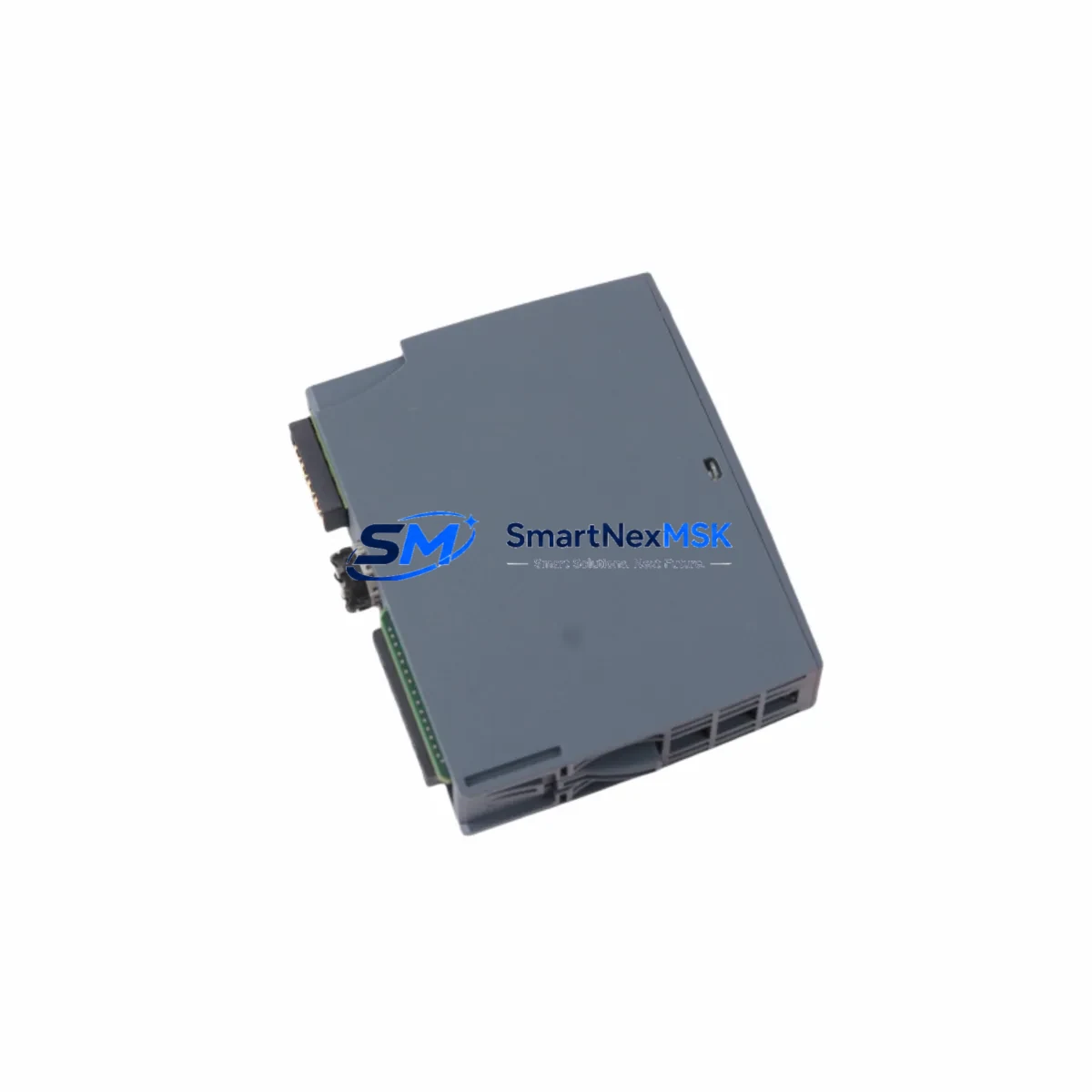
Siemens 6ES7131-6BH01-0BA0 Spare for ET 200SP Automation
The Siemens 6ES7131-6BH01-0BA0 is a 16-channel 24 VDC digital input module designed for the ET 200SP distributed I/O system, fully compatible with SIMATIC S7-1500 and S7-1200 controller platforms. As a maintenance-critical spare part, this module plays a central role in keeping factory automation lines, process control cabinets, and machine tool systems operational without unplanned downtime. Whether you are managing a scheduled preventive maintenance cycle, responding to an emergency fault isolation event, or building a strategic spare parts inventory for aging production lines, the 6ES7131-6BH01-0BA0 is a high-priority item to stock.
For maintenance engineers and procurement engineers alike, understanding the full context of this module within the control system is essential. The 6ES7131-6BH01-0BA0 mounts directly onto a BaseUnit — specifically the 6ES7193-6BP00-0DA0 or compatible BU type — and communicates upstream via the ET 200SP backplane bus to the IM 155-6 PN interface module (such as the 6ES7155-6AU01-0BN0), which handles PROFINET communication to the S7-1500 CPU. When replacing this digital input module, engineers should simultaneously inspect the associated BaseUnit for terminal wear, verify the 24 VDC supply rail fed by the PM 190W 120/230VAC power supply module, and confirm that the PROFINET link between the IM 155-6 and the CPU remains stable.
In a typical ET 200SP control cabinet, the 6ES7131-6BH01-0BA0 works alongside a range of I/O modules including 6ES7132-6BF01-0BA0 digital output modules and 6ES7134-6GD01-0BA1 analog input modules. During a planned inspection or corrective maintenance event, it is good practice to check the condition of all adjacent modules on the same rack segment, as thermal cycling and vibration can degrade connector contacts over time. The 6ES7193-6BP20-0DA0 BaseUnit variants used for high-density configurations should also be verified for proper seating and terminal torque.
Signal integrity is another key concern. If the 6ES7131-6BH01-0BA0 is receiving signals from field sensors through long cable runs or in electrically noisy environments, engineers should verify the performance of any signal isolators or surge protection terminals installed upstream of the module inputs. Proper shielding of sensor cables and correct grounding of the ET 200SP station chassis are prerequisites for reliable 24 VDC digital input readings. In older installations, degraded terminal blocks or corroded ferrule connections on the BaseUnit can cause intermittent input faults that mimic module failure — always inspect wiring before condemning the module itself.
For systems where the ET 200SP station is integrated into a broader SIMATIC architecture, the TIA Portal project file must be consulted to confirm the module’s configured I/O address, diagnostic settings, and any process image partition assignments. After physical replacement, a hardware configuration download or online comparison in TIA Portal is required to validate that the new module is recognized correctly. If the system uses PROFINET device replacement without exchangeable medium, the replacement module will inherit the device name automatically — otherwise, manual device name assignment via the PROFINET commissioning tool is necessary.
From a procurement and inventory strategy perspective, the 6ES7131-6BH01-0BA0 is a high-consumption spare due to its widespread deployment across ET 200SP stations in automotive, food and beverage, pharmaceutical, and general manufacturing applications. Maintaining at least one unit in local stock — alongside the corresponding BaseUnit 6ES7193-6BP00-0DA0 — significantly reduces mean time to repair (MTTR) during unplanned outages. All units supplied by SMARTNEXMSK are sourced from verified channels, undergo pre-shipment functional testing, and are covered by a 12-month warranty from the date of delivery.
Spare Maintenance Table
| Parameter | Specification |
|---|---|
| SKU / Part Number | 6ES7131-6BH01-0BA0 |
| Module Type | 16-Channel Digital Input, 24 VDC |
| Series | SIMATIC ET 200SP |
| Compatible Controllers | S7-1500, S7-1200 (via ET 200SP IM) |
| Communication Interface | ET 200SP Backplane Bus / PROFINET (via IM) |
| Input Voltage | 24 VDC (IEC Type 1 / Type 3) |
| Number of Inputs | 16 DI |
| Compatible BaseUnit | 6ES7193-6BP00-0DA0 (BU15-P16+A0+2D) |
| Mounting | ET 200SP rail-mount on BaseUnit |
| Degree of Protection | IP20 |
| Operating Temperature | 0 °C to +60 °C |
| Country of Origin | Germany |
| Warranty | 12 Months from delivery date |
| Pre-shipment Testing | Functional test performed before dispatch |
| Availability | In stock — fast global shipping |
Maintenance Planning for Continuous Operation
Effective maintenance planning for an ET 200SP station requires a holistic view of the entire I/O assembly. When the 6ES7131-6BH01-0BA0 is flagged for replacement — whether due to a diagnostic fault code in TIA Portal, a failed channel, or a scheduled lifecycle swap — the maintenance team should treat the event as an opportunity to audit the surrounding components.
Start with the IM 155-6 PN interface module (e.g., 6ES7155-6AU01-0BN0): verify its PROFINET link status LEDs, check for firmware currency, and confirm that the station’s IP address and device name are correctly assigned. Next, inspect the 24 VDC power supply feeding the ET 200SP station — a degraded or undersized supply can cause sporadic input read errors that are incorrectly attributed to the DI module. The 6EP1333-3BA10 SITOP PSU100S or equivalent should be load-tested if the station has been in service for more than five years.
Within the cabinet, check all terminal blocks and ferrule connections on the BaseUnit for oxidation or loosening. Inspect adjacent 6ES7132-6BF01-0BA0 digital output modules for thermal discoloration or relay contact wear if mixed I/O configurations are used. If the station includes 6ES7134-6GD01-0BA1 analog input modules, verify their calibration and signal cable shielding integrity at the same time.
For cabinets in harsh environments, check the condition of surge protection terminals on sensor input lines and replace any that show signs of activation. Inspect signal isolators on long-distance 24 VDC sensor runs. Verify that all PROFINET patch cables between the IM module and the managed switch are undamaged and properly latched. If the station uses a 6GK5 series SCALANCE switch for PROFINET segmentation, check its port diagnostics for CRC errors or link-down events that could indicate cable degradation.
Finally, update the maintenance log with the module serial number, replacement date, and test results. Cross-reference the TIA Portal hardware configuration to confirm the new 6ES7131-6BH01-0BA0 is online and all 16 input channels are reporting correctly before returning the system to production.
Site Replacement Workflow
Replacing the 6ES7131-6BH01-0BA0 on a live ET 200SP station follows a structured sequence to minimize downtime and protect program integrity:
1. Pre-replacement preparation: Export the current TIA Portal project and create a backup. Note the module’s slot position, configured I/O address range, and any assigned diagnostic interrupts. If the station supports PROFINET device replacement without exchangeable medium, no additional configuration steps are required after physical swap.
2. Safe isolation: Place the affected ET 200SP station in STOP mode via the CPU or via a partial device STOP if the controller supports it. De-energize the 24 VDC sensor supply to the module’s input terminals. Do not de-energize the entire station if other modules on the same rack must remain active.
3. Physical replacement: Unlatch the 6ES7131-6BH01-0BA0 from its BaseUnit by pressing the release lever and sliding the module upward. Insert the new module onto the same BaseUnit, ensuring the backplane connector is fully seated. No tools are required for module removal or insertion.
4. Re-energization and verification: Restore the 24 VDC sensor supply. Place the CPU back in RUN mode. Observe the module’s RUN/ERROR LED — a steady green indicates normal operation. In TIA Portal, perform an online comparison to confirm the hardware configuration matches the physical station. Verify all 16 input channels by activating each connected field device and confirming the corresponding process image bit toggles correctly.
5. Documentation: Record the replacement in the maintenance management system (CMMS). Update the spare parts inventory to trigger reorder of a replacement unit. Total expected downtime for a trained technician: 15–30 minutes.
Spare Parts Support FAQ
Q1: Is the 6ES7131-6BH01-0BA0 still in production, and how long can I expect supply availability?
A: As of 2026, the 6ES7131-6BH01-0BA0 remains an active Siemens catalog item within the ET 200SP product family. SMARTNEXMSK maintains stock of both current-production and verified surplus units to support long-term maintenance requirements. We recommend customers with large ET 200SP installations establish a standing spare parts agreement to ensure continuity.
Q2: Can I replace the 6ES7131-6BH01-0BA0 without downloading a new hardware configuration to the CPU?
A: Yes, if your PROFINET network is configured for device replacement without exchangeable medium (a standard TIA Portal setting for ET 200SP stations), the replacement module will be recognized automatically when inserted into the same BaseUnit slot. If this feature is not enabled, you will need to assign the device name manually using TIA Portal’s online tools before the module comes online.
Q3: What pre-shipment testing is performed on units supplied by SMARTNEXMSK?
A: Every 6ES7131-6BH01-0BA0 unit is functionally tested prior to dispatch. Testing includes power-on verification, backplane communication check, and input channel continuity confirmation. Units are shipped in anti-static packaging with a test report available on request. All units carry a 12-month warranty covering manufacturing defects and functional failures under normal operating conditions.
Q4: What should I check if the replacement module shows a fault LED immediately after installation?
A: First, verify that the module is fully seated on the BaseUnit and the backplane connector is engaged. Check that the 24 VDC supply to the station is within tolerance (20.4–28.8 VDC). In TIA Portal, review the module’s diagnostic buffer for specific fault codes. Common causes of immediate fault indication include incorrect BaseUnit type, missing device name assignment, or a mismatch between the configured and actual module type in the hardware configuration. Contact SMARTNEXMSK technical support if the fault persists after these checks.
© 2026 SMARTNEXMSK. All rights reserved.
Original Source: https://smartnexmsk.com
Contact: [email protected] | +86 18259474341



