
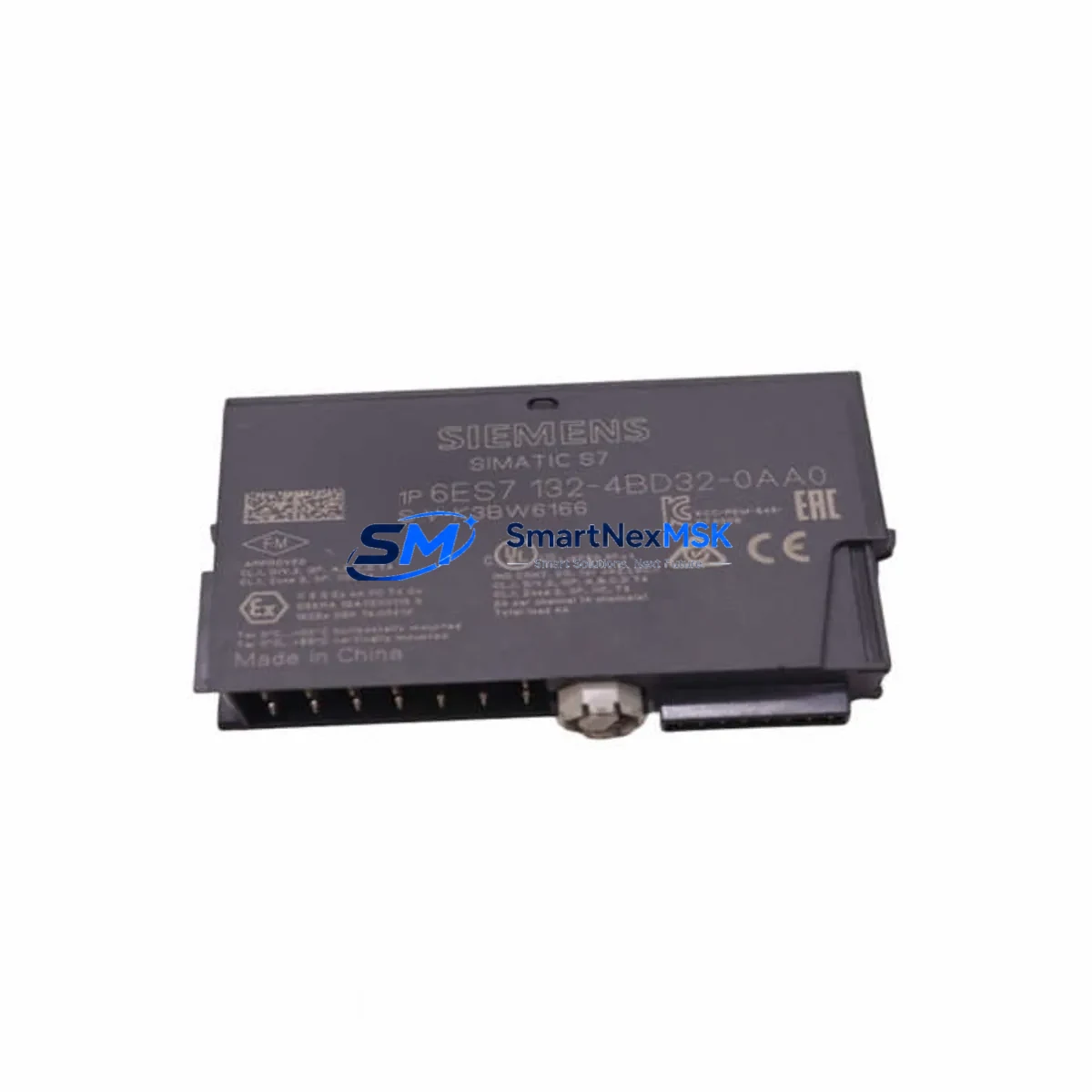
Siemens 6ES7132-4BD32-0AA0 Maintenance-Ready Spare ET 200S Automation
The Siemens 6ES7132-4BD32-0AA0 is a 2-channel digital output module designed for the SIMATIC ET 200S distributed I/O system, delivering 24 VDC / 0.5 A PNP switching capability per channel. In industrial maintenance environments — from automotive body shops and food processing lines to chemical plant control cabinets — this module is a critical field-replaceable unit (FRU) that directly governs actuator, solenoid valve, and relay coil switching. Unplanned failure of this output module can halt an entire production cell within seconds. Holding a verified original spare in your maintenance inventory is the single most effective strategy to minimize mean time to repair (MTTR) and protect OEE targets.
Every unit supplied by SMARTNEXMSK undergoes pre-shipment functional verification, is packaged in anti-static ESD-safe materials, and is backed by a 12-month warranty. We source exclusively original Siemens components — no clones, no refurbished units without disclosure — ensuring full compatibility with your existing ET 200S backplane, IM 151 interface module, and STEP 7 / TIA Portal hardware configuration.
Spare Maintenance Table
| Parameter | Specification |
|---|---|
| Part Number / SKU | 6ES7132-4BD32-0AA0 |
| Brand | Siemens |
| Series / Platform | SIMATIC ET 200S |
| Module Type | 2-Channel Digital Output (DO) |
| Output Voltage | 24 VDC |
| Output Current per Channel | 0.5 A (PNP, sourcing) |
| Number of Channels | 2 |
| Output Signal Type | PNP (positive switching) |
| Supply Voltage | 24 VDC (via ET 200S power module) |
| Compatible Interface Module | IM 151-1, IM 151-3 PN, IM 151-7 CPU |
| Compatible Backplane | ET 200S standard terminal module (TM-E) |
| Programming Environment | STEP 7 V5.x / TIA Portal V13+ |
| Protection Class | IP20 (cabinet-mounted) |
| Operating Temperature | 0 °C to +60 °C |
| Mounting | DIN rail via ET 200S terminal module |
| Country of Origin | Germany |
| Warranty | 12 Months — Tested & Verified Original |
| Maintenance Classification | Field-Replaceable Unit (FRU) — Hot-swap capable with IM 151-3 PN |
Maintenance Planning for Continuous Operation
When a maintenance or reliability engineer schedules a planned inspection or responds to an unplanned fault on an ET 200S station, replacing the 6ES7132-4BD32-0AA0 output module is rarely an isolated action. A disciplined maintenance workflow requires checking the entire electrical loop and adjacent components to prevent repeat failures and confirm system integrity before restart.
Power supply integrity is the first checkpoint. The ET 200S station relies on a dedicated PM-E 24VDC power module (e.g., 6ES7138-4CA01-0AA0) to feed the electronic modules. A degraded or overloaded power module can cause intermittent output faults that mimic a failed DO module — always verify bus voltage and current draw before condemning the output module itself.
Terminal module condition is equally important. The TM-E15S26-A1 terminal module (6ES7193-4CA40-0AA0) that the 6ES7132-4BD32-0AA0 snaps into should be inspected for cracked latches, corroded contacts, or loose field wiring. A faulty terminal module will cause the replacement DO module to fail immediately upon installation.
Digital input cross-check: If the output channel drives a solenoid or actuator with a feedback position sensor, verify the corresponding 2-channel digital input module (such as the 6ES7131-4BB01-0AA0) is reading the feedback correctly. A stuck-open or stuck-closed DI channel can mask an output fault or generate false alarms in the PLC program.
Interface module firmware and diagnostics: The IM 151-3 PN interface module provides PROFINET connectivity and module-level diagnostics. After replacing the DO module, confirm the IM 151 reports no configuration mismatch (SF/BF LED status) and that the GSD/GSDML hardware configuration in TIA Portal matches the installed module order number.
Relay and contactor downstream: The 0.5 A output rating of the 6ES7132-4BD32-0AA0 is designed to drive intermediate relays — not high-current loads directly. Inspect the 24 VDC intermediate relay coil resistance and contact condition. A shorted relay coil can exceed the module’s current limit and trigger output protection, causing the module to report a fault even when it is functioning correctly.
Fuse and surge protection: Check the 24 VDC branch fuse protecting the output circuit and any transient voltage suppression (TVS) diodes or varistors on inductive loads. Missing or degraded surge suppression on solenoid valves is a leading cause of premature output module failure in field environments.
Communication and network health: For PROFINET-connected ET 200S stations, verify switch port link speed, cable integrity, and PROFINET cycle time. A degraded network can cause the IM 151-3 PN to enter safe state, de-energizing all outputs — a condition that appears identical to a hardware output failure during initial troubleshooting.
Analog and signal isolation modules: If the control cabinet also contains 2-channel analog output modules (e.g., 6ES7135-4GB01-0AB0) or signal isolators on the same 24 VDC bus, verify their supply voltage is within tolerance after replacing the DO module, as bus loading changes can affect analog accuracy.
Maintaining a minimum stock of one spare 6ES7132-4BD32-0AA0 per ET 200S station cluster — alongside a spare IM 151 interface module and at least one PM-E power module — is the recommended strategy for facilities operating with a target MTTR of under 30 minutes.
Site Replacement Workflow
Step 1 — Isolate and document: Before removal, record the channel assignment, field wiring labels, and current diagnostic status from the STEP 7 / TIA Portal online view. Photograph the terminal module wiring if labels are worn.
Step 2 — Safe state confirmation: Place the PLC CPU in STOP mode or use the IM 151’s local STOP function to de-energize all outputs on the affected station. Verify with a multimeter that the output terminals are at 0 VDC before touching field wiring.
Step 3 — Module extraction: The 6ES7132-4BD32-0AA0 is designed for tool-free removal from its terminal module. Press the release lever and slide the electronic module upward. The terminal module and field wiring remain in place — no rewiring is required, which is the key advantage of the ET 200S modular architecture for maintenance efficiency.
Step 4 — Replacement insertion: Slide the new 6ES7132-4BD32-0AA0 into the terminal module until it clicks. The module is keyed to prevent incorrect insertion. Confirm the module order number on the label matches the hardware configuration in TIA Portal.
Step 5 — Power-up and diagnostics: Return the CPU to RUN mode. Monitor the IM 151 SF/BF LEDs and the TIA Portal online diagnostics view. The replacement module should appear as “OK” within one PROFINET cycle. Test each output channel by forcing the corresponding PLC output bit and verifying actuator response.
Step 6 — Documentation and stock replenishment: Log the replacement in your CMMS (Computerized Maintenance Management System) with the date, technician, and failed module serial number. Immediately initiate a purchase order to replenish the spare — do not allow your buffer stock to reach zero.
This workflow applies equally when migrating from an older 6ES7132-4BD01-0AA0 or 6ES7132-4BD30-0AA0 variant to the current -0AA0 revision, ensuring backward compatibility with existing terminal modules and hardware configurations without requiring a TIA Portal hardware reconfiguration in most cases.
Spare Parts Support FAQ
Q1: Is the 6ES7132-4BD32-0AA0 compatible with all ET 200S terminal modules?
The 6ES7132-4BD32-0AA0 is compatible with the standard 2-wire terminal modules in the ET 200S range (TM-E15S26-A1 and equivalent). It is not compatible with 4-wire high-feature terminal modules designed for analog modules. Always verify the terminal module part number against the Siemens ET 200S system manual before ordering.
Q2: What is included in the 12-month warranty and how does the claims process work?
Every 6ES7132-4BD32-0AA0 supplied by SMARTNEXMSK is covered by a 12-month warranty from the date of shipment. Coverage includes manufacturing defects and functional failure under normal operating conditions. To initiate a warranty claim, contact [email protected] with your order number, a description of the fault, and diagnostic screenshots from TIA Portal if available. We will arrange return shipping and replacement or refund within the agreed lead time.
Q3: How do you verify the module is genuine original Siemens before shipment?
All units undergo pre-shipment inspection including visual verification of Siemens holographic labels, order number and date code confirmation, and functional power-on testing where applicable. We do not supply counterfeit, clone, or undisclosed refurbished modules. A test report is available upon request for critical applications.
Q4: Can I order multiple units for long-term spare parts inventory, and what is the typical lead time?
Yes — we support bulk spare parts orders for MRO (Maintenance, Repair & Operations) inventory programs. Standard lead time for the 6ES7132-4BD32-0AA0 is 3–7 business days for in-stock units, with expedited shipping available for emergency downtime situations. Contact [email protected] or call +86 18259474341 to confirm current stock levels and arrange a standing purchase order for long-term supply continuity.
© 2026 SMARTNEXMSK. All rights reserved.
Original Source: https://smartnexmsk.com
Contact: [email protected] | +86 18259474341



