
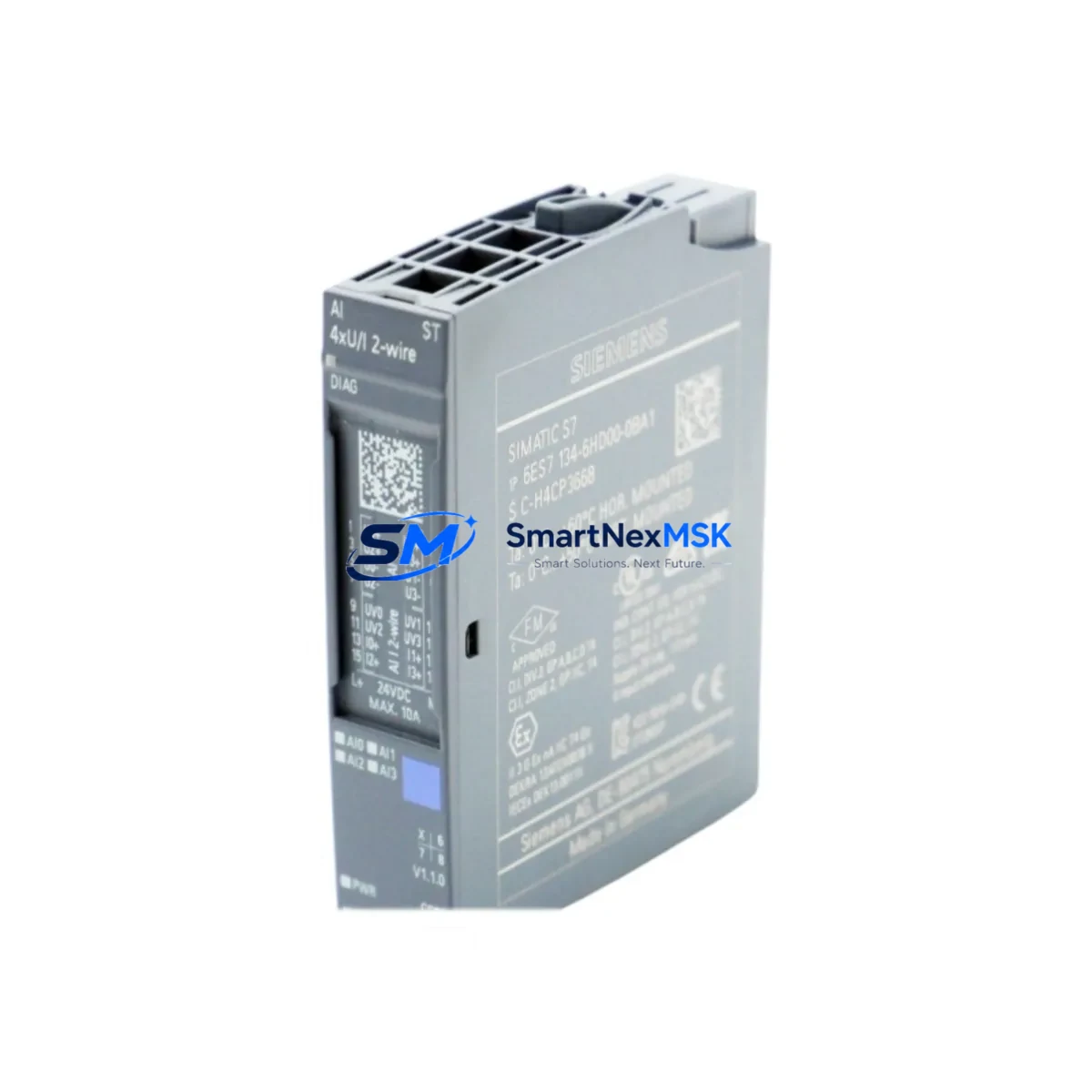
Siemens 6ES7134-6HD00-0BA1 Retrofit-Ready 4AI Analog Input for ET 200SP Control Systems
The Siemens 6ES7134-6HD00-0BA1 is a 4-channel analog input module designed for the ET 200SP distributed I/O system, operating within the SIMATIC S7-1500 and S7-300/400 control platforms via PROFINET or PROFIBUS-DP communication. As legacy automation lines reach end-of-life and spare parts become increasingly scarce, this module serves as a critical retrofit component for engineers managing aging control cabinets, upgrading distributed I/O racks, or restoring production continuity after unexpected hardware failures.
SMARTNEXMSK maintains verified stock of the 6ES7134-6HD00-0BA1, sourced through authorized industrial channels, fully tested prior to shipment, and backed by a 12-month warranty. Each unit undergoes functional verification covering channel accuracy, terminal integrity, and backplane communication before dispatch.
Upgrade Compatibility Table
| Parameter | Details |
|---|---|
| SKU / Part Number | 6ES7134-6HD00-0BA1 |
| Series | ET 200SP |
| Compatible Controllers | SIMATIC S7-1500, S7-300, S7-400 (via IM interface) |
| Communication Protocol | PROFINET IO, PROFIBUS-DP |
| Analog Input Channels | 4 × AI (voltage/current configurable) |
| Input Range | ±10 V, 0–20 mA, 4–20 mA |
| Installation | ET 200SP BaseUnit BU type A0, snap-on DIN rail mount |
| Backplane Interface | ET 200SP internal bus, left-side connector |
| Replacement Compatibility | Direct replacement for 6ES7134-6HD00-0BA1; compatible upgrade path from 6ES7134-4FB01-0AB0 (ET 200S series) |
| Commissioning Notes | Module address auto-assigned via TIA Portal hardware configuration; verify GSD/GSDML file version matches firmware |
| Warranty | 12 Months — covers manufacturing defects and functional failure under normal operating conditions |
Retrofit Planning for Existing Automation Systems
When integrating the 6ES7134-6HD00-0BA1 into an existing control system, the retrofit scope typically extends beyond the module itself. Engineers must assess the full I/O station architecture, beginning with the ET 200SP BaseUnit selection — the BU type must match the module’s terminal assignment and power rail configuration. In multi-slot racks, the position of the analog input module relative to digital output modules such as the 6ES7132-6BF00-0BA0 (8DO 24VDC) affects the backplane power budget, which must be recalculated when adding or replacing modules.
Power supply integrity is a common failure point during retrofits. The ET 200SP station draws regulated 24 VDC from the system power supply, and adding analog channels increases current draw. Verify that the existing SITOP PSU8200 or equivalent power supply has sufficient headroom before commissioning. If the station is fed through a 6EP1333-3BA10 power module, confirm load capacity against the updated I/O configuration.
For systems migrating from ET 200S to ET 200SP, the terminal wiring layout changes significantly. The 6ES7134-6HD00-0BA1 uses a push-in terminal BaseUnit, whereas older ET 200S analog modules such as the 6ES7134-4FB01-0AB0 use screw terminals. Field wiring must be re-terminated, and shielding practices for analog signal cables should be reviewed to prevent noise interference on 4–20 mA loops.
Communication migration from PROFIBUS-DP to PROFINET IO is a common driver for ET 200SP adoption. When replacing a PROFIBUS-connected ET 200S station with an ET 200SP station using the IM 155-6 PN interface module (6ES7155-6AU01-0BN0), the GSD file must be removed from the legacy hardware configuration and the GSDML file for the new IM must be imported into TIA Portal. Module slot assignments, symbolic addresses, and DB tag mappings must be verified to ensure program compatibility without requiring full PLC recompilation.
HMI screen updates are frequently overlooked during hardware retrofits. If the control system uses a SIMATIC TP700 Comfort or similar WinCC-based panel, analog input tags linked to the 6ES7134-6HD00-0BA1 channels must be re-mapped if the module’s I/O address changes during reconfiguration. Coordinate with the HMI programmer to validate all process value displays, alarm thresholds, and trend archives before returning the line to production.
For systems using a SIMATIC S7-1500 CPU such as the 6ES7515-2AM02-0AB0, the hardware configuration in TIA Portal must reflect the updated ET 200SP station. Download the updated configuration to the CPU in STOP mode, verify the module’s diagnostic buffer shows no faults, then switch to RUN mode and confirm analog input values are within expected process ranges using the online monitor function.
Downtime Control During System Migration
Minimizing unplanned downtime is the primary concern for any control system retrofit. When replacing the 6ES7134-6HD00-0BA1 in a live production environment, the recommended approach is to pre-configure the replacement module offline using TIA Portal’s hardware simulation, validate the configuration against the existing project backup, and prepare all terminal adapters and BaseUnits before the scheduled maintenance window.
Before powering down the ET 200SP station, export the current PLC program and hardware configuration as a full project archive. This ensures that if the new module triggers unexpected diagnostic faults — such as a parameter assignment mismatch or firmware incompatibility — the original configuration can be restored within minutes. Keep the programming cable (e.g., SIMATIC NET PC adapter or USB-MPI adapter 6GK1571-0BA00-0AA0) connected and ready throughout the swap procedure.
For critical analog control loops — such as PID temperature or pressure regulation — consider placing the controller in manual mode before removing the module. This prevents the CPU from generating process alarms or triggering safety interlocks due to invalid analog input values during the hardware swap. After reinstalling and powering up the new 6ES7134-6HD00-0BA1, verify each channel’s raw value against a calibrated reference instrument before returning the loop to automatic mode.
Document the as-found and as-left wiring configuration, module firmware version, and any TIA Portal project changes made during the retrofit. This documentation supports future maintenance cycles and reduces diagnostic time if issues arise after the system returns to production.
Retrofit Support FAQ
Q1: Is the 6ES7134-6HD00-0BA1 a direct drop-in replacement for the same part number from a different production batch?
Yes. Siemens maintains backward compatibility within the same order number across production revisions. The module is plug-compatible with existing ET 200SP BaseUnits and requires no hardware modification. Verify the firmware version in TIA Portal after installation and update if required by your project’s hardware catalog version.
Q2: Can this module replace an ET 200S analog input module such as the 6ES7134-4FB01-0AB0?
Not as a direct plug-in replacement — the ET 200S and ET 200SP use different backplane and BaseUnit systems. However, the 6ES7134-6HD00-0BA1 is the functional successor for analog input applications when migrating an entire ET 200S station to ET 200SP. The migration requires a new IM interface module, new BaseUnits, and re-termination of field wiring.
Q3: What commissioning steps are required after installing the replacement module?
After physical installation, open the TIA Portal project, perform a hardware detection or manually confirm the module in the device configuration, download the updated configuration to the CPU, and verify analog input values online. Check the module’s diagnostic buffer for parameter errors. If the module was pre-parameterized via the BaseUnit’s parameter assignment function, confirm that the stored parameters match the project requirements.
Q4: What does the 12-month warranty cover, and how is it claimed?
The 12-month warranty covers manufacturing defects and functional failures under normal operating conditions, including channel accuracy failure, backplane communication errors, and terminal block defects. To claim warranty service, contact SMARTNEXMSK with the order number, a description of the fault, and diagnostic screenshots from TIA Portal if available. Replacement or repair will be arranged within the warranty period at no additional cost.
© 2026 SMARTNEXMSK. All rights reserved.
Original Source: https://smartnexmsk.com
Contact: [email protected] | +86 18259474341



