
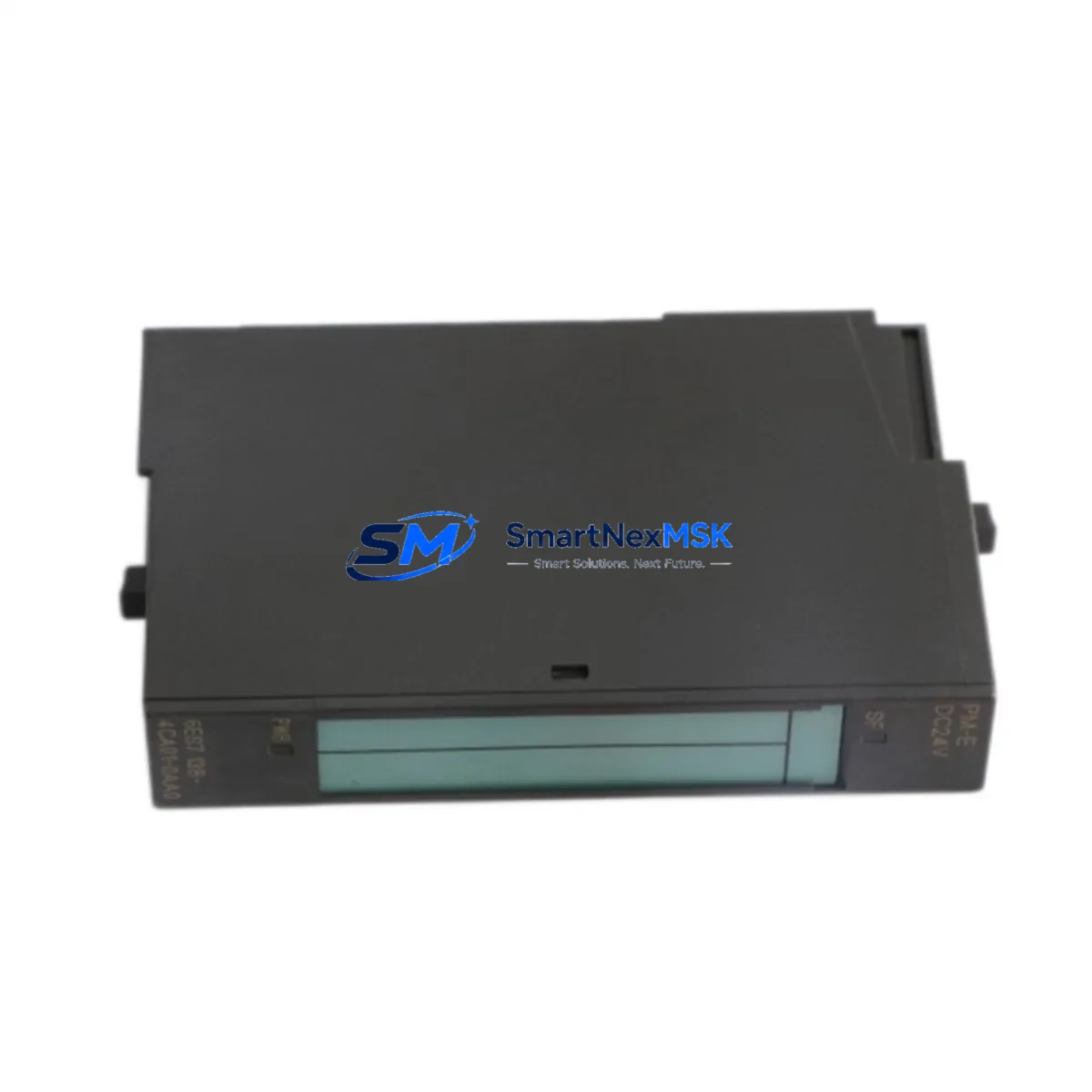
Siemens 6ES7138-4CA01-0AA0 Retrofit-Ready Analog Output for ET 200S: Compatible Modernization and Legacy System Upgrade
The Siemens 6ES7138-4CA01-0AA0 is a 2-channel analog output module designed for the ET 200S distributed I/O system, operating over the PROFIBUS DP communication protocol. As legacy automation lines age and original spare parts become increasingly difficult to source, this module has become a critical component in retrofit projects, control cabinet upgrades, and system restoration programs across process industries, manufacturing, and infrastructure sectors.
Whether you are replacing a discontinued module in an existing ET 200S station, expanding analog output capacity in a legacy control panel, or migrating from an older Simatic S5 or early S7-300 architecture, the 6ES7138-4CA01-0AA0 provides a reliable, specification-matched solution that minimizes engineering rework and reduces commissioning time on the plant floor.
Upgrade Compatibility Table
| Parameter | Details |
|---|---|
| Module SKU | 6ES7138-4CA01-0AA0 |
| Compatible System | Siemens ET 200S Distributed I/O |
| Communication Protocol | PROFIBUS DP (via IM 151 interface module) |
| Output Channels | 2-channel analog output (voltage/current selectable) |
| Output Range | ±10 V / 0–20 mA / 4–20 mA |
| Installation | Snap-on terminal module (TM-E series required) |
| Backplane Interface | ET 200S backplane bus, left-side connector |
| Replacement Compatibility | Direct drop-in for 6ES7138-4CA00-0AA0 (prior revision) |
| Retrofit Recommendation | Suitable for S5 → S7 migration projects with analog output requirements |
| Commissioning Notes | Verify module address assignment in HW Config; re-download to CPU after replacement |
| Warranty | 12-Month Warranty — tested and verified before shipment |
Retrofit Planning for Existing Automation Systems
Successful integration of the 6ES7138-4CA01-0AA0 into an existing ET 200S station begins with a thorough review of the current rack configuration. The ET 200S system uses a modular slot-based architecture where each module occupies a dedicated terminal module on the backplane. Before installation, engineers should confirm that the correct TM-E15S26-A1 terminal module is in place, as the analog output module requires a specific terminal module variant to establish both the electrical connection and the backplane bus link.
Power budget verification is equally important. The ET 200S power supply — typically a 6ES7138-4CA01-0AA0-compatible PM-E power module such as the 6ES7138-4CA01-0AA0 series PM-E DC24V — must provide sufficient current capacity for the expanded I/O configuration. When adding analog output channels to an existing station, calculate the total current draw across all installed modules, including digital input modules like the 6ES7131-4BF00-0AA0 and digital output modules such as the 6ES7132-4BF00-0AA0, to ensure the power module is not overloaded.
For stations that also include communication modules — for example, a 6ES7151-1AA05-0AB0 IM 151-1 interface module managing the PROFIBUS DP link — the module address must be correctly assigned in the STEP 7 hardware configuration (HW Config). After physically inserting the 6ES7138-4CA01-0AA0 into the designated slot, the updated hardware configuration must be compiled and downloaded to the CPU 315-2 DP or equivalent controller before the new analog outputs become operational.
In control cabinet upgrade scenarios where the original ET 200S station was wired using screw-type terminal modules, technicians should document all existing field wiring connections before removal. The analog output signals — typically driving control valves, variable frequency drives, or positioners — must be reconnected to the correct terminals on the new module. Reference the original wiring diagram and cross-check against the module’s channel assignment to avoid signal inversion or address offset errors.
Projects involving HMI screen migration — for instance, updating a Siemens TP700 Comfort or KTP900 Basic panel — should also account for any analog output tags mapped to the replaced module. If the slot address changes during the retrofit, all associated HMI tags referencing the old module address must be updated in TIA Portal or WinCC to maintain correct display and control functionality.
For systems that include a 6ES7153-2BA02-0XB0 IM 153-2 interface module in a remote ET 200M station alongside the ET 200S, ensure that the PROFIBUS DP network segment is properly terminated and that the baud rate settings are consistent across all nodes before commissioning the upgraded station.
Downtime Control During System Migration
Minimizing production downtime during an ET 200S analog output module replacement requires careful pre-planning and a structured changeover procedure. The recommended approach is to prepare the replacement 6ES7138-4CA01-0AA0 module and its associated terminal module offline, pre-wiring field connections where possible using a staging panel or bench test setup.
Before initiating the physical swap, place the affected CPU in STOP mode and record the current process values for all analog output channels. This ensures that upon restart, the control system can be returned to the last known operating state without triggering unexpected actuator movements. If the process cannot tolerate a full CPU stop, consider using the ET 200S module replacement without removing power feature — available on select IM 151 firmware versions — which allows hot-swapping of I/O modules while the station remains powered, provided the CPU is in RUN mode with the appropriate OB error handling blocks (OB 83, OB 86) configured.
After physical installation, perform a consistency check in STEP 7 or TIA Portal to confirm that the hardware configuration matches the actual station layout. Download the updated configuration to the CPU, then switch to RUN mode and verify each analog output channel by monitoring the process image output (PIQ) values against expected setpoints. Use a calibrated current loop tester or voltage meter at the field terminal to confirm signal integrity before handing the system back to operations.
Maintain a commissioning log that records the module serial number, installation date, slot position, terminal wiring map, and test results. This documentation supports future maintenance cycles and provides traceability for the 12-month warranty period.
Retrofit Support FAQ
Q1: Is the 6ES7138-4CA01-0AA0 a direct replacement for the 6ES7138-4CA00-0AA0?
Yes. The -4CA01- revision is the direct successor to the -4CA00- variant. Both modules share the same form factor, terminal module compatibility, and PROFIBUS DP addressing scheme. No hardware configuration changes are required in STEP 7 when substituting one revision for the other, though a configuration download is recommended after any physical module replacement.
Q2: What wiring checks should be performed before powering up the replacement module?
Verify that all field wiring is connected to the correct terminals on the TM-E terminal module, paying particular attention to channel polarity for current output loops (4–20 mA). Confirm that the load impedance for each connected actuator is within the module’s specified output drive capability. Check that the terminal module locking lever is fully engaged and that the module is seated flush on the backplane before applying power.
Q3: How is the module address configured after installation?
The 6ES7138-4CA01-0AA0 does not have a physical address switch. Its slot address is determined automatically by its position within the ET 200S station and is defined in the STEP 7 or TIA Portal hardware configuration. After inserting the module into the correct slot, open HW Config, verify the slot assignment matches the physical installation, compile the configuration, and download it to the CPU. The module will be recognized and initialized on the next CPU startup or hot-reload cycle.
Q4: What does the 12-month warranty cover, and how is it validated?
Every 6ES7138-4CA01-0AA0 unit shipped by SMARTNEXMSK undergoes functional testing prior to dispatch, including channel output verification across all configured ranges. The 12-month warranty covers manufacturing defects and functional failures under normal operating conditions. Each unit is shipped with a test record. In the event of a warranty claim, contact [email protected] with the order reference and module serial number for rapid replacement or credit processing.
© 2026 SMARTNEXMSK. All rights reserved.
Original Source: https://smartnexmsk.com
Contact: [email protected] | +86 18259474341



