
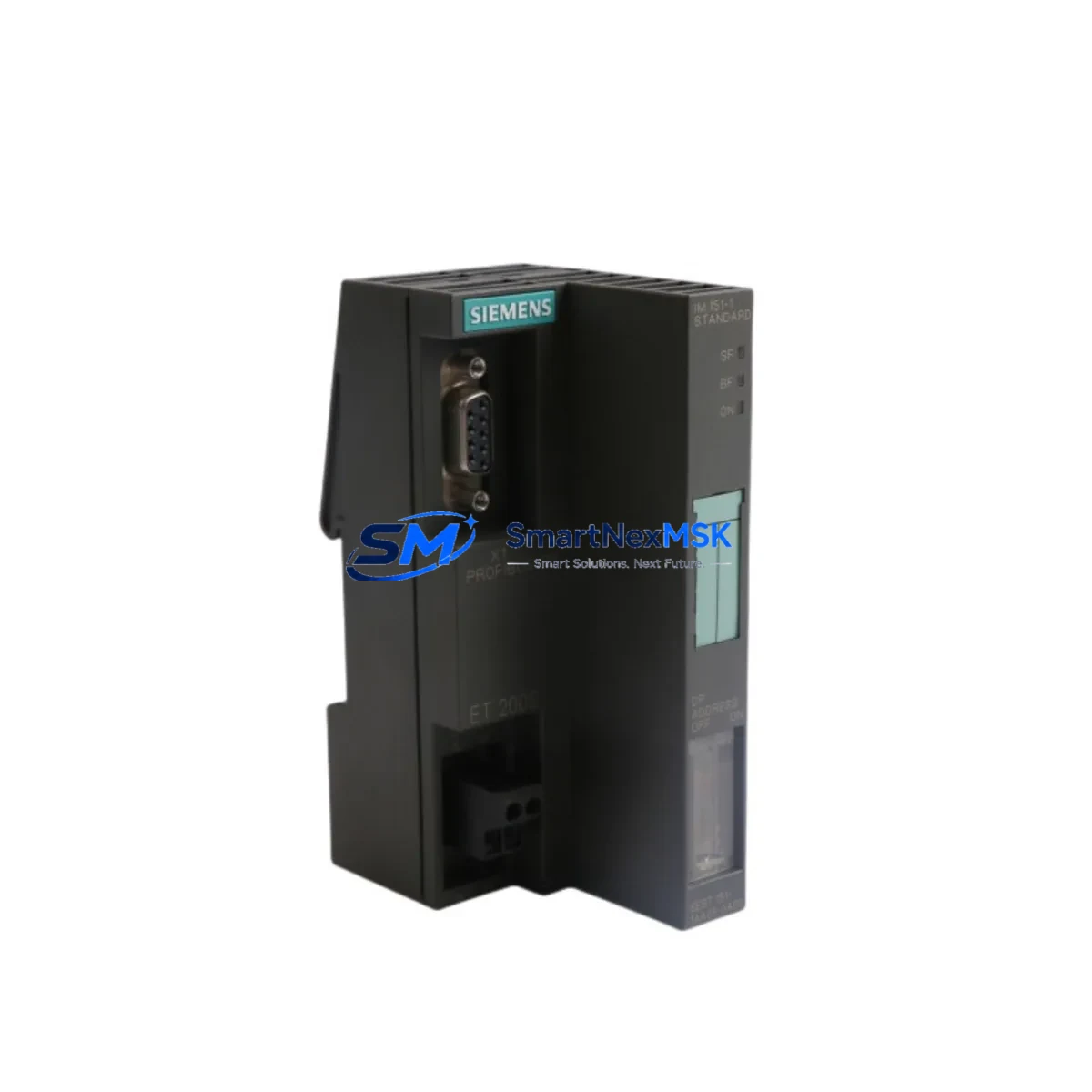
Siemens 6ES7151-1AA05-0AB0 Retrofit-Ready Interface Module for ET200S Control Systems
The Siemens 6ES7151-1AA05-0AB0 is the IM151-1 Standard interface module for the ET 200S distributed I/O system, communicating via PROFIBUS DP at up to 12 Mbit/s. As legacy automation lines age and OEM support for earlier ET200S configurations is phased out, this module has become a critical retrofit component for engineers tasked with upgrading or sustaining SIMATIC S7-300 and S7-400 control architectures without full system replacement.
Whether you are replacing a failed unit on a running production line, migrating from an older IM151-1 Basic variant, or consolidating spare-parts inventory ahead of a planned shutdown, the 6ES7151-1AA05-0AB0 provides a verified drop-in upgrade path. It mounts directly onto the ET200S terminal module TM-IM/IM, accepts the standard 24 V DC supply, and integrates with existing PROFIBUS DP segments without requiring GSD file changes in most configurations. Engineers migrating from the earlier 6ES7151-1AA00-0AB0 or 6ES7151-1AA02-0AB0 revisions will find the wiring footprint and backplane connector pinout fully compatible, significantly reducing retrofit labor time.
In control cabinet upgrades where the ET200S rack hosts a mix of digital and analog I/O — such as 6ES7131-4BF00-0AA0 4-channel digital input modules or 6ES7134-4FB01-0AB0 analog input modules — the IM151-1 interface module serves as the PROFIBUS master connection point. Verifying the power budget of the existing 6ES7138-4CA01-0AA0 PM-E power module is an essential pre-retrofit step: the IM151-1 draws up to 100 mA from the backplane bus, and adding I/O expansion modules must remain within the PM-E’s 4 A output capacity.
For sites running SIMATIC S7-300 CPUs such as the CPU 315-2 DP (6ES7315-2AH14-0AB0), the ET200S station addressed by this interface module appears as a standard DP slave in the hardware configuration (HW Config) within STEP 7 or TIA Portal. Retrofit planning should include exporting the existing STEP 7 project, verifying the DP slave address set on the IM151-1’s rotary switch matches the configuration, and confirming that the diagnostic address range does not conflict with other slaves on the segment. Where the original system used a CP 342-5 (6GK7342-5DA02-0XE0) PROFIBUS communication processor, the IM151-1 slave address and baud rate settings must be re-confirmed after module swap.
HMI screens built in WinCC or SIMATIC HMI panels — including the TP700 Comfort (6AV2124-0GC01-0AX0) — that display ET200S I/O status via S7 tags will continue to function without screen modification, provided the PLC program’s I/O address mapping is preserved. If the retrofit involves relocating the ET200S station or changing its DP address, HMI tag addresses linked to that station’s I/O bytes must be updated accordingly.
Communication link integrity should be validated after installation using a PROFIBUS tester or the diagnostic functions in STEP 7 / TIA Portal. Bus termination resistors at both ends of the PROFIBUS segment — typically integrated into the 6ES7972-0BB52-0XA0 PROFIBUS connector — must remain active. Replacing the IM151-1 does not require re-flashing firmware on adjacent modules, but a cold restart of the CPU is recommended to force a fresh DP configuration cycle and clear any latched diagnostic alarms.
Upgrade Compatibility Table
| Parameter | 6ES7151-1AA05-0AB0 (This Unit) | Notes / Retrofit Guidance |
|---|---|---|
| Communication Protocol | PROFIBUS DP (up to 12 Mbit/s) | Compatible with all standard DP masters; no GSD update required in most cases |
| Supply Voltage | 24 V DC (20.4–28.8 V) | Verify existing PM-E or external 24 V rail capacity before swap |
| Backplane / Terminal Module | TM-IM/IM (6ES7193-4CA40-0AA0) | Direct fit; no terminal module replacement needed |
| Replaces / Upgrades From | 6ES7151-1AA00-0AB0, -1AA02-0AB0 | Same wiring footprint; verify DP slave address after swap |
| Max I/O Modules per Station | Up to 63 modules | Confirm power budget with PM-E module before adding I/O |
| Installation | DIN rail via ET200S rack | No additional mounting hardware required |
| Commissioning Tool | STEP 7 v5.x / TIA Portal V13+ | Export existing project before swap; re-download after address verification |
| Warranty | 12 Months | Covers manufacturing defects; includes pre-shipment functional test |
Retrofit Planning for Existing Automation Systems
A successful retrofit begins well before the maintenance window opens. Start by documenting the current ET200S station configuration: photograph the existing IM151-1 module’s rotary address switches, record the PROFIBUS baud rate from the HW Config, and note the I/O module slot assignments. If the station includes specialty modules such as a 6ES7138-4HA00-0AB0 PM-E F power module for safety-rated outputs or a 6ES7148-1EH00-0XA0 motor starter module, confirm that these retain their configuration data independently of the interface module.
Gather the replacement 6ES7151-1AA05-0AB0, a PROFIBUS programming cable (e.g., 6ES7901-0BF00-0AA0 PC Adapter USB), and a laptop with STEP 7 or TIA Portal. Set the rotary address switches on the new module to match the original before installation — this is the single most common cause of post-swap DP faults. Re-seat the module onto the TM-IM/IM terminal module, apply 24 V DC, and observe the BF (Bus Fault) LED: it should extinguish within seconds of the CPU re-establishing the DP connection.
For sites where the ET200S station feeds safety-critical outputs and is integrated with a SIMATIC Safety CPU (e.g., CPU 315F-2 PN/DP), the F-parameters stored in the F-modules are retained in the terminal modules and are not affected by replacing the IM151-1. However, a safety validation run per the site’s functional safety plan is required before returning the line to production.
Downtime Control During System Migration
Minimizing unplanned downtime during an IM151-1 swap requires a structured approach. Schedule the replacement during a planned maintenance window and pre-stage the 6ES7151-1AA05-0AB0 with address switches pre-set. Before powering down, use STEP 7 or TIA Portal to force all outputs to a safe state and save a current backup of the CPU program to a memory card or PC. This ensures that if the CPU performs a memory reset during the restart cycle, the program can be restored in under two minutes.
After installing the new module and restoring power, monitor the PROFIBUS diagnostic buffer in STEP 7 for any slave address conflicts or configuration mismatches. If the CPU enters STOP mode, compare the actual hardware configuration against the planned configuration in HW Config and download a corrected configuration if needed. In most straightforward swap scenarios — same DP address, same I/O module population — the station comes online within one CPU scan cycle, and production can resume with zero program changes.
For multi-station PROFIBUS segments where other ET200S or ET200M stations share the same DP master, the swap of a single IM151-1 does not affect neighboring slaves. The DP master will report a single slave fault during the swap interval and automatically re-establish communication once the new module responds on the bus.
Retrofit Support FAQ
Q: Is the 6ES7151-1AA05-0AB0 a direct replacement for the 6ES7151-1AA02-0AB0?
A: Yes. The -1AA05 revision is backward compatible with the -1AA02 and -1AA00 revisions. The backplane connector, terminal module interface, and PROFIBUS DP protocol behavior are identical. Set the rotary address switches to match the original unit before installation.
Q: Do I need to modify my STEP 7 or TIA Portal project after the swap?
A: In most cases, no. If the DP slave address and I/O module population remain unchanged, the existing hardware configuration is valid. A configuration download is only required if the GSD version or module order has changed.
Q: What pre-shipment testing is performed on this module?
A: Each unit undergoes a functional power-on test and PROFIBUS communication verification before dispatch. The module ships with a 12-month warranty covering manufacturing defects, with test records available on request.
Q: Can this module be used with a SIMATIC S7-400 DP master?
A: Yes. The IM151-1 Standard operates as a standard PROFIBUS DP slave and is compatible with any DP master, including S7-400 CPUs with integrated DP interfaces and CP 443-5 Extended communication processors.
© 2026 SMARTNEXMSK. All rights reserved.
Original Source: https://smartnexmsk.com
Contact: [email protected] | +86 18259474341



