
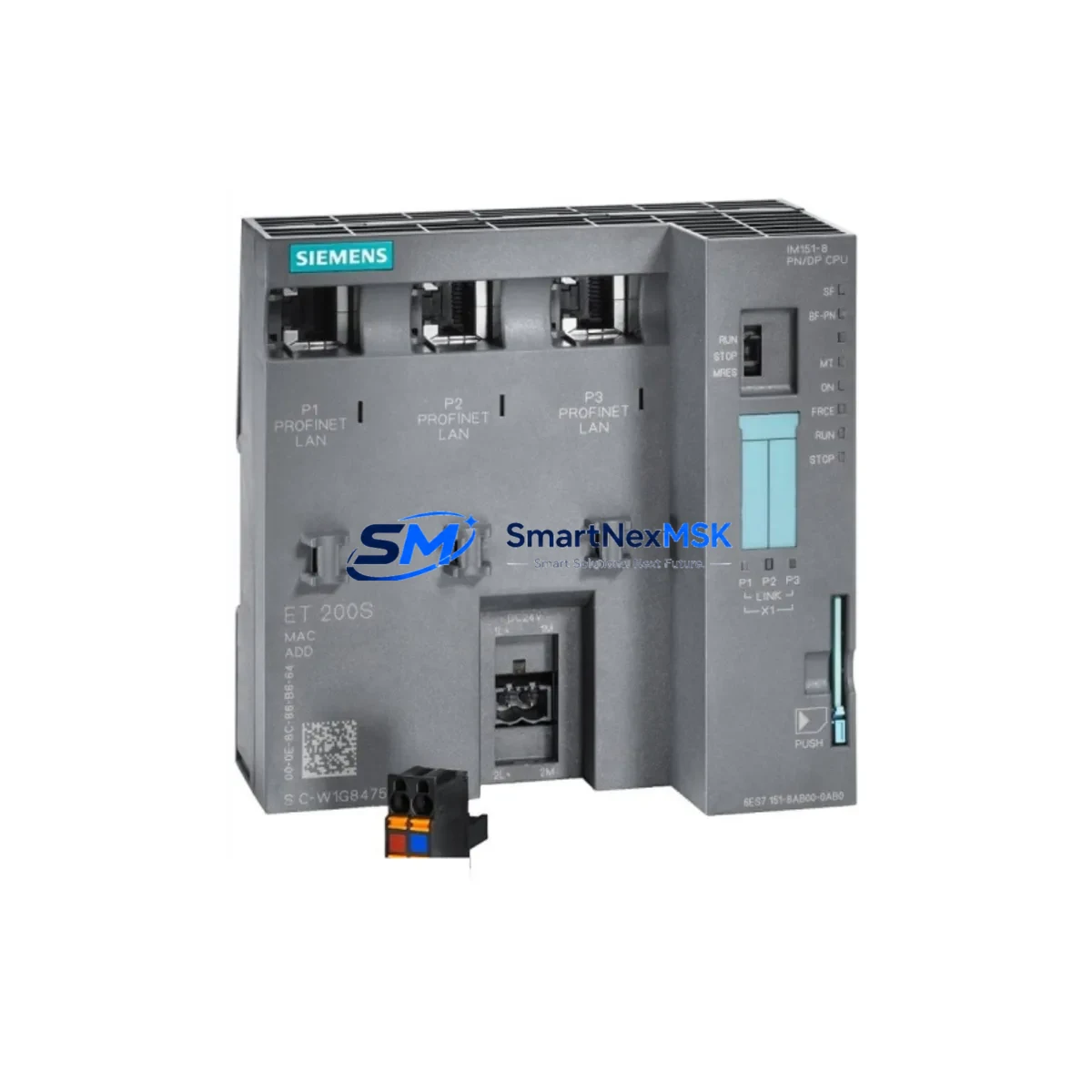
Siemens 6ES7151-8AB01-0AB0 Maintenance-Ready Spare for ET 200S Automation
The Siemens 6ES7151-8AB01-0AB0 is an original PROFIBUS DP interface module designed for the ET 200S distributed I/O system, widely deployed across manufacturing plants, process automation lines, and machine control cabinets running on Siemens S7-300 and compatible PLC architectures. As a maintenance-ready spare, this module is a critical component for any facility that depends on uninterrupted PROFIBUS DP communication between the central controller and field-level I/O stations. Sourced directly from authorized supply channels, each unit is tested prior to dispatch and backed by a 12-month warranty, ensuring your maintenance team can restore operations with confidence.
For maintenance engineers managing aging ET 200S installations, having a verified replacement of the 6ES7151-8AB01-0AB0 on the shelf is the single most effective measure against unplanned downtime. PROFIBUS DP interface modules are the communication backbone of the ET 200S rack — when this module fails, the entire distributed I/O station drops off the network, triggering fault alarms across the S7-300 CPU and halting production. Fast, like-for-like replacement with an original Siemens spare eliminates firmware compatibility risks and reduces commissioning time to minutes rather than hours.
Spare Maintenance Table
| Parameter | Specification |
|---|---|
| Part Number (SKU) | 6ES7151-8AB01-0AB0 |
| Product Family | ET 200S Distributed I/O |
| Module Type | PROFIBUS DP Interface Module |
| Compatible PLC Platform | Siemens S7-300, S7-400 (via PROFIBUS DP master) |
| Communication Protocol | PROFIBUS DP (up to 12 Mbit/s) |
| Supply Voltage | DC 24 V (via ET 200S power module) |
| Degree of Protection | IP20 |
| Operating Temperature | 0 °C to +60 °C |
| Country of Origin | Germany |
| Weight | 387 g |
| Mounting | DIN rail, ET 200S terminal module |
| Compatibility Confirmation | Drop-in replacement for ET 200S DP interface stations |
| Condition | Original Siemens — new or factory-refurbished, tested |
| Warranty | 12 months from date of shipment |
| Shipping | Tested before dispatch; DHL / FedEx express available |
Maintenance Planning for Continuous Operation
When a maintenance or procurement engineer schedules a replacement of the 6ES7151-8AB01-0AB0 interface module, the inspection should not stop at the module itself. The ET 200S station is an integrated assembly, and a fault in the interface module is often accompanied by — or caused by — degradation in adjacent components. A thorough site inspection should include the following areas:
Power Supply Integrity: Verify the ET 200S PM-E DC 24V power module (e.g., 6ES7138-4CA01-0AA0) is delivering stable 24 VDC. Voltage fluctuations or ripple on the backplane bus are a leading cause of interface module resets and PROFIBUS communication errors. Replace the power module if output voltage deviates more than ±5% under load.
Terminal Modules and Backplane Bus: The TM-E terminal modules that seat each ET 200S electronic module must be inspected for cracked housings, corroded contacts, or loose DIN rail retention. A damaged terminal module can cause intermittent communication faults that are misdiagnosed as interface module failures.
PROFIBUS DP Cable and Connectors: Inspect the PROFIBUS DP bus connector (6ES7972-0BA52-0XA0) at the interface module port. Bent pins, loose termination resistors, or damaged cable shielding are common causes of bus segment faults. Confirm that the termination resistor is active only at the two physical ends of the PROFIBUS segment.
Digital and Analog I/O Modules: After restoring the interface module, validate all downstream ET 200S electronic modules — including 2DI, 4DI, 2DO, 2AI, and 2AO variants — by forcing I/O states from the S7-300 CPU and confirming field signal responses. A module that was powered down during the fault event may require a cold restart to resume normal operation.
Relay Output Modules: If the ET 200S station controls motor starters or solenoid valves via relay output modules (e.g., 6ES7132-4HB01-0AB0), inspect relay contact wear and coil resistance. Relay modules in high-cycle applications should be included in the planned replacement schedule alongside the interface module.
Communication Repeaters and Segment Couplers: For long PROFIBUS DP cable runs or multi-segment topologies, inspect any RS 485 repeaters (6ES7972-0AA02-0XA0) in the network. A failing repeater can cause intermittent slave dropouts that appear as interface module faults in the CPU diagnostic buffer.
Fuses and Circuit Protection: Check all 24 VDC supply fuses feeding the ET 200S cabinet section. A blown fuse upstream of the power module will cause the entire station to drop, and the root cause is often overlooked during emergency fault response.
HMI and Operator Panel Connectivity: If the plant uses a Siemens TP or MP series HMI connected to the same PROFIBUS segment, verify that the HMI communication parameters (station address, baud rate) are consistent with the restored interface module configuration. Mismatched baud rates after module replacement are a common commissioning error.
Stocking the 6ES7151-8AB01-0AB0 alongside these associated components — power modules, terminal modules, bus connectors, and I/O electronics — forms a complete ET 200S spare parts kit that enables your maintenance team to resolve the majority of station-level faults within a single shift.
Site Replacement Workflow
Step 1 — Isolate and Document: Before removing the faulty interface module, record the PROFIBUS station address (set via rotary switches on the module face) and note the GSD file version configured in the S7-300 hardware configuration (HW Config). This information is required to configure the replacement module identically.
Step 2 — Power Down the ET 200S Station: Switch off the 24 VDC supply to the ET 200S power module. Do not attempt hot-swap of the interface module unless the station design explicitly supports it — the 6ES7151-8AB01-0AB0 requires a powered-down installation to avoid backplane bus damage.
Step 3 — Remove and Replace: Slide the faulty module off its terminal module, insert the replacement 6ES7151-8AB01-0AB0, and set the PROFIBUS station address rotary switches to match the documented value. Confirm the address before powering up.
Step 4 — Restore Power and Verify: Apply 24 VDC to the power module and observe the BF (Bus Fault) and SF (System Fault) LEDs on the interface module. Both LEDs should extinguish within 5 seconds of the S7-300 CPU establishing PROFIBUS DP communication. If the BF LED remains lit, verify cable termination and station address.
Step 5 — Functional Test: From the S7-300 CPU, perform a full I/O force test on all ET 200S modules in the station. Confirm that all process signals are responding correctly before returning the system to automatic mode.
This workflow applies equally to planned maintenance replacements and emergency fault recovery scenarios. Using an original Siemens 6ES7151-8AB01-0AB0 spare eliminates the need to modify the S7-300 hardware configuration or update GSD files, making the replacement fully transparent to the control system and minimizing the risk of introducing new faults during the recovery process.
Spare Parts Support FAQ
Q1: Is the 6ES7151-8AB01-0AB0 a direct drop-in replacement for older ET 200S DP interface modules?
Yes. The 6ES7151-8AB01-0AB0 is compatible with the standard ET 200S terminal module mounting system and supports the same PROFIBUS DP GSD file as earlier interface module revisions. No changes to the S7-300 hardware configuration are required for a like-for-like replacement, provided the PROFIBUS station address is set correctly on the rotary switches.
Q2: How do you verify the module before shipment?
Each 6ES7151-8AB01-0AB0 unit undergoes functional testing on a live ET 200S test bench prior to dispatch. The test confirms PROFIBUS DP communication establishment, LED status behavior, and backplane bus integrity. A test report is available upon request. All units are shipped in anti-static packaging with protective end caps on the bus connector port.
Q3: What is the recommended spare parts inventory strategy for ET 200S installations?
For facilities with more than three ET 200S stations on a single PROFIBUS segment, we recommend maintaining a minimum of one 6ES7151-8AB01-0AB0 interface module, one PM-E power module, and one set of the most common I/O electronic modules as on-site cold spares. This inventory level supports same-shift fault recovery for the majority of station-level failures without waiting for expedited shipping.
Q4: What warranty and long-term supply support is available?
All units are covered by a 12-month warranty from the date of shipment, covering manufacturing defects and functional failures under normal operating conditions. For facilities managing long-term S7-300 and ET 200S installations beyond the Siemens standard product lifecycle, we maintain ongoing stock of the 6ES7151-8AB01-0AB0 and associated ET 200S components to support system longevity and planned maintenance programs.
© 2026 SMARTNEXMSK. All rights reserved.
Original Source: https://smartnexmsk.com
Contact: [email protected] | +86 18259474341



