
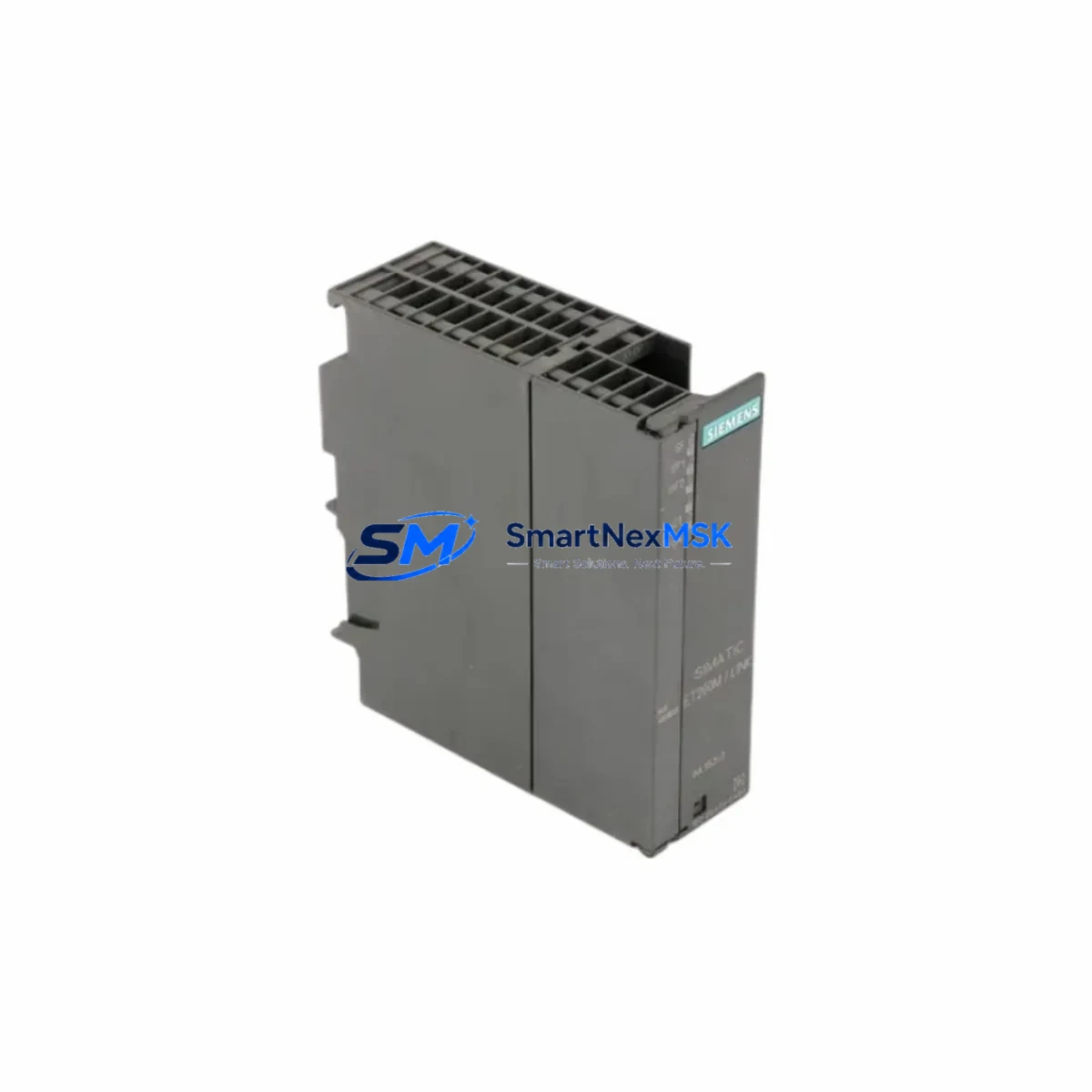
Siemens 6ES7153-2BA70-0XB0 Maintenance-Ready Spare for ET 200M Automation
The Siemens 6ES7153-2BA70-0XB0 is the IM153-2 HF (High Feature) PROFIBUS DP interface module designed for the ET 200M distributed I/O station. As a critical communication gateway between the PROFIBUS DP master — typically a Siemens S7-300 or S7-400 PLC — and the ET 200M I/O backplane, this module is a high-priority spare in any industrial maintenance program. Its failure directly causes loss of all I/O signals on the affected ET 200M station, resulting in unplanned process shutdowns. Holding a verified replacement unit on-site is the most effective strategy to minimize mean time to repair (MTTR) and protect production continuity.
This unit is sourced as an original Siemens component, inspected, and tested prior to shipment. It carries a 12-month warranty and is available for fast worldwide dispatch to support emergency maintenance and planned overhaul schedules alike.
Spare Maintenance Table
| Parameter | Specification |
|---|---|
| Part Number / SKU | 6ES7153-2BA70-0XB0 |
| Module Designation | IM153-2 HF (High Feature) |
| Series / Platform | ET 200M Distributed I/O |
| Communication Interface | PROFIBUS DP (up to 12 Mbit/s) |
| Supply Voltage | 24 V DC (via backplane bus) |
| Max. I/O Modules per Station | Up to 8 signal modules (SM) |
| Redundancy Support | Yes (Y-Link / redundant DP master) |
| Hot Swapping | Supported (with active backplane) |
| Compatible PLC Systems | S7-300, S7-400, S7-400H, PCS 7 |
| Mounting | DIN rail, ET 200M active bus module |
| Operating Temperature | 0 °C to +60 °C |
| Protection Class | IP20 |
| Origin | Germany |
| Condition | Original, tested before shipment |
| Warranty | 12 Months |
Maintenance Planning for Continuous Operation
When replacing the 6ES7153-2BA70-0XB0 interface module during a planned or emergency maintenance event, a thorough inspection of the surrounding electrical environment is essential to prevent repeat failures and ensure full system restoration. Maintenance engineers should treat this replacement as an opportunity to audit the entire ET 200M station and its associated control cabinet.
Begin by verifying the 24 V DC power supply feeding the ET 200M active backplane — a degraded or undersized power supply unit (PSU) is a common root cause of interface module faults. Check the active bus module (IM153 backplane) for physical damage, oxidized contacts, or cracked housing, as a faulty backplane will cause the new IM153-2 HF to fail immediately. Inspect the PROFIBUS DP cable and connectors (typically 9-pin Sub-D plugs with integrated termination resistors) for signal integrity; a damaged cable shield or incorrect termination at the bus endpoints will generate cyclic communication errors.
Review the installed signal modules (SM) seated on the backplane — including digital input modules such as the SM321, digital output modules such as the SM322, and analog I/O modules such as the SM331 and SM332. Any module with a red SF LED after the IM153-2 HF replacement indicates a hardware fault or configuration mismatch that must be resolved before returning the station to service. Also inspect the terminal blocks and wiring harnesses connected to each SM for loose terminations, which can cause intermittent I/O faults that are difficult to diagnose remotely.
For stations operating in process automation environments under Siemens PCS 7, verify that the redundancy configuration is correctly re-established after module swap, particularly if the station uses a Y-Link coupler for redundant PROFIBUS DP operation. Check the partner IM153-2 HF module (if redundancy is active) for firmware version compatibility. Additionally, inspect any communication modules (CP) in the same cabinet for correct PROFIBUS address settings, and confirm that the STEP 7 or TIA Portal hardware configuration matches the physical slot assignments after the replacement.
For cabinets with mixed I/O architectures, also audit any signal isolators or signal conditioners in the 4–20 mA analog loops connected to SM331/SM332 modules, as ground loops introduced during maintenance can corrupt analog readings. Finally, verify that all fuse holders and miniature circuit breakers (MCBs) protecting the 24 V DC distribution rail are intact and correctly rated — a blown fuse on the I/O supply rail is frequently overlooked during emergency repairs.
Site Replacement Workflow
The 6ES7153-2BA70-0XB0 supports hot-swap replacement on an active ET 200M backplane, which significantly reduces downtime compared to older IM153-1 variants that required full station power-down. Follow this sequence for a safe and efficient field replacement:
1. Pre-replacement verification: Confirm the PROFIBUS DP address set on the rotary switches of the existing module. The replacement unit must be set to the identical address before installation. Record the current SF/BF LED status and any active diagnostics in the STEP 7 or TIA Portal online view.
2. Module extraction: On a hot-swap capable backplane, the IM153-2 HF can be removed while the station remains powered. The DP master will report the station as unavailable during the swap interval. Notify the control room before proceeding to prevent false alarms.
3. Replacement installation: Set the PROFIBUS address rotary switches on the new 6ES7153-2BA70-0XB0 to match the recorded address. Seat the module firmly into the backplane connector and secure the locking mechanism.
4. Post-replacement validation: Confirm that the RUN LED is green and the BF/SF LEDs are off. In STEP 7 or TIA Portal, verify that the ET 200M station returns to cyclic data exchange and all SM modules report no faults. Perform a functional I/O test before releasing the station to automatic control.
5. Documentation: Record the replacement date, new module serial number, and PROFIBUS address in the equipment maintenance log. Update the spare parts inventory to trigger reorder of a replacement unit.
Spare Parts Support FAQ
Q1: Is the 6ES7153-2BA70-0XB0 compatible with both S7-300 and S7-400 PROFIBUS DP masters?
Yes. The IM153-2 HF is fully compatible with any PROFIBUS DP master operating at standard baud rates up to 12 Mbit/s, including S7-300 CP342-5 communication processors, S7-400 CP443-5 modules, and PCS 7 AS controllers. Compatibility is determined by the PROFIBUS DP protocol standard, not by the specific master hardware.
Q2: What is the recommended spare parts stocking strategy for this module?
For production-critical ET 200M stations, maintain a minimum of one 6ES7153-2BA70-0XB0 unit per site. For facilities with multiple ET 200M stations on the same PROFIBUS segment, a ratio of one spare per three to five installed modules is a practical baseline. Modules in high-vibration or high-temperature environments should be inspected annually and replaced proactively every five to seven years regardless of fault history.
Q3: How is the module tested before shipment?
Each unit undergoes visual inspection for physical damage, connector pin integrity check, and functional power-on test. Modules are verified to power up correctly and initialize without fault LEDs. Units that do not pass inspection are not dispatched. A 12-month warranty covers any manufacturing or latent defects identified after installation.
Q4: Can this module replace the older 6ES7153-2BA00-0XB0 or 6ES7153-2BA02-0XB0 variants?
The -2BA70-0XB0 is a later hardware revision of the IM153-2 HF family and is generally backward compatible with earlier -2BA0x variants in standard DP configurations. However, redundancy features and firmware-dependent functions should be verified against the specific system configuration in STEP 7 HW Config before committing to a cross-revision replacement in a live production environment. Contact our technical team for configuration-specific compatibility confirmation.
© 2026 SMARTNEXMSK. All rights reserved.
Original Source: https://smartnexmsk.com
Contact: [email protected] | +86 18259474341



