
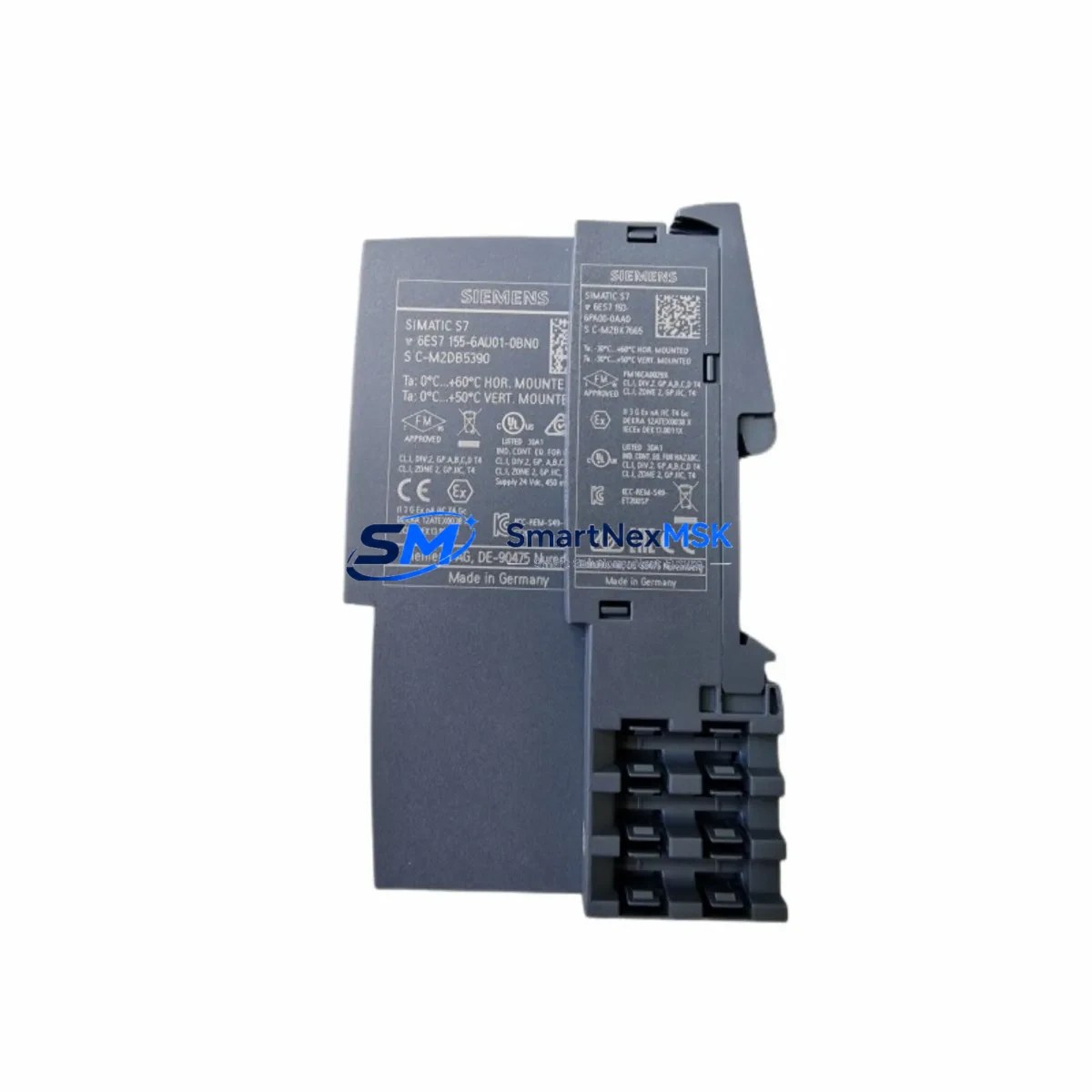
Siemens 6ES7155-6AU01-0CN0 Maintenance-Ready Spare for ET 200SP Automation
The Siemens 6ES7155-6AU01-0CN0 (IM155-6PN/2 HF) is a high-feature PROFINET interface module designed for the ET 200SP distributed I/O system, fully integrated with Siemens S7-1500 and S7-1200 PLC platforms. As a maintenance-critical component in distributed control architectures, this interface module serves as the communication backbone between the field-level I/O station and the central controller. When this module fails or degrades, the entire ET 200SP station loses network visibility — triggering immediate process interruption, alarm cascades, and unplanned downtime. Holding a verified original spare of the 6ES7155-6AU01-0CN0 in your maintenance inventory is a proven strategy for minimizing mean time to repair (MTTR) and sustaining continuous operation in demanding industrial environments.
This spare is sourced as an original Siemens component, fully tested prior to shipment, and backed by a 12-month warranty. It is suitable for new installations, like-for-like replacements, and system life extension projects on aging ET 200SP stations.
Spare Maintenance Table
| Parameter | Specification |
|---|---|
| Part Number / SKU | 6ES7155-6AU01-0CN0 |
| Module Designation | IM155-6PN/2 HF (High Feature) |
| Series / Platform | Siemens ET 200SP |
| Compatible Controllers | S7-1500, S7-1200, PROFINET IO Controllers |
| Communication Interface | PROFINET IO (2-port integrated switch) |
| Max I/O Modules per Station | Up to 64 I/O modules |
| Supply Voltage | 24 V DC (via backplane bus) |
| Transmission Rate | 10/100 Mbit/s, auto-negotiation |
| Isochronous Mode | Supported |
| PROFIenergy | Supported |
| Shared Device | Supported (up to 2 IO controllers) |
| Country of Origin | Germany |
| Product Weight | 170 g |
| Operating Temperature | -40 °C to +70 °C |
| Protection Rating | IP20 |
| Mounting | DIN rail, ET 200SP BaseUnit |
| Firmware Upgrade | Supported via STEP 7 / TIA Portal |
| Warranty | 12 Months — Tested Before Shipment |
Maintenance Planning for Continuous Operation
When a maintenance or procurement engineer schedules replacement of the 6ES7155-6AU01-0CN0 interface module, a thorough inspection of the surrounding ET 200SP station components is essential to prevent repeat failures and ensure full system restoration. The IM155-6PN/2 HF does not operate in isolation — it depends on a healthy electrical and communication environment across the entire control cabinet.
Begin with the 24 V DC power supply module feeding the ET 200SP station. Voltage ripple or transient spikes are a leading cause of premature interface module failure; verify output stability with a calibrated meter before installing the replacement. Inspect the BaseUnit BU15-P16+A0+2D (6ES7193-6BP20-0DA0) or equivalent mounting base for contact corrosion, cracked terminal blocks, or signs of thermal stress — a degraded BaseUnit will compromise the new module immediately.
Check all digital input (DI) and digital output (DO) modules in the station, such as the 6ES7131-6BF01-0AA0 (DI 8×24VDC HF) and 6ES7132-6BF01-0AA0 (DQ 8×24VDC/0.5A HF), for blown channels or wiring faults that may have contributed to the original fault condition. Analog I/O modules — including AI and AQ variants in the ET 200SP range — should be verified for signal integrity and correct parameter assignment in TIA Portal after the interface module swap.
Inspect the PROFINET patch cables and RJ45 connectors at both ports of the interface module. Bent pins, loose latches, or damaged cable shielding can cause intermittent communication faults that are often misdiagnosed as module failures. Where possible, replace patch cables as part of the planned maintenance event.
For stations operating in environments with high electromagnetic interference, verify that the PE (protective earth) connection on the DIN rail and the shield clamp of the ET 200SP station are properly bonded. A floating shield is a common root cause of PROFINET communication instability. Additionally, review the 24 V DC bus power module (PM-E) — for example the 6ES7138-4CB11-0AB0 — for correct load distribution across the station.
If the ET 200SP station communicates with an S7-1500 CPU (such as the CPU 1515-2 PN or CPU 1516-3 PN/DP), confirm that the PROFINET device name and IP address assignment in TIA Portal match the replacement module’s configuration. Shared Device configurations require re-validation of both IO controller assignments after module replacement. For systems using PROFINET MRP (Media Redundancy Protocol), verify ring topology integrity after reconnection.
In control cabinets with mixed Siemens product generations, also inspect any S7-300 or S7-400 IM (interface module) components sharing the same PROFINET subnet — a misconfigured network switch or VLAN setting can prevent the new ET 200SP station from being recognized by the controller. Finally, check terminal blocks, fuse holders, and surge protection devices in the 24 V DC distribution circuit for signs of overheating or loose connections that could cause intermittent power loss to the station.
Site Replacement Workflow
Step 1 — Pre-Replacement Preparation: Export the current hardware configuration from TIA Portal and note the PROFINET device name, IP address, and I/O module slot assignments for the affected ET 200SP station. Confirm the replacement 6ES7155-6AU01-0CN0 firmware version is compatible with your TIA Portal project version. If a firmware update is required, prepare the update file in advance.
Step 2 — Safe Isolation: Place the S7-1500 controller in STOP mode or use the TIA Portal diagnostic buffer to confirm the station is offline before proceeding. De-energize the 24 V DC supply to the ET 200SP station. Do not remove the interface module under live power — the backplane bus connector is not rated for hot-swap on this variant.
Step 3 — Module Removal: Disconnect both PROFINET cables from the RJ45 ports. Release the orange locking lever on the BaseUnit and slide the IM155-6PN/2 HF module upward to disengage from the backplane. Inspect the BaseUnit connector for damage before inserting the replacement.
Step 4 — Replacement Installation: Insert the new 6ES7155-6AU01-0CN0 module into the BaseUnit until the locking lever clicks into position. Reconnect PROFINET cables. Restore 24 V DC power to the station.
Step 5 — Commissioning and Verification: Set the S7-1500 CPU to RUN mode. In TIA Portal, use the Online & Diagnostics view to confirm the ET 200SP station is recognized, all I/O modules are online, and no diagnostic alarms are active. Perform a functional I/O test for all connected field devices before returning the system to production. Document the replacement in the maintenance log with date, technician, and firmware version.
This workflow supports like-for-like replacement of legacy IM155-6PN variants and is compatible with both new TIA Portal V17/V18/V19 projects and older migrated configurations. The 6ES7155-6AU01-0CN0 is a direct replacement for earlier IM155-6PN/2 ST and PN/2 HF revisions, enabling seamless system continuity without hardware redesign.
Spare Parts Support FAQ
Q1: Is the 6ES7155-6AU01-0CN0 compatible with my existing TIA Portal project without reconfiguration?
In most cases, yes. The IM155-6PN/2 HF is a direct replacement for earlier revisions of the same module family. However, if the firmware version of the replacement differs from the original, a firmware update or TIA Portal project update may be required. We recommend verifying the firmware revision in your TIA Portal hardware catalog before installation. Our technical team can assist with compatibility confirmation prior to shipment.
Q2: How is the module tested before shipment?
Every 6ES7155-6AU01-0CN0 unit undergoes functional verification on a live ET 200SP test bench prior to dispatch. Testing includes PROFINET communication establishment, I/O module recognition, and diagnostic channel validation. A test report is available upon request. All units are shipped in anti-static packaging with original Siemens labeling intact.
Q3: What does the 12-month warranty cover?
The 12-month warranty covers manufacturing defects and functional failures under normal operating conditions. It does not cover damage resulting from incorrect installation, overvoltage events, or physical mishandling. In the event of a warranty claim, we provide advance replacement to minimize your downtime — return the faulty unit within 30 days of receiving the replacement.
Q4: Can you support long-term spare parts supply for our ET 200SP fleet?
Yes. We maintain standing inventory of the 6ES7155-6AU01-0CN0 and related ET 200SP components to support planned maintenance programs, annual shutdown kits, and emergency call-off orders. For customers managing large ET 200SP installations, we offer consignment stock arrangements and priority allocation agreements. Contact our team to discuss your annual consumption forecast and establish a supply framework that eliminates last-minute procurement risk.
© 2026 SMARTNEXMSK. All rights reserved.
Original Source: https://smartnexmsk.com
Contact: [email protected] | +86 18259474341



