
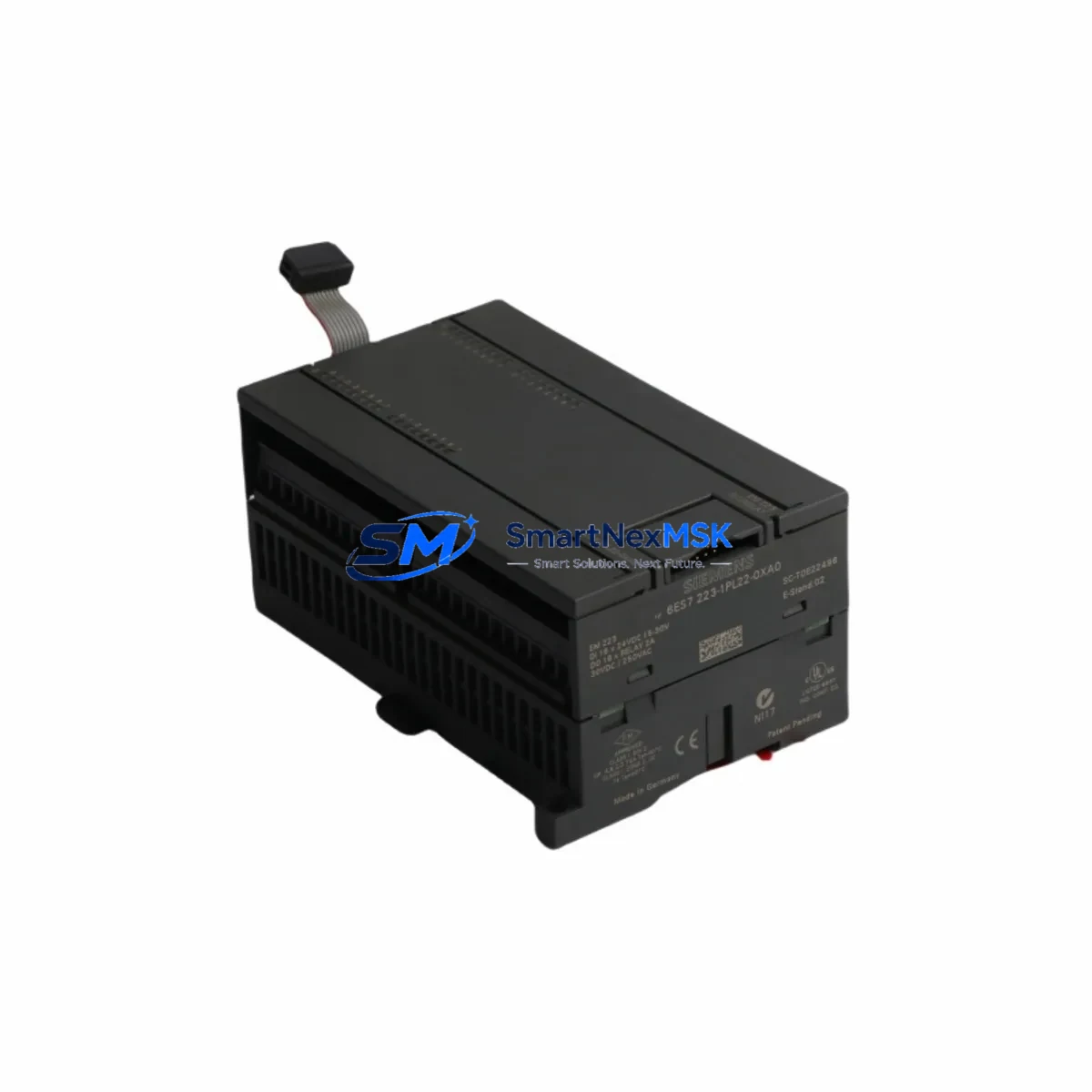
Siemens 6ES7223-1PL22-0XA0 Maintenance-Ready Spare for S7-200 Automation
The Siemens 6ES7223-1PL22-0XA0 is an original EM223 digital expansion module designed for the SIMATIC S7-200 series PLC platform. Featuring 16 digital inputs and 16 digital outputs (24 VDC), this module is a critical component in distributed I/O architectures across manufacturing, process control, and building automation environments. When a field failure occurs, rapid access to a verified, tested spare is the single most effective way to minimize unplanned downtime and restore production continuity.
At SMARTNEXMSK, every unit of the 6ES7223-1PL22-0XA0 is sourced from authorized supply chains, subjected to pre-shipment functional testing, and backed by a 12-month warranty. Whether you are managing a planned maintenance cycle or responding to an emergency shutdown, our inventory is structured to support same-day dispatch for in-stock items.
Spare Maintenance Table
| Parameter | Specification |
|---|---|
| Part Number / SKU | 6ES7223-1PL22-0XA0 |
| Series / Platform | SIMATIC S7-200 / EM223 |
| Module Type | Digital Expansion Module — 16DI / 16DO |
| Input Voltage | 24 VDC |
| Output Type | Transistor (Source) |
| Output Current (per point) | 0.75 A |
| Isolation | Optocoupler, 500 VAC |
| Backplane Connection | S7-200 expansion bus ribbon cable |
| Operating Temperature | 0 °C to +55 °C |
| Storage Temperature | −40 °C to +70 °C |
| Degree of Protection | IP20 |
| Dimensions (W×H×D) | Approx. 196 × 80 × 62 mm |
| Weight | Approx. 320 g |
| Country of Origin | Germany |
| Compatibility | SIMATIC S7-200 CPU 221, 222, 224, 224XP, 226 |
| Warranty | 12 Months — Tested & Verified Before Shipment |
Maintenance Planning for Continuous Operation
When a 6ES7223-1PL22-0XA0 module fails or shows signs of degradation — intermittent output faults, input signal loss, or communication errors on the S7-200 expansion bus — a structured inspection of the surrounding control cabinet is essential before and after replacement.
Begin with the 24 VDC power supply module (such as the Siemens SITOP PSU100S or equivalent) that feeds the I/O bus. Voltage ripple or insufficient current capacity is a common root cause of digital module failures and must be verified before installing the replacement unit. Inspect the expansion bus ribbon cable connecting the EM223 to the CPU; a damaged or oxidized connector will cause the new module to report the same fault immediately after installation.
Check the S7-200 CPU module (e.g., CPU 224 or CPU 226) for firmware version compatibility and confirm that the expansion module address assignment in the hardware configuration matches the physical slot position. If the system uses a EM277 PROFIBUS-DP communication module, verify that the GSD file and station address are intact after the I/O module swap.
On the output side, inspect the relay output modules or intermediate relay boards connected to the DO terminals. Coil surge from inductive loads — motors, solenoid valves, contactors — is a leading cause of transistor output degradation. Installing freewheeling diodes or RC snubber circuits on inductive loads will extend the service life of the replacement module significantly.
For signal integrity, review the terminal blocks and wiring harnesses on the I/O connector. Loose terminations, corroded contacts, or undersized conductors can generate false input signals or cause output overcurrent trips. If the cabinet includes signal isolators or signal conditioners between field sensors and the PLC inputs, verify their output range and response time are within the EM223 input specifications.
Where the S7-200 system interfaces with an HMI panel (such as a Siemens TP177 or OP77B), confirm that the PPI communication cable and HMI project remain synchronized after the module replacement. In older installations, the HMI may reference I/O addresses that shift if the expansion module order is changed.
Finally, if the control cabinet includes a Siemens EM231 analog input module or EM232 analog output module in the same expansion chain, verify that the analog signal references and shielding are undisturbed. A complete cabinet inspection — covering power distribution, fusing, grounding, and communication wiring — before returning the system to service is the most reliable way to prevent repeat failures.
Site Replacement Workflow
Step 1 — Isolate and document: De-energize the control cabinet following local LOTO procedures. Photograph the existing wiring on the I/O connector and note the module’s physical position in the expansion chain.
Step 2 — Remove the failed module: Disconnect the expansion bus ribbon cable and the I/O wiring connector. Release the DIN rail mounting clip and slide the module free.
Step 3 — Install the replacement 6ES7223-1PL22-0XA0: Mount the new module on the DIN rail, reconnect the ribbon cable (ensure the connector is fully seated), and reattach the I/O wiring connector using the documented photograph as reference.
Step 4 — Power-up and verify: Energize the system and observe the module’s LED indicators. The green RUN LED should illuminate; the red ERROR LED should remain off. Force individual I/O points from the STEP 7 Micro/WIN programming software to confirm all 16 inputs and 16 outputs are functional.
Step 5 — Return to service: Clear any latched faults in the CPU, confirm HMI communication is restored, and document the replacement in the maintenance log with the new module’s serial number and installation date.
This workflow is compatible with all S7-200 CPU variants and does not require hardware configuration changes when replacing a like-for-like EM223 module in the same slot position.
Spare Parts Support FAQ
Q1: Is the 6ES7223-1PL22-0XA0 still available as a new original part?
Yes. SMARTNEXMSK maintains stock of original Siemens 6ES7223-1PL22-0XA0 modules. Each unit is tested prior to shipment and supplied with a 12-month warranty. While Siemens has transitioned newer platforms to the S7-1200 and S7-1500 series, the S7-200 EM223 remains in active demand for legacy system maintenance and is available through authorized spare parts channels.
Q2: How do I verify compatibility before ordering?
Confirm your CPU model (221, 222, 224, 224XP, or 226) and the existing expansion module configuration. The 6ES7223-1PL22-0XA0 is a direct replacement for any EM223 16DI/16DO transistor output module in the S7-200 expansion chain. No hardware configuration change is required for a like-for-like swap. If you are unsure, contact our technical team with your CPU order number and current expansion module list.
Q3: What pre-shipment testing is performed on each unit?
Every 6ES7223-1PL22-0XA0 unit is powered up and subjected to functional I/O testing before dispatch. Input signal detection across all 16 channels and output switching on all 16 channels are verified. Units that do not pass are quarantined and not shipped. A test report is available upon request for critical infrastructure procurement.
Q4: What is the recommended spare parts stocking strategy for S7-200 systems?
For facilities operating multiple S7-200 PLCs, we recommend maintaining at least one EM223 16DI/16DO module per control cabinet as a cold standby spare. Given the age of the S7-200 platform, lead times for emergency procurement can be unpredictable. A local buffer stock of the 6ES7223-1PL22-0XA0, combined with a documented replacement procedure, is the most cost-effective strategy for minimizing unplanned downtime risk.
© 2026 SMARTNEXMSK. All rights reserved.
Original Source: https://smartnexmsk.com
Contact: [email protected] | +86 18259474341



