
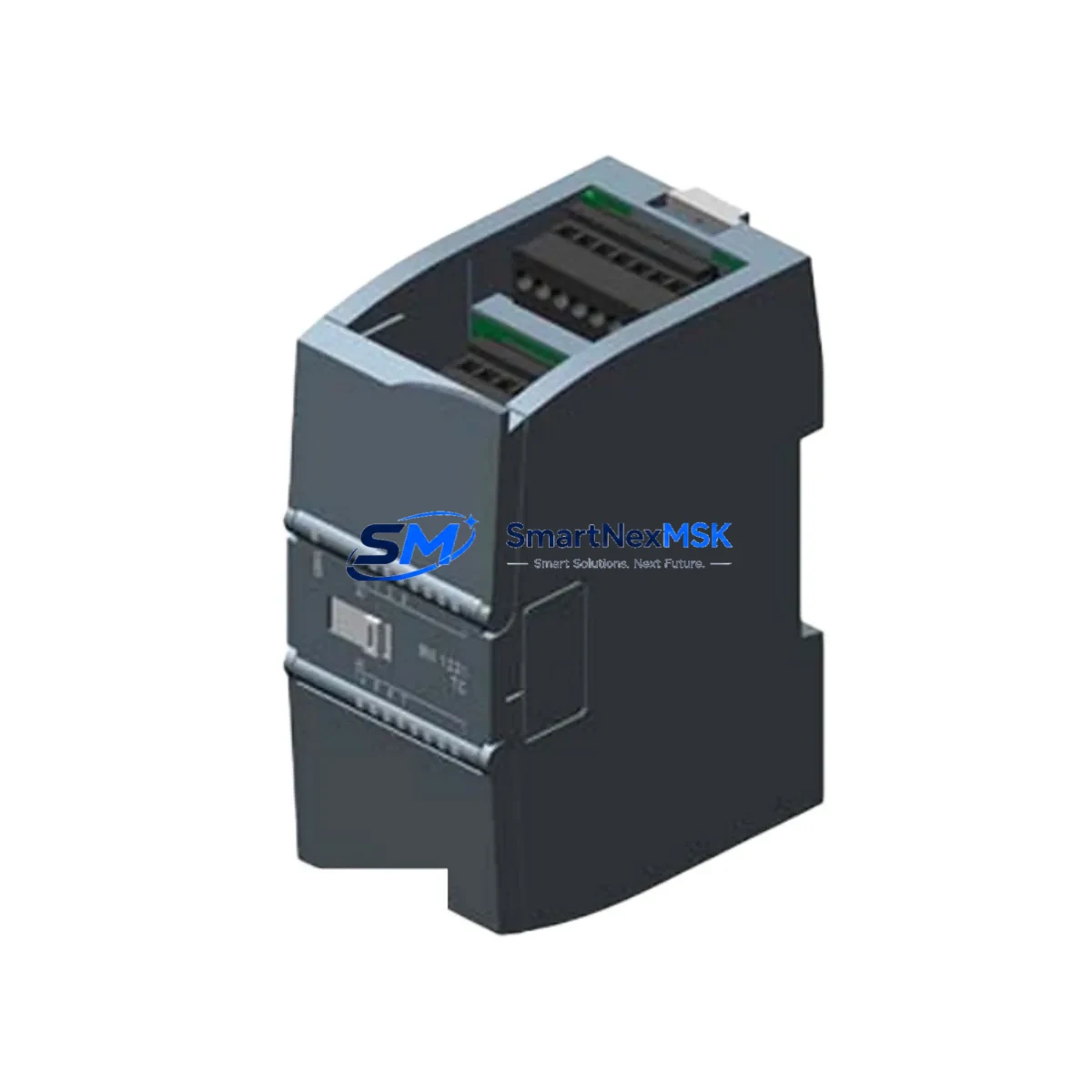
Siemens 6ES7231-5QF32-0XB0 Spare for S7-1200 Automation
The Siemens 6ES7231-5QF32-0XB0 is an original SM 1231 series 8-channel analog input module designed for the SIMATIC S7-1200 programmable logic controller platform. In industrial maintenance environments — from automotive assembly lines to water treatment facilities and process manufacturing plants — this module represents a critical node in the analog signal acquisition chain. When this module fails or degrades, the entire control loop dependent on its inputs is compromised, leading to unplanned downtime, production loss, and potential safety incidents. Maintaining a verified spare of the 6ES7231-5QF32-0XB0 in your on-site spare parts inventory is a fundamental practice for any maintenance engineer responsible for S7-1200-based control systems.
This listing provides an original, factory-sourced 6ES7231-5QF32-0XB0 module, fully tested prior to shipment and backed by a 12-month warranty. Each unit is inspected for firmware compatibility, connector integrity, and signal accuracy before dispatch, ensuring that when you install it on-site, it performs identically to the original installed component — with no re-engineering or parameter reconfiguration required.
Spare Maintenance Table
| Parameter | Specification |
|---|---|
| Part Number / SKU | 6ES7231-5QF32-0XB0 |
| Module Type | SM 1231 Analog Input Module |
| Compatible Platform | SIMATIC S7-1200 Series (CPU 1211C, 1212C, 1214C, 1215C, 1217C) |
| Number of Analog Inputs | 8 channels |
| Input Signal Type | Voltage / Current (configurable per channel) |
| Input Range (Voltage) | ±10 V, ±5 V, ±2.5 V, 0–5 V, 0–10 V |
| Input Range (Current) | 0–20 mA, 4–20 mA, ±20 mA |
| Resolution | 13-bit + sign |
| Isolation | Optically isolated between field and logic side |
| Supply Voltage | 24 V DC (via S7-1200 backplane bus) |
| Operating Temperature | 0°C to +55°C (horizontal mounting) |
| Storage Temperature | -40°C to +70°C |
| Degree of Protection | IP20 |
| Weight | Approx. 191 g |
| Country of Origin | Germany |
| Warranty | 12 Months from date of shipment |
| Condition | Original New / Tested Spare |
| Shipping | Tested before dispatch; ESD-safe packaging |
Maintenance Planning for Continuous Operation
When a 6ES7231-5QF32-0XB0 module is flagged for replacement during a scheduled maintenance window or emergency fault response, experienced maintenance engineers know that the analog input module rarely fails in isolation. A thorough inspection of the surrounding control cabinet components is essential to prevent repeat failures and ensure the restored system operates reliably through the next maintenance cycle.
Begin by verifying the 24 V DC power supply feeding the S7-1200 rack — a degraded or undersized power supply unit (such as the Siemens SITOP PSU100S or equivalent 6EP-series power supply) can cause intermittent analog signal errors that mimic module failure. Check the supply voltage under load and confirm ripple is within specification. Next, inspect the signal wiring at the terminal block connections on the SM 1231 module itself; loose or corroded screw terminals are a common root cause of analog drift and channel faults in high-vibration environments.
For systems where the 6ES7231-5QF32-0XB0 handles 4–20 mA loop signals from field transmitters, also inspect the associated signal isolators or loop-powered barriers in the circuit. If the field device is a pressure or temperature transmitter wired through a DIN-rail signal conditioner, verify that the isolator output is within calibrated range before concluding the module itself is at fault. In many cases, replacing the SM 1231 without addressing a failing signal isolator results in a second module failure within weeks.
While the control cabinet is open, it is good practice to inspect the S7-1200 CPU module (e.g., CPU 1214C or CPU 1215C) for diagnostic buffer entries related to analog channel errors, and to check the SM 1232 analog output module if one is installed in the same rack — output modules in the same signal chain are subject to the same environmental stresses. Review the CM 1241 RS485/RS232 communication module if serial field devices are part of the loop, as communication faults can sometimes be misdiagnosed as analog input errors.
For facilities running mixed I/O racks, also inspect the SM 1223 digital I/O module and any installed relay output modules for contact wear, particularly if the analog inputs are used to trigger discrete output actions. Terminal blocks (such as Weidmüller or Phoenix Contact DIN-rail types) adjacent to the analog module should be checked for torque and oxidation. Finally, if the S7-1200 system communicates via PROFINET to an HMI panel (such as a Siemens KTP700 or KTP900 Basic Panel), verify that the HMI is correctly reading the restored analog tags after module replacement to confirm end-to-end signal integrity.
Site Replacement Workflow
Replacing the 6ES7231-5QF32-0XB0 on-site is a straightforward procedure when the correct spare is available and the replacement is planned in advance. The module connects directly to the S7-1200 CPU or expansion rack via the integrated bus connector — no separate backplane wiring is required. The replacement process does not require re-downloading the PLC program, as the S7-1200 CPU automatically recognizes the module by its slot position and configured hardware parameters in the TIA Portal project.
Before removing the faulty module, document the current channel configuration (input type, range, and filter settings) from the TIA Portal hardware configuration or from the module’s diagnostic data. Power down the 24 V DC supply to the rack, remove the field wiring connector from the module front face (the connector is plug-in type and retains wiring), swap the module, reconnect the wiring connector, and restore power. The CPU will perform an automatic module recognition cycle; confirm that all 8 analog channels return to normal status in the diagnostic buffer within 30 seconds of power-up.
This plug-and-play replacement approach minimizes downtime to under 15 minutes for a prepared maintenance team, compared to hours of troubleshooting if the correct spare is not on hand. For aging S7-1200 installations where the original module may have been in service for 8–12 years, proactive replacement during planned shutdowns — rather than waiting for failure — is the recommended strategy to extend system life and avoid unplanned production stops.
Spare Parts Support FAQ
Q1: Is this 6ES7231-5QF32-0XB0 an original Siemens module or a compatible replacement?
This is an original Siemens SM 1231 module sourced through authorized industrial supply channels. It is not a third-party compatible or clone product. Each unit carries the original Siemens part markings and is tested for full functional compliance before shipment.
Q2: How do I verify compatibility with my existing S7-1200 system before installation?
The 6ES7231-5QF32-0XB0 is compatible with all S7-1200 CPU variants (1211C through 1217C) running TIA Portal V13 SP1 or later firmware. Confirm your CPU firmware version in TIA Portal under the device properties. If your system runs an earlier firmware, a firmware update to the CPU may be required before the module is recognized — contact our technical team for guidance.
Q3: What does the 12-month warranty cover, and what is the claims process?
The 12-month warranty covers manufacturing defects, functional failures under normal operating conditions, and DOA (dead-on-arrival) units. It does not cover damage from incorrect installation, overvoltage, or environmental conditions outside the module’s rated specifications. To initiate a warranty claim, contact [email protected] with your order number and a description of the fault. Replacement units are dispatched within 3 business days of claim approval.
Q4: Can I order multiple units for long-term spare parts inventory?
Yes. We support bulk spare parts orders for maintenance departments and MRO procurement teams. Volume pricing is available for orders of 3 or more units. Long-term supply agreements can be arranged for facilities requiring guaranteed stock availability over a 12–36 month horizon. Contact us at [email protected] or +86 18259474341 to discuss your inventory requirements.
© 2026 SMARTNEXMSK. All rights reserved.
Original Source: https://smartnexmsk.com
Contact: [email protected] | +86 18259474341



