
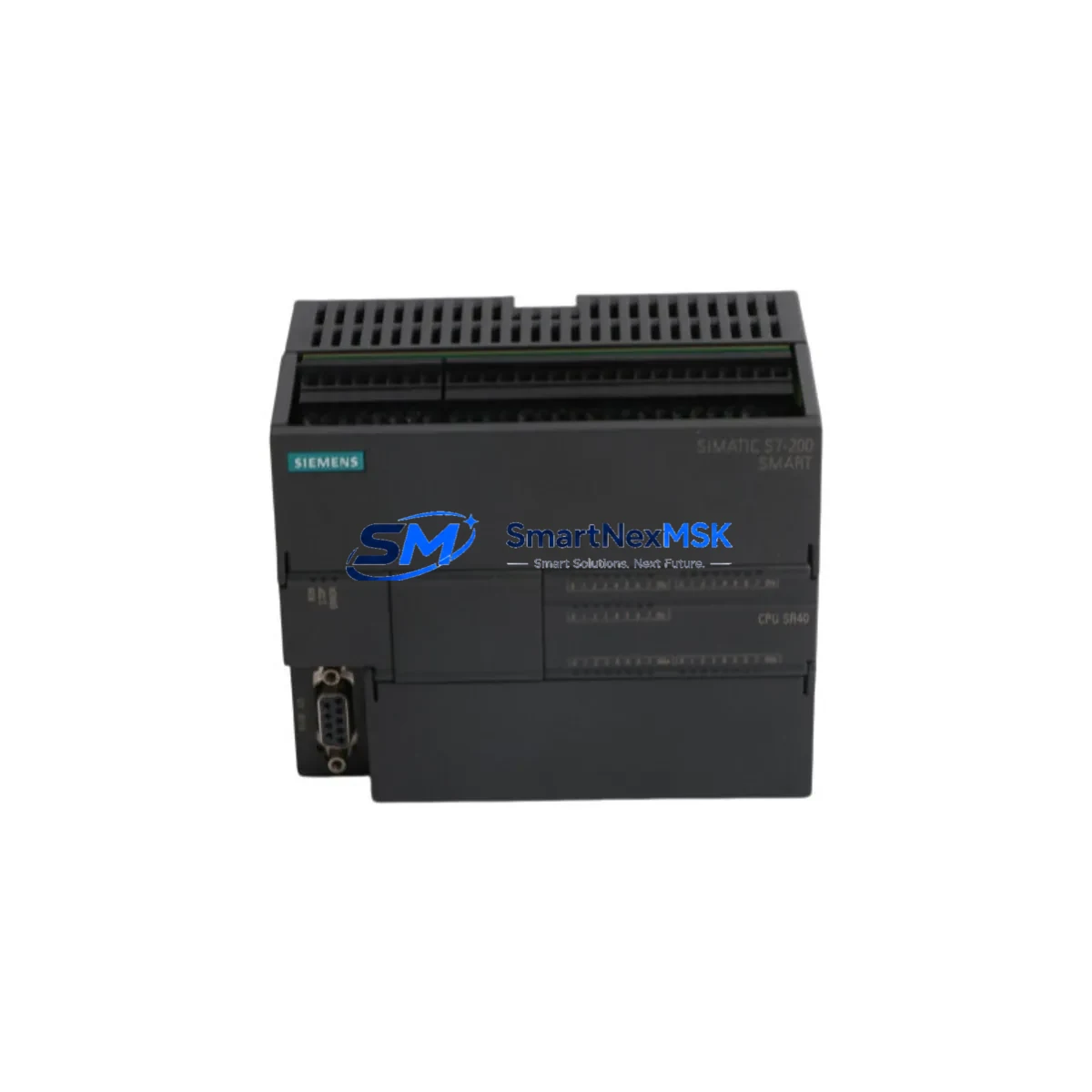
Siemens 6ES7288-1SR40-0AA0 Spare S7-200 SMART Automation: Maintenance-Ready CPU for Industrial Downtime Control
The Siemens 6ES7288-1SR40-0AA0 is the SR40 standard CPU module for the S7-200 SMART programmable logic controller series — one of the most widely deployed compact PLC platforms in light industrial, packaging, material handling, and process automation environments across Asia and Europe. With 24 digital inputs, 16 digital outputs (relay), 100 KB program memory, and onboard Ethernet communication, the SR40 CPU serves as the central control node in thousands of active production lines.
For maintenance engineers and spare parts procurement teams managing aging S7-200 SMART installations, securing a verified original replacement unit of the 6ES7288-1SR40-0AA0 is a critical step in any planned maintenance cycle or emergency downtime recovery plan. This listing provides a factory-original, pre-shipment tested unit backed by a 12-month warranty, ready for immediate deployment.
Spare Maintenance Table
| Parameter | Specification |
|---|---|
| Part Number / SKU | 6ES7288-1SR40-0AA0 |
| Series | S7-200 SMART |
| CPU Type | SR40 Standard CPU (Relay Output) |
| Digital Inputs | 24 DI (24 VDC) |
| Digital Outputs | 16 DO (Relay, 2A per point) |
| Program Memory | 100 KB |
| Data Memory | 100 KB |
| Communication | Onboard Ethernet (PROFINET-compatible), RS-485 |
| Expansion Modules | Up to 6 expansion modules (EM series) |
| Power Supply | AC 85–264 V / DC 24 V |
| Operating Temperature | 0°C to +55°C |
| Protection Rating | IP20 |
| Mounting | DIN rail / panel mount |
| Origin | Germany (Original Siemens) |
| Compatibility | S7-200 SMART EM expansion modules, STEP 7-Micro/WIN SMART software |
| Warranty | 12 Months — tested before shipment |
Maintenance Planning for Continuous Operation
When a 6ES7288-1SR40-0AA0 SR40 CPU fails or is flagged during a scheduled inspection, the replacement process should be treated as a system-level maintenance event — not an isolated component swap. Experienced maintenance engineers know that a CPU fault is often a symptom of broader electrical stress in the control cabinet. Before or alongside replacing the SR40 CPU, the following components should be inspected and, where necessary, replaced as part of the same maintenance window:
- S7-200 SMART EM DT32 (6ES7288-2DT32-0AA0) — Digital I/O expansion module. Inspect for input signal drift or output relay wear, especially on high-cycle lines.
- S7-200 SMART EM AE04 (6ES7288-3AE04-0AA0) — Analog input module. Verify 4–20 mA signal integrity and check for ground loop interference.
- 24 VDC SITOP PSU100S Power Supply — Unstable DC rail voltage is a leading cause of CPU soft faults and memory corruption. Measure output ripple under load before commissioning the new CPU.
- Siemens LOGO! or S7-200 SMART HMI Panel (e.g., SMART LINE 700 IE) — Confirm HMI communication parameters (IP address, port) are preserved after CPU replacement to avoid operator interface downtime.
- RS-485 Communication Cable and Termination Resistors — Inspect the RS-485 bus for impedance mismatches, damaged shielding, or loose terminal connections that may have contributed to CPU communication errors.
- EM DP01 PROFIBUS-DP Module (6ES7288-7DP01-0AA0) — If the system uses PROFIBUS, verify the DP slave address and GSD file configuration after CPU swap.
- Signal Isolators (e.g., Phoenix Contact MINI MCR series) — Check analog signal isolators in the I/O loop for drift or insulation breakdown, particularly in high-temperature or high-humidity environments.
- Terminal Blocks and Wiring Ferrules — Inspect all I/O terminal connections for oxidation, loose crimps, or thermal damage. Re-torque to manufacturer specification.
- Miniature Circuit Breakers (MCBs) and Fuses — Verify protection devices on the 24 VDC and AC input circuits are within rated capacity and have not been thermally stressed.
- Ethernet Switch or Industrial Router — If the SR40 CPU is networked via Ethernet, confirm the connected switch port is functioning correctly and that IP address conflicts are resolved before going live.
Proactive inspection of these components during the same maintenance window reduces the risk of repeat failures and maximizes the return on the CPU replacement investment. For facilities operating multiple S7-200 SMART systems, maintaining a minimum stock of one SR40 CPU, one EM DT32 expansion module, and one SITOP power supply is a widely recommended spare parts inventory strategy.
Site Replacement Workflow
Replacing the 6ES7288-1SR40-0AA0 in a live production environment requires a structured approach to minimize downtime and ensure system continuity:
- Backup the existing program — Use STEP 7-Micro/WIN SMART to upload and save the current PLC program, data blocks, and system configuration to a secure location before powering down.
- Document I/O wiring — Photograph or record all terminal connections on the CPU and any directly wired I/O points. Label wires if not already marked.
- Power down and isolate — Isolate the control cabinet from AC mains and 24 VDC supply. Verify zero energy state with a multimeter before handling the CPU module.
- Remove the faulty CPU — Disconnect the expansion bus connector, Ethernet cable, RS-485 port, and all I/O wiring. Remove the CPU from the DIN rail.
- Install the replacement 6ES7288-1SR40-0AA0 — Mount the new SR40 CPU on the DIN rail, reconnect the expansion bus, and rewire I/O terminals per the documented layout.
- Restore the program — Download the backed-up program via STEP 7-Micro/WIN SMART. Verify the CPU firmware version is compatible with the project file.
- Commission and test — Power up in STOP mode, verify I/O status in the software, then switch to RUN mode. Conduct a full functional test before returning the line to production.
This workflow is compatible with all S7-200 SMART CPU variants and supports seamless migration from older SR20, SR30, or ST40 units where hardware redesign is not feasible. The 6ES7288-1SR40-0AA0 is a direct form-fit-function replacement for units of the same model designation, eliminating the need for program modification in most standard applications.
Spare Parts Support FAQ
Q1: Is this a genuine original Siemens 6ES7288-1SR40-0AA0, or a compatible substitute?
This is a 100% original Siemens-manufactured unit sourced through verified industrial supply channels. Each unit undergoes pre-shipment functional testing to confirm power-on, I/O response, and communication port integrity before dispatch. A test report is available upon request.
Q2: What does the 12-month warranty cover, and how is a warranty claim handled?
The 12-month warranty covers manufacturing defects and functional failures under normal operating conditions. If the unit fails within the warranty period, we provide a replacement or full refund after fault verification. Warranty claims are processed within 5 business days of receiving the returned unit. Physical damage caused by incorrect installation, overvoltage, or environmental factors outside the rated specification is excluded.
Q3: Can this CPU replace an older S7-200 SMART SR40 unit without reprogramming?
Yes. The 6ES7288-1SR40-0AA0 is a direct replacement for any unit sharing the same model number. The existing program can be downloaded directly from STEP 7-Micro/WIN SMART without modification. If replacing a different CPU variant (e.g., ST40 transistor output), I/O wiring and program output logic must be reviewed for relay/transistor compatibility differences.
Q4: Do you maintain long-term stock for ongoing maintenance contracts?
Yes. We maintain dedicated inventory for S7-200 SMART CPU modules and key expansion components to support long-term maintenance agreements and planned shutdown schedules. For facilities requiring guaranteed availability of the 6ES7288-1SR40-0AA0 over a 12–36 month horizon, we offer reserved stock arrangements. Contact our sales team to discuss volume pricing and supply continuity agreements.
© 2026 SMARTNEXMSK. All rights reserved.
Original Source: https://smartnexmsk.com
Contact: [email protected] | +86 18259474341



