
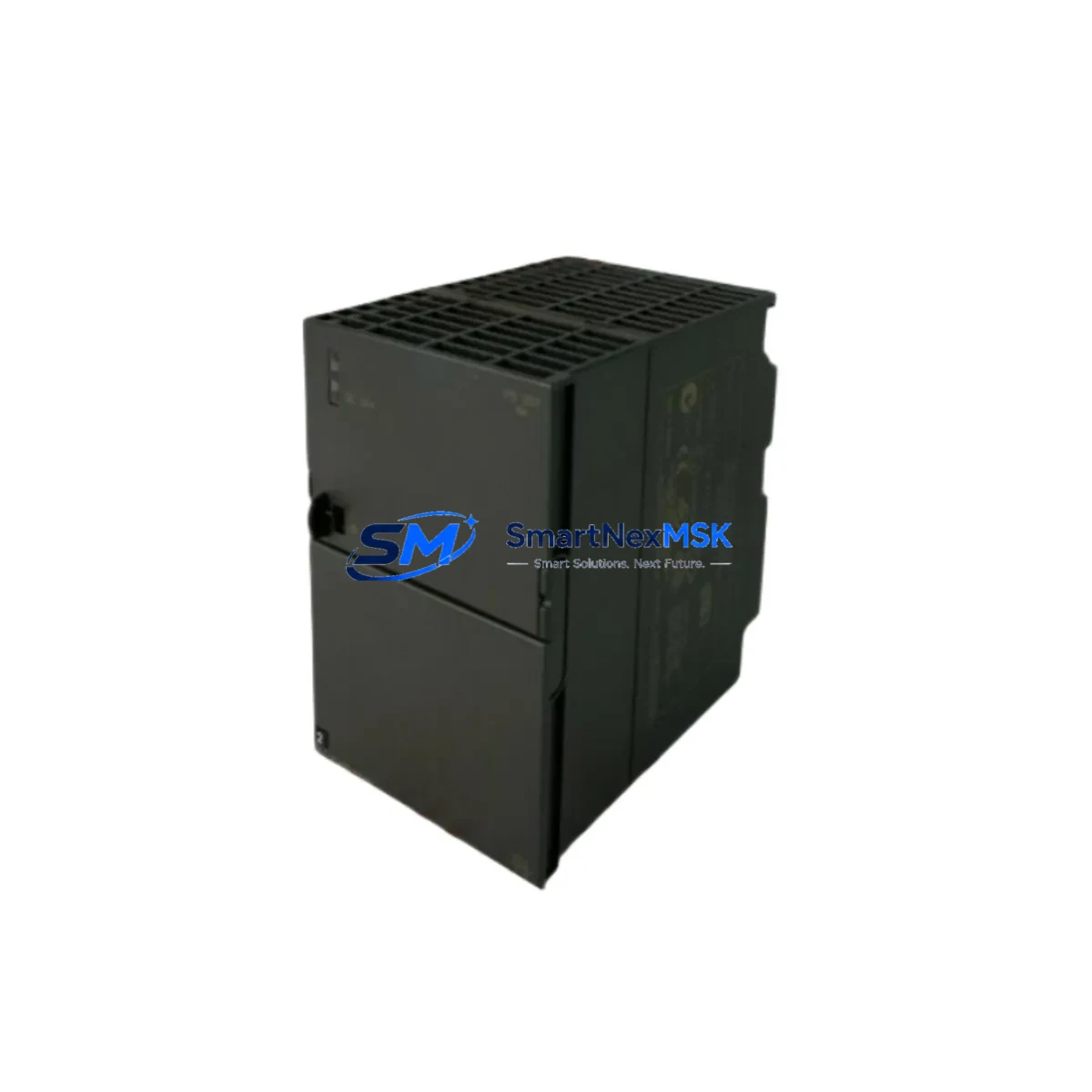
Siemens 6ES7307-1KA02-0AA0 Maintenance-Ready Spare S7-300 Automation
The Siemens 6ES7307-1KA02-0AA0 is a regulated 10A / 24 VDC power supply module designed for the SIMATIC S7-300 programmable logic controller platform. As a critical power-rail component, it converts 120/230 VAC mains input into a stable 24 VDC output that feeds the CPU rack, signal modules, and field devices simultaneously. When this module degrades or fails, the entire S7-300 rack loses power, triggering an unplanned production stoppage. Holding a verified spare on the shelf is the single most effective measure a maintenance team can take to compress mean-time-to-repair (MTTR) and protect process continuity.
Every unit shipped by SMARTNEXMSK undergoes pre-dispatch electrical verification — output voltage regulation, ripple measurement, and short-circuit protection test — before packaging. Each module is covered by a 12-month warranty and ships with full traceability documentation, giving procurement engineers the audit trail required for ISO-compliant spare-parts records.
Spare Maintenance Table
| Parameter | Specification |
|---|---|
| Part Number / SKU | 6ES7307-1KA02-0AA0 |
| Brand | SIEMENS |
| Series | SIMATIC S7-300 |
| Module Type | Regulated Power Supply Module (PS 307) |
| Input Voltage | 120 / 230 VAC, 50/60 Hz (auto-ranging) |
| Output Voltage | 24 VDC (regulated, stabilised) |
| Output Current | 10 A continuous |
| Output Power | 240 W |
| Mounting | DIN rail, S7-300 standard rack (UR1 / UR2 / UR2-H) |
| Slot Position | Slot 1 (leftmost position on S7-300 rack) |
| Protection Class | IP20 |
| Operating Temperature | 0 °C to +60 °C |
| Dimensions (W × H × D) | 80 × 125 × 120 mm |
| Weight | approx. 600 g |
| Country of Origin | Germany |
| Compatibility | SIMATIC S7-300 CPU 31x, IM 360/361/365, SM 3xx signal modules |
| Replaces / Supersedes | 6ES7307-1KA00-0AA0, 6ES7307-1KA01-0AA0 |
| Warranty | 12 Months — SMARTNEXMSK Guarantee |
| Pre-Shipment Test | Output voltage, ripple, short-circuit protection verified |
Maintenance Planning for Continuous Operation
A power supply failure in an S7-300 cabinet is rarely an isolated event. Voltage sags, ripple, or a slow-dying capacitor bank in the 6ES7307-1KA02-0AA0 can stress every downstream component before the module trips. During a planned replacement or emergency swap, a thorough maintenance engineer will inspect the following associated components in the same cabinet visit:
Start with the CPU module — typically a 6ES7315-2EH14-0AB0 or similar 31x-series CPU — checking the backup battery (6ES7971-0BA00-0AA0) for low-voltage warnings logged in the diagnostic buffer. A depleted battery means the CPU loses its retentive data and program on the next power cycle, compounding the downtime. Next, inspect the IM 360 / IM 361 interface modules if the installation uses expansion racks; these draw their logic supply from the same 24 VDC bus and can exhibit intermittent rack-communication faults when supply voltage dips below 22.8 VDC.
Signal modules — including SM 321 digital input, SM 322 digital output, and SM 331 analog input cards — should be checked for blown channel fuses and correct backplane connector seating. Loose connectors cause phantom I/O errors that are frequently misdiagnosed as CPU or program faults. While the cabinet door is open, verify the 24 VDC field distribution terminal blocks (e.g., Phoenix Contact or Weidmüller DIN-rail terminals) for signs of thermal discolouration or loose ferrules, which indicate sustained overcurrent that may have contributed to the power supply failure.
For installations with PROFIBUS DP communication, inspect the CP 342-5 or CP 343-1 communication processor module and its bus connector termination resistors. A degraded power supply often manifests first as intermittent PROFIBUS timeouts before the module fails completely. Similarly, any signal isolators or loop-powered transmitter barriers in the same 24 VDC loop should be tested for correct output, as they are sensitive to supply voltage variation. If the cabinet includes a SIMATIC HMI panel (TP700, KTP900, or similar), confirm its 24 VDC input fuse and power cable integrity before re-energising the rack.
Finally, check the miniature circuit breakers (MCBs) and fuse holders on the 24 VDC distribution rail. A nuisance trip or a slow-blow fuse that has partially degraded will cause the replacement power supply to operate outside its rated load curve from day one, shortening its service life. Replacing the 6ES7307-1KA02-0AA0 as part of a coordinated cabinet inspection — rather than as a single-component swap — is the approach that delivers lasting uptime improvement.
Site Replacement Workflow
Step 1 — Preparation: Download the current CPU program to a SIMATIC Memory Card or PG/PC before de-energising the rack. Confirm the replacement 6ES7307-1KA02-0AA0 firmware revision matches or supersedes the installed unit (check the order suffix -0AA0 vs earlier -0AA0 revisions). Gather a calibrated multimeter and a torque screwdriver set to 0.8 Nm for terminal screws.
Step 2 — Safe Isolation: Switch off the upstream MCB feeding the power supply AC input. Lock out / tag out (LOTO) per site procedure. Verify zero voltage at the AC input terminals L1 and N using a CAT III rated meter before touching any wiring.
Step 3 — Module Removal: Disconnect the AC input wiring (L1, N, PE) and the 24 VDC output wiring from the front terminals. Release the DIN-rail locking lever at the base of the module and slide it out of Slot 1. Note the wiring labels before removal — photograph the terminal layout if labels are worn.
Step 4 — Installation: Clip the replacement module onto the DIN rail in Slot 1. Reconnect AC input and 24 VDC output wiring to the correct terminals, torquing to specification. Restore the MCB and measure output voltage at the 24 VDC terminals — acceptable range is 24 VDC ± 1%. Confirm the green LED on the module illuminates steadily.
Step 5 — System Verification: Power up the S7-300 rack and observe the CPU RUN/STOP LED. Use SIMATIC Manager or TIA Portal to go online and confirm all I/O modules report healthy status. Clear any diagnostic buffer entries generated during the outage. Document the replacement in the site maintenance log with the new module serial number and date.
This workflow is compatible with all S7-300 rack configurations and does not require re-programming the CPU, making it suitable for sites without on-site PLC programming expertise. The 6ES7307-1KA02-0AA0 is a direct plug-in replacement for the earlier -1KA01-0AA0 and -1KA00-0AA0 variants, eliminating any hardware configuration change in STEP 7 or TIA Portal.
Spare Parts Support FAQ
Q1: Is the 6ES7307-1KA02-0AA0 compatible with all S7-300 CPU variants?
Yes. The PS 307 10A power supply is compatible with all SIMATIC S7-300 CPUs (CPU 312 through CPU 319-3 PN/DP) and all standard S7-300 racks (UR1, UR2, UR2-H). It occupies Slot 1 and provides the 24 VDC backplane and field supply for the entire rack. No hardware configuration change is required in STEP 7 or TIA Portal when replacing an older -1KA00 or -1KA01 variant with the -1KA02 revision.
Q2: What is included in the 12-month warranty and pre-shipment testing?
Every 6ES7307-1KA02-0AA0 unit is electrically tested before dispatch: output voltage regulation (24 VDC ± 1%), output ripple (≤ 150 mVpp), and short-circuit protection activation are verified. The 12-month warranty covers manufacturing defects and functional failure under normal operating conditions. SMARTNEXMSK provides replacement or full refund within the warranty period. Contact [email protected] with the order number and fault description to initiate a warranty claim.
Q3: How should I manage spare inventory for long-term S7-300 system support?
Siemens has announced the SIMATIC S7-300 series as a legacy platform with limited long-term availability of new production units. For sites running S7-300 systems beyond 2025, the recommended strategy is to hold a minimum of one PS 307 10A spare per three installed racks, and to source additional units while supply remains available. SMARTNEXMSK maintains stock of 6ES7307-1KA02-0AA0 and related S7-300 components to support long-term maintenance contracts and emergency procurement requirements.
Q4: Can I order multiple units for a blanket spare-parts contract?
Yes. SMARTNEXMSK supports volume orders and long-term supply agreements for the 6ES7307-1KA02-0AA0 and other S7-300 components. Bulk pricing, reserved stock allocation, and scheduled delivery can be arranged for maintenance contractors and OEM integrators. Contact [email protected] or call +86 18259474341 to discuss your requirements. Lead times and stock levels are confirmed at the time of enquiry.
© 2026 SMARTNEXMSK. All rights reserved.
Original Source: https://smartnexmsk.com
Contact: [email protected] | +86 18259474341



