
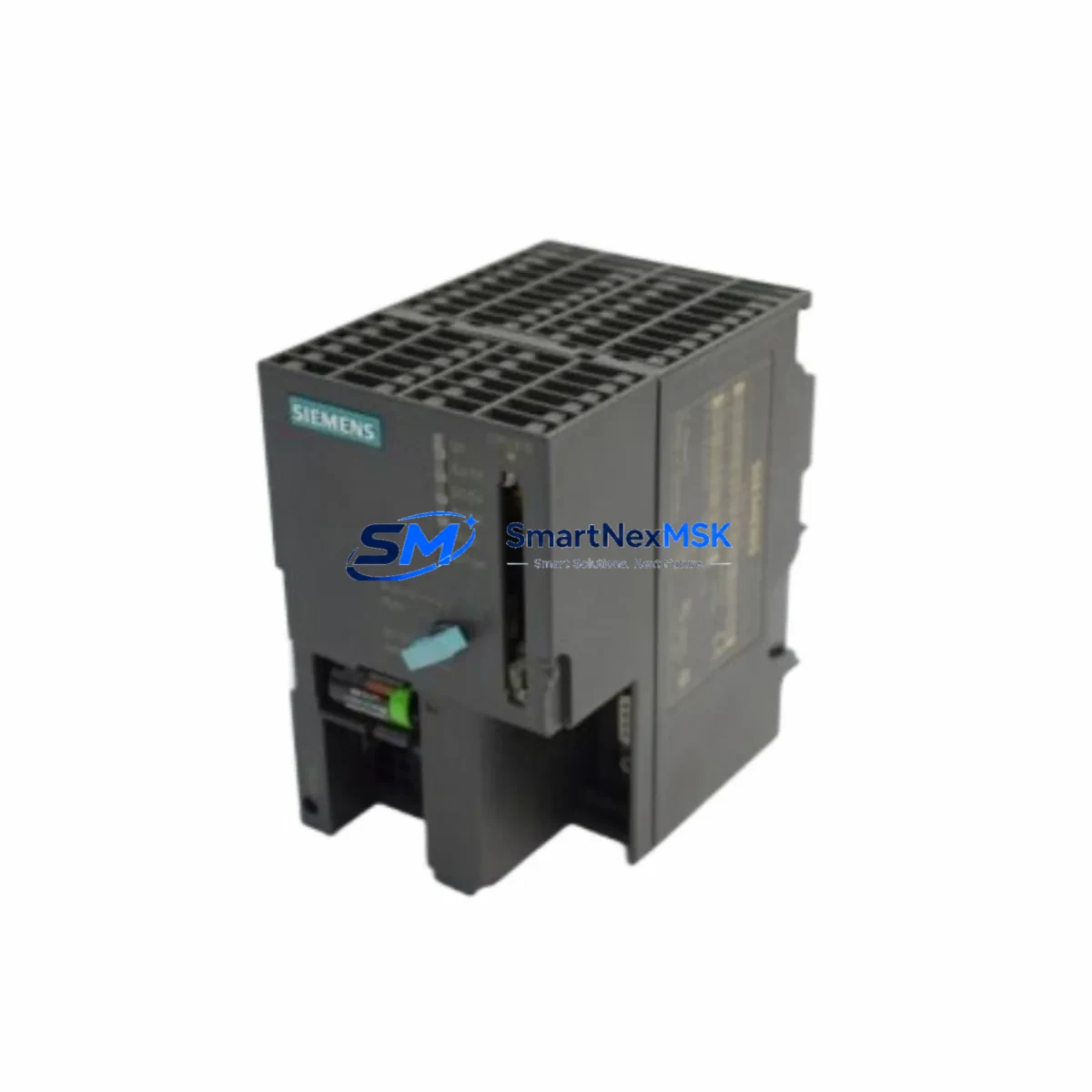
Siemens 6ES7315-1AF03-0AB0 Retrofit-Ready CPU for S7-300 Control Systems
The Siemens 6ES7315-1AF03-0AB0 is a CPU 315 central processing unit designed for the SIMATIC S7-300 modular programmable logic controller platform. As legacy S7-300 installations approach end-of-life and original Siemens spare parts become increasingly scarce, this retrofit-ready replacement module provides a reliable, drop-in compatible solution for industrial facilities seeking to extend the operational life of their existing control infrastructure without committing to a full system overhaul.
This CPU module supports MPI (Multi-Point Interface) communication, making it directly compatible with existing S7-300 backplane racks, standard DIN-rail mounting configurations, and established STEP 7 programming environments. Engineers undertaking a retrofit project can retain their existing ladder logic, function block diagrams, and structured text programs with minimal modification, significantly reducing engineering hours and project risk.
Upgrade Compatibility Table
| Parameter | Details |
|---|---|
| SKU / Part Number | 6ES7315-1AF03-0AB0 |
| Series | SIMATIC S7-300 |
| CPU Type | CPU 315 |
| Communication Interface | MPI (Multi-Point Interface) |
| Backplane / Rack Compatibility | Standard S7-300 UR1 / UR2 rack, slots 2–11 |
| Installation | DIN rail, direct slot insertion — no adapter required |
| Programming Software | SIMATIC STEP 7 v5.x (compatible); TIA Portal via legacy mode |
| Replacement For | 6ES7315-1AF01-0AB0, 6ES7315-1AF02-0AB0 (earlier firmware revisions) |
| Retrofit Recommendation | Direct drop-in replacement; verify firmware version and memory card compatibility |
| Commissioning Notes | Confirm MPI node address, CPU operating mode switch position, and memory card insertion before power-on |
| Warranty | 12 Months |
Retrofit Planning for Existing Automation Systems
Successful integration of the 6ES7315-1AF03-0AB0 into an existing S7-300 control cabinet requires a structured pre-installation assessment. Begin by auditing the current power supply module — typically a PS 307 (6ES7307-1BA01-0AA0 or equivalent) — to confirm it can deliver sufficient 24 VDC rail current for the replacement CPU alongside all installed signal modules. Undersized power supplies are a common cause of intermittent faults after a CPU swap.
Next, document all terminal wiring on the existing SM 321 digital input modules and SM 322 digital output modules installed in the rack. The 6ES7315-1AF03-0AB0 does not alter I/O addressing when the slot configuration is preserved, but any rack reorganization will require an address reassignment in STEP 7 hardware configuration. If the installation includes analog signal modules such as the SM 331 or SM 332, verify that the module parameters stored in the CPU’s load memory are consistent with the replacement unit’s firmware.
For systems using CP 342-5 or CP 343-1 communication processors for PROFIBUS DP or Industrial Ethernet connectivity, the MPI interface on the 6ES7315-1AF03-0AB0 remains the primary programming and HMI link. Confirm that the MPI node address assigned to the replacement CPU matches the address expected by connected SIMATIC HMI panels — such as TP177 or MP277 operator panels — to avoid communication timeouts after restart. If the plant network also includes IM 360 / IM 361 interface modules for multi-rack expansion, verify that the inter-rack bus cable connections are intact and that the expansion rack addresses are correctly configured in the hardware catalog.
Before removing the original CPU, use a programming cable (PC Adapter USB or MPI/DP adapter) to upload and archive the complete project from the existing CPU, including all data blocks, system function blocks, and hardware configuration. Store this backup on a secure engineering workstation. Insert the SIMATIC Micro Memory Card into the replacement 6ES7315-1AF03-0AB0 with the archived program loaded, then perform a cold restart to confirm that the CPU transitions to RUN mode without fault LEDs.
Downtime Control During System Migration
Minimizing production downtime during a CPU replacement is the primary concern for most plant engineers. The recommended approach is to pre-configure and test the 6ES7315-1AF03-0AB0 on a bench rack — using a spare UR2 rack and a PS 307 power supply — before the scheduled maintenance window. Load the archived program onto the memory card, simulate I/O states where possible, and verify that the CPU reaches RUN mode without errors.
During the live swap, isolate the control cabinet from field power before removing the original CPU module. The S7-300 backplane bus connector design allows the CPU to be extracted and reinserted without disturbing adjacent signal modules, provided the rack power is off. After inserting the 6ES7315-1AF03-0AB0, restore power and monitor the SF (System Fault) and BF (Bus Fault) LEDs. A clean startup with only the RUN LED illuminated confirms successful program loading and MPI bus recognition.
Retain the original CPU module as a cold standby spare for a minimum of 30 days post-commissioning. This preserves the ability to revert to the previous configuration if any latent compatibility issues emerge during normal production cycles. Document all changes to the hardware configuration, firmware version, and memory card serial number in the plant’s maintenance management system.
Retrofit Support FAQ
Q1: Is the 6ES7315-1AF03-0AB0 a direct replacement for earlier CPU 315 variants?
Yes. The 6ES7315-1AF03-0AB0 is backward compatible with the 6ES7315-1AF01-0AB0 and 6ES7315-1AF02-0AB0 in terms of rack slot, backplane bus interface, and MPI communication. Verify that the STEP 7 hardware configuration reflects the correct order number to avoid configuration mismatch warnings during online comparison.
Q2: What commissioning steps are required after installation?
After physical installation, set the CPU mode switch to STOP, insert the pre-loaded Micro Memory Card, restore rack power, and perform a memory reset (MRES) if prompted. Switch to RUN mode and use STEP 7 to perform an online/offline comparison of the hardware configuration and program blocks. Confirm MPI communication with all connected HMI and programming devices before returning the system to production.
Q3: How is terminal wiring and I/O compatibility verified?
The 6ES7315-1AF03-0AB0 does not have direct field wiring terminals — all I/O is handled by the signal modules (SM 321, SM 322, SM 331, SM 332) installed in the same rack. Provided the slot assignments are unchanged, no rewiring is required. Verify I/O module parameters in the STEP 7 hardware configuration match the physical modules installed.
Q4: What does the 12-month warranty cover?
All units are tested for power-on functionality, MPI communication, and program load/run capability prior to shipment. The 12-month warranty covers manufacturing defects and functional failures under normal operating conditions. Each shipment includes a test report. Contact [email protected] for warranty claims or technical support.
© 2026 SMARTNEXMSK. All rights reserved.
Original Source: https://smartnexmsk.com
Contact: [email protected] | +86 18259474341



