
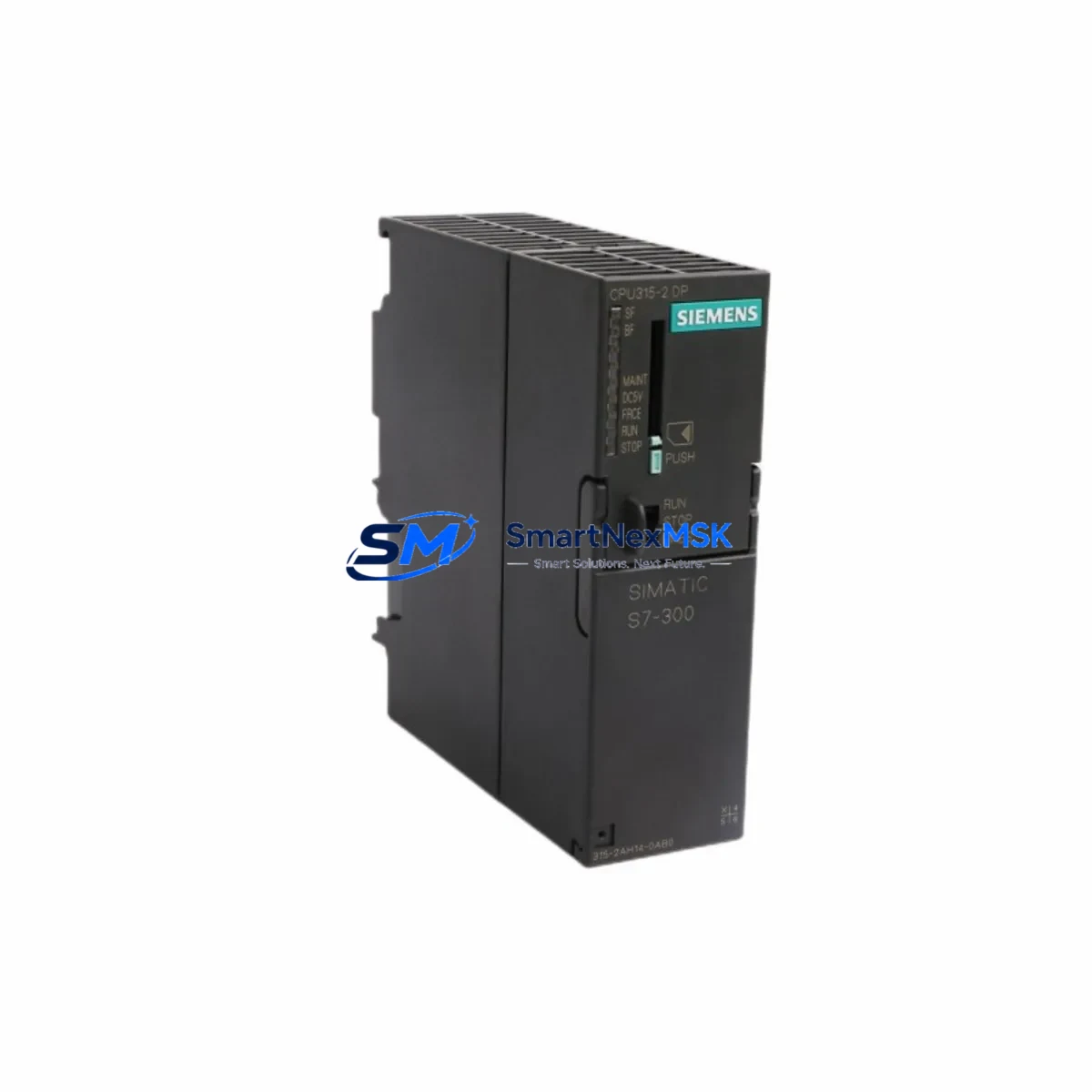
Siemens 6ES7315-2AH14-0AB0 Spare for S7-300 Automation
The Siemens 6ES7315-2AH14-0AB0 is a CPU 315-2 DP central processing unit designed for the SIMATIC S7-300 programmable logic controller platform — one of the most widely deployed automation architectures in global manufacturing, process control, and infrastructure facilities. When this CPU fails or reaches end-of-service life, the impact on production is immediate: line stoppages, unplanned downtime, and costly emergency procurement. Sourcing a verified, original spare unit in advance is the single most effective strategy for minimizing mean time to repair (MTTR) and protecting operational continuity.
This listing provides a maintenance-ready, original Siemens 6ES7315-2AH14-0AB0 CPU module — fully tested prior to shipment, backed by a 12-month warranty, and available for fast global dispatch. Each unit is inspected for firmware integrity, PROFIBUS DP interface functionality, and physical connector condition before packaging. Whether you are managing a planned overhaul, building a critical spare inventory, or responding to an unscheduled failure, this CPU module is ready to deploy directly into your S7-300 rack without modification.
Spare Maintenance Table
| Parameter | Specification |
|---|---|
| Part Number / SKU | 6ES7315-2AH14-0AB0 |
| Product Family | SIMATIC S7-300 |
| Module Type | CPU 315-2 DP |
| Communication Interface | MPI + PROFIBUS DP (integrated) |
| Working Memory | 256 KB |
| Load Memory | Micro Memory Card (MMC) required |
| Supply Voltage | DC 24 V |
| Operating Temperature | 0 °C to +60 °C |
| Mounting | DIN rail, S7-300 rack (UR1/UR2) |
| Slot Position | Slot 2 (standard CPU slot) |
| Country of Origin | Germany |
| Compatibility | SIMATIC S7-300 series; replaces 6ES7315-2AH14-0AB0 and compatible predecessor revisions |
| Firmware | Verified before shipment |
| Pre-shipment Test | Power-on, DP interface, memory read/write |
| Warranty | 12 Months |
| Condition | Original, unused or fully refurbished to OEM specification |
Maintenance Planning for Continuous Operation
Replacing the 6ES7315-2AH14-0AB0 CPU is rarely an isolated task. Experienced maintenance engineers know that a CPU failure is often a symptom of broader stress in the control cabinet — and that a thorough inspection of surrounding components during the same maintenance window dramatically reduces the risk of repeat failures.
When servicing this CPU, the following components in the same S7-300 rack and control cabinet should be inspected or replaced as part of a comprehensive maintenance plan:
- PS 307 Power Supply Module (e.g., 6ES7307-1EA01-0AA0) — Verify output voltage stability under load. A degraded power supply is a leading cause of CPU resets and memory corruption. Replace if ripple or voltage drop is detected.
- SIMATIC Micro Memory Card (MMC) — The 6ES7315-2AH14-0AB0 requires an MMC for program storage. Inspect for write-cycle fatigue; keep a spare MMC pre-loaded with the current program backup.
- SM 321 / SM 322 Digital I/O Modules — Check for blown output channels, input signal drift, and connector oxidation. I/O module faults are frequently misdiagnosed as CPU errors during initial troubleshooting.
- SM 331 / SM 332 Analog I/O Modules — Calibration drift in analog modules can cause process deviations that trigger CPU fault responses. Verify signal accuracy against field instruments.
- CP 342-5 PROFIBUS DP Communication Processor — If the system uses distributed I/O via PROFIBUS DP, inspect the CP module and bus connectors for termination resistance and cable continuity.
- IM 360 / IM 361 Interface Modules — For multi-rack S7-300 configurations, verify interface module connections and rack expansion cables for continuity and secure seating.
- Terminal Blocks and Wiring Harnesses — Inspect all 24 VDC supply terminals, PE connections, and signal wiring for loose terminations, insulation degradation, and corrosion, particularly in high-vibration or high-humidity environments.
- 24 VDC Fuses and Circuit Breakers — Replace any fuses that show signs of thermal stress. Verify that breaker trip ratings match the current draw of the installed module set.
- SIMATIC HMI Panels (e.g., TP177, MP277) — If the CPU communicates with an operator panel via MPI, confirm that the HMI firmware and project version are compatible with the replacement CPU firmware revision.
- Signal Isolators and Surge Protection Devices — In field environments with long cable runs, inspect signal isolators on analog inputs and surge arrestors on digital inputs for degradation or bypass conditions.
Addressing these components during a planned CPU replacement converts a reactive repair into a proactive maintenance event, extending the operational life of the entire control system and reducing the probability of secondary failures within the next 12–24 months.
Site Replacement Workflow
The 6ES7315-2AH14-0AB0 is a direct replacement for earlier S7-300 CPU 315-2 DP revisions. The following workflow is recommended for site engineers performing the swap:
- Backup Program and Configuration — Before powering down, use SIMATIC Manager or TIA Portal to upload the current program from the MMC and save a timestamped backup. Confirm the backup is readable.
- Safe Shutdown — Place the CPU in STOP mode via the mode selector switch. Confirm all outputs are de-energized and field devices are in a safe state before removing power.
- Module Removal — Disconnect the 24 VDC supply connector, MPI/PROFIBUS cable, and front connector. Remove the MMC. Slide the CPU out of Slot 2.
- Inspect Rack and Backplane — Before installing the replacement, inspect the S7-300 rack backplane bus connector for bent pins or contamination. Clean with dry compressed air if necessary.
- Install Replacement CPU — Slide the 6ES7315-2AH14-0AB0 into Slot 2. Reconnect the 24 VDC supply, MPI/PROFIBUS cable, and front connector. Insert the MMC with the verified program backup.
- Power-On and Diagnostics — Apply power and observe the CPU LED sequence. Use SIMATIC Manager to perform an online connection test, verify the hardware configuration matches, and download the program if required.
- Functional Verification — Cycle the CPU to RUN mode and confirm all I/O modules report correctly. Verify PROFIBUS DP slave communication and HMI connectivity before returning the system to production.
- Document the Replacement — Record the serial number of the replaced and installed modules, the date, firmware version, and any observations in the plant maintenance log.
This structured approach minimizes the risk of configuration mismatch, reduces total downtime to under two hours in most installations, and ensures full system compatibility is verified before production restart.
Spare Parts Support FAQ
Q1: What is the shelf life and storage recommendation for a spare 6ES7315-2AH14-0AB0?
When stored in original anti-static packaging in a dry environment (10–40 °C, <75% RH, non-condensing), the module can be held in spare inventory for 5–10 years without performance degradation. We recommend annual visual inspection of stored spares and a power-on test every 3 years to confirm operational readiness.
Q2: Is this CPU compatible with existing S7-300 hardware configurations programmed in STEP 7 v5.x?
Yes. The 6ES7315-2AH14-0AB0 is fully compatible with STEP 7 v5.4 and later, as well as TIA Portal with the S7-300 migration package. No hardware configuration changes are required when replacing a same-revision CPU. If replacing an earlier firmware revision, a hardware configuration download may be required — this is a standard 10-minute procedure.
Q3: What pre-shipment testing is performed on each unit?
Every 6ES7315-2AH14-0AB0 unit undergoes power-on verification, PROFIBUS DP interface functional test, MPI communication check, and memory read/write cycle testing before dispatch. A test report is available upon request. Units are shipped in anti-static bags with foam protection to prevent transit damage.
Q4: What does the 12-month warranty cover, and what is the replacement process?
The 12-month warranty covers manufacturing defects and functional failures under normal operating conditions. If a unit fails within the warranty period, contact our support team with the order reference and fault description. We will arrange priority dispatch of a replacement unit and provide a return shipping label for the defective module. Warranty claims are typically resolved within 5 business days.
© 2026 SMARTNEXMSK. All rights reserved.
Original Source: https://smartnexmsk.com
Contact: [email protected] | +86 18259474341



