
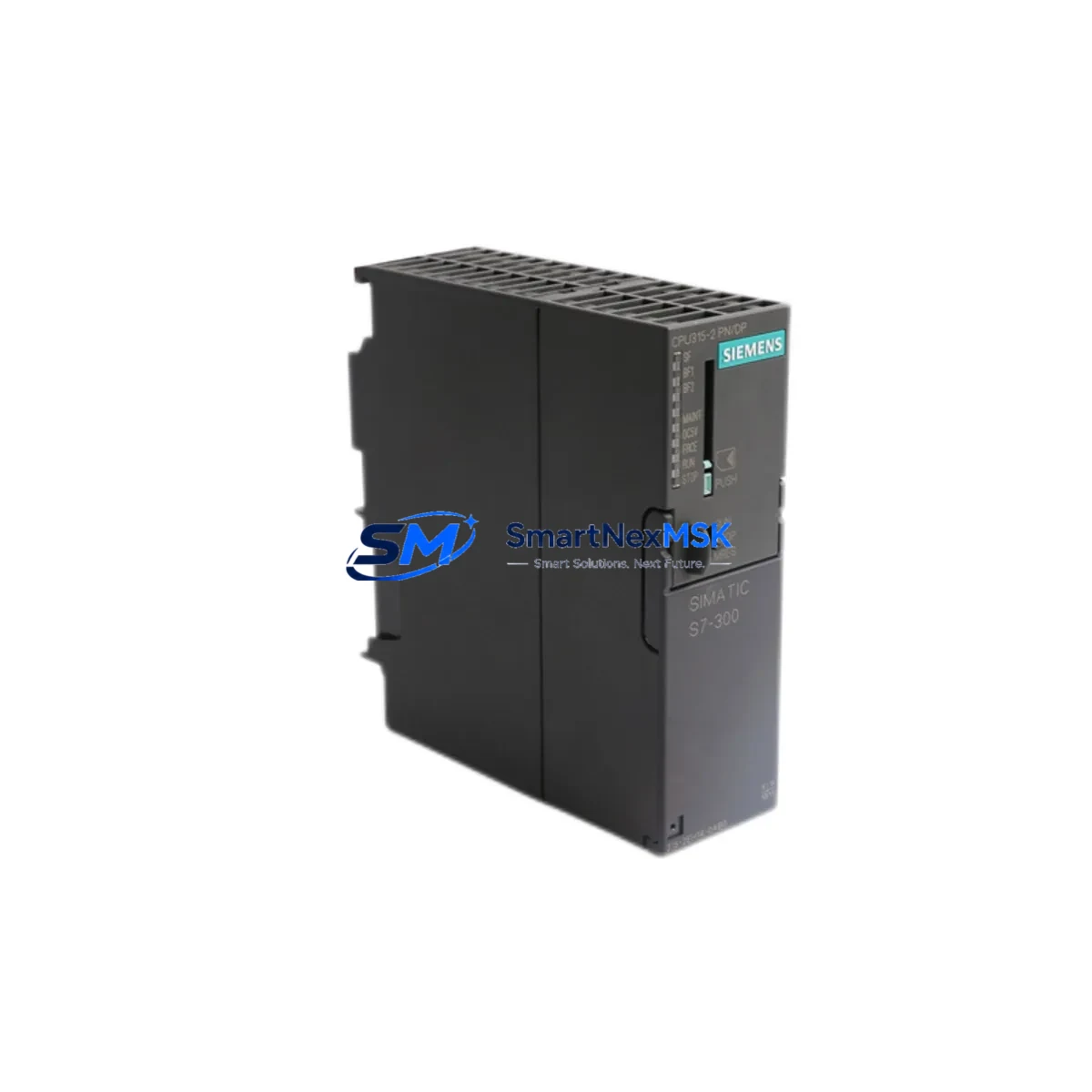
Siemens 6ES7315-2EH14-0AB0 Maintenance-Ready Spare S7-300
The Siemens 6ES7315-2EH14-0AB0 — CPU 315-2 PN/DP — is a central processing unit designed for the SIMATIC S7-300 programmable logic controller platform. In industrial maintenance environments, this CPU module is one of the most critical spare parts to hold in stock. Unplanned downtime caused by CPU failure in an S7-300 rack can halt entire production lines, making rapid access to a verified, tested replacement essential for maintenance engineers and procurement teams alike.
This listing provides an original Siemens 6ES7315-2EH14-0AB0 spare part, sourced from authorized supply channels, tested before dispatch, and backed by a 12-month warranty. Whether you are executing a planned shutdown replacement, responding to an emergency fault, or building out your site spare parts inventory, this CPU module ships ready for immediate installation into your existing S7-300 rack.
The CPU 315-2 PN/DP integrates both PROFIBUS DP and PROFINET IO interfaces, making it compatible with a wide range of distributed I/O configurations and field device networks. Its onboard memory and processing capacity support medium to large-scale automation programs, and it retains full compatibility with STEP 7 and TIA Portal programming environments. For sites running legacy S7-300 systems, this module is a direct drop-in replacement that requires no hardware modification to the existing rack or backplane.
Spare Maintenance Table
| Parameter | Specification |
|---|---|
| Part Number / SKU | 6ES7315-2EH14-0AB0 |
| Product Series | SIMATIC S7-300 |
| Module Type | CPU 315-2 PN/DP |
| Communication Interfaces | PROFIBUS DP (MPI/DP), PROFINET IO |
| Working Memory | 512 KB |
| Supply Voltage | DC 24 V (via PS 307 power supply module) |
| Mounting | DIN rail, S7-300 rack (UR1/UR2) |
| Operating Temperature | 0 °C to +60 °C |
| Country of Origin | Germany |
| Compatibility | SIMATIC S7-300 series; STEP 7 V5.x / TIA Portal |
| Condition | Original, tested before dispatch |
| Warranty | 12 Months |
| Shipping | Tested & inspected; fast international dispatch |
Maintenance Planning for Continuous Operation
When replacing the 6ES7315-2EH14-0AB0 in a live S7-300 system, a thorough inspection of the surrounding control cabinet components is strongly recommended. Maintenance engineers should treat a CPU replacement as an opportunity to audit the full rack and associated electrical circuit.
Begin with the PS 307 power supply module (e.g., 6ES7307-1EA01-0AA0 or 6ES7307-1KA02-0AA0): verify output voltage stability at DC 24 V and check for capacitor aging or thermal stress marks. A degraded power supply is a common root cause of intermittent CPU faults and should be replaced proactively if the unit has been in service for more than five years.
Inspect all SM 321/SM 322 digital input and output modules in the rack. Check terminal blocks and field wiring for loose connections, corrosion, or insulation breakdown. I/O module channel failures are frequently misdiagnosed as CPU faults, so isolating each module during the replacement procedure prevents repeat callouts.
Review the CP 343-1 or CP 343-1 Advanced communication processor if the system uses Ethernet-based SCADA or MES connectivity. Communication processor firmware should be verified for compatibility with the replacement CPU firmware version to avoid protocol handshake errors after restart.
Check all SM 331/SM 332 analog input and output modules for signal drift or calibration deviation. Analog signal integrity is critical in process control applications, and a CPU swap is the ideal time to recalibrate or replace aging analog modules.
Inspect the IM 360/IM 361 interface modules if the installation uses multi-rack expansion. Backplane bus connectors should be cleaned and re-seated to ensure reliable rack-to-rack communication after the CPU is reinstalled.
For systems with TP 177B or OP 177B HMI panels connected via MPI or PROFIBUS, verify that the HMI project is backed up and that the panel firmware is compatible with the replacement CPU. HMI communication parameters may need to be re-confirmed after the CPU is powered up.
Finally, inspect all 24 V DC fuse holders and miniature circuit breakers in the control cabinet. Fuse continuity checks and MCB trip-test verification should be part of every planned CPU replacement procedure to ensure the new module is protected from overcurrent events on first power-up.
Site Replacement Workflow
Step 1 — Program Backup: Before removing the existing CPU, upload the current program from the CPU to a PG/PC using STEP 7 or TIA Portal. Verify the backup is complete and matches the last known-good version in your documentation system.
Step 2 — Safe Isolation: Switch the CPU to STOP mode. Isolate the control cabinet from mains supply following your site LOTO (Lockout/Tagout) procedure. Allow the PS 307 power supply to discharge fully before handling modules.
Step 3 — Module Removal: Disconnect the MPI/DP and PROFINET cables. Remove the front connector and memory card (if fitted). Slide the CPU out of the rack slot. Note the slot position — the CPU must be reinstalled in the same slot (typically Slot 2).
Step 4 — Replacement Installation: Insert the 6ES7315-2EH14-0AB0 replacement into Slot 2. Reconnect the front connector, memory card, and communication cables. Verify all rack bus connectors are fully engaged.
Step 5 — Program Download & Commissioning: Power up the rack. Download the backed-up program to the new CPU. Switch to RUN mode and verify all I/O, communication links, and HMI connections are operating correctly. Document the replacement date, firmware version, and serial number for your maintenance records.
This workflow minimizes downtime and ensures system compatibility is maintained throughout the replacement process. The 6ES7315-2EH14-0AB0 is a direct functional replacement for earlier S7-300 CPU 315-2 PN/DP variants, requiring no rack modification or program changes in the majority of applications.
Spare Parts Support FAQ
Q1: Is this 6ES7315-2EH14-0AB0 an original Siemens part?
Yes. All units supplied are original Siemens components sourced from authorized channels. Each unit undergoes functional testing and visual inspection before dispatch. A 12-month warranty is included with every order.
Q2: What is the recommended spare parts holding strategy for S7-300 CPU modules?
For critical production lines, we recommend holding a minimum of one CPU spare per installed system, with additional spares for high-utilization or multi-shift operations. Given the age of the S7-300 platform and Siemens’ published end-of-life timeline, building a strategic stock of 6ES7315-2EH14-0AB0 units now is advisable to protect long-term system availability.
Q3: How is compatibility verified before shipment?
Each unit is tested for power-on functionality, communication interface operation, and firmware integrity. Compatibility with the SIMATIC S7-300 rack and standard STEP 7 / TIA Portal programming environments is confirmed. Customers are advised to verify their specific rack configuration and firmware version requirements prior to installation.
Q4: What is covered under the 12-month warranty?
The 12-month warranty covers manufacturing defects and functional failures under normal operating conditions. Units damaged by incorrect installation, overvoltage, or environmental factors outside the specified operating range are not covered. Warranty claims are processed promptly with replacement or refund options available.
© 2026 SMARTNEXMSK. All rights reserved.
Original Source: https://smartnexmsk.com
Contact: [email protected] | +86 18259474341



