
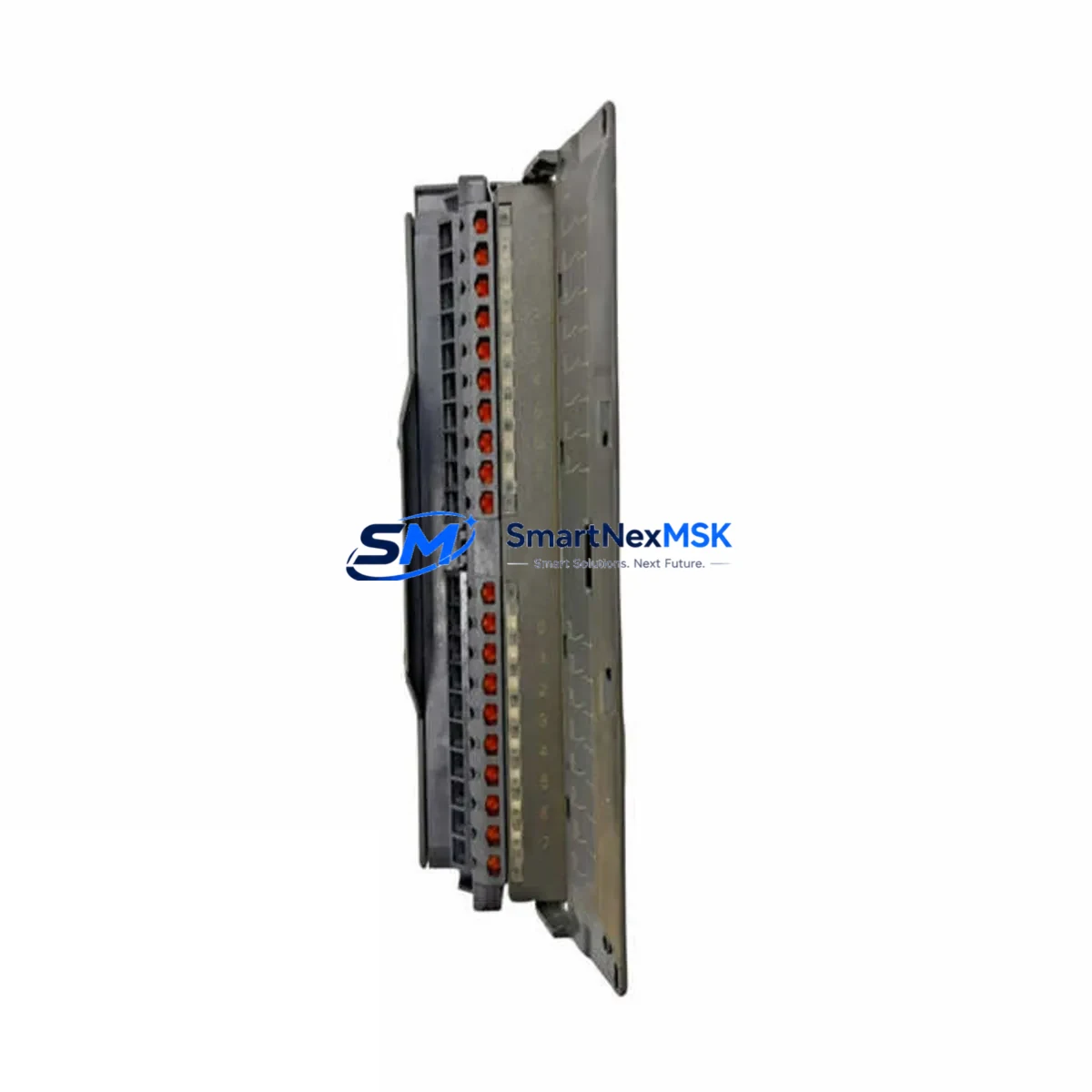
Siemens 6ES7321-1BH02-0AA0 Retrofit-Ready 16DI Module for S7-300 Control Systems
The Siemens 6ES7321-1BH02-0AA0 is a 16-channel digital input module (SM321) designed for the SIMATIC S7-300 programmable logic controller platform. With 24 VDC input voltage and a compact single-width form factor, this module has served as a cornerstone component in thousands of industrial automation installations across manufacturing, process control, and infrastructure sectors. As legacy S7-300 systems approach end-of-life and spare parts become increasingly scarce, the 6ES7321-1BH02-0AA0 remains one of the most sought-after retrofit and replacement components in the global industrial controls market.
Whether you are restoring a production line after an unexpected module failure, executing a planned control cabinet upgrade, or migrating from an older SIMATIC S5 platform to S7-300 architecture, this module provides the electrical compatibility, signal integrity, and software transparency required for a smooth transition. Each unit supplied by SMARTNEXMSK is sourced from verified industrial channels, functionally tested prior to dispatch, and covered by a 12-month warranty against manufacturing defects and operational failure.
Upgrade Compatibility Table
| Parameter | Specification / Recommendation |
|---|---|
| Module Type | SM321 — Digital Input Module, 16 × 24 VDC |
| Compatible Rack | S7-300 standard rail (UR1, UR2); slots 4–11 |
| Backplane Interface | S7-300 P-bus connector; direct plug-in replacement for all SM321 variants |
| Terminal Wiring | 20-pin front connector (6ES7392-1AJ00-0AA0 compatible); existing field wiring can be retained |
| Communication Compatibility | MPI, PROFIBUS-DP (via CP343-1 or IM153-x); no protocol reconfiguration required for like-for-like swap |
| Power Supply Requirement | 24 VDC backplane power via PS307 or PS305; verify load current budget before installation |
| Module Address | Automatically assigned by STEP 7 / TIA Portal based on slot position; no manual DIP switch setting required |
| Software Compatibility | STEP 7 V5.x and TIA Portal V13–V18; hardware catalog entry: 6ES7321-1BH02-0AA0 |
| Replacement Recommendation | Direct drop-in for 6ES7321-1BH01-0AA0 (earlier revision); verify front connector type before ordering |
| Commissioning Focus | Confirm I/O address mapping, force table values, and HMI tag bindings after module swap |
| Warranty | 12 months — covers functional failure under normal operating conditions |
Retrofit Planning for Existing Automation Systems
A successful retrofit begins well before the new module arrives on site. When planning the replacement of a failed or aging 6ES7321-1BH02-0AA0, engineers should first audit the complete S7-300 rack configuration. A typical S7-300 control cabinet in a retrofit scenario may include a CPU 315-2 DP or CPU 317-2 PN/DP as the central processing unit, a PS 307 5A power supply module providing 24 VDC to the backplane, and a combination of SM321 digital input modules, SM322 digital output modules, and SM331 or SM332 analog I/O modules distributed across one or more UR2 expansion racks connected via IM360/IM361 interface modules.
Before removing the defective 6ES7321-1BH02-0AA0, document the existing front connector wiring using the terminal assignment diagram from the original STEP 7 project. The 20-pin front connector — typically a 6ES7392-1AJ00-0AA0 screw-type connector — can be unplugged as a single unit and transferred directly to the replacement module, preserving all field wiring without re-termination. This approach significantly reduces the risk of wiring errors and shortens the commissioning window.
In systems where the S7-300 communicates over PROFIBUS-DP to remote I/O stations — such as ET 200M distributed I/O racks using IM153-2 interface modules — verify that the DP network topology and station addresses remain unchanged after the module swap. If the retrofit involves migrating from an older SIMATIC S5 115U or S5 135U platform, additional attention must be paid to signal voltage levels, since S5 systems often used 24 VDC discrete inputs at different current thresholds. The 6ES7321-1BH02-0AA0 accepts standard IEC 61131-2 Type 1 and Type 3 input signals, making it broadly compatible with field devices previously wired to S5 I/O modules.
For control cabinets that also incorporate a TP700 Comfort or TP900 Comfort HMI panel connected via MPI or PROFINET, confirm that all HMI tag addresses referencing the replaced module’s I/O byte addresses are still valid after the swap. If the module is installed in the same slot position, the I/O byte address will be identical and no HMI reconfiguration is required. If the slot position changes — for example, due to rack reorganization during a broader upgrade — update the hardware configuration in TIA Portal and perform a full download to both the CPU and the HMI device before resuming production.
Where the retrofit scope extends beyond a single module replacement to include a CP343-1 Lean Ethernet communication processor for PROFINET integration, or a CP342-5 PROFIBUS master for connecting legacy field devices, the module address assignment and GSD file configuration should be reviewed in parallel. SMARTNEXMSK maintains stock of associated S7-300 components to support complete retrofit bills of materials, reducing lead time risk for multi-component upgrade projects.
Downtime Control During System Migration
Minimizing unplanned downtime is the primary operational concern during any control system module replacement. For the 6ES7321-1BH02-0AA0, the physical swap procedure — from power-down to module insertion and front connector re-engagement — typically takes under ten minutes when the replacement unit is on hand and the front connector wiring is pre-documented. The critical time investment lies in the pre-swap preparation and post-swap verification steps.
Before initiating the replacement, use STEP 7 or TIA Portal to upload the current CPU program and hardware configuration to a programming device. Save the project with a timestamped backup. If the CPU is a CPU 315-2 DP with a Micro Memory Card (MMC), the program is stored on the card and will not be lost during the module swap — the CPU does not need to be reprogrammed after replacing a signal module. This is a key advantage of the S7-300 architecture: signal modules are hot-swappable in terms of program logic, as the CPU retains its program independently of the I/O modules installed in the rack.
After installing the 6ES7321-1BH02-0AA0 replacement, power up the rack and observe the module’s SF (System Fault) and EXTF LEDs. A steady green RUN indicator on the CPU and no active SF fault on the new module confirms successful hardware recognition. Use the STEP 7 hardware diagnostics or TIA Portal online view to verify that all 16 input channels are reporting correctly against known field signal states. Cross-reference with the force table or watch table to confirm that process image values match physical field conditions before releasing the system to automatic operation.
For facilities operating continuous processes where even brief interruptions carry significant cost, consider maintaining a dedicated cold-standby spare of the 6ES7321-1BH02-0AA0 in the control room. SMARTNEXMSK offers quantity pricing for spare parts inventory programs, with each unit pre-tested and shipped with a 12-month warranty, ensuring that your standby stock is ready for immediate deployment when needed.
Retrofit Support FAQ
Q1: Is the 6ES7321-1BH02-0AA0 a direct replacement for the 6ES7321-1BH01-0AA0?
Yes, the -0AA0 suffix revision difference between the BH01 and BH02 variants is a hardware revision update by Siemens. Both modules share the same electrical specifications, terminal assignment, slot compatibility, and STEP 7 hardware catalog entry. The front connector type (20-pin screw or spring-cage) should be verified to match your existing connector before ordering, but the module itself is a functional drop-in replacement.
Q2: Do I need to reprogram the CPU after replacing this module?
No. The S7-300 CPU stores its program on the Micro Memory Card (MMC) independently of the signal modules. Replacing the 6ES7321-1BH02-0AA0 in the same rack slot does not require a program download. After power-up, the CPU will automatically recognize the module and resume normal operation. If the slot position changes, a hardware configuration download is required, but the program logic itself does not need to be modified.
Q3: How do I verify wiring compatibility before installation?
Refer to the terminal assignment diagram in the Siemens S7-300 SM321 manual (A5E00105475). The 6ES7321-1BH02-0AA0 uses a standard 20-pin front connector with channels assigned to pins 1–16 (inputs) and pins 17–20 (24 VDC supply and ground). If your existing front connector is a 6ES7392-1AJ00-0AA0 screw-type, it can be transferred directly to the replacement module. Verify that field device signal voltages are within the 24 VDC IEC 61131-2 Type 1/3 input specification before energizing.
Q4: What does the 12-month warranty cover, and what is the process for a warranty claim?
The 12-month warranty covers functional failure of the module under normal operating conditions, including defects in electronic components and firmware. It does not cover damage resulting from incorrect installation, overvoltage, or physical impact. To initiate a warranty claim, contact SMARTNEXMSK at [email protected] with your order number, a description of the fault symptom, and — where possible — a STEP 7 or TIA Portal diagnostic screenshot. Replacement units are dispatched within 3 business days of fault confirmation, and outgoing shipping costs are covered by SMARTNEXMSK for valid warranty claims.
© 2026 SMARTNEXMSK. All rights reserved.
Original Source: https://smartnexmsk.com
Contact: [email protected] | +86 18259474341



