
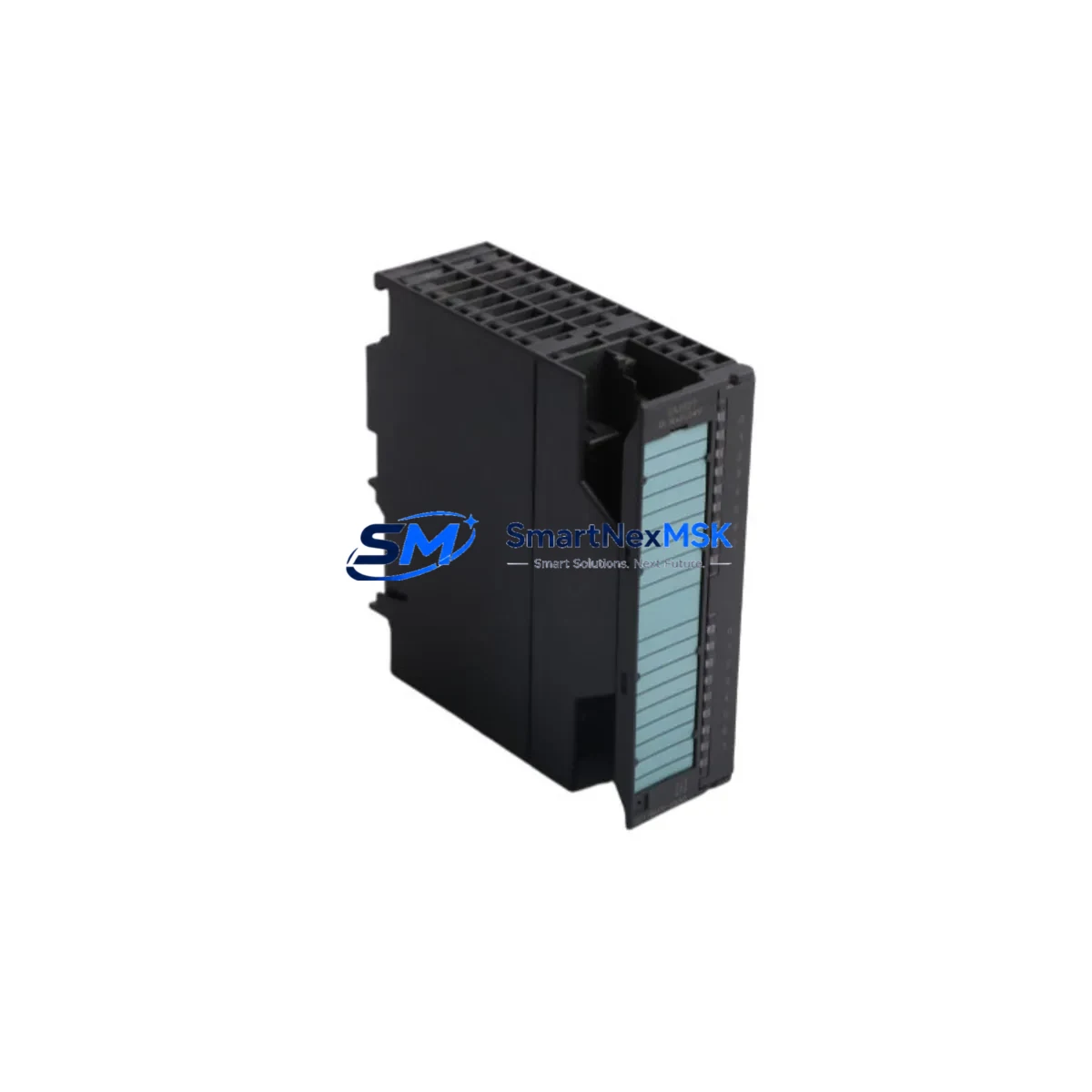
Siemens 6ES7321-1BH10-0AA0 Retrofit-Ready DI for S7-300 Systems: Compatible Retrofit and Legacy System Smooth Upgrade
The Siemens 6ES7321-1BH10-0AA0 is a 16-channel, 24 VDC digital input module for the SIMATIC S7-300 programmable logic controller platform. In manufacturing, automotive, food processing, and utilities industries, the S7-300 remains one of the most widely deployed PLC families in the world — and the 6ES7321-1BH10-0AA0 is among its most commonly installed I/O modules. As original OEM stock becomes increasingly scarce and lead times extend, sourcing a verified retrofit-ready replacement is critical for plants that cannot afford extended downtime or a full control system migration.
This listing provides a genuine, functionally tested 6ES7321-1BH10-0AA0 module ready for direct installation into existing S7-300 racks. Each unit is inspected and verified prior to dispatch and is covered by a 12-month warranty against manufacturing defects and operational failure. Whether you are replacing a failed module in a running production line, building a retrofit spare kit for an aging S7-300 cabinet, or upgrading a legacy system to extend its operational life, this module ships ready for immediate use.
Upgrade Compatibility Table
| Parameter | Specification / Detail |
|---|---|
| Part Number / SKU | 6ES7321-1BH10-0AA0 |
| Brand | Siemens (SIMATIC) |
| Series | SIMATIC S7-300 |
| Module Type | Digital Input (DI), 16-Channel |
| Input Voltage | 24 VDC |
| Number of Inputs | 16 channels (2 × 8-channel groups) |
| Input Current (per channel) | Approx. 7 mA at 24 VDC |
| Signal Delay | Configurable: 0.1 ms / 0.5 ms / 3 ms / 15 ms / 20 ms |
| Backplane Interface | S7-300 standard backplane bus (P-bus) |
| Rack Compatibility | UR1, UR2, ER1, ER2 expansion racks; slots 4–11 |
| Wiring Interface | 20-pin front connector (6ES7392-1AJ00-0AA0 or equivalent) |
| Communication | Via CPU backplane bus — no separate comms configuration required |
| Programming Software | STEP 7 V5.x / TIA Portal (with S7-300 support package) |
| Replacement Compatibility | Direct drop-in for 6ES7321-1BH01-0AA0 (earlier revision) |
| Operating Temperature | 0°C to 60°C (horizontal mounting); 0°C to 40°C (vertical) |
| Country of Origin | Germany |
| Condition | Original / Genuine — tested before shipment |
| Warranty | 12 Months — manufacturing defects and operational failure |
| Commissioning Note | No address re-configuration required for like-for-like slot replacement; verify front connector wiring before power-up |
Retrofit Planning for Existing Automation Systems
Replacing a 6ES7321-1BH10-0AA0 in an operational S7-300 system is rarely a single-module task. Maintenance and procurement engineers who manage legacy SIMATIC cabinets understand that a digital input module failure is often accompanied by — or caused by — stress on adjacent components in the same rack or electrical circuit. A disciplined retrofit workflow should address the following associated components before returning the system to automatic operation.
Power Supply Module: The S7-300 rack is powered by a dedicated PS 307 power supply module — typically the 6ES7307-1BA01-0AA0 (5A) or 6ES7307-1EA01-0AA0 (10A). Before inserting a replacement DI module, verify the 24 VDC output voltage and ripple with a calibrated meter. A degraded power supply delivering marginal voltage is a common root cause of repeated digital input module failures that is frequently overlooked during initial troubleshooting. If the power supply is more than seven years old or shows output voltage below 23.5 VDC under load, schedule it for concurrent replacement.
CPU Module: The 6ES7321-1BH10-0AA0 communicates with the CPU via the S7-300 backplane P-bus. After module replacement, verify that the CPU — whether a 6ES7315-2AG10-0AB0 CPU 315-2 DP, a 6ES7314-1AG14-0AB0 CPU 314, or another S7-300 CPU variant — correctly identifies the new module in the hardware configuration. In STEP 7 or TIA Portal, confirm that the module address and slot assignment match the existing hardware configuration file. A mismatch will generate a configuration fault and prevent the CPU from entering RUN mode.
Front Connector and Field Wiring: The 6ES7321-1BH10-0AA0 uses a 20-pin front connector, typically the 6ES7392-1AJ00-0AA0. The front connector retains its wiring when the module is swapped — a significant advantage during emergency replacement. Before re-seating the connector on the new module, inspect all terminal screws for tightness and check field wiring for insulation damage, corrosion, or ground faults. Loose terminations on 24 VDC digital input circuits are a frequent cause of intermittent input faults that are difficult to reproduce during bench testing.
Signal Modules and I/O Expansion: If the S7-300 rack includes adjacent digital output modules — such as the 6ES7322-1BH01-0AA0 DO 16 × 24VDC/0.5A — or analog input modules like the 6ES7331-7KF02-0AB0 AI 8 × 12-bit, verify their status indicators and diagnostic buffers after the DI module replacement. A shared 24 VDC supply rail fault can affect multiple modules simultaneously, and replacing only the DI module without checking adjacent I/O may result in a repeat fault within days.
Backplane and Rack: Inspect the S7-300 rack backplane connector in the vacated slot for bent pins, debris, or corrosion. The UR1 and UR2 racks use a passive backplane bus; physical damage to the bus connector will prevent the replacement module from communicating correctly even if the module itself is fully functional. If the rack is more than ten years old and shows signs of connector wear, consider replacing the rack as part of the retrofit scope.
PROFIBUS DP Interface and Communications: In S7-300 systems using PROFIBUS DP for distributed I/O, verify that the CP 342-5 communications processor or the CPU’s integrated DP port maintains network integrity after the module swap. A module replacement that causes a brief backplane interruption can trigger a PROFIBUS network fault that requires a manual reset of the DP master. Confirm all DP slave stations return to DATA_EXCHANGE state before closing the work permit.
HMI and SCADA Interface: After the 6ES7321-1BH10-0AA0 is replaced and the CPU returns to RUN mode, verify that the associated SIMATIC HMI panel — whether a TP700 Comfort, KTP900 Basic, or a third-party SCADA system connected via MPI or PROFIBUS — correctly reflects the updated input states. In some configurations, a CPU restart clears the HMI’s internal tag cache, causing momentary display anomalies that can be mistaken for a persistent fault.
Programming Cable and Diagnostic Access: Ensure a PC Adapter USB (6ES7972-0CB20-0XA0) or equivalent MPI/PROFIBUS programming cable is available on-site during the retrofit. Direct diagnostic access to the CPU via STEP 7 or TIA Portal is essential for verifying module recognition, reading the diagnostic buffer, and confirming that no latent faults remain after the replacement. Remote access via a SCALANCE S615 or similar industrial router is an acceptable alternative for sites with established remote maintenance infrastructure.
Stocking the 6ES7321-1BH10-0AA0 alongside a PS 307 power supply, a set of front connectors, and at least one spare CPU module transforms a reactive breakdown response into a structured retrofit capability. A well-prepared S7-300 spare parts kit reduces average repair time from hours to under thirty minutes for experienced maintenance teams.
Downtime Control During System Migration
The 6ES7321-1BH10-0AA0 is a direct, like-for-like replacement for the earlier 6ES7321-1BH01-0AA0 revision and is compatible with all standard S7-300 racks and CPUs without hardware configuration changes when installed in the same slot. This makes it the preferred solution for extending the operational life of legacy S7-300 systems without the engineering rework, validation burden, and capital expenditure associated with migrating to a newer platform such as the S7-1500.
Step 1 — Pre-Replacement Preparation: Before beginning work, export the current hardware configuration from STEP 7 or TIA Portal and save a backup of the CPU program to a secure location. Place the affected CPU in STOP mode and notify all operators. Confirm that all field devices connected to the DI module inputs are in a safe state — particularly any interlocked safety circuits that rely on digital input signals for permissive logic.
Step 2 — Front Connector Removal: Release the front connector locking tab and pull the connector forward. The connector retains all field wiring and can be set aside without disturbing the terminal connections. Label the connector with the slot number and module address before removal to prevent mis-installation during reassembly.
Step 3 — Module Extraction and Slot Inspection: Release the module mounting screws (top and bottom), slide the module forward off the backplane connector, and remove it from the rack. Inspect the backplane connector pins in the vacated slot for damage or contamination. Clean the slot with dry compressed air if debris is present.
Step 4 — Replacement Module Installation: Slide the replacement 6ES7321-1BH10-0AA0 onto the backplane connector and secure the mounting screws. Re-attach the front connector — it will seat correctly only in the correct orientation. The module does not require address switches or DIP switch configuration; slot position determines the module address automatically.
Step 5 — CPU Restart and Verification: Switch the CPU to RUN mode. In STEP 7 or TIA Portal, open the hardware diagnostics view and confirm that the replacement module is recognized without fault. Read the diagnostic buffer to verify no residual errors. Test each of the 16 input channels by activating the corresponding field device and confirming the correct input state in the online monitor. Return the system to automatic operation and observe for a minimum of 15 minutes before closing the work permit.
This workflow is compatible with both hot-rack replacement (CPU in STOP, rack powered) and cold replacement (full rack power-down). The 6ES7321-1BH10-0AA0 does not require firmware updates or parameter re-initialization when replacing a like-for-like unit in the same slot, which significantly reduces the time required to return the system to service compared to cross-platform migration scenarios.
Retrofit Support FAQ
Q1: Is the 6ES7321-1BH10-0AA0 a direct replacement for the 6ES7321-1BH01-0AA0?
Yes. The -1BH10- revision is the current production successor to the earlier -1BH01- revision. Both modules are electrically and functionally identical for standard 24 VDC digital input applications. The replacement can be installed in the same rack slot without any changes to the STEP 7 or TIA Portal hardware configuration. The front connector and field wiring transfer directly from the old module to the new one without re-termination.
Q2: Do I need to modify my STEP 7 program or hardware configuration after replacement?
For a like-for-like slot replacement, no program or hardware configuration changes are required. The S7-300 CPU identifies the module by its slot position and module type, both of which remain unchanged. If you are relocating the module to a different slot or integrating it into a new rack, you will need to update the hardware configuration in STEP 7 or TIA Portal and perform a download to the CPU before returning to RUN mode.
Q3: What pre-shipment testing is performed on each unit?
Every 6ES7321-1BH10-0AA0 unit undergoes functional testing prior to dispatch, including power-up self-test verification, backplane communication check, and individual channel input state verification. Units that fail any test criterion are quarantined and not shipped. A test record is available upon request. All units are shipped in anti-static packaging with appropriate cushioning to prevent transit damage.
Q4: What does the 12-month warranty cover, and how is a claim processed?
The 12-month warranty covers manufacturing defects and operational failure under normal operating conditions as defined by Siemens S7-300 installation standards. It does not cover damage resulting from incorrect installation, overvoltage, reverse polarity, physical impact, or operation outside the specified environmental range. To initiate a warranty claim, contact our support team with the order number, a description of the failure mode, and photographs of the installed module and rack. We will arrange return shipping and provide a replacement or refund within 10 business days of receiving the returned unit.
© 2026 SMARTNEXMSK. All rights reserved.
Original Source: https://smartnexmsk.com
Contact: [email protected] | +86 18259474341



