
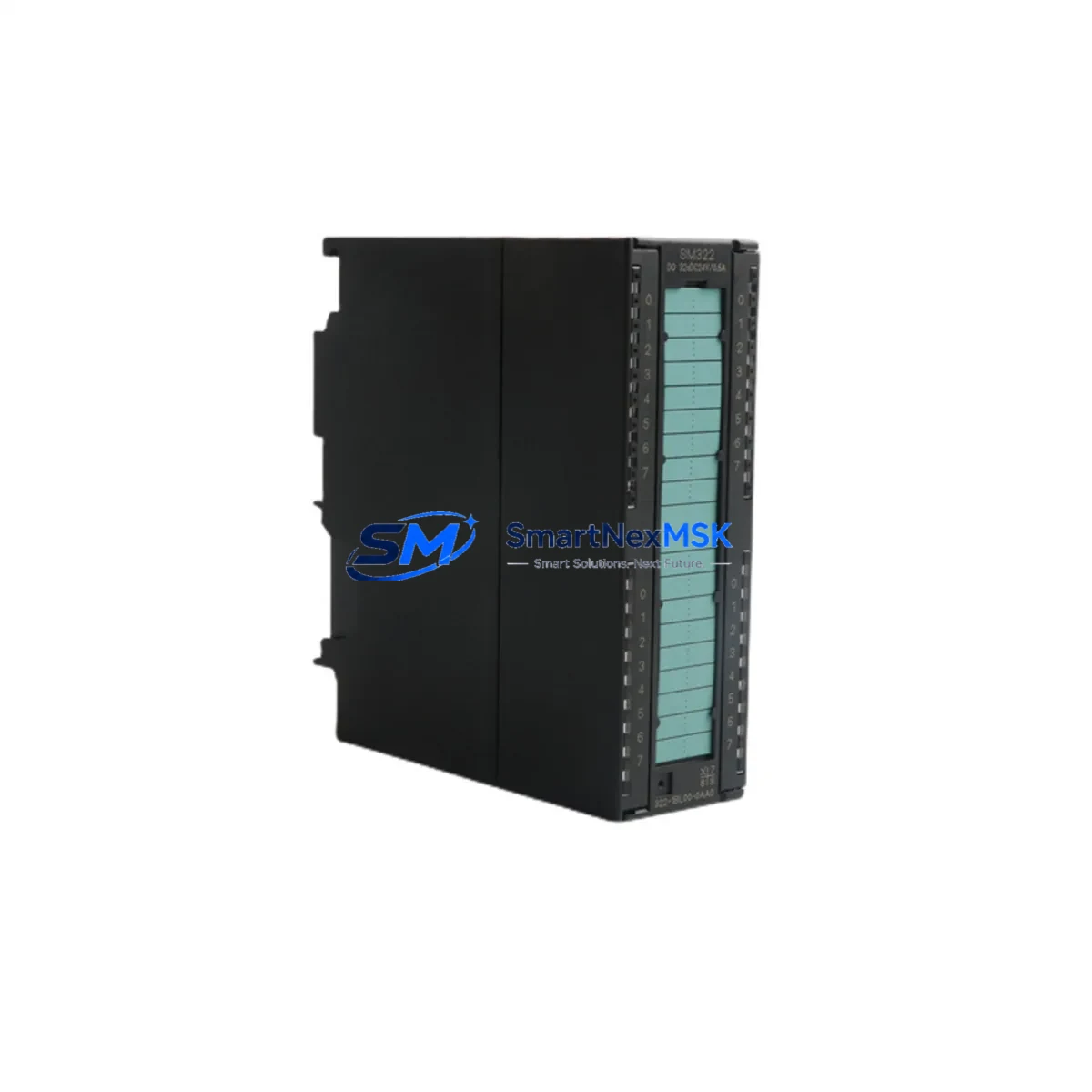
Siemens 6ES7322-1BL00-0AA0 Spare for S7-300 Automation: Spare Parts Replacement & Industrial Downtime Risk Control
The Siemens 6ES7322-1BL00-0AA0 is a 32-channel digital output module (SM 322) designed for the SIMATIC S7-300 programmable logic controller platform. Operating at 24 VDC with 0.5 A per channel output capacity, this module is a critical field-level component in discrete control applications across manufacturing, process automation, energy distribution, and machine tool environments. When this module fails or degrades, the downstream impact is immediate: actuators lose command signals, safety interlocks may trip, and production lines halt. Maintaining a verified spare on the shelf is the single most effective strategy for minimizing mean time to repair (MTTR).
At SMARTNEXMSK, every 6ES7322-1BL00-0AA0 unit is sourced from authorized supply chains, inspected prior to dispatch, and backed by a 12-month warranty. We support maintenance engineers and procurement teams who need a reliable, specification-accurate replacement — not a substitute that requires re-engineering the control cabinet.
Spare Maintenance Table
| Parameter | Specification |
|---|---|
| Part Number / SKU | 6ES7322-1BL00-0AA0 |
| Module Type | SM 322 — Digital Output Module |
| Compatible Platform | SIMATIC S7-300 |
| Number of Outputs | 32 DO (Digital Outputs) |
| Output Voltage | 24 VDC |
| Output Current per Channel | 0.5 A |
| Total Current Load | Max. 4 A per group (8 channels) |
| Isolation | Optocoupler isolation, group-based |
| Backplane Interface | S7-300 DIN rail bus connector |
| Installation | DIN rail, snap-on mounting |
| Operating Temperature | 0 °C to +60 °C |
| Protection Class | IP20 |
| Country of Origin | Germany |
| Compatibility | S7-300 racks, CPU 31x series, ET 200M remote I/O |
| Maintenance Recommendation | Inspect output load wiring, fuse groups, and backplane connector annually |
| Warranty | 12 Months — Tested & Verified Before Shipment |
Maintenance Planning for Continuous Operation
When a 6ES7322-1BL00-0AA0 module is flagged for replacement during a planned shutdown or emergency fault isolation, experienced maintenance engineers know that the module itself is rarely the only component that requires attention. A thorough control cabinet inspection at the time of replacement significantly reduces the risk of repeat failures and unplanned downtime.
Begin by verifying the 24 VDC load power supply feeding the output groups — a degraded or undersized power supply unit (PSU) is a common root cause of premature output module failure. Check the PS 307 or equivalent S7-300 power supply module for output voltage stability and ripple under load. Next, inspect the backplane bus connector and rack slot for oxidation or mechanical damage, as poor bus contact can cause intermittent channel faults that mimic module failure.
Review the SM 321 digital input modules in the same rack — input and output modules in the same control loop often share environmental stress, and a failing input module may generate false diagnostics that mask the true fault source. If the cabinet includes CP 343-1 or CP 343-1 Lean communication processors for PROFINET or Industrial Ethernet connectivity, verify that the network interface is functioning correctly, as communication faults can prevent the CPU from writing output states to the SM 322.
For cabinets with mixed analog and digital I/O, inspect any SM 331 or SM 332 analog modules sharing the same rack. Signal interference from poorly shielded analog wiring can affect digital output switching behavior. Check terminal blocks and wiring ferrules on the output field wiring — loose connections on high-cycle outputs are a leading cause of field device failures that are incorrectly attributed to the output module.
If the system uses relay output expansion downstream of the SM 322 (such as intermediate relay modules or solid-state relay banks), inspect coil voltage ratings and contact wear. Overloaded relay contacts can back-feed transients into the output channels. Also verify that fuse holders and miniature circuit breakers protecting each output group are rated correctly and have not experienced thermal fatigue.
For systems integrated with SIMATIC HMI panels (TP or MP series) or WinCC SCADA, confirm that the operator interface correctly reflects the new module’s diagnostic status after replacement. Finally, if the installation includes IM 360/361 interface modules for multi-rack expansion, verify rack addressing and slot configuration to ensure the replacement module is recognized at the correct logical address.
Site Replacement Workflow
Replacing the 6ES7322-1BL00-0AA0 in a live S7-300 system follows a structured procedure that minimizes downtime and eliminates configuration risk:
1. Pre-Replacement Verification: Confirm the replacement module’s part number matches the installed unit exactly. The 6ES7322-1BL00-0AA0 is not interchangeable with 0.5 A variants from other SM 322 sub-types without verifying channel count and group fusing. Download and archive the current hardware configuration from STEP 7 or TIA Portal before any physical work begins.
2. Safe Isolation: Switch the CPU to STOP mode. De-energize the 24 VDC load power supply for the affected output groups. Do not rely solely on the CPU STOP state to de-energize field devices — isolate at the source.
3. Module Swap: Disconnect field wiring from the front connector. The SM 322 front connector is keyed and retains wiring, allowing it to be transferred directly to the replacement module without rewiring — a significant time-saving feature for emergency replacements. Remove the old module from the DIN rail slot and install the replacement. Reconnect the front connector.
4. Configuration Restore: In STEP 7 or TIA Portal, the replacement module is recognized automatically if the hardware configuration is unchanged. No re-parameterization is required for a like-for-like swap. Perform a hardware download if the CPU reports a configuration mismatch.
5. Functional Test: Restore power, switch the CPU to RUN mode, and verify all 32 output channels using the diagnostic buffer and force table. Confirm field device response before returning the system to production.
This workflow supports legacy S7-300 systems operating beyond their original design life, enabling maintenance teams to extend system service life without migrating to newer platforms — a cost-effective strategy for facilities with stable, validated control architectures.
Spare Parts Support FAQ
Q1: Is the 6ES7322-1BL00-0AA0 still available as a new original spare?
Yes. SMARTNEXMSK maintains stock of original Siemens 6ES7322-1BL00-0AA0 modules sourced through verified supply channels. Each unit is inspected and tested before shipment. Contact us for current stock availability and lead times.
Q2: How do I verify compatibility before ordering?
The 6ES7322-1BL00-0AA0 is compatible with all standard S7-300 racks and CPU 31x series processors. It is also supported in ET 200M remote I/O configurations using IM 153-x interface modules. Provide your existing hardware configuration or MLFB number when inquiring, and our technical team will confirm compatibility.
Q3: What does the 12-month warranty cover?
The warranty covers manufacturing defects and functional failures under normal operating conditions for 12 months from the date of shipment. Each module undergoes pre-shipment functional testing. Warranty claims are supported with replacement or refund, subject to inspection of the returned unit.
Q4: How should I manage spare parts inventory for S7-300 digital output modules?
For facilities running multiple S7-300 racks, we recommend maintaining at least one 6ES7322-1BL00-0AA0 per rack configuration as a critical spare. For high-cycle or high-temperature applications, a two-unit buffer is advisable. Pair your output module spare with a matched front connector (6ES7392-1BM01-0AA0) to enable zero-rewiring emergency swaps. Review your spare parts list annually against system criticality and module age.
© 2026 SMARTNEXMSK. All rights reserved.
Original Source: https://smartnexmsk.com
Contact: [email protected] | +86 18259474341



