
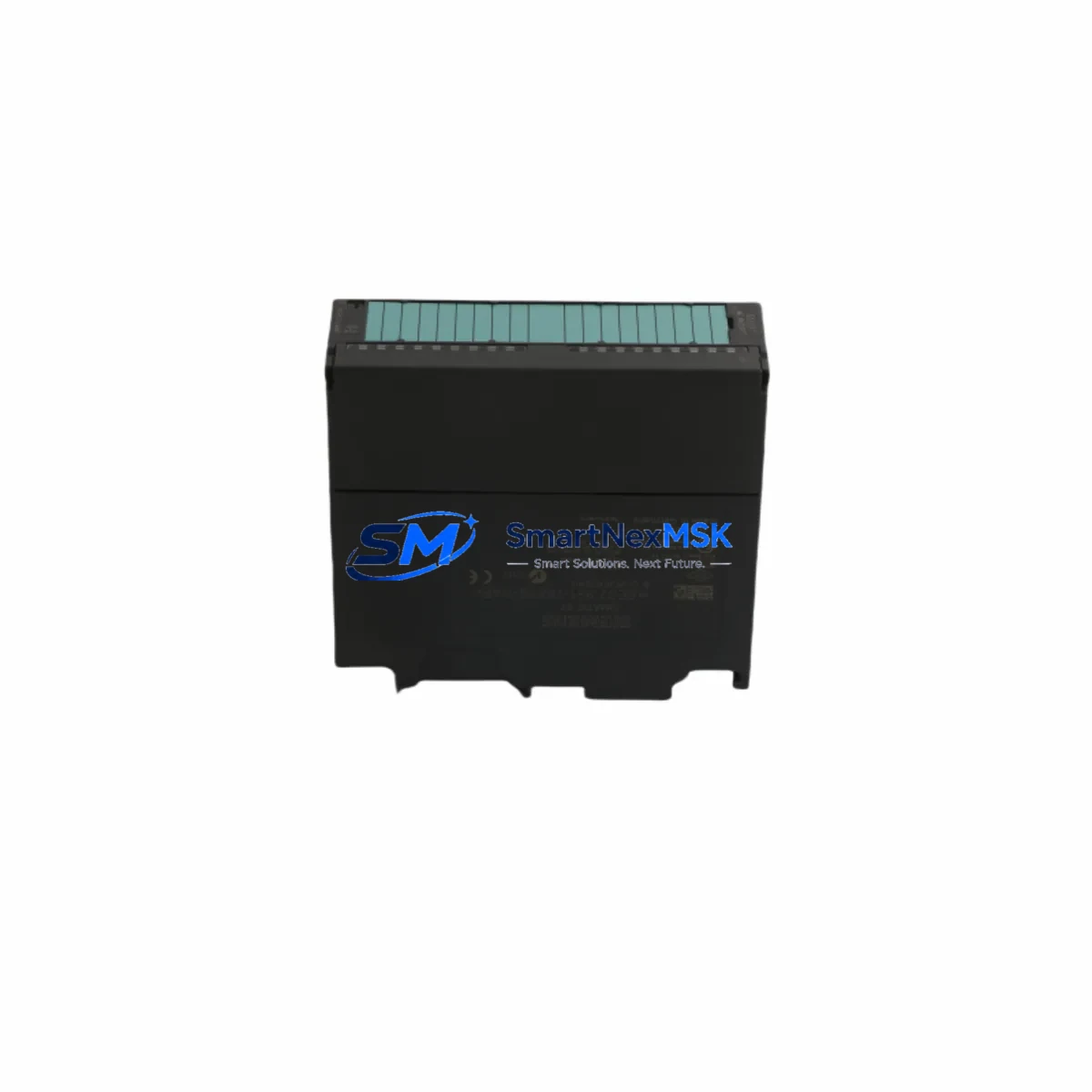
Siemens 6ES7331-7KF02-0AB0 Spare for S7-300 Automation
The Siemens 6ES7331-7KF02-0AB0 is an SM 331 series 8-channel, 13-bit analog input module designed for the SIMATIC S7-300 programmable logic controller platform. For maintenance engineers managing continuous production lines, process plants, or legacy automation systems, this module represents a critical measurement interface — converting real-world analog signals from sensors, transmitters, and transducers into digital values processed by the S7-300 CPU. When this module fails or degrades, the consequences extend beyond a single I/O channel: entire process loops can go blind, triggering unplanned shutdowns, safety interlocks, or erroneous control actions. Stocking a verified replacement of the 6ES7331-7KF02-0AB0 is a foundational element of any responsible spare parts strategy for S7-300-based systems.
Each unit shipped from our inventory undergoes pre-dispatch functional testing, covering channel integrity, signal range verification, and communication handshake with the S7-300 backplane. All units are covered by a 12-month warranty from the date of shipment, ensuring procurement engineers can justify the purchase within standard maintenance budgets and asset management frameworks.
Spare Maintenance Table
| Parameter | Specification |
|---|---|
| SKU / Part Number | 6ES7331-7KF02-0AB0 |
| Series | SM 331 — SIMATIC S7-300 |
| Module Type | Analog Input Module |
| Number of Channels | 8 Channels |
| Resolution | 13-bit (including sign bit) |
| Input Signal Types | Voltage, Current, Thermocouple, RTD (configurable per channel group) |
| Supply Voltage | DC 24 V (via S7-300 backplane bus) |
| Isolation | Galvanic isolation between channels and backplane |
| Cycle Time | Approx. 52 ms (8 channels active, 50 Hz interference suppression) |
| Installation | DIN rail, S7-300 rack slot (any analog slot) |
| Operating Temperature | 0 °C to +60 °C |
| Dimensions (W×H×D) | 40 mm × 125 mm × 120 mm |
| Weight | Approx. 240 g |
| Country of Origin | Germany |
| Compatibility | SIMATIC S7-300 all CPU variants; ET 200M distributed I/O |
| Warranty | 12 Months from shipment date |
| Condition | Original, tested before dispatch |
Maintenance Planning for Continuous Operation
When a 6ES7331-7KF02-0AB0 is flagged for replacement during a planned shutdown or emergency callout, experienced maintenance engineers know that the analog input module rarely fails in isolation. A thorough inspection of the surrounding system is essential to prevent repeat failures and ensure a clean return to service.
Start with the S7-300 power supply module — typically a PS 307 (6ES7307-1BA01-0AA0 or similar) — to confirm stable DC 24 V delivery to the rack. Voltage sags or ripple on the supply rail are a common root cause of analog measurement drift and module faults. Next, inspect the S7-300 backplane bus connector and rack for corrosion, bent pins, or mechanical damage at the slot where the SM 331 was seated.
Review the front connector wiring (20-pin, 6ES7392-1AJ00-0AA0 type) for loose terminations, corroded contacts, or incorrect shielding on signal cables. Analog input modules are particularly sensitive to ground loops and electromagnetic interference; ensure all cable shields are terminated at a single point using appropriate shield terminal clamps on the DIN rail.
If the system uses thermocouples or RTDs, verify the condition of the signal isolators or transmitters upstream of the SM 331 — devices such as HART-compatible 4–20 mA transmitters or Pt100 signal conditioners. A failed transmitter can present as a module fault when the module itself is healthy. Similarly, check any fuse terminal blocks (e.g., Phoenix Contact or Weidmüller fused terminals) protecting individual analog input channels.
For systems where the SM 331 feeds data to a SIMATIC S7-300 CPU (such as the CPU 315-2 DP, 6ES7315-2AH14-0AB0) via PROFIBUS DP or MPI, confirm that the CP 342-5 communication processor or MPI cable connections are intact and that the CPU diagnostic buffer does not show persistent hardware faults beyond the replaced module. In distributed configurations using an ET 200M interface module (IM 153-2), also verify the IM module’s status LEDs and PROFIBUS address settings after the swap.
Finally, if the plant uses a SIMATIC HMI panel (such as a TP700 Comfort or MP377) to display analog process values, confirm that tag connections and alarm limits are correctly restored after the module replacement and CPU restart. Documenting the channel configuration — input type, measurement range, and interference suppression frequency — in the maintenance log will accelerate future replacements and reduce commissioning time.
Site Replacement Workflow
Step 1 — Preparation: Obtain the replacement 6ES7331-7KF02-0AB0 and confirm the firmware/hardware revision matches or is compatible with the existing rack configuration. Download and archive the current S7-300 project from the CPU using SIMATIC STEP 7 or TIA Portal before any hardware change.
Step 2 — Safe Isolation: Follow site LOTO (Lockout/Tagout) procedures. Power down the S7-300 rack or, if hot-swap is permitted by your site safety plan, place the CPU in STOP mode. Disconnect the 20-pin front connector from the faulty SM 331 — the wiring remains intact on the connector, minimizing re-termination risk.
Step 3 — Module Swap: Remove the defective module by releasing the top and bottom mounting screws. Slide the new 6ES7331-7KF02-0AB0 into the same slot. Reattach the front connector. The module address is determined by slot position — no additional addressing is required for standard S7-300 racks.
Step 4 — Configuration Restore: Power up the rack. The CPU will automatically recognize the SM 331 in its configured slot. If the module parameters (channel type, range, filter) were stored in the STEP 7 hardware configuration, they will be downloaded automatically on the next CPU RUN transition. Verify all 8 channels report expected process values within normal operating ranges.
Step 5 — Functional Verification: Cross-check analog readings against field instruments or a calibrated signal source. Confirm no diagnostic alarms remain active in the CPU or HMI. Update the maintenance record with the replacement date, module serial number, and post-swap test results.
This workflow is applicable whether replacing an end-of-life module in an aging S7-300 system or substituting a failed unit during an emergency shutdown. The plug-and-play nature of the SM 331 front connector design minimizes downtime to under 30 minutes in most site scenarios.
Spare Parts Support FAQ
Q1: Is the 6ES7331-7KF02-0AB0 compatible with all S7-300 CPU variants?
Yes. The SM 331 analog input module is compatible with all standard S7-300 CPUs and can also be used in ET 200M distributed I/O stations via an IM 153-x interface module. Slot position determines the module address; no special configuration is required beyond the standard STEP 7 hardware setup.
Q2: How is each unit tested before shipment?
Every 6ES7331-7KF02-0AB0 in our inventory is powered up and functionally tested prior to dispatch. Testing covers backplane communication, channel signal integrity across configured input types, and LED status verification. A test report is available upon request for critical procurement requirements.
Q3: What is the warranty coverage and how are claims handled?
All units carry a 12-month warranty from the date of shipment. In the event of a warranty claim, we provide a replacement unit or full refund after fault verification. Claims are processed within 5 business days. Contact [email protected] with your order number and fault description to initiate a claim.
Q4: Can you support long-term or blanket orders for S7-300 spare parts?
Yes. We maintain stock of the 6ES7331-7KF02-0AB0 and a broad range of complementary S7-300 components to support planned maintenance schedules and emergency callouts. Long-term supply agreements, consignment stock arrangements, and priority allocation for critical plant operators are available — contact our team to discuss your site’s requirements.
© 2026 SMARTNEXMSK. All rights reserved.
Original Source: https://smartnexmsk.com
Contact: [email protected] | +86 18259474341



