
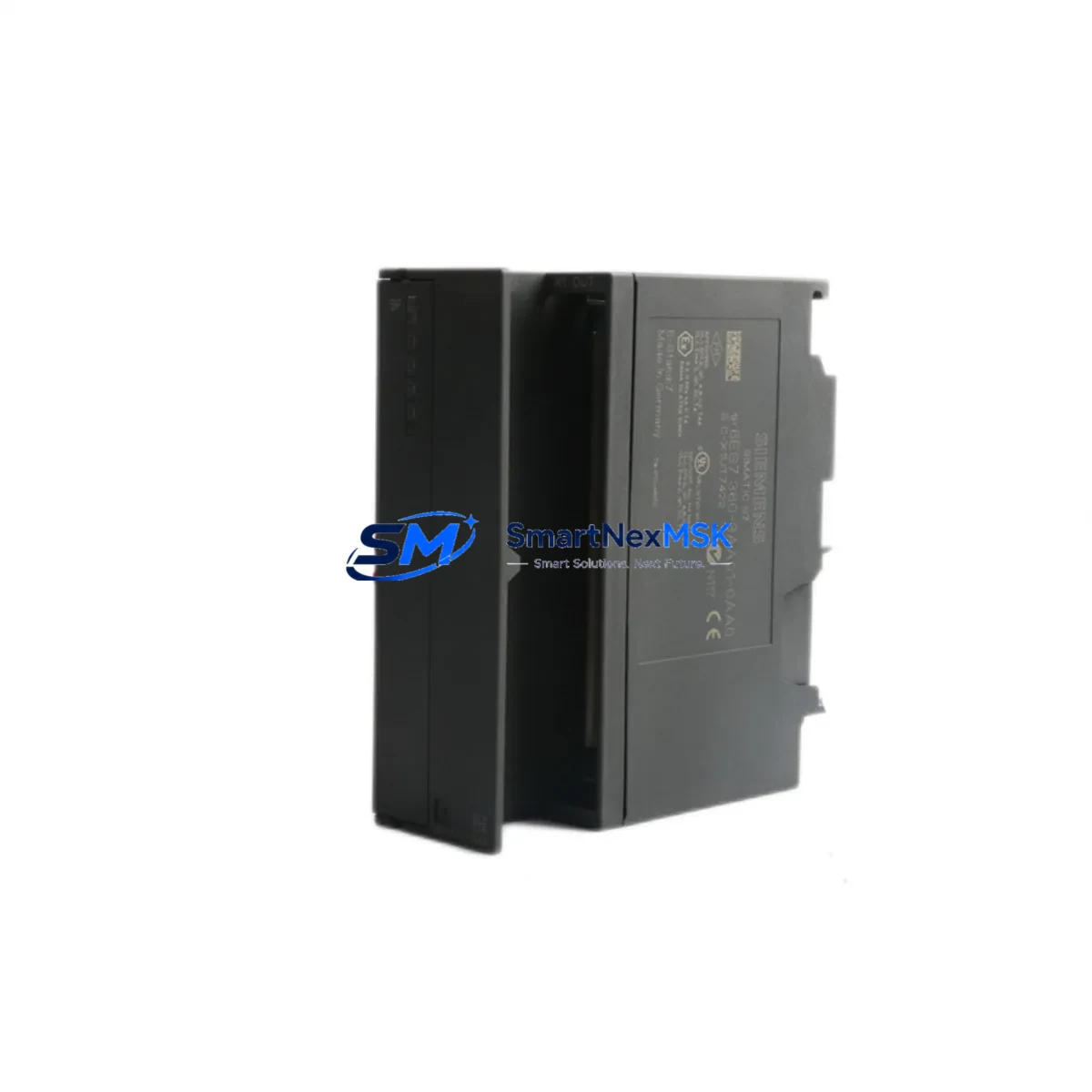
Siemens 6ES7360-3AA01-0AA0 Retrofit-Ready Send Interface for S7-300 Control Systems
The Siemens 6ES7360-3AA01-0AA0 (IM360) is a Send Interface Module designed for multi-rack expansion within the SIMATIC S7-300 control platform. As legacy S7-300 installations reach end-of-life and original Siemens supply channels discontinue this part, the 6ES7360-3AA01-0AA0 has become a critical retrofit component for engineers tasked with extending the operational life of existing control cabinets, upgrading distributed I/O architectures, and maintaining production continuity without full PLC replacement.
This module enables the S7-300 CPU rack to communicate with up to three expansion racks via the dedicated IM361 Receive Interface Module, using the proprietary SIMATIC backplane bus. It is a direct drop-in replacement for failed or aging IM360 units in existing installations, requiring no firmware changes, no CPU reprogramming, and no modification to existing HMI screen configurations when substituted correctly.
Upgrade Compatibility Table
| Parameter | Details |
|---|---|
| SKU / Part Number | 6ES7360-3AA01-0AA0 |
| Module Designation | IM360 Send Interface Module |
| Compatible Platform | SIMATIC S7-300 |
| Replaces / Supersedes | 6ES7360-3AA00-0AA0 (earlier revision) |
| Expansion Racks Supported | Up to 3 expansion racks (ER1–ER3) |
| Paired Receive Module | 6ES7361-3CA01-0AA0 (IM361) |
| Backplane Interface | S7-300 K-Bus (proprietary) |
| Installation Slot | Slot 3 of the Central Rack (CR) |
| Power Supply Requirement | Powered via backplane; no external 24 VDC required |
| Communication Protocol | SIMATIC internal bus (not PROFIBUS/PROFINET) |
| Mounting | DIN rail, S7-300 standard rail (6ES7390-1AE80-0AA0) |
| Operating Temperature | 0 °C to +60 °C |
| Origin | Germany |
| Warranty | 12 Months |
| Commissioning Note | Module address set automatically; verify rack numbering in STEP 7 / TIA Portal hardware config |
Retrofit Planning for Existing Automation Systems
When planning a retrofit around the 6ES7360-3AA01-0AA0, engineers must account for the full rack architecture of the existing S7-300 system. The IM360 occupies Slot 3 of the Central Rack and works in tandem with the 6ES7361-3CA01-0AA0 (IM361) Receive Interface Module installed in each expansion rack. Before swapping the IM360, confirm that the existing mounting rail — typically a 6ES7390-1AE80-0AA0 profile rail — is undamaged and that all bus connectors are seated correctly.
Power supply capacity is a frequent oversight during rack expansion retrofits. The 6ES7307-1EA01-0AA0 (PS307 5A) or 6ES7307-1KA02-0AA0 (PS307 10A) power supply modules must be verified against the total current draw of all installed I/O modules across the central and expansion racks. Adding digital input modules such as the 6ES7321-1BL00-0AA0 (SM321 32DI) or analog output modules like the 6ES7332-5HF00-0AA0 (SM332 8AO) to expansion racks increases the load on the PS307 and must be budgeted before commissioning.
For systems that also rely on PROFIBUS-DP communication, the 6GK7343-1EX30-0XE0 (CP343-1) or the onboard DP port of CPUs such as the 6ES7315-2AH14-0AB0 (CPU315-2 DP) must remain unaffected during the IM360 swap. The IM360 operates on the internal K-Bus and does not interfere with PROFIBUS or PROFINET segments, but the hardware configuration in STEP 7 or TIA Portal must be saved, compiled, and downloaded after any rack topology change.
Terminal wiring on field I/O modules connected to the expansion racks — including 6ES7322-1BL00-0AA0 (SM322 32DO) digital output modules — should be documented with as-built drawings before the retrofit begins. Signal modules retain their wiring during an IM360 replacement, but any module that is physically removed for access must be re-seated and its address verified in the hardware configuration. HMI screens built on SIMATIC WinCC or TP/OP panels referencing I/O addresses in the expansion racks will continue to function without modification, provided the rack and slot addressing remains unchanged after the retrofit.
For sites migrating from older S7-300 CPUs to newer variants such as the 6ES7315-2EH14-0AB0 (CPU315-2 PN/DP), the IM360/IM361 rack expansion architecture remains fully compatible, allowing a phased upgrade strategy where the CPU is replaced first and the I/O infrastructure — including the 6ES7360-3AA01-0AA0 — is retained without modification.
Downtime Control During System Migration
Minimizing unplanned downtime during an IM360 replacement requires a structured pre-outage preparation protocol. Before the maintenance window opens, engineers should export the current STEP 7 or TIA Portal project, back up the CPU memory card, and document all module LEDs and diagnostic buffer entries. The CPU should be placed in STOP mode only after confirming that all field actuators are in a safe state and that the process can tolerate a controlled shutdown.
The 6ES7360-3AA01-0AA0 is a hot-swap-incompatible module — the rack must be de-energized before removal. However, because the module carries no field wiring, the physical swap is typically completed in under five minutes. After re-energizing, the CPU will perform an automatic rack scan. If the hardware configuration was previously downloaded and the new IM360 is the same revision, the CPU will return to RUN mode without requiring a new download, preserving all retentive data and program logic intact.
For critical production lines where even a brief STOP is unacceptable, a parallel rack strategy can be employed: a pre-configured spare rack with a tested IM361 and all required I/O modules is prepared offline, and the cutover is executed as a single rack swap during a scheduled micro-outage. This approach, combined with pre-tested spare modules held in local inventory, reduces mean time to repair (MTTR) to under 15 minutes for most S7-300 expansion rack failures.
All modules supplied by SMARTNEXMSK undergo pre-shipment functional testing and are covered by a 12-month warranty from the date of delivery, ensuring that retrofit projects are protected against early-life module failures.
Retrofit Support FAQ
Q1: Is the 6ES7360-3AA01-0AA0 a direct replacement for the 6ES7360-3AA00-0AA0?
Yes. The -3AA01- revision supersedes the earlier -3AA00- revision and is fully backward compatible in all S7-300 Central Rack configurations. No hardware configuration changes are required in STEP 7 or TIA Portal when substituting the newer revision.
Q2: Do I need to re-download the PLC program after replacing the IM360?
In most cases, no. If the hardware configuration already includes the IM360 at Slot 3 and the rack topology is unchanged, the CPU will recognize the new module automatically on power-up. A configuration download is only required if the rack structure has been modified or if the CPU reports a configuration mismatch in the diagnostic buffer.
Q3: What terminal wiring changes are needed when installing this module?
None. The 6ES7360-3AA01-0AA0 connects exclusively via the S7-300 backplane bus and carries no field terminal wiring. All field signals remain on the I/O signal modules (SM321, SM322, SM331, SM332, etc.) in the expansion racks and are unaffected by the IM360 replacement.
Q4: What does the 12-month warranty cover, and how is it claimed?
The 12-month warranty covers manufacturing defects and functional failures under normal operating conditions from the date of delivery. Modules that fail within the warranty period are replaced or refunded at no additional cost. To initiate a warranty claim, contact SMARTNEXMSK at [email protected] with the order reference and a description of the fault. Pre-shipment test reports are available upon request.
© 2026 SMARTNEXMSK. All rights reserved.
Original Source: https://smartnexmsk.com
Contact: [email protected] | +86 18259474341



