
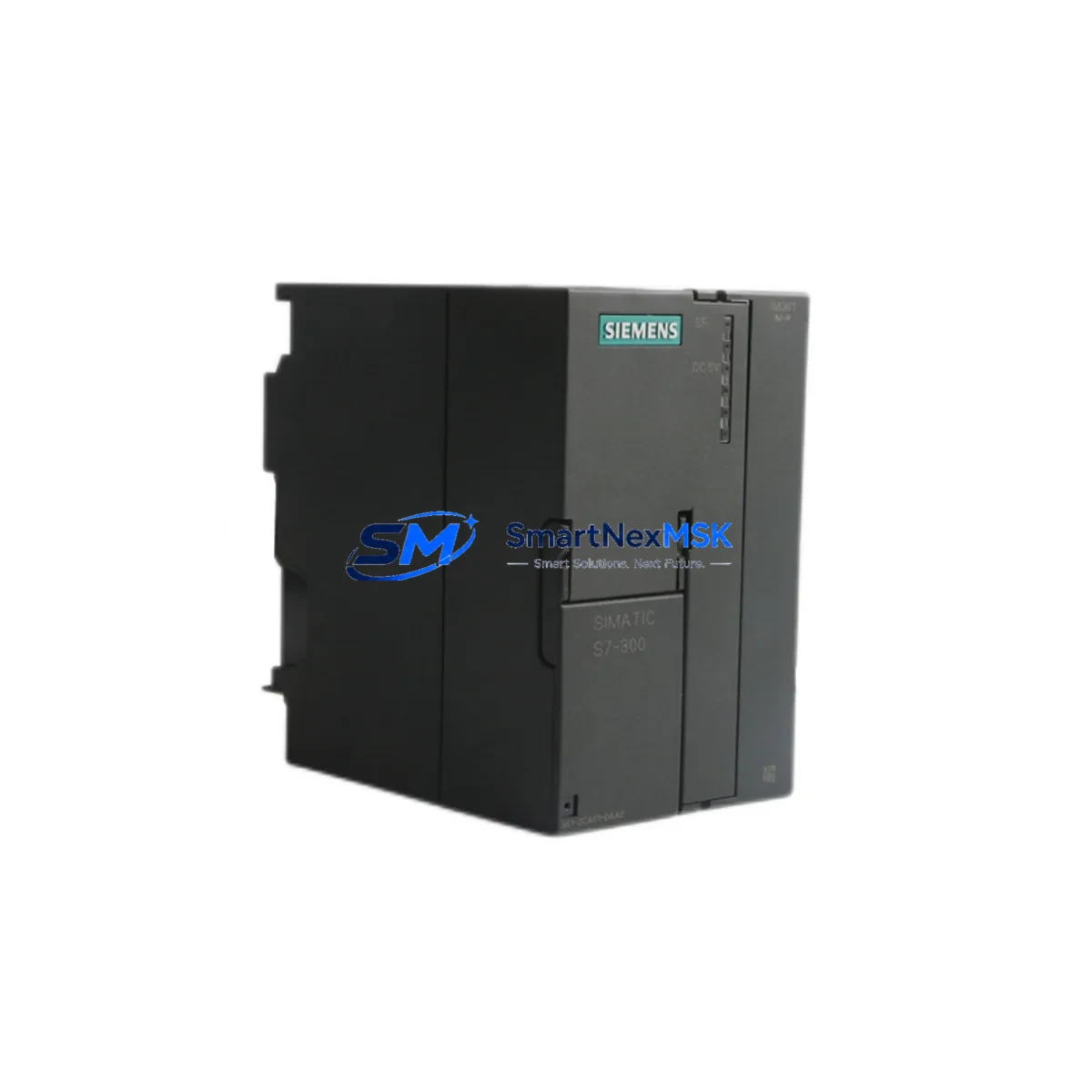
Siemens 6ES7361-3CA01-0AA0 Retrofit-Ready IM361 Send Interface for S7-300 Control Systems
The Siemens 6ES7361-3CA01-0AA0 is the IM361 send interface module designed for SIMATIC S7-300 multi-rack configurations. As legacy S7-300 installations approach end-of-life or require capacity expansion, this module remains the authoritative solution for extending the central rack to up to three expansion racks via the SIMATIC backplane bus. Whether you are replacing a failed unit on an active production line, upgrading a control cabinet to support additional I/O, or migrating an aging distributed control system to a more maintainable architecture, the 6ES7361-3CA01-0AA0 provides a direct, drop-in retrofit path with no firmware changes required on the CPU side.
Each unit supplied by SMARTNEXMSK is sourced from verified industrial channels, undergoes pre-shipment functional testing, and is backed by a 12-month warranty. Stock is maintained to support urgent replacement orders with fast global dispatch.
Upgrade Compatibility Table
| Parameter | Details |
|---|---|
| Module SKU | 6ES7361-3CA01-0AA0 |
| Module Type | IM361 Send Interface Module |
| Compatible Platform | SIMATIC S7-300 |
| Rack Position | Slot 3 of central rack (CR) |
| Expansion Racks Supported | Up to 3 expansion racks (ER) |
| Paired Receive Module | 6ES7360-3AA01-0AA0 (IM360) |
| Backplane Bus Interface | SIMATIC S7-300 K-bus |
| Power Supply Requirement | 24 V DC via backplane; no external wiring required |
| Communication Protocol | Internal S7-300 backplane bus (not MPI/PROFIBUS) |
| Installation Requirement | DIN rail mounting; standard S7-300 rail compatible |
| Replacement Compatibility | Direct replacement for earlier 6ES7361-3CA00-0AA0 revision |
| Commissioning Tool | STEP 7 v5.x / TIA Portal (hardware configuration only) |
| Warranty | 12 months from date of shipment |
Retrofit Planning for Existing Automation Systems
Retrofitting an S7-300 multi-rack system requires careful pre-planning across several interdependent components. The 6ES7361-3CA01-0AA0 occupies slot 3 of the central rack and communicates with the corresponding 6ES7360-3AA01-0AA0 IM360 receive module installed in each expansion rack. Before replacement, engineers should verify that the existing PS307 power supply module (typically a 6ES7307-1BA01-0AA0 or 6ES7307-1EA01-0AA0) provides sufficient current budget for the expanded rack configuration, as adding I/O modules to expansion racks increases the total load on the 24 V DC bus.
Terminal wiring on the IM361 itself is minimal — the module draws power from the backplane and requires only the inter-rack connecting cable (order reference 6ES7368-3CB01-0AA0 or 6ES7368-3BF01-0AA0 depending on rack distance) to be routed between racks. Inspecting cable condition and connector seating is a critical step often overlooked during emergency replacements. The backplane interface on the new module must align with the rack’s slot guide; forced insertion can damage the K-bus connector on both the module and the 6ES7390-1AE80-0AA0 mounting rail.
Module addressing in S7-300 is slot-based rather than software-configured, so no address reassignment is needed after swapping the IM361. However, the STEP 7 hardware configuration or TIA Portal project must reflect the correct module revision to avoid diagnostic mismatches. If the plant uses a CP343-1 Ethernet communication processor or a CP342-5 PROFIBUS DP master in the same rack, verify that their slot assignments remain unchanged after the retrofit and that the associated network parameters are intact in the CPU’s system data.
For systems that include SM321 digital input modules, SM322 digital output modules, or SM331/SM332 analog I/O modules distributed across expansion racks, confirm that the I/O addresses mapped in the CPU program match the physical slot layout after reinstallation. A mismatch between the hardware configuration and the actual slot population will trigger a rack fault and prevent the CPU from entering RUN mode. Where an OP/TP HMI panel (such as a TP177B or MP277) is connected via MPI, the HMI screen tags referencing I/O in the expansion racks should be validated after the retrofit to confirm data consistency.
If the retrofit is part of a broader migration from S7-300 to S7-1500, the IM361 serves as a bridge component during the transition period, allowing the existing expansion racks and their SM modules to remain in service while the central CPU is upgraded. This phased approach reduces capital expenditure and allows production to continue with minimal interruption.
Downtime Control During System Migration
Minimizing downtime during an IM361 replacement begins with preparation before the maintenance window opens. A pre-tested spare unit — confirmed functional against the original hardware configuration — should be on-site before the old module is removed. Upload and archive the current CPU program using a PC adapter USB (6ES7972-0CB20-0XA0) or MPI/PROFIBUS programming cable before any hardware changes are made. This ensures the original ladder logic, function blocks, and data blocks are preserved and can be reloaded immediately if the CPU loses its program during power cycling.
During the swap, power down the entire rack set in the correct sequence: expansion racks first, then the central rack. After installing the 6ES7361-3CA01-0AA0 and reconnecting the inter-rack cables, power up the central rack first and confirm the IM361 status LED indicates normal operation before energizing the expansion racks. This sequence prevents bus contention errors that can corrupt the CPU’s I/O image table.
Once all racks are powered, perform a STOP-to-RUN transition from the programming device and monitor the diagnostic buffer for any rack or module faults. If the CPU reports a configuration mismatch, compare the actual hardware layout against the STEP 7 or TIA Portal hardware configuration and correct any discrepancies before resuming production. For plants with safety-rated circuits, verify that the safety program checksum matches the archived version before releasing the system to automatic mode. A structured commissioning checklist — covering power-up sequence, LED status verification, diagnostic buffer review, HMI tag validation, and field signal spot-checks — typically allows a trained engineer to complete the full retrofit and return the line to production within a two-to-four hour planned maintenance window.
Retrofit Support FAQ
Q1: Is the 6ES7361-3CA01-0AA0 a direct replacement for the earlier -0AA0 revision?
Yes. The 6ES7361-3CA01-0AA0 is the current production revision of the IM361 and is fully backward compatible with the earlier 6ES7361-3CA00-0AA0. No hardware configuration changes are required in STEP 7 or TIA Portal when substituting one revision for the other.
Q2: What inter-rack cable is required, and does it need to be replaced during the retrofit?
The IM361 uses a dedicated inter-rack connecting cable — either the 6ES7368-3CB01-0AA0 (1 m) or 6ES7368-3BF01-0AA0 (2.5 m) — depending on the physical distance between racks. Cables should be inspected for connector damage and replaced if any wear is visible, as a faulty cable is a common cause of intermittent rack communication faults that are often misdiagnosed as module failure.
Q3: Will the CPU program need to be modified after replacing the IM361?
No program modifications are required for a like-for-like IM361 replacement. The S7-300 uses slot-based addressing, so the I/O map remains unchanged. However, if the retrofit is combined with a slot layout change or the addition of new SM modules, the hardware configuration must be updated and downloaded to the CPU before the program will run correctly.
Q4: What does the 12-month warranty cover, and how is pre-shipment testing performed?
All 6ES7361-3CA01-0AA0 units supplied by SMARTNEXMSK are tested for power-up functionality, backplane bus communication, and LED status indication prior to dispatch. The 12-month warranty covers defects in materials and workmanship under normal operating conditions. Units that fail within the warranty period are replaced or refunded. Warranty claims are processed through [email protected] with a fault description and order reference.
© 2026 SMARTNEXMSK. All rights reserved.
Original Source: https://smartnexmsk.com
Contact: [email protected] | +86 18259474341



