
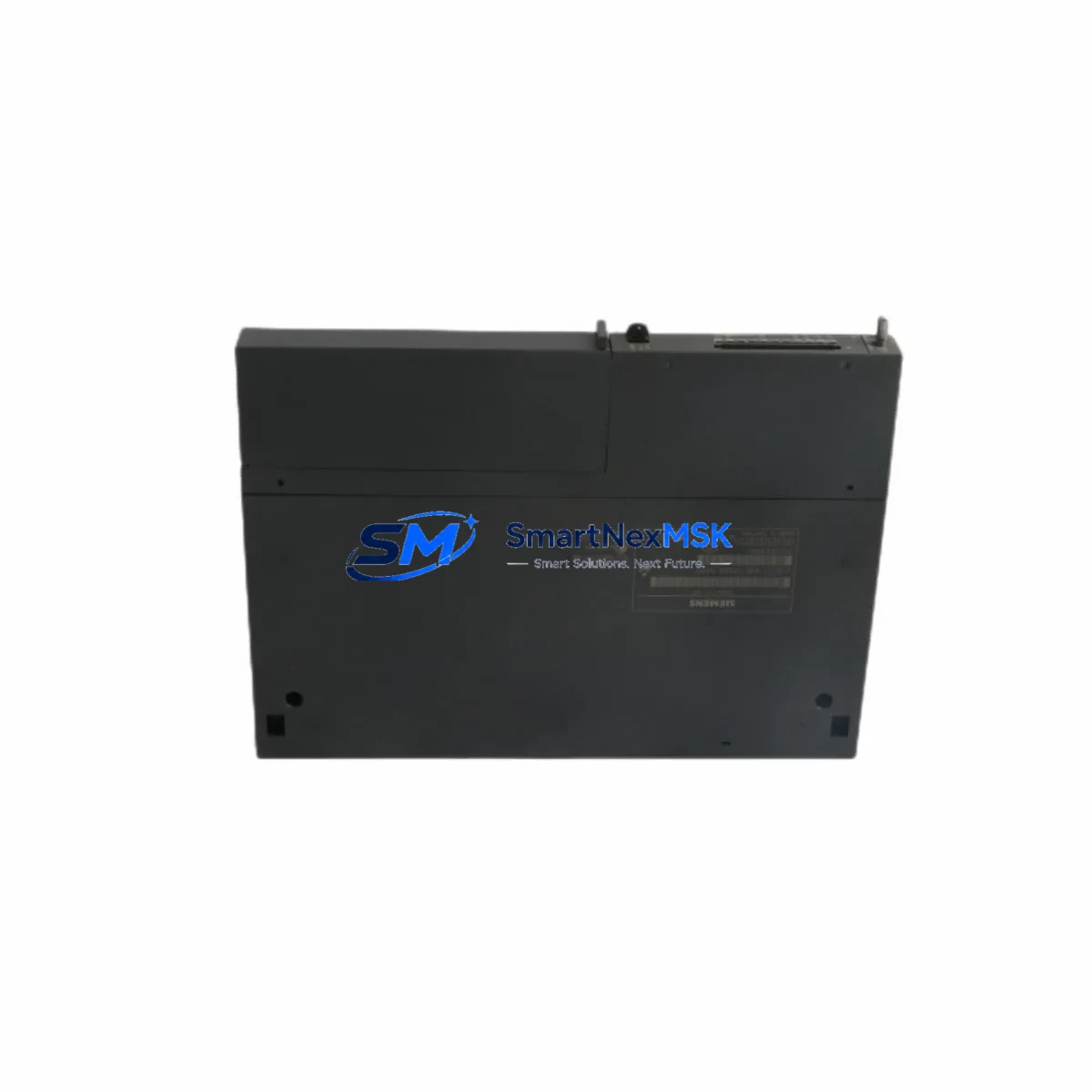
Siemens 6ES7414-2XG04-0AB0 Maintenance-Ready Spare S7-400
The Siemens 6ES7414-2XG04-0AB0 is a CPU 414-2 central processing unit for the SIMATIC S7-400 programmable logic controller platform — one of the most widely deployed process automation architectures in heavy industry, power generation, chemical processing, and large-scale manufacturing. As production facilities age and OEM support windows close, maintaining a verified spare of this CPU module becomes a critical element of any plant’s downtime-prevention strategy. This listing provides a tested, original-specification 6ES7414-2XG04-0AB0 unit, ready for immediate deployment with a 12-month warranty and pre-shipment functional verification.
For maintenance engineers managing aging S7-400 racks, the CPU 414-2 occupies the central role in the control cabinet: it executes the user program, manages the backplane communication bus, and coordinates all connected I/O and communication modules. A failure at this level can halt an entire production line. Keeping a qualified spare on the shelf — or sourcing one from a reliable B2B supplier with documented test records — is the most effective way to compress mean time to repair (MTTR) when an unplanned fault occurs.
Spare Maintenance Table
| Parameter | Specification |
|---|---|
| Part Number / SKU | 6ES7414-2XG04-0AB0 |
| Module Type | CPU 414-2, Central Processing Unit |
| Compatible Platform | SIMATIC S7-400 (UR1 / UR2 / CR2 rack) |
| Work Memory | 4 MB integrated |
| Communication Interfaces | MPI/DP integrated; 2× PROFIBUS-DP master ports |
| Backplane Bus | S7-400 standard backplane, CR2/UR1/UR2 compatible |
| Supply Voltage | DC 5 V via backplane (PS 407 / PS 405) |
| Operating Temperature | 0 °C to +60 °C |
| Protection Class | IP20 |
| Origin | Germany — Original Siemens manufacture |
| Installation | Rack slot, hot-swap capable in H-system configuration |
| Maintenance Note | Replace backup battery (6ES7971-0BA00) at scheduled intervals; verify PROFIBUS termination after swap |
| Warranty | 12 Months — functionally tested before shipment |
Maintenance Planning for Continuous Operation
When a 6ES7414-2XG04-0AB0 CPU is flagged for replacement during a planned shutdown or emergency callout, experienced maintenance engineers treat the event as an opportunity to audit the entire control cabinet. The CPU does not operate in isolation — its performance and reliability depend on the health of every module sharing the S7-400 rack.
Begin with the power supply: the Siemens PS 407 (6ES7407-0KA02-0AA0) or PS 405 (6ES7405-0KA02-0AA0) should be load-tested and inspected for capacitor aging, especially in installations exceeding eight years. A marginal power supply is a common root cause of intermittent CPU faults that are misdiagnosed as CPU failures.
Next, inspect the PROFIBUS-DP communication module CP 443-5 Extended (6GK7443-5DX05-0XE0) for connector wear and termination resistance. PROFIBUS segment integrity degrades silently and can cause sporadic CPU communication errors that mimic hardware faults. Verify bus termination at both ends of each segment and check the DP slave address table for conflicts.
The digital input module SM 421 (6ES7421-1BL01-0AA0) and digital output module SM 422 (6ES7422-1BL00-0AA0) in the same rack should be checked for channel-level faults using the STEP 7 or TIA Portal diagnostic buffer. Faulty I/O channels masked by the CPU’s fault tolerance may surface after a CPU swap and should be cleared before returning to automatic mode.
For analog signal integrity, review the SM 431 analog input module (6ES7431-1KF20-0AB0) and associated signal isolators on 4–20 mA loops. Signal drift or ground loops in analog circuits can corrupt process values and trigger nuisance alarms post-replacement. Inspect terminal blocks and wiring ferrules in the marshalling cabinet — loose connections are a leading cause of intermittent faults in high-vibration environments.
If the system uses a SIMATIC HMI panel (such as an MP 377 or TP 1500 Comfort) connected via MPI or PROFIBUS, verify the HMI project version matches the CPU firmware after the swap. Firmware mismatches can cause communication dropouts that are difficult to trace without version documentation. Also confirm that any ET 200M remote I/O stations connected via DP are re-recognized after the CPU restart.
Finally, confirm that the backup battery (6ES7971-0BA00) in the replacement CPU is fresh, and that the memory card (6ES7952-1KK00-0AA0) containing the user program is correctly seated and readable before powering up the rack. A structured pre-commissioning checklist covering these components reduces the risk of secondary faults and shortens the overall restoration window.
Site Replacement Workflow
Step 1 — Pre-Replacement Verification: Confirm the replacement 6ES7414-2XG04-0AB0 firmware version matches or is compatible with the installed STEP 7 project. Document the current CPU operating mode (RUN/STOP) and note any active fault codes from the diagnostic buffer before powering down.
Step 2 — Safe Isolation: Switch the CPU to STOP mode. Follow site LOTO (Lockout/Tagout) procedures. Remove the memory card and battery from the faulty unit before extraction to preserve program data and prevent data corruption.
Step 3 — Module Swap: Slide the replacement CPU into the same rack slot. The S7-400 backplane connector is keyed — confirm full seating before applying power. Re-insert the memory card and a fresh battery into the replacement unit.
Step 4 — Power-Up and Diagnostics: Restore rack power. Observe the CPU LED sequence: STOP (yellow) → RUN (green). If the BUSF LED illuminates, check PROFIBUS termination and DP slave addresses. Use STEP 7 online diagnostics to confirm all I/O modules are recognized and fault-free.
Step 5 — Functional Test and Documentation: Execute a controlled I/O test sequence before returning the system to automatic mode. Verify analog signal scaling, digital output actuation, and HMI communication. Log the replacement event with timestamp, firmware version, and technician ID for maintenance records and warranty traceability.
This workflow applies to both planned maintenance windows and emergency unplanned replacements. The 6ES7414-2XG04-0AB0 is a direct form-fit-function replacement for earlier CPU 414-2 variants, minimizing re-engineering effort and preserving existing wiring and rack configurations.
Spare Parts Support FAQ
Q1: Is the 6ES7414-2XG04-0AB0 compatible with all S7-400 rack configurations?
The CPU 414-2 is compatible with standard S7-400 UR1, UR2, and CR2 racks. It supports both single-station and redundant H-system configurations when paired with the appropriate sync modules. Always verify the rack slot assignment and power budget before installation, particularly in high-density configurations with multiple communication modules.
Q2: What pre-shipment testing is performed on this unit?
Each 6ES7414-2XG04-0AB0 unit undergoes functional power-on testing, memory integrity verification, and communication interface checks prior to dispatch. Units are shipped with original firmware and include documentation of test results. The 12-month warranty covers manufacturing defects and functional failures under normal operating conditions.
Q3: How should this spare be stored in a long-term inventory program?
Store the module in its original ESD-protective packaging in a dry environment between 0 °C and +40 °C, away from direct sunlight and electromagnetic interference sources. Remove the backup battery for long-term storage beyond 12 months to prevent electrolyte leakage. Inspect and re-test the unit annually if it remains in reserve stock.
Q4: Can this CPU replace older 6ES7414-2XG03-0AB0 or 6ES7414-2XG01-0AB0 variants?
The -0AB0 hardware revision series maintains backward compatibility in terms of rack form factor and backplane interface. However, firmware and STEP 7 project compatibility should be verified before deployment. In most cases, the user program can be transferred via the existing memory card without modification. Contact our technical team for project-specific confirmation.
© 2026 SMARTNEXMSK. All rights reserved.
Original Source: https://smartnexmsk.com
Contact: [email protected] | +86 18259474341



