
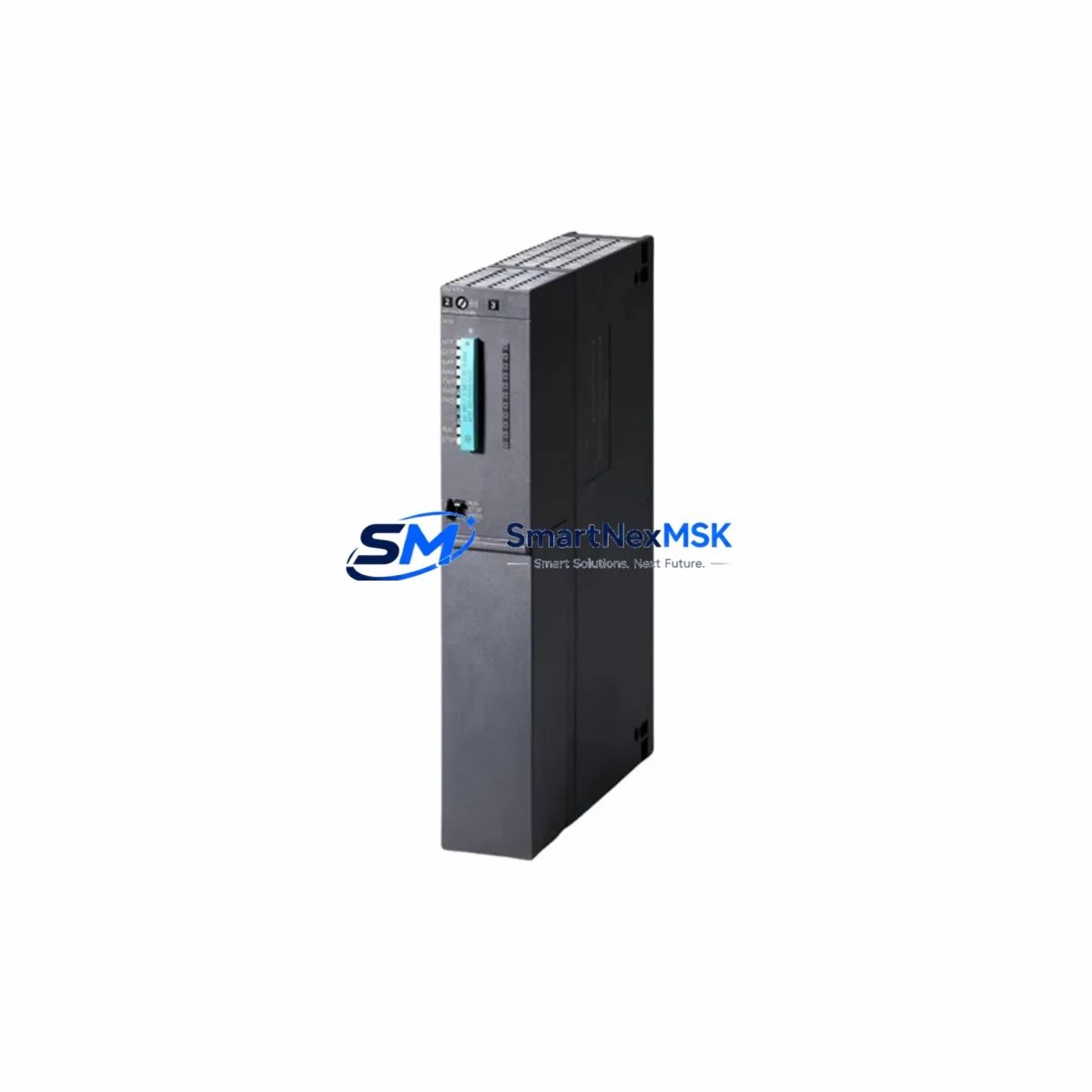
Siemens 6ES7417-4XT05-0AB0 Retrofit-Ready CPU for S7-400H Control Systems
The Siemens 6ES7417-4XT05-0AB0 is a high-performance CPU 417-4H module designed for SIMATIC S7-400H redundant automation systems. As legacy S7-400H installations reach end-of-life or require capacity upgrades, this CPU module serves as the definitive retrofit-ready replacement — enabling engineers to restore system redundancy, expand program memory, and modernize communication infrastructure without redesigning the entire control architecture.
Whether you are replacing a failed unit in a running plant, upgrading an aging redundant pair, or migrating from an earlier CPU 416-3PN/DP to a higher-performance platform, the 6ES7417-4XT05-0AB0 delivers the processing headroom and protocol flexibility demanded by modern process industries including oil & gas, chemical, power generation, and water treatment.
SMARTNEXMSK maintains verified stock of this module and ships with full functional testing, original firmware, and a 12-month warranty covering hardware defects under normal operating conditions.
Upgrade Compatibility Table
| Parameter | Details |
|---|---|
| SKU / Order Number | 6ES7417-4XT05-0AB0 |
| Module Type | CPU 417-4H — High-Availability Redundant CPU |
| Compatible Rack | UR2-H (6ES7400-2JA00-0AA0), UR1 universal rack; requires paired H-sync fiber cable (6ES7960-1AA04-0XA0) |
| Backplane Interface | S7-400 P-bus + K-bus; slot 2 or 3 in UR2-H rack |
| Communication Interfaces | MPI/DP (X1), PROFIBUS DP (X2, X3), Industrial Ethernet (X5 — integrated PN interface) |
| Replaces / Upgrades From | 6ES7417-4HT14-0AB0, 6ES7417-4HL04-0AB0, 6ES7416-3XR05-0AB0 (non-redundant upgrade path) |
| Program Memory | 30 MB work memory (code + data); expandable via SIMATIC Micro Memory Card |
| Installation Requirement | Matched firmware version on both CPUs in redundant pair; STEP 7 V5.6 SP2 or TIA Portal V16+ for configuration |
| Commissioning Tool | SIMATIC STEP 7 / TIA Portal; PC adapter USB (6ES7972-0CB20-0XA0) or CP 5611 card |
| Warranty | 12 Months — covers hardware defects under normal operating conditions |
Retrofit Planning for Existing Automation Systems
A successful retrofit of the 6ES7417-4XT05-0AB0 into an existing S7-400H system begins well before the module arrives on site. Engineers must audit the current rack configuration, confirm that the UR2-H rack’s power supply — typically a PS 407 10A (6ES7407-0KA02-0AA0) — can sustain the additional current draw of the new CPU alongside installed SM 321 digital input modules, SM 322 digital output modules, and any CP 443-1 Ethernet communication processors already occupying the rack slots.
Terminal wiring on the existing I/O modules does not change during a CPU swap, but engineers should verify that the PROFIBUS DP segment connected to X2 or X3 retains correct bus termination and that all DP slaves — including ET 200M distributed I/O stations and SINAMICS drive units — are addressed within the new CPU’s configured DP master system. If the legacy system used a CP 443-5 Extended for PROFIBUS, confirm whether the new CPU’s integrated DP port can absorb that network or whether the CP module must remain in the rack.
For plants migrating from PROFIBUS-only architectures toward PROFINET, the integrated PN interface on the 6ES7417-4XT05-0AB0 provides a direct upgrade path. Existing HMI panels — such as SIMATIC MP 377 or TP 1500 Comfort — can be re-configured to communicate over PROFINET without hardware replacement, reducing migration cost significantly. The HMI project in WinCC flexible or TIA Portal must be updated to reflect the new CPU’s IP address and device name before cutover.
Module addressing must be reviewed in STEP 7 Hardware Configuration. The new CPU retains the same I/O address space as its predecessor provided the rack and slot assignments are unchanged, which means the existing OB1, OB35, and fault OBs (OB82, OB86, OB121, OB122) can typically be reused without modification. However, if the firmware version of the replacement CPU differs from the original, engineers should validate all SFB 14 (GET) and SFB 15 (PUT) communication blocks used for CPU-to-CPU data exchange across the H-sync link.
Downtime Control During System Migration
The S7-400H architecture is specifically engineered to support online CPU replacement in redundant mode, which is the primary mechanism for minimizing plant downtime during a module swap. When one CPU of the redundant pair is replaced while the partner CPU continues to execute the control program, the plant remains in single-CPU mode — fully operational — during the hardware exchange.
Before initiating the swap, engineers should force the system into SOLO mode on the active CPU, confirm that all I/O modules report no faults in the diagnostic buffer, and document the current program cycle time as a baseline. After installing the 6ES7417-4XT05-0AB0, the replacement CPU performs an automatic program synchronization from the active partner via the H-sync fiber link (6ES7960-1AA04-0XA0). This synchronization copies the current process image, data blocks, and instance DBs to the new CPU without interrupting the running program on the active side.
Once synchronization completes and the system transitions back to REDUNDANT mode, engineers should verify the diagnostic buffer on both CPUs, confirm that all DP slaves and PROFINET devices have re-established communication, and check that the HMI displays reflect correct system status. The entire hot-swap procedure — from SOLO mode entry to REDUNDANT mode confirmation — typically requires 15 to 45 minutes depending on program size and network complexity, with zero process interruption when executed correctly.
For non-redundant upgrade scenarios where the plant must be shut down, SMARTNEXMSK recommends pre-staging the replacement CPU with the correct firmware, loading the existing STEP 7 project offline, and performing a full I/O force test before returning the system to automatic mode. This approach compresses commissioning time and reduces the risk of extended unplanned downtime.
Retrofit Support FAQ
Q1: Is the 6ES7417-4XT05-0AB0 a direct drop-in replacement for the 6ES7417-4HT14-0AB0?
Yes, the 6ES7417-4XT05-0AB0 is mechanically and electrically compatible with the same UR2-H rack slot. The primary differences are expanded work memory (30 MB vs. 20 MB) and the addition of an integrated PROFINET interface. No rack or wiring modifications are required. The STEP 7 hardware configuration must be updated to reflect the new order number before downloading to the CPU.
Q2: What firmware version should be loaded before installation?
Both CPUs in a redundant pair must run identical firmware versions. SMARTNEXMSK ships the 6ES7417-4XT05-0AB0 with factory firmware. If your active CPU runs a specific firmware version, confirm the version via the CPU’s diagnostic buffer or STEP 7 online view, and request firmware alignment before shipment. Firmware updates can also be performed via SIMATIC Automation Tool or the CPU’s web server interface.
Q3: Can the existing PROFIBUS DP wiring and slave configuration be reused after the CPU swap?
Yes. The integrated PROFIBUS DP interfaces (X2, X3) on the 6ES7417-4XT05-0AB0 use the same 9-pin Sub-D connector and support the same baud rates as predecessor CPUs. Existing DP slave configurations, GSD files, and bus parameters in the STEP 7 hardware configuration remain valid. Verify bus termination at both ends of each DP segment after installation.
Q4: What does the 12-month warranty cover, and what is the return process?
The 12-month warranty covers hardware defects arising under normal operating conditions, including component failure not caused by overvoltage, incorrect installation, or physical damage. If a defect is identified within the warranty period, contact SMARTNEXMSK at [email protected] with the order number and a description of the fault. A replacement or repair will be arranged with priority handling to minimize your system downtime.
© 2026 SMARTNEXMSK. All rights reserved.
Original Source: https://smartnexmsk.com
Contact: [email protected] | +86 18259474341



