
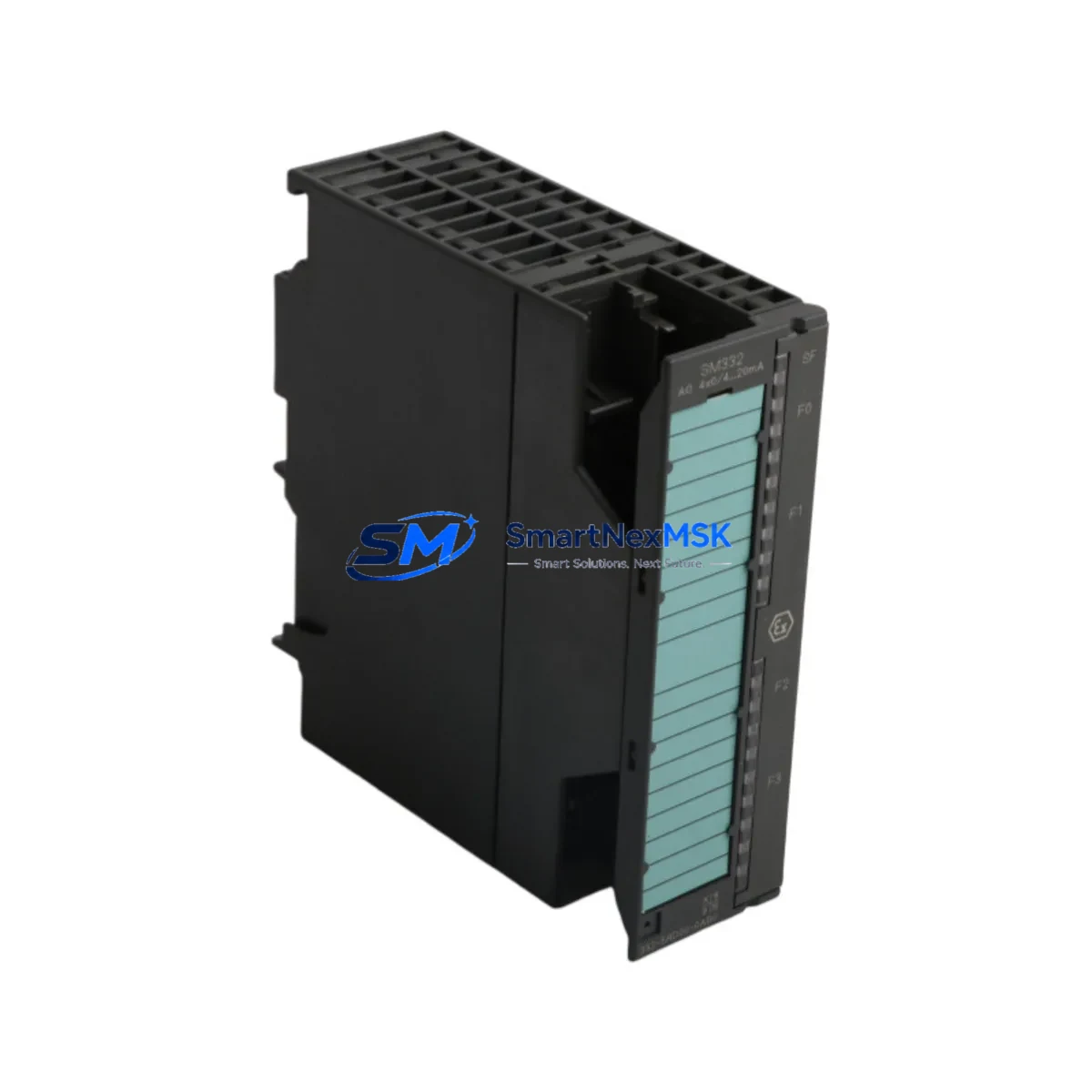
Siemens 6ES7422-1BH11-0AA0 Maintenance-Ready Spare for S7-400 Automation
The Siemens 6ES7422-1BH11-0AA0 is an original SM 422 32-channel digital output module designed for the SIMATIC S7-400 programmable logic controller platform. In industrial automation environments — from process plants and power distribution panels to automotive assembly lines and water treatment facilities — this module serves as a critical interface between the PLC controller and field actuators such as solenoid valves, motor contactors, indicator lamps, and relay coils. When this module fails or degrades, the consequences range from partial output loss to complete line shutdown. Maintaining a verified spare on the shelf is the single most effective strategy for minimizing mean time to repair (MTTR) and protecting production continuity.
This listing supplies an original, factory-sourced 6ES7422-1BH11-0AA0 module — not a clone or remanufactured substitute. Each unit is inspected, function-tested, and shipped with documentation. A 12-month warranty is included on every order, covering manufacturing defects and operational failures under normal industrial service conditions. Orders are processed and dispatched within 24–48 hours, with express freight options available for emergency breakdown situations.
Spare Maintenance Table
| Parameter | Specification |
|---|---|
| Part Number / SKU | 6ES7422-1BH11-0AA0 |
| Module Type | SM 422 Digital Output Module |
| Compatible Platform | SIMATIC S7-400 (UR1, UR2, UR2-H, CR2, CR3 racks) |
| Number of Output Channels | 32 DO (2 × 16-channel groups) |
| Output Voltage | 24 V DC / 120–230 V AC (relay type) |
| Output Current per Channel | 0.5 A (DC) / 2 A (AC relay) |
| Isolation | Optocoupler isolation, group-to-backplane |
| Backplane Interface | S7-400 P-bus / K-bus |
| Diagnostic Support | Channel-level diagnostics, short-circuit detection |
| Operating Temperature | 0 °C to +60 °C |
| Mounting | S7-400 rack slot (hot-swap capable with CPU support) |
| Weight | 620 g |
| Country of Origin | Germany |
| Warranty | 12 Months — Defect & Operational Failure Coverage |
| Condition | Original / New / Tested |
| Shipping | 24–48 h dispatch; express freight available |
Maintenance Planning for Continuous Operation
When a maintenance or reliability engineer schedules replacement of the 6ES7422-1BH11-0AA0, the work scope should extend beyond the module itself. The S7-400 digital output module operates within a tightly integrated control cabinet ecosystem, and adjacent components are often subject to the same thermal, electrical, and age-related stress. A disciplined inspection of the following components during the same maintenance window significantly reduces the probability of a secondary failure within the next service interval.
Begin with the power supply module — typically a 6ES7407-0DA02-0AA0 or 6ES7405-0KA02-0AA0 PS 407 unit — and verify output voltage stability under load. A degraded power supply is a common root cause of intermittent DO channel faults. Next, inspect the S7-400 CPU module (such as the 6ES7414-2XK05-0AB0 or 6ES7416-3XR05-0AB0) for firmware currency and diagnostic buffer entries that may indicate prior output faults. Review the SM 421 digital input module (e.g., 6ES7421-1BL01-0AA0) in the same rack, as input/output correlation errors are frequently misdiagnosed as output module failures.
Check all front connector wiring (40-pin front connectors, part 6ES7492-1AL00-0AA0) for terminal corrosion, loose crimps, and insulation breakdown — particularly in high-humidity or chemically aggressive environments. Inspect the S7-400 rack backplane (UR2 or CR3) for slot contact oxidation. If the cabinet includes a CP 443-1 Ethernet communication module (e.g., 6GK7443-1EX30-0XE0), verify network connectivity and module status LEDs, as communication faults can mask output module diagnostics in STEP 7 or TIA Portal. For systems using PROFIBUS DP, inspect the IM 460/461 interface modules and bus connectors for signal integrity. Finally, review any signal isolators or surge protection devices on the DO wiring to field devices — these are frequently overlooked during module-focused maintenance and can cause nuisance trips after a new module is installed.
Site Replacement Workflow
Replacing the 6ES7422-1BH11-0AA0 on a live S7-400 system follows a structured sequence to minimize downtime and avoid configuration errors. First, export the current hardware configuration from STEP 7 or TIA Portal and save a backup of the CPU memory card. If the CPU supports hot-swap (MLFB-dependent), the module can be replaced without a full rack power-down; confirm this in the CPU manual before proceeding. Remove the existing front connector — which retains all field wiring — and transfer it directly to the replacement module. This eliminates rewiring time and reduces the risk of terminal errors.
After seating the new 6ES7422-1BH11-0AA0, power up and observe the module’s SF and DC5V LEDs. A solid green DC5V with no SF fault confirms successful backplane recognition. Force individual output channels in STEP 7 Monitor/Modify to verify field device response before returning the system to automatic mode. Document the replacement in the maintenance log with the module serial number, installation date, and technician ID. This record supports warranty claims and future lifecycle planning. For aging S7-400 installations approaching end-of-life, maintaining a minimum of two spare SM 422 DO modules per rack configuration is recommended to cover both planned and emergency replacement scenarios.
Spare Parts Support FAQ
Q1: Is the 6ES7422-1BH11-0AA0 compatible with all S7-400 rack configurations?
Yes. The SM 422 module is compatible with UR1, UR2, UR2-H, CR2, and CR3 racks. It occupies one slot and communicates via the S7-400 P-bus. Confirm slot availability and power budget in your hardware configuration before ordering a quantity greater than one per rack.
Q2: What does the 12-month warranty cover, and how is a claim initiated?
The warranty covers manufacturing defects and operational failures under normal industrial service conditions for 12 months from the date of shipment. To initiate a claim, contact [email protected] with the order number, module serial number, and a description of the fault. Replacement or refund is processed within 5 business days of fault confirmation.
Q3: Can this module replace an older 6ES7422-1BH00-0AA0 or 6ES7422-1BH01-0AA0 without hardware or software changes?
In most cases, yes. The -1BH11- revision is backward-compatible with earlier -1BH00- and -1BH01- variants at the hardware level. The front connector and field wiring transfer directly. Verify the hardware configuration in STEP 7 or TIA Portal reflects the correct module order number to avoid diagnostic mismatches; a configuration update may be required for older STEP 7 versions.
Q4: Do you maintain long-term stock for S7-400 spare parts beyond standard catalog availability?
Yes. SMARTNEXMSK maintains dedicated inventory of S7-400 series modules — including SM 421 DI, SM 422 DO, SM 431 AI, SM 432 AO, PS 407 power supplies, and CPU modules — specifically to support legacy system maintenance and life extension programs. Bulk procurement and scheduled delivery agreements are available for maintenance contracts requiring guaranteed spare availability over multi-year horizons. Contact our team to discuss a tailored spare parts support plan.
© 2026 SMARTNEXMSK. All rights reserved.
Original Source: https://smartnexmsk.com
Contact: [email protected] | +86 18259474341



