
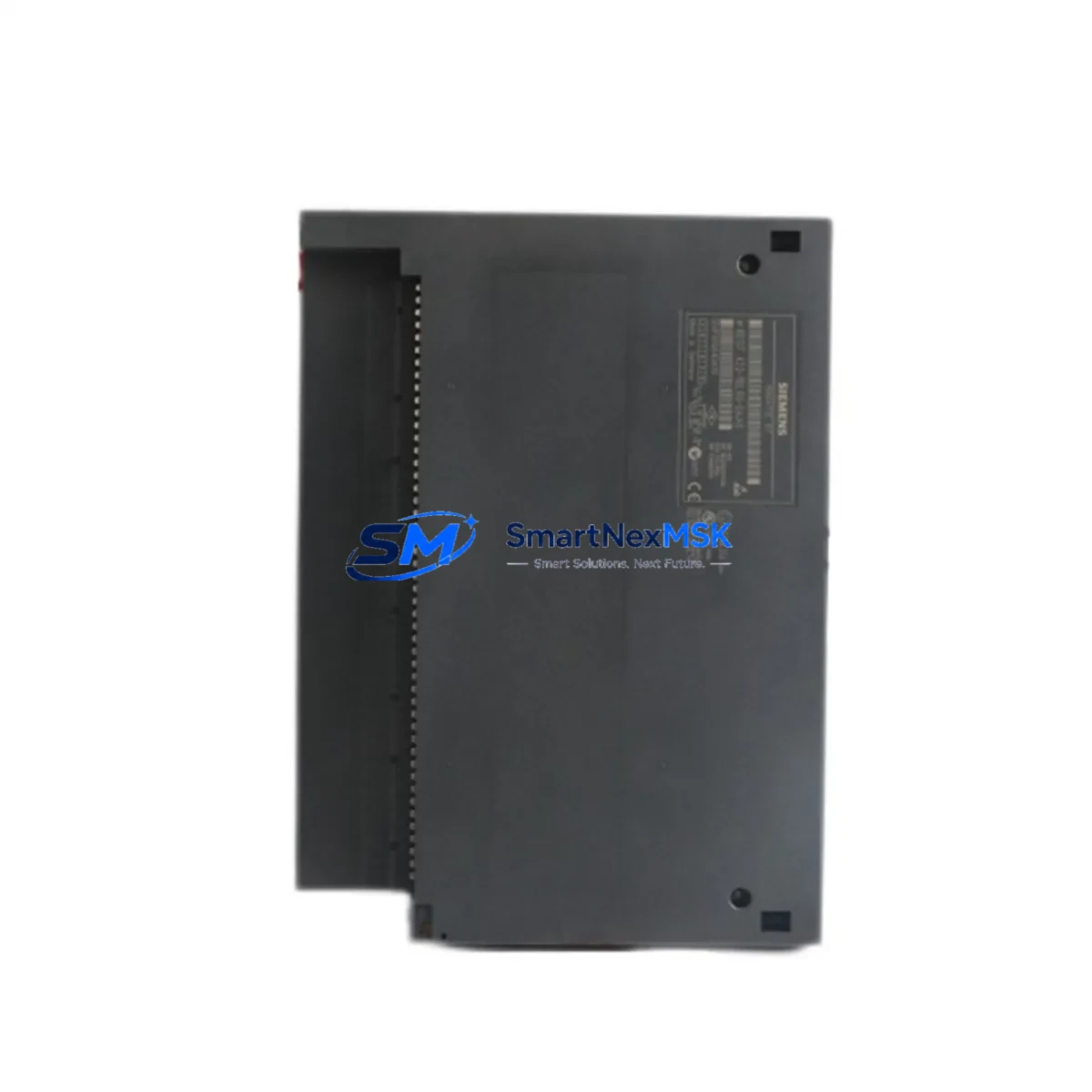
Siemens 6ES7422-1BL00-0AA0 Retrofit-Ready 32DO for S7-400 Control Systems
The Siemens 6ES7422-1BL00-0AA0 is a 32-channel 24 VDC digital output module (SM422) designed for the SIMATIC S7-400 programmable logic controller platform. As legacy S7-400 installations approach end-of-life and spare-part availability tightens, this module has become a critical component in retrofit projects, discontinued-part replacements, and control-cabinet upgrades across manufacturing, energy, and process-automation industries. Whether you are replacing a failed output card on an aging production line or executing a planned migration from an older S5-115U or S5-135U system to a modern S7-400 architecture, the 6ES7422-1BL00-0AA0 provides a verified, drop-in-compatible solution backed by a 12-month warranty and pre-shipment functional testing.
Each unit is sourced from authorized channels or verified surplus stock, inspected against Siemens factory specifications, and tested under load before dispatch. Fast global shipping ensures minimal disruption to your production schedule.
Upgrade Compatibility Table
| Parameter | 6ES7422-1BL00-0AA0 (SM422) | Notes / Retrofit Guidance |
|---|---|---|
| Output Channels | 32 × 24 VDC | Verify load current per channel ≤ 0.5 A; total module load ≤ 4 A |
| Backplane Interface | S7-400 U-bus / P-bus | Compatible with UR1, UR2, UR2-H, and CR2 racks |
| Installation Slot | Any signal-module slot in S7-400 rack | Confirm slot address in HW Config (STEP 7 or TIA Portal) |
| Communication Compatibility | MPI, PROFIBUS-DP (via CPU) | No module-level protocol change required |
| Replacement for | 6ES7422-1BH11-0AA0, 6ES7422-1BL00-0AA0 variants | Check firmware revision if mixing module generations |
| Wiring Terminals | 40-pin front connector (6ES7492-1AL00-0AA0) | Reuse existing front connector if undamaged; verify terminal torque |
| Commissioning Requirement | HW Config download + I/O force test | Use STEP 7 v5.x or TIA Portal with S7-400 support package |
| Warranty | 12 Months | Covers manufacturing defects; functional test certificate included |
Retrofit Planning for Existing Automation Systems
Successful integration of the 6ES7422-1BL00-0AA0 into an existing S7-400 system requires a structured approach that addresses hardware, software, and field-wiring compatibility simultaneously. Begin by auditing the target rack — whether a UR2 universal rack or a CR2 central rack — to confirm available slot count and backplane bus integrity. The S7-400 CPU in use, such as a CPU 414-2 DP or CPU 416-3 PN/DP, determines the maximum I/O address space and the PROFIBUS-DP master configuration that governs downstream ET 200M distributed I/O stations.
On the power-supply side, verify that the existing PS 407 10A or PS 405 4A power supply module can sustain the additional 24 VDC load introduced by the new output module. A fully loaded 6ES7422-1BL00-0AA0 draws up to 200 mA from the 5 VDC backplane bus and sources up to 4 A total at 24 VDC from the field power supply. If the current PS 407 is already near capacity, plan for a supplementary 24 VDC field power rail before installation.
Wiring adaptation is often the most time-consuming step. The SM422 uses a 40-pin front connector (part number 6ES7492-1AL00-0AA0). If the failed module’s front connector is intact and its terminal labeling matches the new module’s pinout, it can be reused directly — a significant time saver during emergency replacements. For new installations or where the old connector is damaged, pre-wire the replacement connector on the bench before the maintenance window to minimize rack downtime.
In systems that also incorporate SM421 digital input modules or SM431 analog input modules in the same rack, confirm that the slot-address reassignment in STEP 7 Hardware Configuration does not conflict with existing I/O maps. Download the updated HW Config to the CPU while the system is in STOP mode, then perform a controlled restart. Use the STEP 7 diagnostic buffer and the module’s LED indicators (SF, DC5V, EXTF) to confirm fault-free initialization before releasing the line to production.
For plants running SIMATIC WinCC or a third-party SCADA system, verify that HMI tag addresses referencing the output module’s I/O area remain valid after the slot change. If the module is inserted into the same physical slot as its predecessor, no HMI tag remapping is required. Communication links over PROFIBUS-DP to remote I/O panels housing IM 153-2 interface modules or CP 342-5 communication processors are unaffected by the local SM422 replacement, provided the CPU address configuration is unchanged.
Projects involving a broader migration — for example, consolidating multiple S7-400 racks into a single S7-400H redundant system or transitioning field devices to PROFINET — should treat the 6ES7422-1BL00-0AA0 as an interim measure that stabilizes the existing architecture while the long-term upgrade is engineered. In such scenarios, pairing the SM422 with an updated IM 460-3 send interface module and IM 461-3 receive interface module allows distributed rack expansion without disrupting the central CPU logic.
Downtime Control During System Migration
Minimizing unplanned downtime is the primary concern for any maintenance team replacing output modules on a live production system. The recommended approach is a planned maintenance window of no more than two hours, structured as follows:
Pre-window preparation (off-line): Upload the current CPU program and hardware configuration to a programming device running STEP 7 or TIA Portal. Archive the project. Pre-wire the replacement front connector. Confirm that the 6ES7422-1BL00-0AA0 powers on correctly on a bench test rig if one is available. Prepare a printed copy of the terminal assignment for the field technician.
During the window: Place the CPU in STOP mode. Remove the failed SM422 by releasing the module locking screw and sliding it off the backplane. Insert the 6ES7422-1BL00-0AA0, secure the locking screw, and attach the pre-wired front connector. Download the HW Config if the slot address has changed. Switch the CPU to RUN mode and monitor the diagnostic buffer for the first 60 seconds. Use the I/O force function in STEP 7 to individually test each of the 32 output channels against field devices before releasing control to the PLC program.
Post-window verification: Confirm that all SCADA/HMI screens display correct output states. Check PROFIBUS-DP bus diagnostics for any station errors introduced during the restart. Document the replacement in the plant maintenance log, including the module serial number and the date of installation, to support the 12-month warranty claim if required.
For systems where a cold restart is not acceptable — such as continuous-process plants — consider using a hot-swap-capable S7-400H redundant CPU pair with synchronized memory. In this configuration, the standby CPU maintains control while the active CPU is taken offline for the module swap, reducing effective process interruption to the failover switchover time (typically under 100 ms).
Retrofit Support FAQ
Q1: Is the 6ES7422-1BL00-0AA0 a direct drop-in replacement for the 6ES7422-1BH11-0AA0?
A: The two modules share the same 32-channel 24 VDC output function and the same S7-400 backplane interface. The primary difference is the output current rating per channel (0.5 A on the -1BL00 vs. 0.5 A on the -1BH11) and minor firmware revisions. In most applications they are functionally interchangeable; however, verify the hardware configuration in STEP 7 to ensure the correct module order number is selected, as mismatched HW Config entries will generate a module mismatch fault on startup.
Q2: Do I need to modify my existing field wiring when installing this module?
A: No wiring changes are required if you reuse the original 40-pin front connector (6ES7492-1AL00-0AA0). The terminal pinout of the 6ES7422-1BL00-0AA0 is identical to previous SM422 variants. If the front connector is damaged or missing, a new connector must be wired according to the SM422 terminal diagram in the Siemens S7-400 Module Data manual (A5E00850735).
Q3: Has the module been tested before shipment, and what does the 12-month warranty cover?
A: Yes. Every 6ES7422-1BL00-0AA0 unit undergoes a functional output-channel test under 24 VDC load before dispatch. The 12-month warranty covers manufacturing defects and functional failures under normal operating conditions. It does not cover damage caused by incorrect wiring, overvoltage, or installation in environments outside the module’s rated specifications (0–60 °C operating temperature, IP20 enclosure).
Q4: Can this module be used in an S7-400H redundant system?
A: Yes. The SM422 is compatible with S7-400H redundant CPU configurations. In a redundant rack setup, both the active and standby CPUs access the same I/O modules via the synchronization bus. Ensure that the HW Config for both CPUs references the correct slot assignment and that the module is inserted in a rack position accessible to both IM 460/461 interface modules if distributed racks are used.
© 2026 SMARTNEXMSK. All rights reserved.
Original Source: https://smartnexmsk.com
Contact: [email protected] | +86 18259474341



