
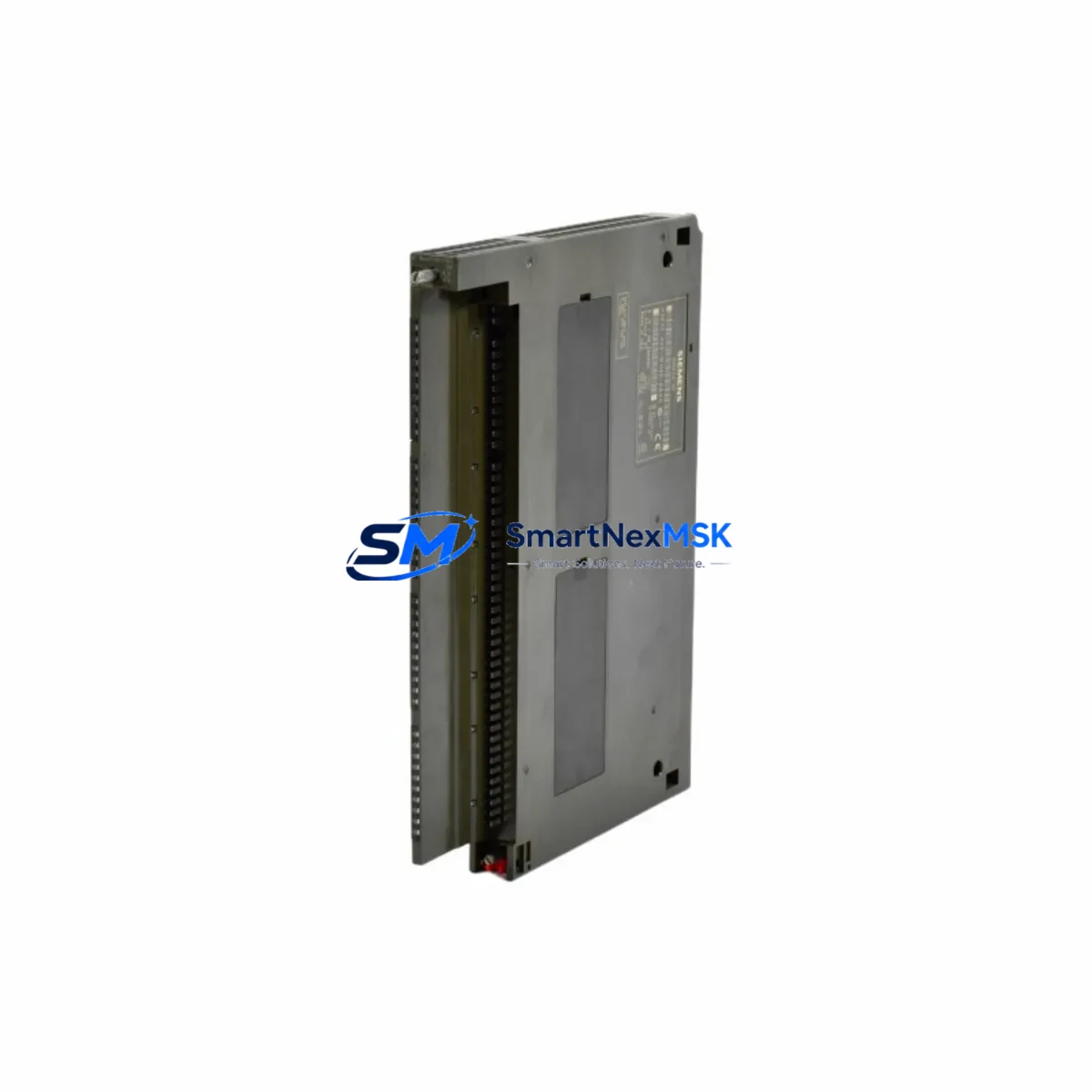
Siemens 6ES7422-1FH00-0AA0 Spare SM422 S7-400 Automation: Spare Parts Replacement & Industrial Downtime Control
The Siemens 6ES7422-1FH00-0AA0 is a 16-channel AC digital output module (SM422) designed for the SIMATIC S7-400 programmable logic controller platform. In industrial maintenance environments — from automotive assembly lines to chemical process plants — this module is a critical interface between the S7-400 CPU and field actuators such as solenoid valves, contactors, and motor starters. When this module fails or degrades, the consequences are immediate: unplanned downtime, production loss, and potential safety incidents. Holding a verified spare in your maintenance inventory is the most effective strategy for rapid fault recovery and system continuity.
At SMARTNEXMSK, every 6ES7422-1FH00-0AA0 unit is sourced as an original Siemens component, subjected to pre-shipment functional testing, and dispatched with a 12-month warranty. Our supply chain supports both emergency replacement orders and planned MRO procurement cycles, ensuring your S7-400 control system remains operational across its full service life.
Spare Maintenance Table
| Parameter | Specification |
|---|---|
| Part Number | 6ES7422-1FH00-0AA0 |
| Module Type | SM422 Digital Output Module |
| Compatible System | SIMATIC S7-400 (UR1, UR2, UR2-H, CR2, CR3 racks) |
| Output Channels | 16 × AC 120/230 V |
| Output Current per Channel | 2 A (resistive load) |
| Output Voltage Range | AC 20.4 V – 264 V |
| Isolation | Optocoupler isolation, group isolation between channels |
| Backplane Bus Interface | S7-400 P-bus / K-bus |
| Power Supply (internal) | Via S7-400 backplane (5 VDC) |
| Load Voltage Supply | External AC supply required per output group |
| Dimensions (W×H×D) | 25 mm × 290 mm × 210 mm (standard S7-400 module form factor) |
| Weight | Approx. 950 g |
| Operating Temperature | 0 °C to +60 °C |
| Storage Temperature | −40 °C to +70 °C |
| Degree of Protection | IP20 |
| Country of Origin | Germany |
| Condition | Original Siemens, new or refurbished-tested |
| Warranty | 12 Months |
| Pre-shipment Test | Yes — functional output verification |
| Compatibility Verified | S7-400 CPU 412, 414, 416, 417 series |
Maintenance Planning for Continuous Operation
Replacing the 6ES7422-1FH00-0AA0 is rarely an isolated task. A disciplined maintenance engineer will treat this module swap as an opportunity to inspect the entire output circuit and surrounding control cabinet components. During a planned or emergency replacement, the following associated components should be checked or staged as co-spares:
Begin with the S7-400 power supply module (e.g., PS407 10A, 6ES7407-0KA02-0AA0) — verify output voltage stability and ripple before re-energizing the replaced SM422. A degraded power supply is a common root cause of repeated output module failures. Next, inspect the S7-400 backplane rack (UR2 or CR3) for bent connector pins or oxidation on the P-bus interface, which can cause intermittent communication faults even after a module replacement.
On the field wiring side, check the front connector (6ES7492-1AL00-0AA0 or equivalent 40-pin front connector) for terminal corrosion, loose crimps, or insulation damage — particularly on channels driving inductive loads such as contactors or solenoids. Surge suppression components (RC snubbers or varistors) fitted across AC output loads should be inspected and replaced if discolored or cracked.
If the S7-400 system includes a CP443-1 Ethernet communication module or a CP443-5 PROFIBUS DP module, verify that the rack slot assignment and module address configuration remain intact after the swap — a common oversight that causes the CPU to report configuration mismatch faults. For systems using IM460/IM461 expansion interface modules, confirm that the inter-rack cable is seated correctly and that the expansion rack power supply is healthy.
In control cabinets where the SM422 drives motor starter contactors, also inspect the associated 24 VDC auxiliary relay modules and terminal blocks (e.g., Weidmüller or Phoenix Contact DIN-rail terminals) for signs of thermal stress. Signal isolators or galvanic isolation barriers on analog feedback loops adjacent to the output circuit should be tested for drift. Finally, review the HMI panel (e.g., SIMATIC TP700 or MP377) alarm history to identify any recurring output fault patterns that may indicate a systemic wiring or load issue rather than a module defect.
Stocking the 6ES7422-1FH00-0AA0 alongside its front connector, a spare PS407 power supply, and at least one CP443 communication module gives your maintenance team a complete first-response kit for S7-400 output-side faults — minimizing mean time to repair (MTTR) and protecting production continuity.
Site Replacement Workflow
Step 1 — Isolation & Safety: Place the S7-400 CPU in STOP mode via the mode selector switch or STEP 7 / TIA Portal. De-energize the external AC load supply feeding the SM422 output groups. Apply LOTO (lockout/tagout) to the cabinet. Do not rely solely on the CPU STOP state — the external AC supply to the output module remains live until physically isolated.
Step 2 — Front Connector Removal: Unlock and remove the 40-pin front connector from the 6ES7422-1FH00-0AA0. The front connector retains all field wiring and can be transferred directly to the replacement module — no rewiring required if the connector is in good condition. Label the connector if multiple SM422 modules are present in the same rack.
Step 3 — Module Extraction: Release the module locking lever and slide the 6ES7422-1FH00-0AA0 out of its rack slot. Note the slot number for correct reinstallation of the replacement unit.
Step 4 — Replacement Installation: Insert the new 6ES7422-1FH00-0AA0 into the same slot. The S7-400 platform supports hot-swap of I/O modules in certain CPU configurations — consult your CPU manual to confirm whether a CPU restart is required. Reattach the front connector.
Step 5 — Configuration Verification: Power up and confirm that STEP 7 or TIA Portal reports no hardware configuration mismatch. The SM422 module LED indicators should show: SF (System Fault) off, and individual channel LEDs reflecting the current output states commanded by the CPU program.
Step 6 — Functional Test: Force individual output channels in the PLC program (with appropriate safety precautions) to verify field actuator response. Document the test results in your maintenance log. Return the CPU to RUN mode and monitor for 15–30 minutes before releasing the system to production.
This workflow applies equally to planned preventive replacements and emergency fault recovery scenarios. The plug-and-play front connector design of the S7-400 SM422 series makes on-site replacement achievable in under 30 minutes by a qualified maintenance technician.
Spare Parts Support FAQ
Q1: Is the 6ES7422-1FH00-0AA0 still available as a new original part, or only as refurbished?
Both options are available through SMARTNEXMSK. We supply original new-old-stock (NOS) units sourced from authorized distribution channels, as well as professionally refurbished units that have been fully tested to original Siemens specifications. All units — new or refurbished — are covered by our 12-month warranty and include a pre-shipment functional test report on request.
Q2: How do I confirm compatibility with my specific S7-400 CPU and rack configuration?
The 6ES7422-1FH00-0AA0 is compatible with all standard S7-400 racks (UR1, UR2, UR2-H, CR2, CR3) and all S7-400 CPU families (CPU 412, 414, 416, 417). Compatibility is determined by the rack’s P-bus interface, not the CPU type. If you are running a redundant S7-400H system, confirm that your hardware configuration in STEP 7 / TIA Portal lists this exact order number — do not substitute with a different SM422 variant without verifying the channel count and voltage class.
Q3: What is your recommended spare parts inventory strategy for S7-400 output modules?
For production-critical S7-400 systems, we recommend holding a minimum of one SM422 spare per rack, with additional spares proportional to the number of installed modules and the criticality of the controlled process. For legacy systems where the S7-400 platform is approaching end-of-support, increasing your buffer stock of output modules, power supplies, and communication modules is strongly advised. SMARTNEXMSK offers volume pricing and long-term supply agreements to support MRO procurement planning.
Q4: What does the 12-month warranty cover, and what is the return process?
Our 12-month warranty covers manufacturing defects and functional failures under normal operating conditions. It does not cover damage caused by incorrect installation, overvoltage events, or physical mishandling. To initiate a warranty claim, contact our sales team with your order number and a description of the fault. We will arrange return shipping and provide a replacement or full refund within the agreed lead time. All warranty returns are inspected and tested before a determination is made.
© 2026 SMARTNEXMSK. All rights reserved.
Original Source: https://smartnexmsk.com
Contact: [email protected] | +86 18259474341



