
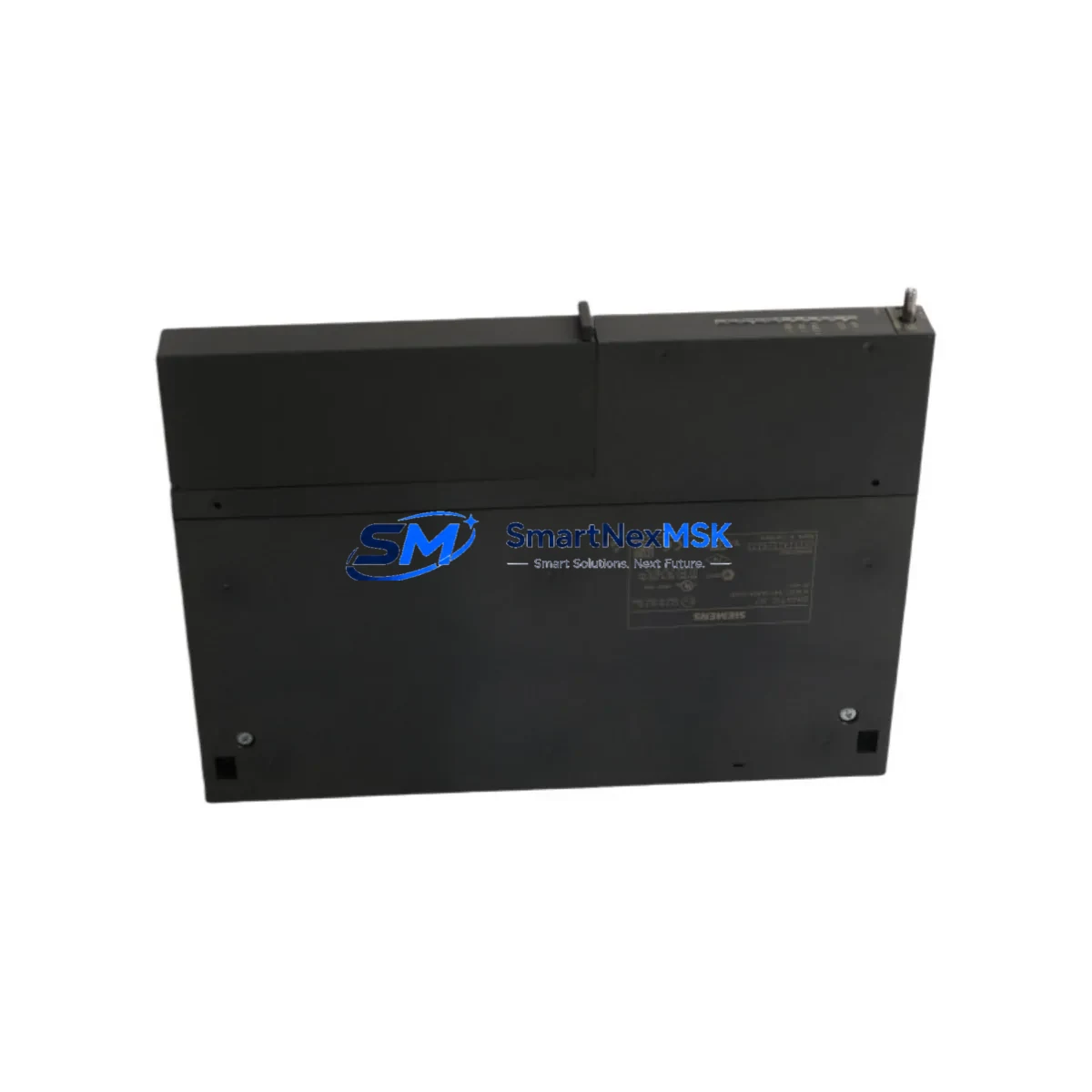
Siemens 6ES7441-1AA04-0AE0 Spare for S7-400 Automation: Spare Parts Replacement & Industrial Downtime Risk Control
The Siemens 6ES7441-1AA04-0AE0 is an IM 441 interface module designed for the SIMATIC S7-400 programmable logic controller platform — one of the most widely deployed high-availability automation systems in process industries, power generation, automotive manufacturing, and heavy infrastructure. As a communication bridge between the central rack and expansion racks, the IM 441 is a mission-critical component whose failure can immediately halt production or trigger unplanned shutdowns. Maintaining a verified spare of the 6ES7441-1AA04-0AE0 in your parts inventory is a fundamental element of any responsible maintenance strategy for S7-400-based control systems.
This listing provides an original Siemens 6ES7441-1AA04-0AE0 interface module — not a clone, not a refurbished unit — sourced through established industrial supply channels. Each unit undergoes pre-shipment functional verification and ships with a 12-month warranty, giving maintenance engineers and procurement teams confidence in both quality and long-term support availability.
Spare Maintenance Table
| Parameter | Specification / Value |
|---|---|
| Part Number / SKU | 6ES7441-1AA04-0AE0 |
| Module Type | IM 441 — Send Interface Module |
| Compatible System | SIMATIC S7-400 (Central Rack CR / Expansion Rack ER) |
| Communication Interface | PROFIBUS-DP / MPI (multi-point interface) |
| Supply Voltage | DC 5 V (via backplane bus) |
| Current Consumption (5 V Bus) | Approx. 200 mA |
| Operating Temperature | 0 °C to +60 °C |
| Storage Temperature | −40 °C to +70 °C |
| Mounting | S7-400 rack slot (standard backplane) |
| Dimensions (W × H × D) | 25 mm × 290 mm × 210 mm (approx.) |
| Weight | Approx. 200 g |
| Origin | Germany (Original Siemens manufacture) |
| Compatibility | S7-400 CR3, UR1, UR2 racks; pairs with IM 460 / IM 461 receive modules |
| Application Environment | Industrial automation, process control, DCS integration, power plant SCADA |
| Maintenance Recommendation | Inspect backplane connector pins annually; verify rack seating torque; check bus termination |
| Warranty | 12 Months — covers manufacturing defects and functional failure under normal operating conditions |
Maintenance Planning for Continuous Operation
When a maintenance or procurement engineer schedules replacement of the 6ES7441-1AA04-0AE0, the replacement scope should never be limited to the interface module alone. The IM 441 operates as part of an interconnected rack-to-rack communication chain, and adjacent components are subject to the same thermal cycling, vibration, and electrical stress. A thorough inspection and planned co-replacement strategy significantly reduces the risk of secondary failures after the primary repair.
Begin with the receive-side interface module — the Siemens IM 460-0 (6ES7460-0AA01-0AB0) or IM 461-0 (6ES7461-0AA01-0AB0) — which pairs directly with the IM 441 to complete the rack extension link. A degraded receive module can cause intermittent communication faults that are difficult to distinguish from a faulty send module, so both should be inspected simultaneously. Next, examine the S7-400 power supply modules in both the central and expansion racks — the PS 407 (6ES7407-0DA02-0AA0) or PS 405 (6ES7405-0DA02-0AA0) — since voltage ripple or marginal 5 V bus output is a common root cause of interface module communication errors that are misdiagnosed as module failure.
The backplane bus connectors and rack itself should be inspected for oxidation, bent pins, or mechanical damage. In older S7-400 installations, the UR2 universal rack (6ES7400-1JA11-0AA0) may show connector wear that causes intermittent slot contact. Simultaneously, review the PROFIBUS-DP cable and termination resistors connecting the expansion rack — degraded cable shielding or missing bus termination is a frequent source of communication instability that appears after an interface module swap.
For control cabinet inspections, also check the 24 V DC auxiliary power supply feeding field devices and I/O modules in the expansion rack, as well as any signal isolators or surge protection modules on analog input channels. If the S7-400 system communicates with an HMI — such as a Siemens TP1500 (6AV2124-0QC02-0AX1) or MP377 (6AV6644-0AB01-2AX0) — verify that the MPI/PROFIBUS connection to the HMI remains stable after the module replacement, as address conflicts can emerge when the rack topology changes. Finally, inspect any CP 443-1 (6GK7443-1EX30-0XE0) Ethernet communication processors in the same rack, since these share the backplane bus and can be affected by bus integrity issues.
Site Replacement Workflow
Replacing the 6ES7441-1AA04-0AE0 on-site follows a structured sequence designed to minimize downtime and prevent configuration loss. Before beginning, confirm that the replacement module’s firmware version is compatible with the installed CPU — for most S7-400 CPUs (such as the CPU 414-3 PN/DP, 6ES7414-3EM06-0AB0 or CPU 416-3 PN/DP, 6ES7416-3ER05-0AB0), the IM 441 is plug-and-play without firmware flashing, but this should be verified against the project’s hardware configuration in STEP 7 or TIA Portal.
Step 1 — Backup: Export the current hardware configuration from STEP 7 / TIA Portal and save the CPU memory card backup. This ensures that rack slot assignments and DP master parameters are preserved.
Step 2 — Safe shutdown: Place the CPU in STOP mode. Notify the process control room before de-energizing the expansion rack. Follow lockout/tagout (LOTO) procedures for the rack power supply.
Step 3 — Module extraction: Release the IM 441 front connector locking mechanism, disconnect any external cables, and slide the module out of the rack slot. Note the slot position for reinstallation.
Step 4 — Inspection: Inspect the vacated slot’s backplane connector for damage or contamination before inserting the replacement unit.
Step 5 — Installation: Insert the new 6ES7441-1AA04-0AE0 into the same slot, engage the locking mechanism, and reconnect all cables. Verify that the module’s front panel LED indicators (SF, BUS1F, BUS2F) show correct status after power-up.
Step 6 — Verification: Bring the CPU back to RUN mode and confirm that all expansion rack I/O modules are recognized in the hardware diagnostics. Perform a loop test on critical I/O channels before returning the system to automatic operation.
This workflow is compatible with hot-standby S7-400H configurations, though additional steps apply for redundant systems — consult the S7-400H system manual for rack extension replacement procedures in redundant mode.
Spare Parts Support FAQ
Q1: What is the expected service life of the 6ES7441-1AA04-0AE0, and when should I plan a proactive replacement?
Siemens rates S7-400 interface modules for a design life of approximately 10–15 years under normal industrial operating conditions. In practice, modules in high-vibration or high-temperature environments may show degraded performance earlier. We recommend proactive replacement at the 10-year mark or at the first sign of intermittent BUS fault LEDs, even if the module has not fully failed. Maintaining one spare unit per installed rack extension is standard practice for critical process lines.
Q2: How do I verify compatibility between the 6ES7441-1AA04-0AE0 and my existing S7-400 rack and CPU version?
The IM 441 is compatible with all standard S7-400 UR1, UR2, and CR3 racks. Compatibility with the CPU is determined by the STEP 7 hardware catalog version used during project configuration. Open your project in STEP 7 or TIA Portal, navigate to the hardware configuration, and confirm that the IM 441 (6ES7441-1AA04-0AE0) appears in the catalog for your CPU’s firmware version. If you share your CPU order number with our technical team, we can confirm compatibility before shipment.
Q3: What pre-shipment testing is performed on each unit, and what does the 12-month warranty cover?
Each 6ES7441-1AA04-0AE0 unit is functionally tested prior to dispatch — including backplane bus communication verification and LED status confirmation. The 12-month warranty covers manufacturing defects and functional failure under normal operating conditions. It does not cover damage resulting from incorrect installation, overvoltage events, or physical impact. Warranty claims are processed with a replacement-first policy to minimize your downtime.
Q4: Can you supply the 6ES7441-1AA04-0AE0 for long-term or blanket purchase orders to support multi-site maintenance programs?
Yes. We support long-term supply agreements, blanket POs, and consignment stock arrangements for maintenance teams managing multiple S7-400 installations. Lead times for standard orders are typically 3–7 business days. For volume commitments, we can reserve dedicated stock and provide fixed pricing for 12-month supply windows. Contact our sales team to discuss your site inventory requirements.
© 2026 SMARTNEXMSK. All rights reserved.
Original Source: https://smartnexmsk.com
Contact: [email protected] | +86 18259474341



