
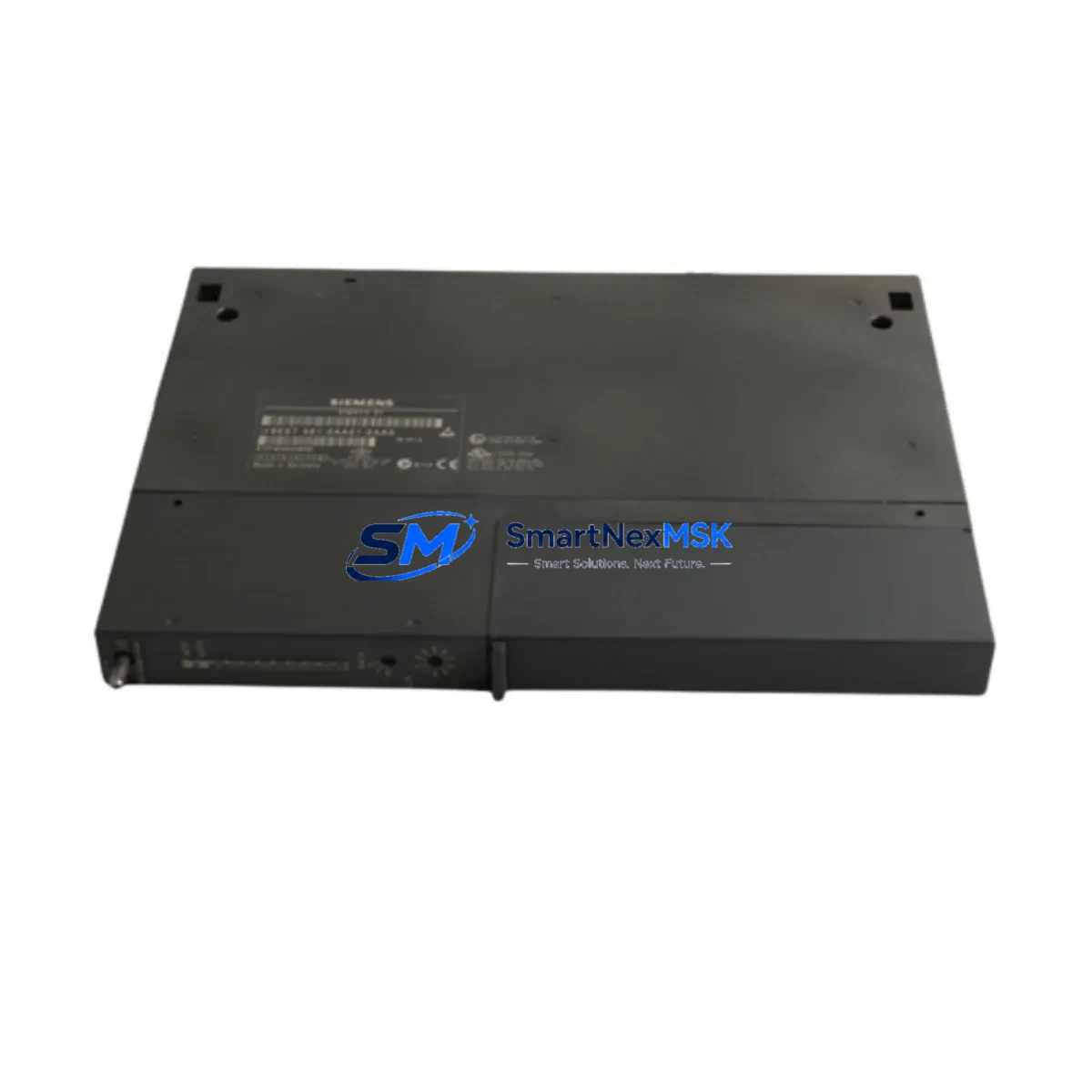
Siemens 6ES7461-0AA01-0AA0 Maintenance-Ready Spare for S7-400 Automation
The Siemens 6ES7461-0AA01-0AA0 (IM461-0) is the receive-side K-Bus expansion interface module for the SIMATIC S7-400 programmable logic controller platform. In industrial automation environments where continuous uptime is non-negotiable, this module serves as a critical link between the central rack and expansion racks, enabling distributed I/O configurations across large-scale process control and manufacturing systems. Maintaining a verified spare of the 6ES7461-0AA01-0AA0 in your parts inventory is a proven strategy for minimizing mean time to repair (MTTR) and protecting production continuity against unplanned downtime events.
For maintenance engineers managing aging SIMATIC S7-400 installations, the IM461-0 is frequently the first component to be evaluated during rack communication faults, K-Bus errors, or expansion rack dropout events. Its role in the backplane communication architecture means that a failed or degraded unit can isolate entire I/O segments, triggering cascading alarms across the control system. Having a tested, original-specification replacement on hand eliminates the lead time risk associated with emergency procurement and allows site teams to execute a controlled swap within a single maintenance window.
This unit ships as an original Siemens component, fully tested prior to dispatch, and is backed by a 12-month warranty covering manufacturing defects and functional performance. Each unit undergoes pre-shipment verification to confirm K-Bus communication integrity, module recognition, and physical connector condition before leaving our facility.
Spare Maintenance Table
| Parameter | Specification |
|---|---|
| Part Number | 6ES7461-0AA01-0AA0 |
| Module Designation | IM461-0 |
| Function | K-Bus Expansion Interface — Receive Side |
| Compatible Platform | SIMATIC S7-400 (UR1, UR2, UR2-H, CR2, CR3 racks) |
| Pairing Module | IM460-0 (6ES7460-0AA01-0AA0) — Send Side |
| Max. Expansion Distance | 1.5 m (K-Bus cable, local expansion) |
| Supply Voltage | Via backplane (no external supply required) |
| Operating Temperature | 0 °C to +60 °C |
| Mounting | S7-400 rack slot (any standard slot) |
| Origin | Germany (Original Siemens) |
| Condition | Original, Pre-Shipment Tested |
| Warranty | 12 Months — Functional & Manufacturing Defects |
| Compatibility Verification | Confirmed for S7-400 standard and redundant configurations |
| Maintenance Recommendation | Inspect K-Bus connectors and rack slot contacts during annual PM; replace if communication errors persist after firmware check |
Maintenance Planning for Continuous Operation
When replacing the 6ES7461-0AA01-0AA0 in a SIMATIC S7-400 system, a thorough site inspection of the surrounding control cabinet is essential to ensure the root cause of the fault is fully addressed and to prevent repeat failures. Maintenance engineers should begin by verifying the paired send-side interface module, the IM460-0 (6ES7460-0AA01-0AA0), as K-Bus communication faults are often caused by degradation on either end of the expansion link rather than a single module failure.
The S7-400 power supply modules — particularly the PS407 (6ES7407-0DA02-0AA0) and PS405 series — should be checked for output voltage stability and ripple, as undervoltage conditions on the backplane bus are a common but overlooked contributor to interface module communication errors. Inspect the rack’s backplane connectors and module retention clips for mechanical wear, especially in high-vibration environments such as press lines or compressor rooms.
I/O modules installed in the expansion rack — including digital input modules such as the SM421 series and analog input modules from the SM431 family — should be functionally verified after the interface module swap to confirm that all channels are reporting correctly to the CPU. Any SM422 digital output modules driving critical actuators should be tested under load before returning the system to automatic mode.
Communication modules installed in the same rack, such as CP443-1 Ethernet processors or CP441 serial communication modules, should be checked for active connections and error-free operation following the rack power cycle. If the system uses PROFIBUS DP, verify that the IM467 or equivalent DP interface is maintaining network participation without bus errors.
Signal isolators and barriers protecting analog loops connected to the expansion rack should be inspected for drift or output clamping, particularly in process plants where 4–20 mA loops span long cable runs. Terminal blocks and wiring ferrules in the expansion rack should be torque-checked during the same maintenance window to prevent intermittent contact faults from masking the effectiveness of the module replacement. If the installation includes an HMI panel — such as a SIMATIC TP700 or MP377 — confirm that the operator interface is re-establishing its S7 connection correctly after the rack is restored to service.
Site Replacement Workflow
Step 1 — Pre-Replacement Verification: Document the current rack configuration using STEP 7 or TIA Portal hardware configuration. Note the slot position of the IM461-0 and confirm the firmware version of the paired IM460-0 on the send rack. Export the current hardware configuration as a reference backup before any physical intervention.
Step 2 — Controlled Power-Down: Follow your site’s lockout/tagout (LOTO) procedure for the expansion rack. The S7-400 CPU can remain in RUN mode during local expansion rack maintenance if your system architecture permits hot-swap; however, confirm this with your system integrator’s documentation before proceeding. For most standard configurations, a controlled CPU STOP and rack power-down is the safest approach.
Step 3 — Module Swap: Remove the faulty 6ES7461-0AA01-0AA0 by releasing the front panel locking mechanism and sliding the module out of the rack slot. Insert the replacement unit, ensuring the backplane connector is fully seated. The module requires no DIP switch or address configuration — it is automatically recognized by the S7-400 CPU upon power-up.
Step 4 — System Restoration and Verification: Power up the expansion rack and observe the module’s LED status indicators. A steady green RUN LED confirms successful K-Bus communication with the send-side IM460-0. Use STEP 7 or TIA Portal online diagnostics to verify that all I/O modules in the expansion rack are recognized and fault-free. Clear any pending diagnostic buffers and return the CPU to RUN mode.
Step 5 — Post-Replacement Documentation: Record the replacement in your site maintenance log, including the date, replaced part number, rack and slot position, and the technician’s name. Update your spare parts inventory to trigger reorder of a replacement unit, maintaining your minimum stock level for this critical component.
Spare Parts Support FAQ
Q1: Is the 6ES7461-0AA01-0AA0 compatible with all S7-400 rack variants?
The IM461-0 is compatible with the standard UR1, UR2, and UR2-H universal racks as well as CR2 and CR3 central racks in the SIMATIC S7-400 family. It is designed exclusively for use as the receive-side module in local K-Bus expansion configurations and must be paired with the IM460-0 send-side module. Compatibility with S7-400H redundant systems should be verified against your specific hardware configuration documentation.
Q2: How is the unit tested before shipment?
Each 6ES7461-0AA01-0AA0 unit undergoes pre-shipment functional testing to verify K-Bus communication integrity, backplane connector condition, and module self-diagnostics. Units that do not pass all test criteria are not dispatched. A test report is available upon request for quality-critical procurement processes.
Q3: What does the 12-month warranty cover?
The 12-month warranty covers manufacturing defects and functional failures under normal operating conditions as specified in the Siemens product datasheet. It does not cover damage resulting from incorrect installation, overvoltage events, or use outside the rated environmental specifications. Warranty claims are processed with a replacement-first policy to minimize your downtime exposure.
Q4: Can this module replace older hardware revisions of the IM461-0?
The 6ES7461-0AA01-0AA0 is the current hardware revision of the IM461-0 and is backward compatible with earlier revisions used in the same rack slot. No firmware update or hardware configuration change is required in STEP 7 or TIA Portal when replacing an older revision with this unit, as the S7-400 CPU identifies the module by its GSD/hardware identifier rather than revision suffix.
—
© 2026 SMARTNEXMSK. All rights reserved.
Original Source: https://smartnexmsk.com
Contact: [email protected] | +86 18259474341



