
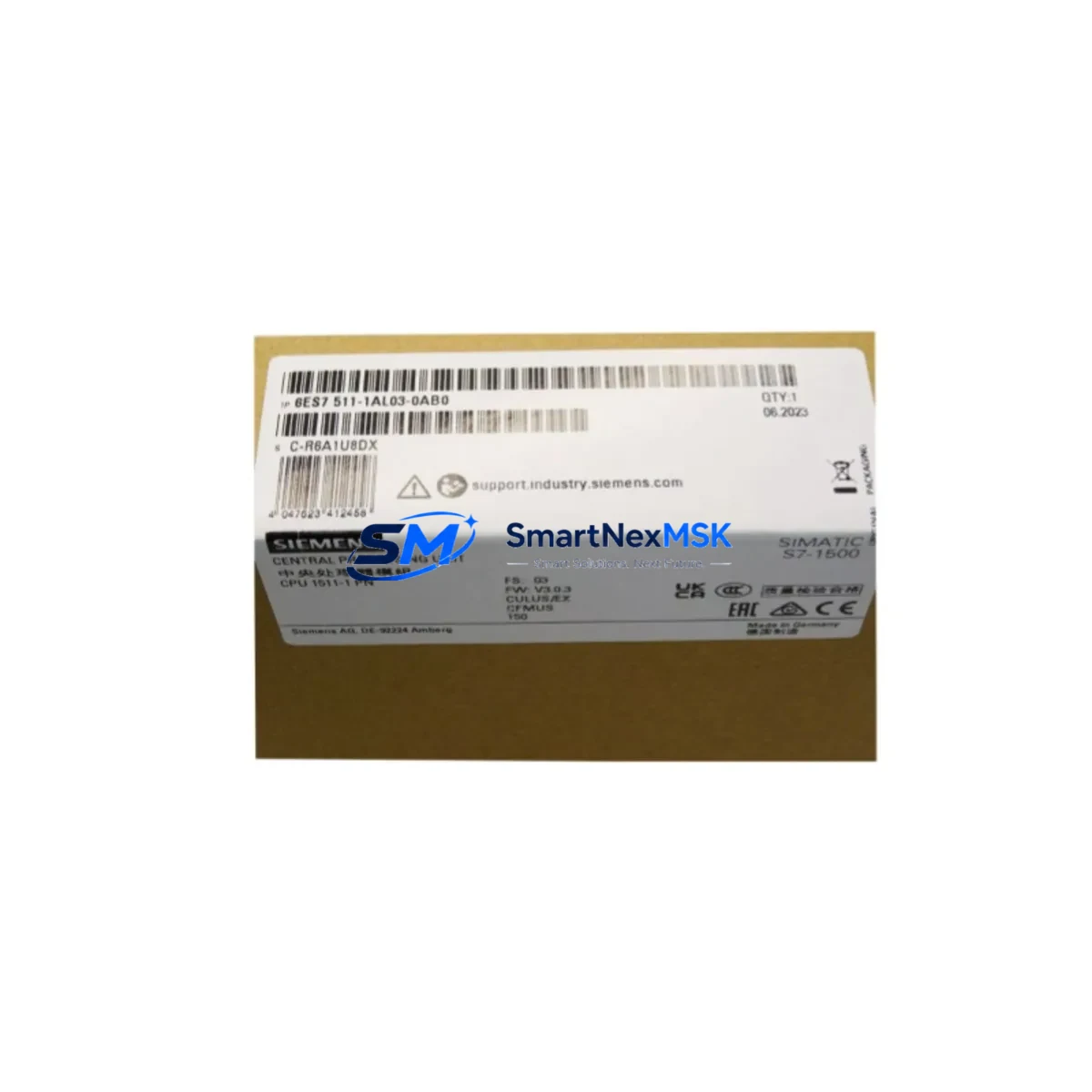
Siemens 6ES7511-1AL03-0AB0 Retrofit-Ready CPU for S7-1500 Control Systems: Compatible Modernization & Smooth Legacy Upgrade
The Siemens 6ES7511-1AL03-0AB0 is the CPU 1511-1 PN central processing unit designed for the SIMATIC S7-1500 automation platform. As legacy S7-300 and S7-400 installations reach end-of-life and spare parts become increasingly scarce, the 6ES7511-1AL03-0AB0 has become the go-to retrofit solution for engineers tasked with modernizing existing control cabinets without a full system teardown. Its native PROFINET interface, TIA Portal programming environment, and compact rack-mount form factor make it an ideal drop-in upgrade candidate for a wide range of industrial applications including discrete manufacturing, process control, and infrastructure automation.
Whether you are replacing a discontinued S7-315-2 DP CPU, migrating from a SIMATIC S7-400 rack, or consolidating multiple legacy controllers into a single S7-1500 chassis, the 6ES7511-1AL03-0AB0 provides the processing headroom, communication bandwidth, and software compatibility required to execute a controlled, low-risk migration. This product is supplied with a 12-month warranty, pre-shipment functional testing, and full documentation support.
Upgrade Compatibility Table
| Parameter | Details |
|---|---|
| SKU / Order Number | 6ES7511-1AL03-0AB0 |
| Product Series | SIMATIC S7-1500 |
| CPU Designation | CPU 1511-1 PN |
| Communication Interface | 1× PROFINET (2-port switch), supports PROFINET IO Controller & Device |
| Programming Environment | TIA Portal V15.1 and above (STEP 7 migration tool available) |
| Backplane Interface | S7-1500 U-connector; compatible with IM 155-5 PN ST distributed I/O via ET 200MP |
| Power Supply Compatibility | Requires PS 25W 24VDC (6EP1333-4BA00) or PS 60W 24/48/60VDC system power supply |
| Rack / Rail Mounting | S7-1500 mounting rail; not compatible with S7-300 or S7-400 racks directly |
| Legacy Replacement Path | S7-315-2 DP, S7-317-2 DP, S7-319-3 PN/DP (with program migration) |
| I/O Expansion | Via ET 200MP I/O modules (e.g., DI 32×24VDC HF, AQ 4×U/I ST) |
| HMI Compatibility | SIMATIC HMI TP700, TP1200, KTP900 Basic via PROFINET; WinCC V7 via OPC UA |
| Warranty | 12 months from date of shipment |
| Pre-Shipment Testing | Functional power-on and communication test performed before dispatch |
| Retrofit Recommendation | Suitable for direct replacement with program re-compilation in TIA Portal |
Retrofit Planning for Existing Automation Systems
Successful integration of the 6ES7511-1AL03-0AB0 into an existing control system begins well before the module arrives on-site. Engineers should start by auditing the current control cabinet layout, documenting the existing CPU slot position, backplane bus configuration, and power rail capacity. If the legacy system uses a SIMATIC S7-300 rack with a CPU 315-2 DP, the physical rack itself cannot be reused — the S7-1500 requires its own dedicated mounting rail and a compatible S7-1500 system power supply such as the 6EP1333-4BA00 PS 25W 24VDC. This is a critical planning point that is frequently overlooked during initial cost estimation.
Terminal wiring from field devices typically connects through signal modules. When migrating from S7-300 SM modules to the S7-1500 ecosystem, engineers often choose to retain existing field wiring by deploying ET 200MP distributed I/O stations at the original cabinet locations. The IM 155-5 PN ST interface module connects these remote I/O racks to the 6ES7511-1AL03-0AB0 over PROFINET, eliminating the need to re-pull field cables. Digital input modules such as the DI 32×24VDC HF (6ES7521-1BL10-0AA0) and analog output modules like the AQ 4×U/I ST (6ES7532-5HD00-0AB0) slot directly into the ET 200MP rack and are addressed through the TIA Portal hardware configuration.
For systems that previously relied on PROFIBUS DP for field device communication — common in older S7-300 and S7-400 installations — the migration path typically involves adding a CM DP (6GK7343-1EX30-0XE0) communications module or transitioning field devices to PROFINET-capable equivalents. Where PROFIBUS devices must be retained, a PN/DP coupler or IE/PB Link PN IO can bridge the two networks, allowing the 6ES7511-1AL03-0AB0 to act as PROFINET IO Controller while legacy PROFIBUS slaves remain in service during a phased migration.
Program migration from STEP 7 Classic (used with S7-300/400) to TIA Portal requires careful attention to data block structures, organization block numbering, and timer/counter types. Siemens provides a migration wizard within TIA Portal, but engineers should plan for manual review of all FC and FB blocks, particularly those using absolute addressing or S7-300-specific system functions (SFCs). HMI screens built on WinCC flexible for older SIMATIC TP177 or OP177 panels will require redesign for modern KTP900 Basic or TP1200 Comfort panels, as the tag structures and communication drivers differ between platforms.
Module addressing in the S7-1500 is handled automatically through the TIA Portal hardware catalog — there are no physical DIP switches or slot-based address assignments as found in older S7-300 systems. This simplifies commissioning but requires that the hardware configuration in TIA Portal exactly matches the physical rack layout before the first program download. A mismatch between configured and actual I/O modules will trigger a hardware fault and prevent the CPU from entering RUN mode.
Downtime Control During System Migration
Minimizing production downtime is the primary concern for any retrofit project involving the 6ES7511-1AL03-0AB0. The recommended approach is a staged cutover strategy: the new S7-1500 rack is assembled, wired, and fully commissioned in parallel with the running legacy system before any field connections are transferred. This requires temporary duplicate wiring or the use of a test bench that mirrors the field I/O signal list.
Before the cutover window, the engineering team should complete a full program download to the 6ES7511-1AL03-0AB0, verify all I/O force tables, and confirm PROFINET device names are correctly assigned using the TIA Portal online tools. The CPU’s integrated web server provides real-time diagnostic data accessible from a standard browser, which is useful for verifying communication status without requiring a programming laptop to be connected at all times.
During the cutover itself, the sequence should follow: (1) place the legacy CPU in STOP mode and save a memory card backup, (2) transfer field terminal connections from the old signal modules to the new ET 200MP I/O modules or S7-1500 local I/O, (3) power up the 6ES7511-1AL03-0AB0 and verify all I/O channels in the TIA Portal watch table, (4) release the CPU to RUN mode and monitor the first production cycle under close supervision. The entire cutover for a mid-size system — typically 200–400 I/O points — can be completed within a planned 4–8 hour maintenance window when preparation is thorough.
Original program logic should be preserved in its migrated form and stored on the CPU’s internal load memory as well as an external SIMATIC Memory Card (e.g., 6ES7954-8LF03-0AA0 2 MB memory card). This provides a rapid restore path if any unexpected behavior is observed during initial production runs, and serves as the baseline for future program revisions.
Retrofit Support FAQ
Q1: Is the 6ES7511-1AL03-0AB0 a direct drop-in replacement for the CPU 315-2 DP?
Not physically — the S7-1500 uses a different mounting rail and backplane bus than the S7-300. However, it is the recommended functional replacement. The program must be migrated using TIA Portal’s STEP 7 migration tool, and the rack, power supply, and I/O modules must be updated to S7-1500 or ET 200MP equivalents. Terminal wiring to field devices can typically be retained.
Q2: What commissioning steps are required after installation?
After physical installation, assign the PROFINET device name to the CPU using TIA Portal’s online functions, download the hardware configuration and program, verify all I/O channels using the watch/force table, and confirm communication with any connected HMI panels or SCADA systems. A full I/O loop check against the original signal list is strongly recommended before releasing to production.
Q3: Can the existing PROFIBUS field devices be kept during migration?
Yes. The 6ES7511-1AL03-0AB0 does not have a native PROFIBUS interface, but a CM DP communications module can be added to the S7-1500 rack to maintain PROFIBUS DP master functionality. Alternatively, a PN/DP coupler can bridge PROFIBUS slaves to the PROFINET network. This allows a phased migration where PROFIBUS devices are replaced with PROFINET equivalents over time without disrupting production.
Q4: What does the 12-month warranty cover, and how is it claimed?
The 12-month warranty covers manufacturing defects and functional failures under normal operating conditions. Each unit undergoes a pre-shipment power-on and communication test. In the event of a warranty claim, contact our sales team with the order reference and a description of the fault. Replacement or repair will be arranged with priority handling to minimize your system downtime.
© 2026 SMARTNEXMSK. All rights reserved.
Original Source: https://smartnexmsk.com
Contact: [email protected] | +86 18259474341



