
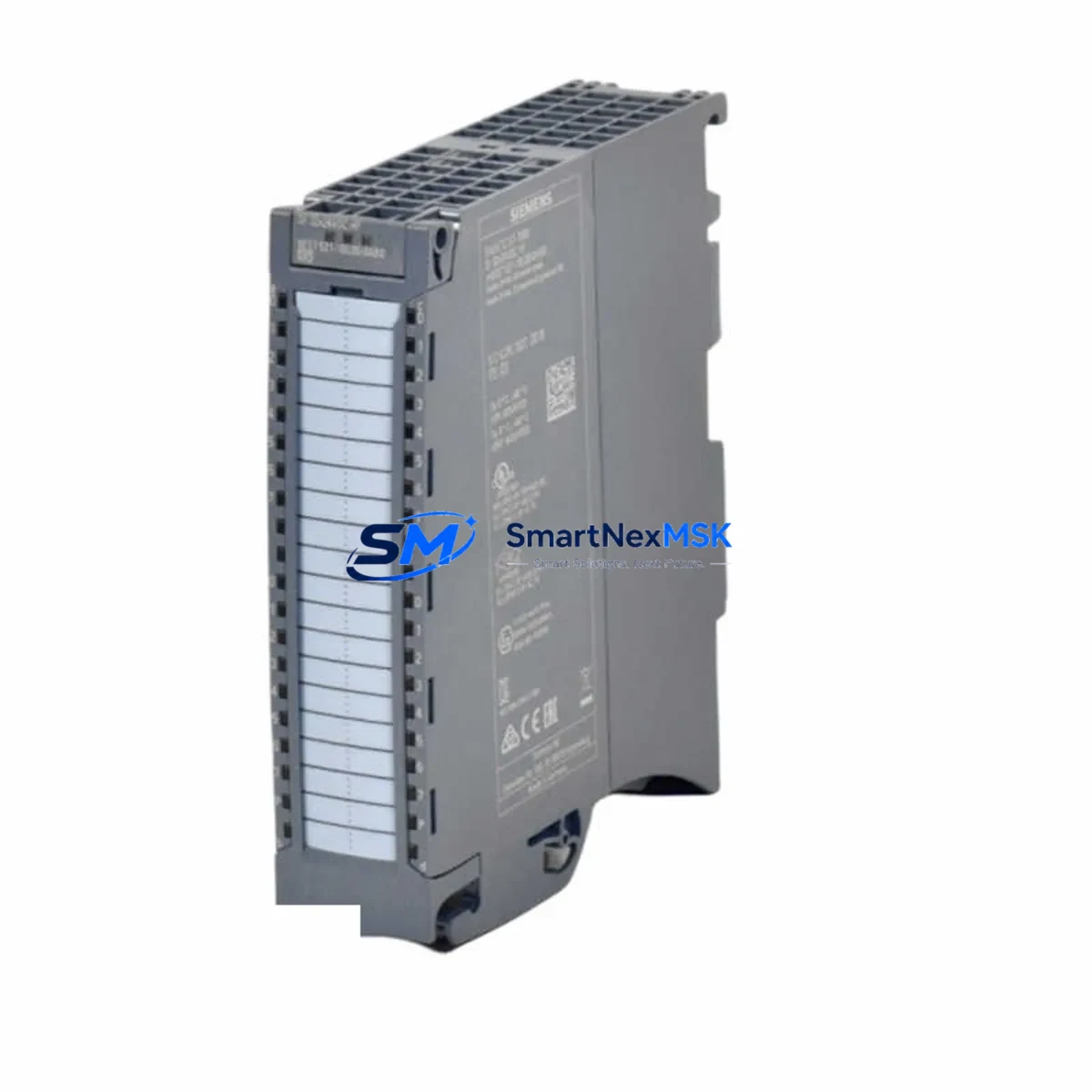
Siemens 6ES7521-1BL00-0AB0 Maintenance-Ready Spare for S7-1500 Automation
The Siemens 6ES7521-1BL00-0AB0 is the SM 521 Digital Input module for the SIMATIC S7-1500 controller platform, rated for 32 channels at 24 VDC High Feature (HF) specification. As a critical I/O interface between field sensors and the CPU, this module is a high-priority spare in any S7-1500 control cabinet. Unplanned failure of a DI module can halt an entire production line within seconds. Holding a verified, tested replacement unit on-site is the most effective strategy for minimizing mean time to repair (MTTR) and protecting operational continuity.
SMARTNEXMSK supplies original Siemens 6ES7521-1BL00-0AB0 modules sourced from authorized distribution channels, each unit inspected and function-tested prior to dispatch. Every order ships with a 12-month warranty covering manufacturing defects and functional failure under normal operating conditions. Our stock is maintained to support both planned maintenance cycles and emergency breakdown orders, with same-day dispatch available for in-stock units.
Spare Maintenance Table
| Part Number | 6ES7521-1BL00-0AB0 |
| Module Type | SM 521 Digital Input Module (DI 32×24VDC HF) |
| Series Compatibility | SIMATIC S7-1500 (all CPU variants) |
| Input Channels | 32 × 24 VDC digital inputs |
| Input Voltage | 24 VDC (rated), 20.4–28.8 VDC (operating range) |
| Input Current per Channel | Approx. 4 mA at 24 VDC |
| Isolation | Galvanic isolation between channels and backplane bus |
| Backplane Interface | S7-1500 U-connector (direct rail mount) |
| Diagnostics | Wire-break detection, short-circuit detection (HF feature set) |
| Operating Temperature | 0 °C to +60 °C (horizontal installation) |
| Protection Rating | IP20 |
| Country of Origin | Germany |
| Dimensions (W×H×D) | 35 mm × 147 mm × 129 mm |
| Weight | Approx. 270 g |
| Firmware Compatibility | TIA Portal V13 SP1 and above |
| Maintenance Recommendation | Inspect wiring connectors and channel LEDs during scheduled cabinet inspections; replace if diagnostic errors persist after wiring check |
| Warranty | 12 Months — covers manufacturing defects and functional failure under normal use |
Maintenance Planning for Continuous Operation
When a 6ES7521-1BL00-0AB0 module is flagged for replacement during a planned shutdown or emergency callout, experienced maintenance engineers treat the event as a trigger for a broader cabinet inspection. The S7-1500 rack architecture means that adjacent modules share the same backplane bus and 24 VDC supply rail, so a single fault can mask secondary issues in neighboring components.
Begin by verifying the PM 70W 24VDC power module (e.g., 6EP1333-4BA00) output voltage and ripple — an under-voltage condition is a common root cause of intermittent DI channel faults that are misdiagnosed as module failure. Check the PS 60W 24/48/60VDC system power supply if the rack uses a dedicated system PS rather than a load power supply. Next, inspect the front connector and 40-pin wiring harness for the SM 521; corroded or loose terminals on the field-side connector account for a significant proportion of apparent module failures in humid or vibration-prone environments.
With the DI module removed, this is the optimal moment to audit the SM 522 Digital Output module (6ES7522-1BH01-0AB0 or similar) in the same rack — output modules in the same control loop share the same field power circuit and are subject to identical stress cycles. Similarly, inspect any installed SM 531 Analog Input modules for drift or calibration flags, particularly in temperature or pressure measurement loops tied to the same process segment.
Communication integrity should be verified at the same time. If the cabinet includes a CM 1542-1 PROFINET communication module or a CP 1543-1 Industrial Ethernet module, check port link status and error counters in TIA Portal diagnostics. A degraded network connection can cause the CPU to log spurious I/O errors that are incorrectly attributed to the DI module. For systems using PROFIBUS DP, inspect the CM PtP RS422/485 BA communication module termination resistors and cable shielding.
Relay output modules and safety-rated components in the same cabinet should also be reviewed. If the control system includes a F-DI safety input module (e.g., 6ES7526-1BH00-0AB0) in the same rack, verify its passivation status and proof-test interval compliance. Terminal blocks, 8WA series DIN rail terminal strips, and associated fuse holders should be torque-checked and visually inspected for discoloration indicating thermal stress. Finally, if an HMI TP700 Comfort or KTP700 Basic panel is connected to the same CPU, confirm that the panel project version matches the current CPU firmware to avoid communication mismatches after the module swap.
Site Replacement Workflow
Replacing the 6ES7521-1BL00-0AB0 on a live S7-1500 system follows a structured sequence to minimize downtime and avoid configuration errors. Before removing the module, use TIA Portal online diagnostics to confirm the exact slot address and verify that no other modules in the rack are reporting faults — this establishes a clean baseline for post-replacement testing.
Step 1 — Safe State: Place the affected process segment in a safe state per your site safety procedure. The S7-1500 supports hot-swapping of I/O modules without powering down the entire rack, but field wiring must be de-energized before disconnecting the front connector.
Step 2 — Front Connector Removal: Unlock and remove the 40-pin front connector. The connector retains all field wiring, so the replacement module can be installed and the connector re-attached without re-terminating any field cables — a key advantage of the S7-1500 front connector system that significantly reduces replacement time.
Step 3 — Module Swap: Slide the faulty 6ES7521-1BL00-0AB0 out of its slot and insert the replacement unit. The module coding key (if fitted) prevents incorrect module type insertion. Confirm the module type label matches the original before seating.
Step 4 — Configuration Download: In most S7-1500 configurations, the CPU automatically recognizes the replacement module and restores its parameter set from the CPU’s internal configuration memory — no manual download is required if the replacement is the same order number. Verify this in TIA Portal by checking the module’s online status within 60 seconds of insertion.
Step 5 — Functional Test: Activate each input channel in sequence using the field device or a test signal generator and confirm correct state indication in the TIA Portal watch table. Document the test results in the site maintenance log.
This workflow is compatible with both new replacement units and refurbished modules that have been factory-reset. SMARTNEXMSK ships all 6ES7521-1BL00-0AB0 units with a pre-shipment functional test report, reducing on-site commissioning time and providing traceability documentation for ISO 9001 maintenance records.
Spare Parts Support FAQ
Q1: What is the expected service life of the 6ES7521-1BL00-0AB0, and when should I plan for replacement?
Siemens rates S7-1500 I/O modules for a minimum 10-year operational life under standard industrial conditions. In practice, modules in high-cycle or harsh environments (vibration, humidity, wide temperature swings) may show diagnostic errors earlier. We recommend including one spare DI 32 module per rack in your site spare parts inventory, with a planned replacement review every 5–7 years or upon first diagnostic fault occurrence.
Q2: How do I verify compatibility before ordering a replacement?
The 6ES7521-1BL00-0AB0 is compatible with all SIMATIC S7-1500 CPU variants (standard, F-CPU, T-CPU, and C-CPU) and all S7-1500 rack configurations. Confirm your TIA Portal project version supports this module (V13 SP1 minimum). If your existing module has a different firmware version, the CPU will automatically update the module firmware on first connection in most configurations. Contact our technical team with your CPU order number if you require compatibility confirmation for a specific project version.
Q3: What pre-shipment testing does SMARTNEXMSK perform on spare modules?
Every 6ES7521-1BL00-0AB0 unit is powered up and channel-tested on an S7-1500 test rack before dispatch. We verify all 32 input channels, backplane communication, and diagnostic reporting. A test report is included with each shipment. Modules are packed in anti-static ESD packaging with foam protection to prevent transit damage. Shipment tracking is provided for all orders.
Q4: What does the 12-month warranty cover, and how is a warranty claim processed?
The 12-month warranty covers manufacturing defects and functional failure under normal operating conditions from the date of delivery. It does not cover damage caused by incorrect installation, over-voltage events, or physical impact. To initiate a warranty claim, contact [email protected] with your order number and a description of the fault. We will arrange return shipping and dispatch a replacement unit within 3 business days of receiving the faulty module.
© 2026 SMARTNEXMSK. All rights reserved.
Original Source: https://smartnexmsk.com
Contact: [email protected] | +86 18259474341



