
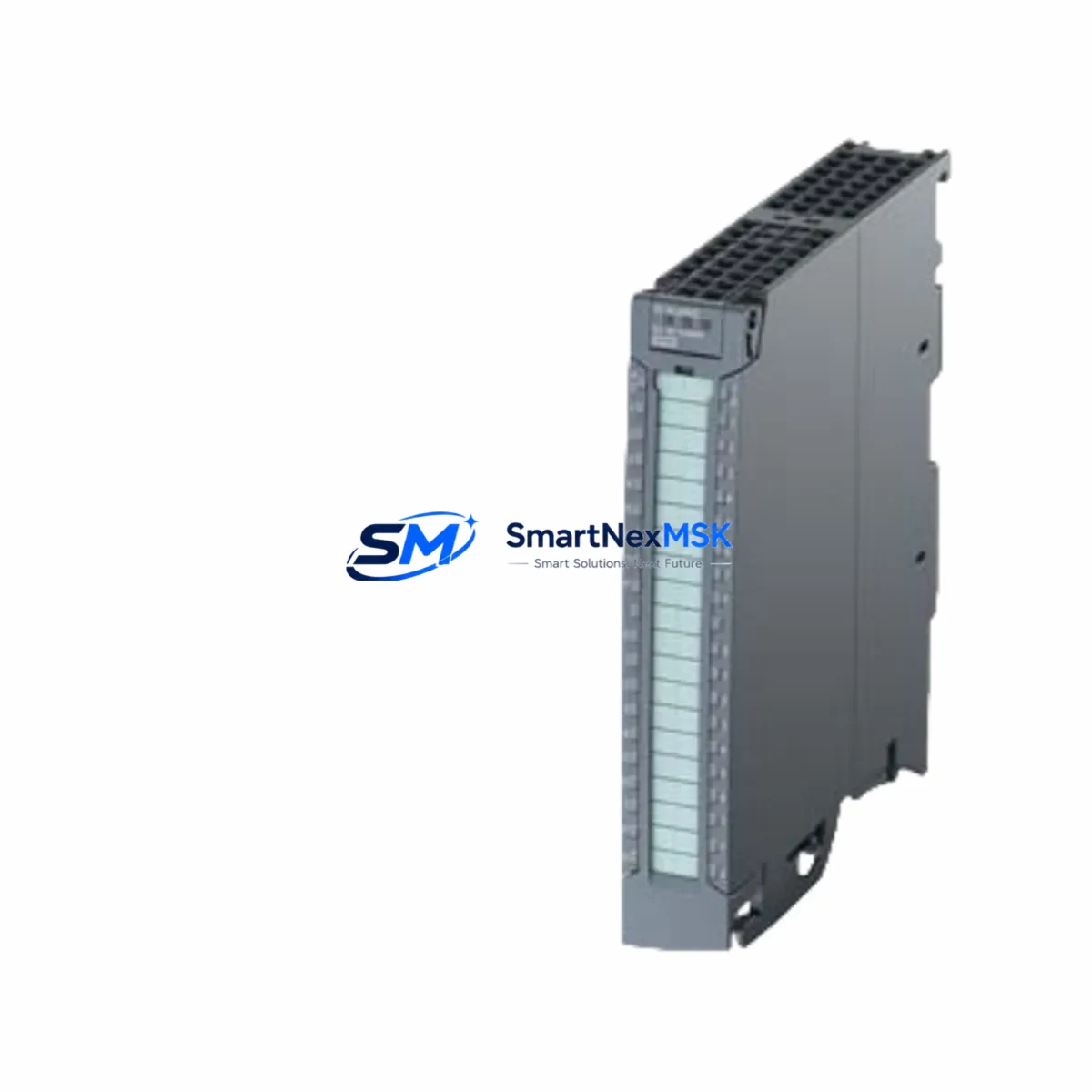
Siemens 6ES7522-1BL01-0AB0 Retrofit-Ready DQ32 for S7-1500 Control Systems
The Siemens 6ES7522-1BL01-0AB0 is a 32-channel digital output module (DQ 32×24VDC/0.5A HF) designed for the SIMATIC S7-1500 series. As legacy automation systems reach end-of-life and production lines demand higher throughput and diagnostics capability, this module has become a primary retrofit solution for engineers migrating from older SIMATIC S7-300 and S7-400 platforms. Whether you are replacing a discontinued output card, expanding an existing S7-1500 rack, or rebuilding a control cabinet after a hardware failure, the 6ES7522-1BL01-0AB0 delivers the channel density, diagnostic depth, and backplane compatibility required for a smooth, low-risk transition.
Each unit supplied by SMARTNEXMSK is sourced from verified industrial channels, subjected to functional output testing prior to dispatch, and covered by a 12-month warranty. Stock is maintained to support urgent replacement orders, minimizing unplanned downtime on critical production lines.
Upgrade Compatibility Table
| Parameter | Details |
|---|---|
| Module SKU | 6ES7522-1BL01-0AB0 |
| Series Compatibility | SIMATIC S7-1500 (all CPU variants including CPU 1511, 1513, 1515, 1516, 1517, 1518) |
| Channel Count | 32 × Digital Output, 24 VDC / 0.5 A per channel |
| Backplane Interface | S7-1500 U-connector backplane bus — direct plug-in, no adapter required |
| Installation Requirement | DIN rail mounting on S7-1500 rack (e.g., IM 155-5 PN ST expansion rack or local rack) |
| Communication Compatibility | PROFINET IO via CPU; module address assigned automatically through TIA Portal V15.1+ |
| Replacement Candidates | 6ES7322-1BL00-0AA0 (S7-300 DO32), 6ES7322-1BH01-0AA0 (S7-300 DO16), legacy S7-400 output cards |
| Retrofit Recommendation | Verify terminal block wiring pitch; S7-300 front connectors are not compatible — use 6ES7592-1BM00-0XA0 front connector for S7-1500 |
| Commissioning Focus | Module slot address, output group assignment, diagnostic interrupt enable, and load voltage wiring |
| Warranty | 12 Months — covers functional failure under normal operating conditions |
Retrofit Planning for Existing Automation Systems
Integrating the 6ES7522-1BL01-0AB0 into an existing control system requires a structured approach that accounts for both hardware and software dependencies. The first step is a rack audit: confirm that the target S7-1500 rack — whether a local rack or an ET 200MP distributed I/O station using an IM 155-5 PN ST interface module — has an available slot and sufficient backplane power budget. The S7-1500 power module (PM 70W 120/230VAC or PS 60W 24/48/60VDC) must be verified to support the additional load introduced by the new output module, particularly when driving inductive loads such as solenoid valves or relay coils.
Terminal wiring is a critical checkpoint. Unlike the S7-300 platform, which uses a 20-pin front connector (6ES7392-1AJ00-0AA0 style), the S7-1500 DQ32 module requires the 40-pin front connector 6ES7592-1BM00-0XA0. Engineers migrating from S7-300 must re-terminate field wiring onto the new connector, mapping each output channel carefully against the updated I/O address table generated in TIA Portal. Where the original program used absolute addressing (e.g., Q4.0), migration to symbolic tag-based addressing in TIA Portal V16 or later is strongly recommended to simplify future maintenance.
For systems that previously relied on PROFIBUS DP as the primary fieldbus — common in S7-300 and S7-400 installations — the migration path typically involves introducing a PROFIBUS-to-PROFINET gateway or replacing the DP master with a PROFINET-capable CPU such as the CPU 1515-2 PN. In distributed cabinet architectures, the ET 200MP with IM 155-5 PN ST allows the 6ES7522-1BL01-0AB0 to be deployed remotely over PROFINET, preserving the existing cabinet layout while upgrading I/O capability. Communication module CM 8×IO-Link (6ES7137-6BD00-0BA0) can be added to the same rack for mixed digital/IO-Link output requirements.
HMI screens connected via WinCC or a TP700 Comfort panel should be reviewed for output status displays tied to the replaced module’s tag addresses. After re-mapping I/O in TIA Portal, HMI tag connections must be updated to reflect the new symbolic addresses. Failure to update HMI tags is a common source of post-retrofit alarm nuisance and operator confusion. A pre-commissioning simulation using PLCSIM Advanced is advisable before live switchover.
For I/O expansion beyond the 32 channels provided by this module, the 6ES7522-1BL01-0AB0 can coexist in the same rack with analog output modules such as the AQ 4×U/I ST (6ES7532-5HD00-0AB0), additional DQ modules, or specialty modules including the TM Count 2×24V (6ES7550-1AA01-0AB0) for encoder or pulse output applications. This modular flexibility makes the S7-1500 platform well-suited for phased upgrades where not all I/O points are replaced simultaneously.
Downtime Control During System Migration
Minimizing production downtime during a digital output module replacement requires preparation that begins well before the physical swap. The existing PLC program should be exported and archived from TIA Portal before any hardware changes are made. If the CPU supports online backup, a full project upload from the running controller provides a verified baseline. For S7-300 to S7-1500 migrations, the TIA Portal Migration Tool can convert S7-300 hardware configurations and STL/LAD program blocks, though manual review of converted output instructions is essential — particularly for blocks that use direct I/O access (P#Q) or system function calls (SFC) that have S7-1500 equivalents.
A parallel wiring strategy — where the new 6ES7522-1BL01-0AB0 is pre-wired and tested on a bench rack before installation — significantly reduces live switchover time. During the switchover window, the CPU can be placed in STOP mode, the old module removed, the new module inserted into the designated slot, and the front connector transferred (or a new 6ES7592-1BM00-0XA0 connector installed). After powering up, TIA Portal will detect the new module configuration and prompt for a hardware download if the project has been updated. A controlled download with the CPU in STOP, followed by a warm restart, allows output states to be verified channel by channel before returning the line to automatic mode.
For critical processes where even brief output interruptions are unacceptable, a hot-standby architecture using an S7-1500H redundancy system with synchronized CPU 1517H modules can maintain output continuity during module replacement on the non-active rack. This approach is particularly relevant in chemical processing, water treatment, and power generation applications where the 6ES7522-1BL01-0AB0 controls safety-critical actuators.
Post-switchover, a structured commissioning checklist should verify: load voltage presence on each output group, correct channel-to-field-device mapping, diagnostic interrupt response in the CPU, and HMI status display accuracy. All findings should be documented in the site retrofit record to support the 12-month warranty claim process if required.
Retrofit Support FAQ
Q1: Is the 6ES7522-1BL01-0AB0 a direct drop-in replacement for the S7-300 DO32 module 6ES7322-1BL00-0AA0?
Functionally yes — both provide 32 digital outputs at 24 VDC. However, the physical form factor, backplane connector, and front connector are different. The S7-1500 module uses the U-connector backplane bus and requires the 40-pin front connector 6ES7592-1BM00-0XA0. Field wiring must be re-terminated, and the TIA Portal project must be updated to reflect the S7-1500 hardware configuration. The program logic can be migrated using the TIA Portal Migration Tool with manual verification.
Q2: What pre-shipment testing is performed on each unit?
Every 6ES7522-1BL01-0AB0 supplied by SMARTNEXMSK undergoes functional output testing: all 32 channels are energized and verified for correct switching response and load current capacity. Modules are inspected for connector integrity, firmware version, and physical condition before packaging. A test report is available upon request. All units are covered by a 12-month warranty from the date of shipment.
Q3: Can this module be used in an ET 200MP distributed I/O station, and what interface module is required?
Yes. The 6ES7522-1BL01-0AB0 is fully compatible with the ET 200MP system when used with the IM 155-5 PN ST (6ES7155-5AA01-0AB0) or IM 155-5 PN HF interface module. The ET 200MP rack is configured in TIA Portal as a PROFINET IO device, and the DQ32 module is assigned to a slot within that station. This configuration is commonly used in distributed cabinet upgrades where the S7-1500 CPU is located in a central control room and field I/O is distributed across multiple panels.
Q4: What should be verified regarding output wiring compatibility before installation?
Confirm the load voltage supply (24 VDC) is connected to the correct terminal group on the front connector, as the 6ES7522-1BL01-0AB0 uses grouped load voltage supply with short-circuit protection per output group. Verify that the total current draw per output group does not exceed the module’s rated capacity. For inductive loads, ensure flyback suppression diodes or varistors are fitted at the load side. Review the terminal assignment diagram in the module manual (available from Siemens Industry Online Support) and cross-reference against the existing field wiring schedule before making any connections.
© 2026 SMARTNEXMSK. All rights reserved.
Original Source: https://smartnexmsk.com
Contact: [email protected] | +86 18259474341



