
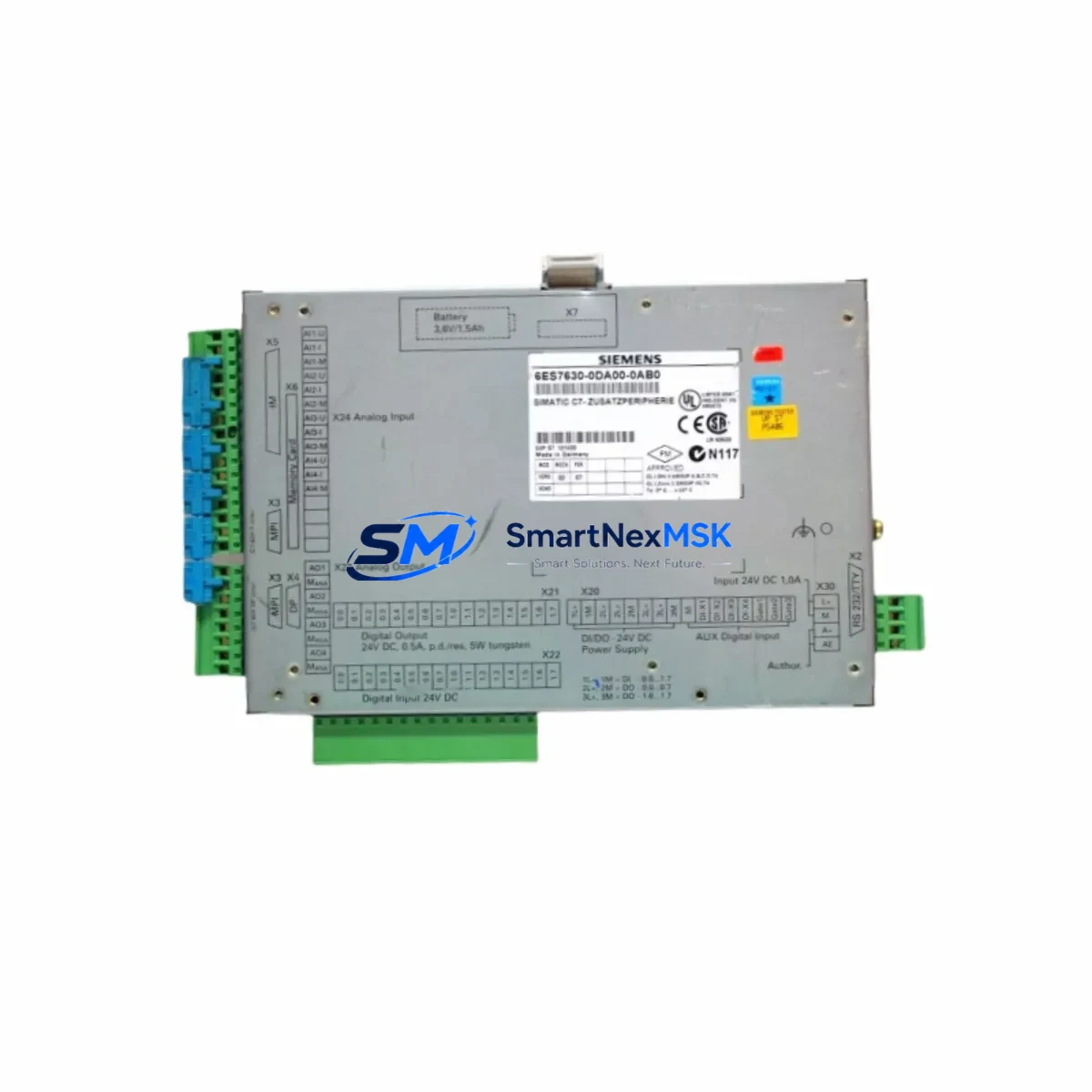
Siemens 6ES7630-0DA00-0AB0 Retrofit I/O Module for SIMATIC C7 Control Systems
The Siemens 6ES7630-0DA00-0AB0 is a retrofit-ready I/O expansion module designed for integration into SIMATIC C7 compact automation systems. As legacy C7 platforms approach end-of-life and spare parts become increasingly scarce, this module serves as a critical drop-in replacement that allows plant engineers to extend the operational life of existing control cabinets without committing to a full system overhaul. Whether you are managing a brownfield retrofit, recovering from an unplanned failure, or executing a phased migration toward a newer SIMATIC S7 platform, the 6ES7630-0DA00-0AB0 provides the I/O expansion capacity and backplane compatibility needed to maintain production continuity.
This module is engineered to slot directly into the SIMATIC C7 rack architecture, preserving existing terminal wiring layouts and minimizing the need for cabinet re-engineering. Engineers replacing a failed or discontinued I/O module will find that the 6ES7630-0DA00-0AB0 retains the same module address assignment logic used across the C7 family, reducing the risk of program logic conflicts during commissioning. The module supports the MPI communication protocol native to the C7 platform, ensuring seamless integration with existing HMI panels — including legacy OP7, OP17, and TP170 operator panels — without requiring HMI screen remapping or communication parameter reconfiguration.
Upgrade Compatibility Table
| Parameter | Details |
|---|---|
| Compatible Platform | SIMATIC C7-626, C7-633, C7-634, C7-636 |
| Backplane Interface | C7 integrated rack bus — direct slot insertion, no adapter required |
| Communication Protocol | MPI (Multi-Point Interface); compatible with existing MPI network segments |
| Terminal Wiring | Retains original front connector pinout; existing field wiring can be reconnected without modification |
| Module Address Assignment | Configured via STEP 7 hardware configuration; address must match original slot assignment to avoid program faults |
| Power Supply Requirement | Supplied via C7 backplane; verify PS 307 or equivalent power supply capacity before installation |
| HMI Compatibility | Compatible with OP7, OP17, TP170 panels via existing MPI link; no screen reconfiguration required |
| Replacement Recommendation | Direct replacement for discontinued C7 I/O expansion modules; verify slot position and address before ordering |
| Commissioning Focus | Module address verification, front connector re-seating, force table check, and I/O diagnostic scan in STEP 7 |
| Warranty | 12-Month Warranty — covers manufacturing defects and functional failure under normal operating conditions |
Retrofit Planning for Existing Automation Systems
Successful integration of the 6ES7630-0DA00-0AB0 into an existing SIMATIC C7 installation begins with a thorough pre-retrofit audit. Engineers should document the current rack layout, recording the slot position of every installed module — including the CPU 626 or CPU 636 processor unit, the PS 307 power supply module, any existing SM 321 digital input or SM 322 digital output expansion cards, and any CP 342 or CP 343 communication processors connected to the MPI or PROFIBUS segment. This documentation forms the baseline for hardware configuration in STEP 7 and ensures that the replacement module is assigned the correct logical address without disrupting the existing I/O map.
Before physically removing the failed module, engineers should export the current STEP 7 project from the PG/PC programming device using a PC Adapter USB or MPI/PROFIBUS programming cable. Saving a verified backup of the S7 program, including all data blocks, organization blocks, and hardware configuration files, is essential before any hardware change. If the C7 system is connected to a SCADA or DCS via a CP 343-1 Ethernet module or a CP 342-5 PROFIBUS DP module, the communication link should be documented and the remote station address noted to avoid network conflicts after the module swap.
During physical installation, the front connector from the original module — carrying all field wiring — should be carefully transferred to the 6ES7630-0DA00-0AB0. The C7 front connector system is designed for tool-free transfer, but engineers should inspect each terminal for corrosion or loose crimps before re-seating. After installation, the PS 307 power supply should be checked to confirm it can support the additional current draw of the new module alongside all other rack components. Once power is restored, the STEP 7 hardware configuration should be downloaded to the CPU, and a full I/O diagnostic scan should be performed to confirm that all channels are recognized and reporting correctly.
Downtime Control During System Migration
Minimizing unplanned downtime during a C7 I/O module replacement requires preparation that begins well before the maintenance window opens. The most effective strategy is to pre-configure the 6ES7630-0DA00-0AB0 offline using STEP 7 before the scheduled shutdown, loading the hardware configuration onto a programming device so that the download to the CPU can be completed within minutes of physical installation. Engineers should prepare a printed copy of the current I/O force table and a channel-by-channel wiring diagram so that field technicians can verify signal continuity immediately after the front connector is re-seated.
For systems where the C7 CPU controls safety-critical processes, a controlled CPU STOP should be initiated before module removal, and the process should be coordinated with the operations team to ensure that all field actuators — including motor starters, solenoid valves, and control dampers — are placed in a safe state before power is removed from the rack. After the 6ES7630-0DA00-0AB0 is installed and the hardware configuration is downloaded, the CPU should be restarted in RUN mode and the HMI panel — whether an OP17 or TP170 — should be monitored for alarm messages that could indicate address conflicts or wiring errors. A structured commissioning checklist covering module diagnostics, I/O channel verification, HMI communication status, and MPI network integrity will allow the maintenance team to confirm full system restoration before handing control back to the operations team, typically within a two- to four-hour maintenance window.
Retrofit Support FAQ
Q1: Is the 6ES7630-0DA00-0AB0 a direct drop-in replacement for my existing C7 I/O expansion module?
In most SIMATIC C7 rack configurations, the 6ES7630-0DA00-0AB0 installs into the same slot position as the original module and uses the same front connector wiring interface. However, engineers should verify the slot address in the STEP 7 hardware configuration before installation to confirm that the logical I/O address assignment matches the original module. If the address differs, a hardware configuration update and program download will be required before the CPU can be restarted in RUN mode.
Q2: Will I need to reconfigure my HMI panel after replacing the I/O module?
No HMI reconfiguration is required in standard replacement scenarios. The 6ES7630-0DA00-0AB0 does not alter the MPI network address of the CPU or the communication parameters used by connected OP7, OP17, or TP170 panels. HMI screens, tag assignments, and alarm configurations remain intact. Engineers should, however, monitor the HMI for communication fault messages during the first restart cycle to confirm that the MPI link has been re-established correctly.
Q3: What pre-shipment testing is performed on the 6ES7630-0DA00-0AB0?
Each unit undergoes functional testing prior to shipment, including power-on verification, backplane communication check, and I/O channel continuity testing. Units are shipped with original or equivalent packaging to prevent transit damage. A 12-month warranty covers manufacturing defects and functional failure under normal operating conditions. Warranty claims are supported by our technical team at [email protected].
Q4: Can this module be used in a migration from SIMATIC C7 to SIMATIC S7-300?
The 6ES7630-0DA00-0AB0 is designed for the C7 rack architecture and is not directly compatible with S7-300 mounting rails or backplane buses. However, it can serve as a bridge component during a phased migration — maintaining C7 I/O functionality while the S7-300 CPU, SM 321/SM 322 I/O modules, and IM 360/IM 361 interface modules for rack expansion are being commissioned in parallel. Full migration to S7-300 will require a new STEP 7 hardware configuration and program adaptation.
© 2026 SMARTNEXMSK. All rights reserved.
Original Source: https://smartnexmsk.com
Contact: [email protected] | +86 18259474341



