
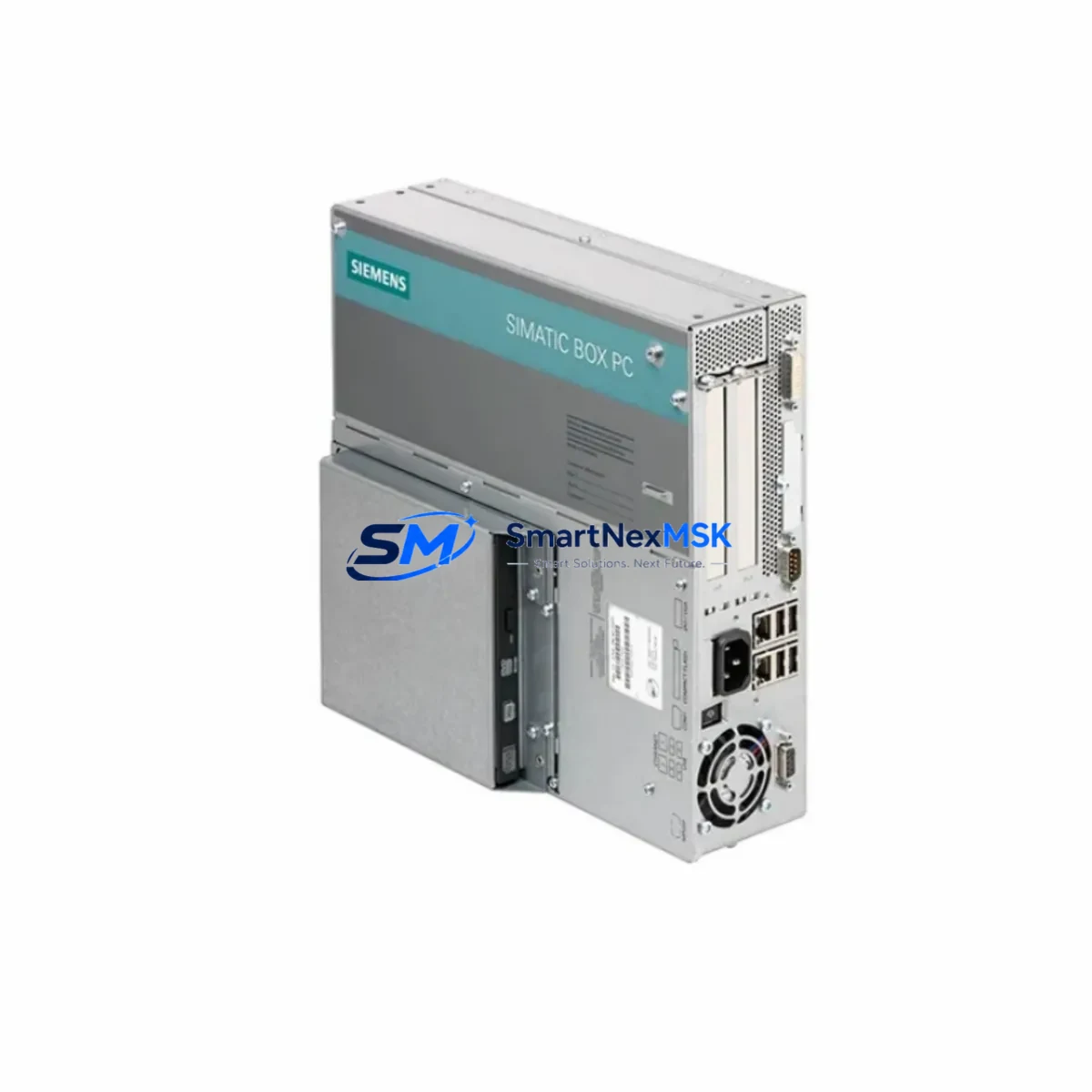
Siemens 6ES7647-6PE05-0BA0 Spare for SIMATIC IPC477E Automation
The Siemens 6ES7647-6PE05-0BA0 is an original spare component designed for the SIMATIC IPC477E industrial panel PC series — one of Siemens’ most widely deployed embedded automation platforms in process control, machine visualization, and SCADA environments. When this unit fails or reaches end-of-service life, unplanned downtime can cascade across entire production lines. Sourcing a verified, tested replacement from a reliable B2B supplier is the fastest path to restoring normal operation.
At SMARTNEXMSK, every 6ES7647-6PE05-0BA0 unit is inspected, powered-on tested, and shipped with a 12-month warranty. We maintain long-term inventory of SIMATIC IPC477E spare parts to support both emergency replacement orders and planned maintenance schedules. Whether you are a maintenance engineer responding to an unscheduled fault or a procurement engineer building a strategic spare parts buffer, we provide consistent supply, fast lead times, and full compatibility documentation.
Spare Maintenance Table
| Parameter | Specification |
|---|---|
| Part Number / SKU | 6ES7647-6PE05-0BA0 |
| Brand | Siemens |
| Series | SIMATIC IPC477E |
| Product Type | Industrial Panel PC / HMI Controller |
| Display | 15″ TFT widescreen (series-dependent configuration) |
| Operating System | Windows Embedded Standard 7 / Windows 10 IoT (configuration-dependent) |
| Communication Interfaces | Ethernet (RJ45), USB, PROFINET-compatible |
| Power Supply Input | 24 V DC (nominal), per IPC477E platform standard |
| Protection Rating | IP65 (front panel) |
| Mounting | Panel cut-out, portrait/landscape configurable |
| Operating Temperature | 0 °C to +50 °C |
| Origin | Germany |
| Compatibility | SIMATIC IPC477E series; backward-compatible with IPC477C/D configurations in same cabinet |
| Warranty | 12 Months — tested before shipment |
| Supply Condition | Original, unused or refurbished-to-spec; clearly stated at order confirmation |
| Maintenance Recommendation | Replace fan module, CMOS battery, and SSD/HDD simultaneously during scheduled downtime |
Maintenance Planning for Continuous Operation
Replacing the 6ES7647-6PE05-0BA0 is rarely an isolated task. In a well-structured maintenance plan, the IPC477E panel PC sits at the center of a broader control cabinet ecosystem. When scheduling a replacement, maintenance engineers should simultaneously inspect and — where necessary — replace the following components to avoid repeat downtime events within the same maintenance window:
The 24 V DC power supply module feeding the IPC477E should be load-tested; a degraded PSU is a common root cause of intermittent IPC faults that are misdiagnosed as panel PC failures. Alongside this, the SITOP power supply (e.g., SITOP PSU100S or PSU8600 series) supplying the control cabinet rail should be checked for output ripple and thermal performance. The PROFINET communication module or integrated NIC should be verified for link stability — corrupted PROFINET frames can cause the IPC477E to freeze or reboot unexpectedly.
Within the same cabinet, inspect the S7-300 or S7-1500 PLC CPU module that the IPC477E communicates with via PROFINET or MPI. A failing CPU battery or corrupted firmware can produce HMI communication errors that appear as IPC hardware faults. The CP 343-1 or CP 1543-1 communication processor should also be checked if the system uses Ethernet-based SCADA connectivity.
On the I/O side, review the SM 321/SM 322 digital I/O modules and SM 331/SM 332 analog I/O modules for channel drift or blown fuses. Faulty I/O signals can trigger alarm cascades that overload the IPC477E’s visualization runtime. Terminal blocks and Phoenix Contact or Weidmüller terminal strips in the same cabinet should be torque-checked and inspected for oxidation, particularly in high-humidity environments.
If the system uses signal isolators or signal conditioners between field sensors and the PLC I/O, these should be tested for output accuracy. Degraded isolators introduce signal noise that can cause erratic HMI readings. Finally, check the UPS module (e.g., Siemens SITOP UPS1600 or equivalent) that protects the IPC477E during power interruptions — a failed UPS battery is a leading cause of IPC filesystem corruption and unplanned OS recovery events.
Site Replacement Workflow
Replacing the 6ES7647-6PE05-0BA0 on-site follows a structured sequence to minimize downtime and ensure system compatibility:
1. Pre-replacement preparation: Back up the IPC477E system image, WinCC or SIMATIC WinCC flexible project files, and any locally stored STEP 7 or TIA Portal configurations. Confirm the replacement unit’s firmware version matches or is compatible with the existing PROFINET network configuration.
2. Safe isolation: Follow LOTO (Lockout/Tagout) procedures. Disconnect the 24 V DC supply to the panel PC. Label all communication cables (Ethernet, USB, serial) before disconnection to prevent rewiring errors.
3. Physical replacement: Remove the panel from the cabinet cut-out. Transfer any expansion cards or memory modules if applicable. Install the replacement 6ES7647-6PE05-0BA0 and reconnect all cables per the original wiring diagram.
4. System restore and verification: Restore the system image or reinstall the SCADA/HMI runtime. Verify PROFINET communication with the PLC, confirm all I/O tags are reading correctly, and run a full alarm acknowledgment cycle before returning the system to production.
5. Documentation: Update the maintenance log with the replacement date, unit serial number, and any configuration changes. This record supports warranty claims and future planned maintenance scheduling.
This workflow is applicable whether you are replacing a failed unit in an emergency or performing a proactive swap during a planned shutdown. SMARTNEXMSK can provide advance replacement units to support zero-downtime swap strategies for critical production lines.
Spare Parts Support FAQ
Q1: Is the 6ES7647-6PE05-0BA0 compatible with earlier IPC477C and IPC477D installations?
The IPC477E shares the same panel cut-out dimensions and 24 V DC power interface as the IPC477C and IPC477D, making physical installation straightforward. However, OS and driver compatibility should be verified against your existing SCADA or HMI software version before ordering. Contact our technical team with your current software version for a compatibility confirmation.
Q2: What testing is performed before shipment?
Every unit undergoes power-on functional testing, display verification, communication port testing, and visual inspection for physical damage. A test report is available upon request. All units are shipped with ESD-protective packaging and are covered by a 12-month warranty from the date of delivery.
Q3: Can SMARTNEXMSK support long-term or blanket purchase orders for IPC477E spare parts?
Yes. We support scheduled delivery agreements, consignment stock arrangements, and blanket POs for maintenance teams managing multiple production lines. Long-term supply agreements help procurement engineers lock in pricing and ensure availability for aging SIMATIC IPC477E systems that are no longer in active production at Siemens.
Q4: What is the recommended spare parts holding strategy for the IPC477E platform?
For critical production environments, we recommend holding at least one cold-standby 6ES7647-6PE05-0BA0 unit per production line, along with spare fan modules, CMOS batteries, and a replacement SSD pre-loaded with the system image. This strategy reduces mean time to repair (MTTR) from days to hours in the event of an unplanned failure.
© 2026 SMARTNEXMSK. All rights reserved.
Original Source: https://smartnexmsk.com
Contact: [email protected] | +86 18259474341



