
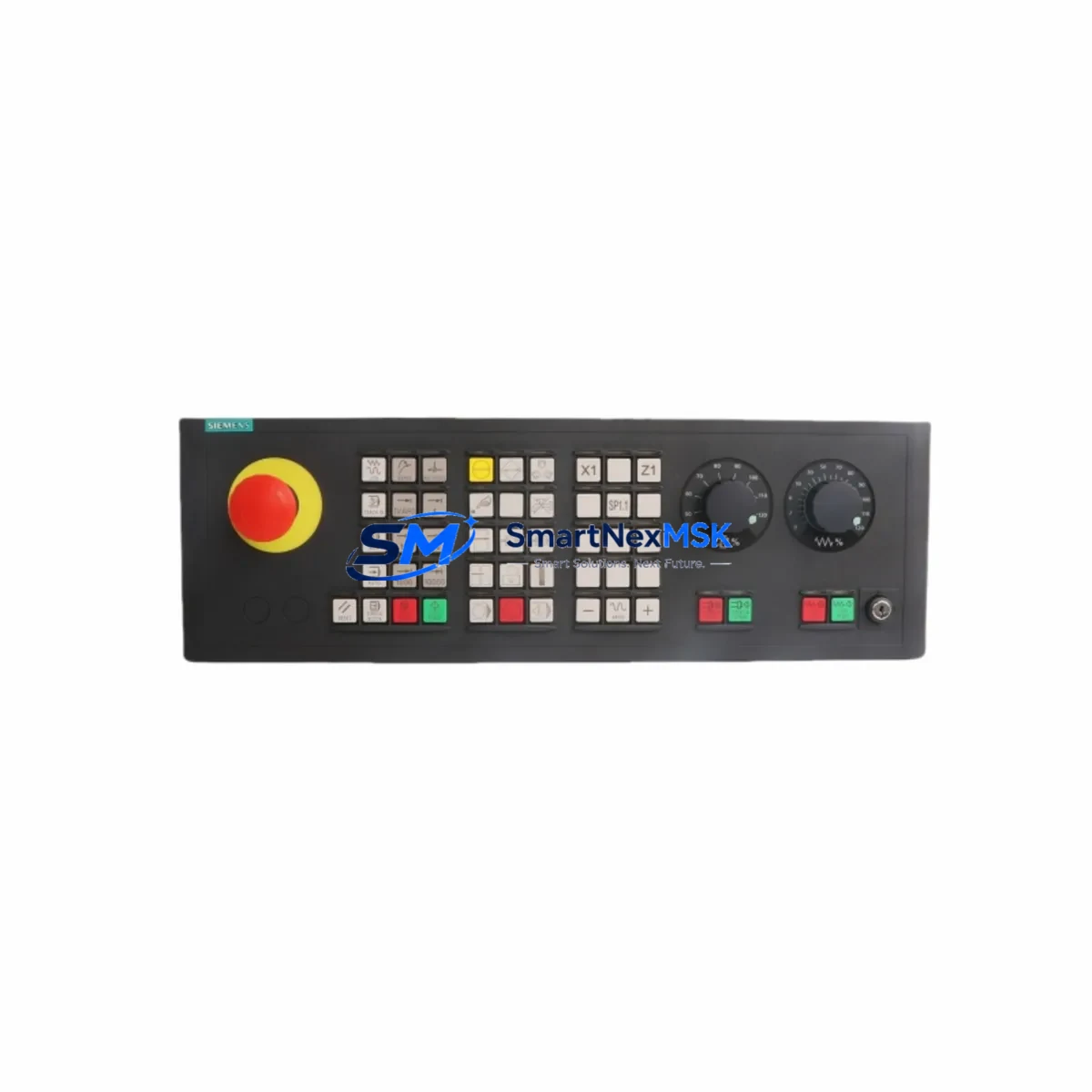
Siemens 6FC5203-0AF22-0AA2 Maintenance-Ready Spare for SINUMERIK Automation
The Siemens 6FC5203-0AF22-0AA2 is an original MCP 483C (Machine Control Panel) with MPI interface, designed for SINUMERIK 840D/840Di/810D CNC control systems. As a critical human-machine interface component in CNC machining centers, turning centers, and multi-axis milling platforms, this operator panel is a high-priority spare in any industrial maintenance program. When this unit fails or degrades, the entire CNC axis is rendered inoperable — making rapid spare availability the single most important factor in minimizing unplanned downtime and production loss.
At SMARTNEXMSK, every 6FC5203-0AF22-0AA2 unit is sourced as an original Siemens component, individually inspected, function-tested, and shipped with a 12-month warranty. We maintain long-term stock to support both emergency replacement and planned maintenance cycles, ensuring your procurement team can secure parts without lead-time risk.
Spare Maintenance Table
| Parameter | Specification |
|---|---|
| Part Number / SKU | 6FC5203-0AF22-0AA2 |
| Description | MCP 483C Machine Control Panel with MPI Interface |
| Compatible Series | SINUMERIK 840D, 840Di, 810D |
| Interface | MPI (Multi-Point Interface) |
| Panel Width | 483 mm (19-inch rack compatible) |
| Supply Voltage | 24 V DC |
| Operating Temperature | 0 °C to +55 °C |
| Protection Class | IP54 (front panel) |
| Origin | Germany (Original Siemens) |
| Application Environment | CNC machining centers, turning centers, milling platforms |
| Mounting | Panel cutout / control cabinet front door |
| Compatibility Confirmation | Verified against SINUMERIK 840D sl / 840D pl / 810D |
| Maintenance Recommendation | Inspect keypad membrane, MPI cable, and 24 V DC supply annually |
| Warranty | 12 Months — covers functional defects under normal operating conditions |
Maintenance Planning for Continuous Operation
When a 6FC5203-0AF22-0AA2 operator panel is flagged for replacement during a scheduled maintenance window or emergency shutdown, experienced maintenance engineers know that the panel itself is rarely the only component requiring attention. A thorough inspection of the surrounding electrical circuit and control cabinet is essential to prevent repeat failures and ensure stable resumption of production.
Begin by verifying the 24 V DC power supply module feeding the MCP panel — voltage fluctuations or ripple from an aging SITOP PSU8600 or equivalent power supply unit are a common root cause of panel communication errors and keypad lockups. Next, inspect the MPI bus cable and termination resistors connecting the MCP 483C to the NCU (Numerical Control Unit), such as the SINUMERIK 840D NCU 572.5 or NCU 573.5. Damaged shielding or loose D-sub connectors on the MPI cable frequently cause intermittent axis faults that are misdiagnosed as panel failures.
The NCU main board and its associated CF card (CompactFlash memory card) storing the CNC part programs and machine parameters should be checked for firmware version compatibility whenever the MCP is replaced. A mismatch between MCP firmware and NCU software version can prevent the panel from initializing correctly after installation.
Maintenance teams should also inspect the I/O modules in the same control cabinet — particularly the SIMATIC S7-300 series SM321 digital input modules and SM322 digital output modules that handle machine interlocks, axis enable signals, and spindle control. These modules share the same 24 V DC bus as the MCP and are subject to the same power quality issues.
The PP72/48 I/O peripheral module, commonly used alongside SINUMERIK 840D systems for machine-side I/O expansion, should be visually inspected for terminal corrosion and connector seating. Similarly, the drive bus DRIVE-CLiQ cables connecting the NCU to SINAMICS S120 drive modules warrant inspection — a degraded DRIVE-CLiQ connection can generate axis alarms that appear to originate from the operator panel.
For control cabinets in high-humidity or high-vibration environments, check the 24 V DC terminal blocks (such as Weidmüller or Phoenix Contact series) for oxidation and loose clamping. Inspect any signal isolators or relay output modules used for E-stop circuits and door interlock signals — these are often overlooked during panel-focused maintenance but are critical to safe machine restart after a spare part replacement.
Finally, if the machine uses a Siemens OP010 or OP012 HMI panel in conjunction with the MCP 483C, verify that the HMI Ethernet connection and PCF cable are intact. A simultaneous HMI communication fault during MCP replacement can complicate commissioning and extend downtime unnecessarily.
Site Replacement Workflow
Step 1 — Pre-replacement verification: Confirm the replacement unit SKU (6FC5203-0AF22-0AA2) matches the installed panel label. Cross-reference the SINUMERIK system software version with the Siemens compatibility matrix to ensure MCP firmware alignment.
Step 2 — Safe isolation: De-energize the control cabinet following LOTO (Lockout/Tagout) procedures. Disconnect the MPI cable, 24 V DC supply connector, and any USB or Ethernet accessories attached to the panel.
Step 3 — Physical removal and installation: Remove the panel from the cabinet door cutout. Install the replacement 6FC5203-0AF22-0AA2 unit, ensuring the front seal gasket is correctly seated to maintain IP54 protection. Reconnect all cables in reverse order.
Step 4 — Power-up and commissioning: Restore 24 V DC power and observe the MCP initialization sequence. Confirm MPI communication is established with the NCU. Perform a full axis enable test and verify all machine function keys respond correctly.
Step 5 — Documentation: Record the replacement date, unit serial number, and any observed fault codes in the machine maintenance log. Update the spare parts inventory to trigger reorder of a replacement buffer unit.
This workflow is designed to minimize mean time to repair (MTTR) and restore production within a single maintenance shift. SMARTNEXMSK ships all units with a pre-shipment functional test report, reducing on-site commissioning risk.
Spare Parts Support FAQ
Q1: Is the 6FC5203-0AF22-0AA2 compatible with both SINUMERIK 840D sl and 840D pl systems?
Yes. The MCP 483C with MPI interface is compatible with SINUMERIK 840D sl (solution line) and 840D pl (power line) as well as 810D systems. Always verify the MPI address setting on the panel matches your NCU configuration before installation.
Q2: How do you verify the unit is original and functional before shipment?
Every unit undergoes a pre-shipment inspection covering visual integrity, connector condition, keypad membrane response, and MPI communication verification on a test bench. A test report is included with each shipment. The 12-month warranty covers all functional defects identified under normal operating conditions.
Q3: Can this panel replace older or discontinued Siemens MCP variants?
The 6FC5203-0AF22-0AA2 is a direct replacement for earlier MCP 483C MPI variants used in SINUMERIK 840D systems. For legacy 802D or 802S systems using different panel form factors, compatibility must be confirmed against the machine’s electrical schematic. Contact our technical team for cross-reference support.
Q4: What is your lead time and long-term supply commitment?
Standard in-stock orders ship within 1–3 business days. For procurement engineers managing multi-year maintenance contracts or aging SINUMERIK systems, SMARTNEXMSK offers long-term supply agreements and reserved stock arrangements to ensure parts availability beyond the standard Siemens product lifecycle.
© 2026 SMARTNEXMSK. All rights reserved.
Original Source: https://smartnexmsk.com
Contact: [email protected] | +86 18259474341



