
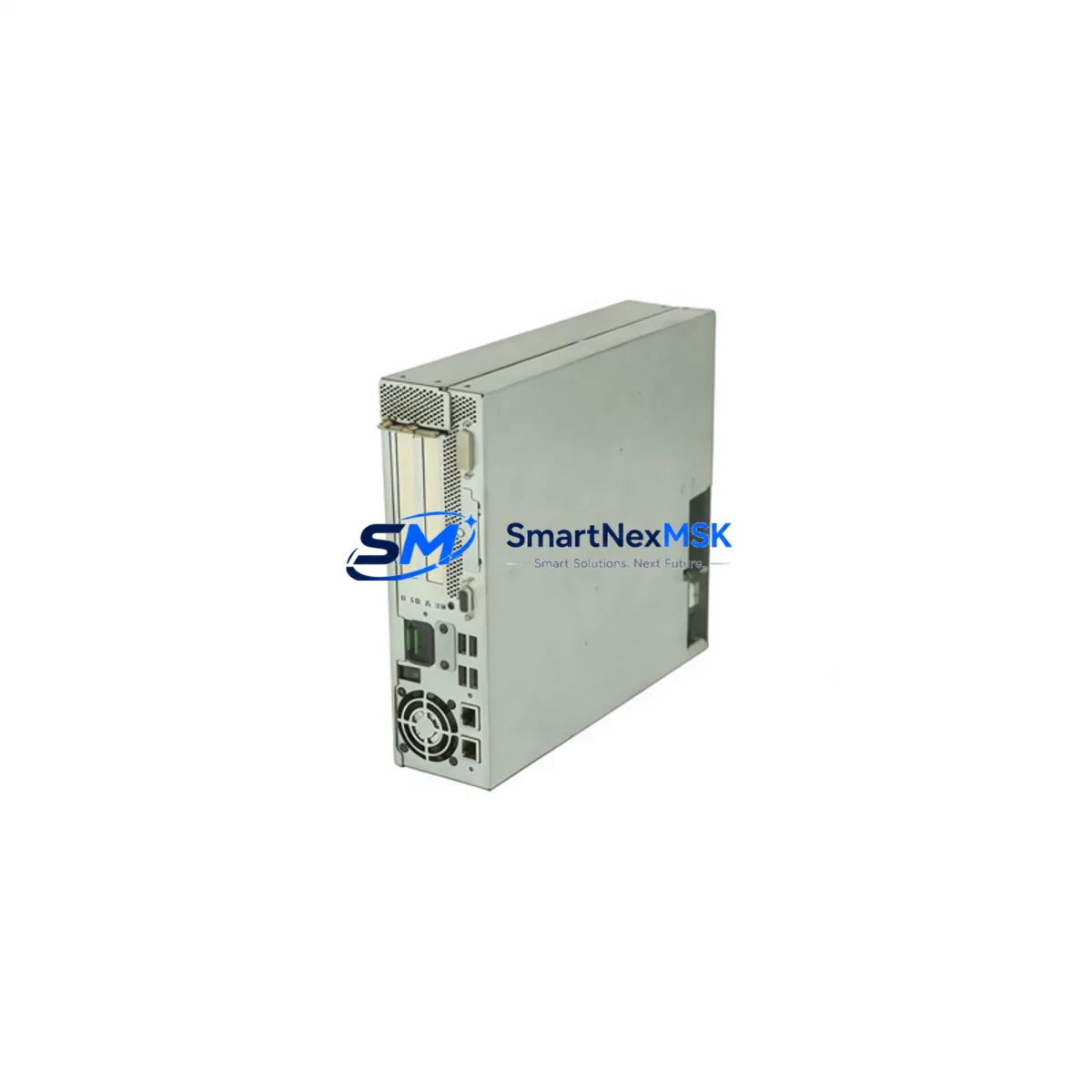
Siemens 6FC5210-0DF33-2AB0 SINUMERIK PCU 50.3B-P Spare: Maintenance-Ready Replacement for CNC Downtime Recovery
The Siemens 6FC5210-0DF33-2AB0 is an original Panel Control Unit (PCU 50.3B-P) designed for SINUMERIK 840D sl and 840Di sl CNC systems. As a core computing and HMI interface component within the machine control cabinet, this unit is responsible for running the SINUMERIK operating software, managing operator panel communication, and coordinating real-time data exchange between the NCU (Numerical Control Unit) and the machine operator. When this unit fails, the entire CNC machine is rendered inoperable — making a verified, maintenance-ready spare essential for any facility running SINUMERIK-based machining centers, turning centers, or grinding machines.
Sourced directly from authorized supply channels and subjected to pre-shipment functional testing, this 6FC5210-0DF33-2AB0 unit is backed by a 12-month warranty and is ready for immediate field installation. It is an ideal candidate for both emergency replacement and planned spare parts inventory in facilities operating SINUMERIK 840D/840Di platforms.
Spare Maintenance Table
| Parameter | Specification |
|---|---|
| Part Number / SKU | 6FC5210-0DF33-2AB0 |
| Product Type | Panel Control Unit (PCU 50.3B-P) |
| Series | SINUMERIK 840D sl / 840Di sl |
| Brand | Siemens |
| Origin | Germany |
| Operating System | Windows Embedded / SINUMERIK HMI Advanced |
| Interface | USB, Ethernet, DVI, COM ports |
| Power Supply | 24 V DC (via operator panel bus) |
| Compatibility | SINUMERIK 840D sl, 840Di sl, OP 010, OP 012, OP 015A operator panels |
| Mounting | Panel rear-mount, integrated with operator panel |
| Application Environment | CNC machining centers, turning centers, grinding machines, industrial automation cabinets |
| Maintenance Recommendation | Replace upon HMI freeze, boot failure, display loss, or NCU communication fault |
| Pre-Shipment Testing | Yes — functional verification before dispatch |
| Warranty | 12 Months |
Maintenance Planning for Continuous Operation
When a SINUMERIK PCU 50.3B-P (6FC5210-0DF33-2AB0) is identified as the root cause of a CNC system fault, experienced maintenance engineers know that a thorough cabinet inspection is essential before and after replacement. The PCU does not operate in isolation — it is tightly integrated with a network of power, communication, and I/O components that must all be verified to ensure a clean recovery and prevent repeat failures.
Begin by inspecting the 24 V DC power supply module feeding the operator panel bus. A degraded or unstable supply voltage is a common upstream cause of PCU instability and premature failure. Siemens SITOP power supply units (such as the SITOP PSU100S series) are frequently found in the same control cabinet and should be load-tested during any PCU replacement event.
Next, verify the NCU (Numerical Control Unit) — typically a Siemens SINUMERIK 840D sl NCU 7×0.3 series module — for firmware version compatibility with the replacement PCU. A mismatch between PCU software version and NCU firmware can prevent successful HMI initialization. Check the Drive CLiQ communication cables connecting the NCU to the PCU and operator panel; damaged or loose CLiQ connectors are a frequent source of intermittent communication faults that are often misdiagnosed as PCU failures.
The operator panel itself — whether an OP 010, OP 012, or OP 015A — should be inspected for backlight condition, touch or keyboard membrane integrity, and USB port functionality. In many cases, a failing operator panel accelerates PCU wear due to abnormal current draw on the panel bus. If the machine uses a machine control panel (MCP) such as the MCP 483C IE or MCP 310C, verify its Ethernet or PROFINET connection to the NCU, as MCP communication faults can cascade into apparent PCU errors.
For facilities managing multi-axis systems, also inspect the SINAMICS S120 drive modules and their associated booksize power modules. A drive fault that repeatedly triggers NCU alarms can place abnormal load on the PCU’s real-time processing. Check terminal blocks and wiring harnesses within the cabinet for signs of heat damage, loose crimps, or corrosion — particularly on the 24 V DC distribution rail and the Ethernet patch cables connecting the PCU to the NCU and network switch.
Finally, if the machine is equipped with a PROFIBUS DP or PROFINET I/O interface, verify that all remote I/O nodes and distributed I/O modules are responding correctly after PCU replacement. A single unresponsive I/O node can prevent the CNC from completing its startup sequence, creating the false impression of a continued PCU fault.
Site Replacement Workflow
Step 1 — Pre-Replacement Documentation: Before powering down, capture the current NCU alarm list, PCU software version (visible in the HMI diagnostics menu), and a photograph of all cable connections on the rear of the PCU. This documentation is critical for post-replacement verification and for identifying any pre-existing faults unrelated to the PCU.
Step 2 — Safe Shutdown: Execute a controlled CNC shutdown via the HMI. Do not perform a hard power cut unless the system is already unresponsive. After shutdown, isolate the main cabinet power and apply lockout/tagout (LOTO) procedures per site safety protocol.
Step 3 — PCU Removal: Disconnect all rear-panel connectors from the 6FC5210-0DF33-2AB0 in sequence: USB peripherals, DVI/display cable, Ethernet, COM ports, and finally the operator panel bus connector. Label each cable if not already marked. Remove the PCU from the operator panel rear mount using the appropriate tool.
Step 4 — Replacement Installation: Mount the new 6FC5210-0DF33-2AB0 unit and reconnect all cables in reverse order. Ensure the operator panel bus connector is fully seated — a partial connection is a common cause of post-replacement boot failure.
Step 5 — Software Configuration: On first boot, the replacement PCU may require SINUMERIK HMI software installation or restoration from a system backup (CF card or network backup). Confirm the PCU software version matches the NCU firmware version. Restore machine-specific HMI configurations and PLC interface settings as required.
Step 6 — Functional Verification: Run a full CNC startup sequence, verify all axis communications, confirm operator panel key and display functionality, and execute a dry-run machining cycle before returning the machine to production.
This structured workflow minimizes total downtime and ensures the replacement is performed safely and completely, reducing the risk of secondary faults caused by incomplete installation.
Spare Parts Support FAQ
Q1: Is the 6FC5210-0DF33-2AB0 compatible with both SINUMERIK 840D sl and 840Di sl systems?
Yes. The PCU 50.3B-P is designed for use with SINUMERIK 840D sl and 840Di sl platforms and is compatible with the OP 010, OP 012, and OP 015A operator panels. Always verify the PCU software version against your NCU firmware version before installation to ensure full compatibility.
Q2: What testing is performed before shipment?
Each 6FC5210-0DF33-2AB0 unit undergoes functional verification prior to dispatch, including power-on testing and interface checks. Units are packaged in anti-static, shock-protected packaging to prevent transit damage. A 12-month warranty is provided from the date of shipment.
Q3: How should I manage PCU spare parts inventory for a multi-machine facility?
For facilities operating three or more SINUMERIK 840D/840Di machines, maintaining at least one PCU 50.3B-P spare on-site is strongly recommended. PCU failures are typically sudden and result in complete machine downtime. Pairing the PCU spare with a backup CF card containing the latest system image and HMI configuration significantly reduces mean time to repair (MTTR).
Q4: Can this unit replace an older PCU 50.3 or PCU 50.3-A?
The PCU 50.3B-P (6FC5210-0DF33-2AB0) is the current-generation replacement for earlier PCU 50.3 variants. In most cases it is a direct mechanical and electrical replacement, but software migration may be required. Contact our technical team with your existing PCU part number and NCU version for a compatibility confirmation before ordering.
© 2026 SMARTNEXMSK. All rights reserved.
Original Source: https://smartnexmsk.com
Contact: [email protected] | +86 18259474341



