
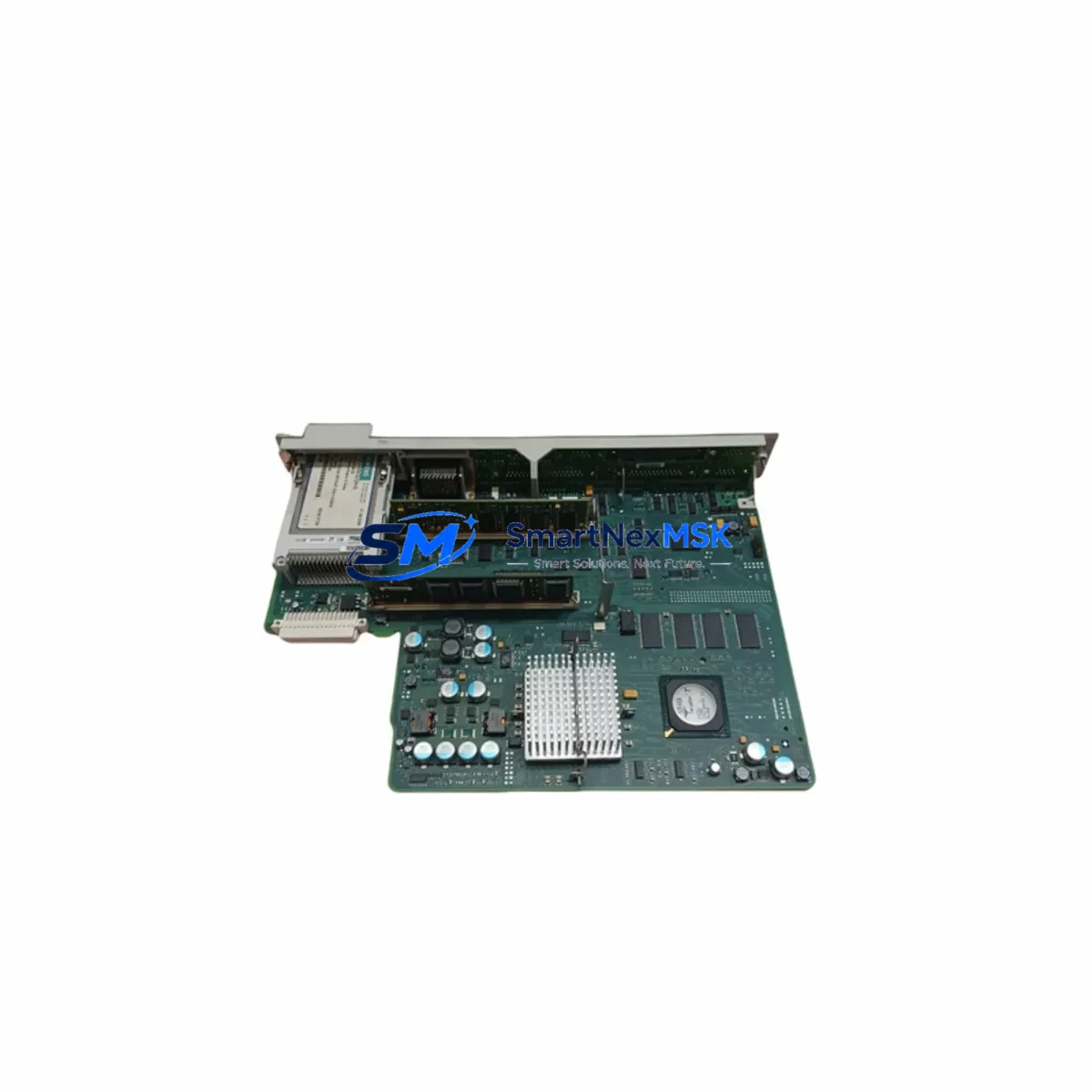
Siemens 6FC5357-0BB24-0AA0 Retrofit-Ready NCU for Sinumerik 840D sl Control Systems
The Siemens 6FC5357-0BB24-0AA0 is the NCU 720.2 Numerical Control Unit designed for the Sinumerik 840D sl platform — one of the most widely deployed CNC control architectures in precision machining, automotive manufacturing, and aerospace production lines. As legacy NCU 720.1 and earlier NCU 7×0 variants reach end-of-life, the 6FC5357-0BB24-0AA0 has become the primary retrofit and upgrade path for facilities seeking to extend the operational life of their 840D sl systems without a full machine replacement.
For maintenance engineers and procurement teams managing aging CNC infrastructure, sourcing a verified, tested replacement NCU is critical. Unplanned CNC downtime can halt an entire production cell within minutes. The 6FC5357-0BB24-0AA0 is available from stock, pre-tested before shipment, and backed by a 12-month warranty — enabling rapid site deployment and minimizing exposure to extended outages.
Upgrade Compatibility Table
| Parameter | Details |
|---|---|
| SKU / Part Number | 6FC5357-0BB24-0AA0 |
| Module Type | NCU 720.2 — Numerical Control Unit |
| Compatible Platform | Sinumerik 840D sl |
| Replaces | NCU 720.1 (6FC5357-0BB23-0AA0), earlier NCU 7×0 variants |
| Communication Interfaces | PROFIBUS DP, PROFINET IO, Ethernet (X120/X130) |
| Drive Interface | DRIVE-CLiQ (compatible with Sinamics S120 drive line) |
| Backplane / Rack | Sinumerik 840D sl NX/NCU rack — direct slot replacement |
| Power Supply Requirement | 24 VDC via NX10.3 or NX15.3 power module |
| Software Compatibility | Sinumerik Operate, ShopMill, ShopTurn; NCK software upgrade may be required |
| Origin | Germany |
| Weight | 4,460 g (approx.) |
| Warranty | 12 Months — tested and verified before shipment |
Retrofit Planning for Existing Automation Systems
A successful 6FC5357-0BB24-0AA0 retrofit begins well before the module arrives on site. Maintenance engineers should conduct a full control cabinet audit to document the existing NCU slot position, backplane connector condition, and the current NCK software version loaded on the outgoing unit. The NCU 720.2 shares the same physical form factor as the NCU 720.1, but engineers must verify that the Sinumerik Operate HMI version running on the associated PCU 50.3 or TCU (Thin Client Unit) is compatible with the NCK build on the replacement module.
On the drive side, the 6FC5357-0BB24-0AA0 communicates with Sinamics S120 drive components via DRIVE-CLiQ. Before replacement, confirm that all DRIVE-CLiQ cables connecting the NCU to the Motor Modules (SMM/DMM) and the Active Line Module (ALM) are undamaged and correctly seated. A faulty DRIVE-CLiQ connection will prevent axis commissioning after the swap.
For PROFIBUS DP networks, verify the existing DP address assignments and ensure the replacement NCU is configured with the same master address. If the machine uses PROFINET IO for distributed I/O — such as ET 200SP or ET 200M remote I/O stations — confirm that the PROFINET device names and IP address assignments are preserved in the project backup before the old NCU is removed. The 840D sl’s CF card (CompactFlash) stores the machine data, part programs, and tool offsets; this card transfers directly to the new NCU, preserving all axis parameters and PLC program logic.
Power supply integrity is equally important. The NX10.3 or NX15.3 power module feeding the NCU rack should be load-tested before the retrofit. A degraded power module can cause intermittent NCU faults even after a successful hardware swap. Similarly, the 24 VDC cabinet power supply feeding the NCU and associated I/O terminals should be verified for voltage stability under load.
If the machine uses a Sinumerik 840D sl with an integrated PLC (S7-300 compatible), ensure the PLC program on the CF card is backed up separately using SIMATIC Manager or TIA Portal before the swap. Any PLC I/O module assignments — including SM 321 digital input modules, SM 322 digital output modules, or CP 342-5 PROFIBUS communication processors — should be documented to confirm address mapping is preserved post-retrofit.
Downtime Control During System Migration
The primary goal of any NCU replacement is to restore CNC operation in the shortest possible window. With the 6FC5357-0BB24-0AA0, the migration path is straightforward when preparation is thorough. The CF card transfer method means that machine data, tool tables, zero offsets, and part programs do not need to be re-entered manually — a significant time saving compared to older NCU generations that required full recommissioning from scratch.
Before powering down the machine, capture a full system backup using the Sinumerik 840D sl backup function (accessible via Sinumerik Operate > System > Backup/Restore). This backup should include NCK data, PLC data, and HMI configuration. Store the backup on an external USB drive or network share as a recovery fallback.
During the physical swap, label all DRIVE-CLiQ cables, PROFIBUS connectors, and Ethernet cables before disconnection. The NCU 720.2 has clearly marked X100–X150 interface positions, but field conditions — particularly in older cabinets with dense cable routing — can make re-identification difficult without prior labeling. After installing the 6FC5357-0BB24-0AA0 and transferring the CF card, power up in a controlled sequence: cabinet 24 VDC first, then main power, then NCU boot. Monitor the Sinumerik Operate startup screen for any NCK alarm codes indicating axis configuration mismatches or DRIVE-CLiQ topology errors.
If the replacement NCU carries a newer NCK software version than the original, a software upgrade acceptance step may be required. This is typically a one-time confirmation on the HMI and does not require re-entering machine data. However, it is advisable to have a Siemens-trained commissioning engineer available remotely or on-site for the first power-up if the NCK version delta is significant.
Total planned downtime for a prepared NCU swap — with CF card transfer, cable reconnection, and initial axis test — is typically 4 to 8 hours for an experienced team. Unplanned swaps without prior backup can extend this to 24–48 hours or more, underscoring the value of maintaining a spare 6FC5357-0BB24-0AA0 in the facility’s critical spare parts inventory.
Retrofit Support FAQ
Q1: Is the 6FC5357-0BB24-0AA0 a direct drop-in replacement for the NCU 720.1 (6FC5357-0BB23-0AA0)?
A: Mechanically and electrically, yes — the NCU 720.2 fits the same rack slot and uses the same connector positions as the NCU 720.1. However, the NCK software version on the replacement module may differ from the original. If the NCK version is higher, the system will prompt for a software upgrade acceptance on first boot. Machine data stored on the CF card is preserved and compatible. We recommend verifying the NCK version with your commissioning team before the swap.
Q2: What pre-shipment testing is performed on the 6FC5357-0BB24-0AA0?
A: Each unit undergoes functional power-on testing, interface verification (DRIVE-CLiQ, PROFIBUS, PROFINET, Ethernet), and visual inspection before dispatch. Units are shipped with original protective packaging. A 12-month warranty covers all hardware defects from the date of receipt.
Q3: Can the CF card from the old NCU be used directly in the 6FC5357-0BB24-0AA0?
A: Yes. The CF card is the primary data carrier for the Sinumerik 840D sl and transfers directly to the replacement NCU. All machine data, PLC programs, part programs, and tool offsets are preserved. Ensure the CF card is in good condition and that a full system backup has been taken before the swap as a precaution.
Q4: What is the lead time and do you maintain ongoing stock of the 6FC5357-0BB24-0AA0?
A: We maintain stock of the 6FC5357-0BB24-0AA0 for immediate dispatch. Standard shipping is 1–3 business days internationally. For facilities managing multiple 840D sl machines, we recommend holding at least one spare NCU on-site to eliminate lead time risk during unplanned failures. Contact us to discuss volume pricing and long-term supply agreements.
© 2026 SMARTNEXMSK. All rights reserved.
Original Source: https://smartnexmsk.com
Contact: [email protected] | +86 18259474341



