
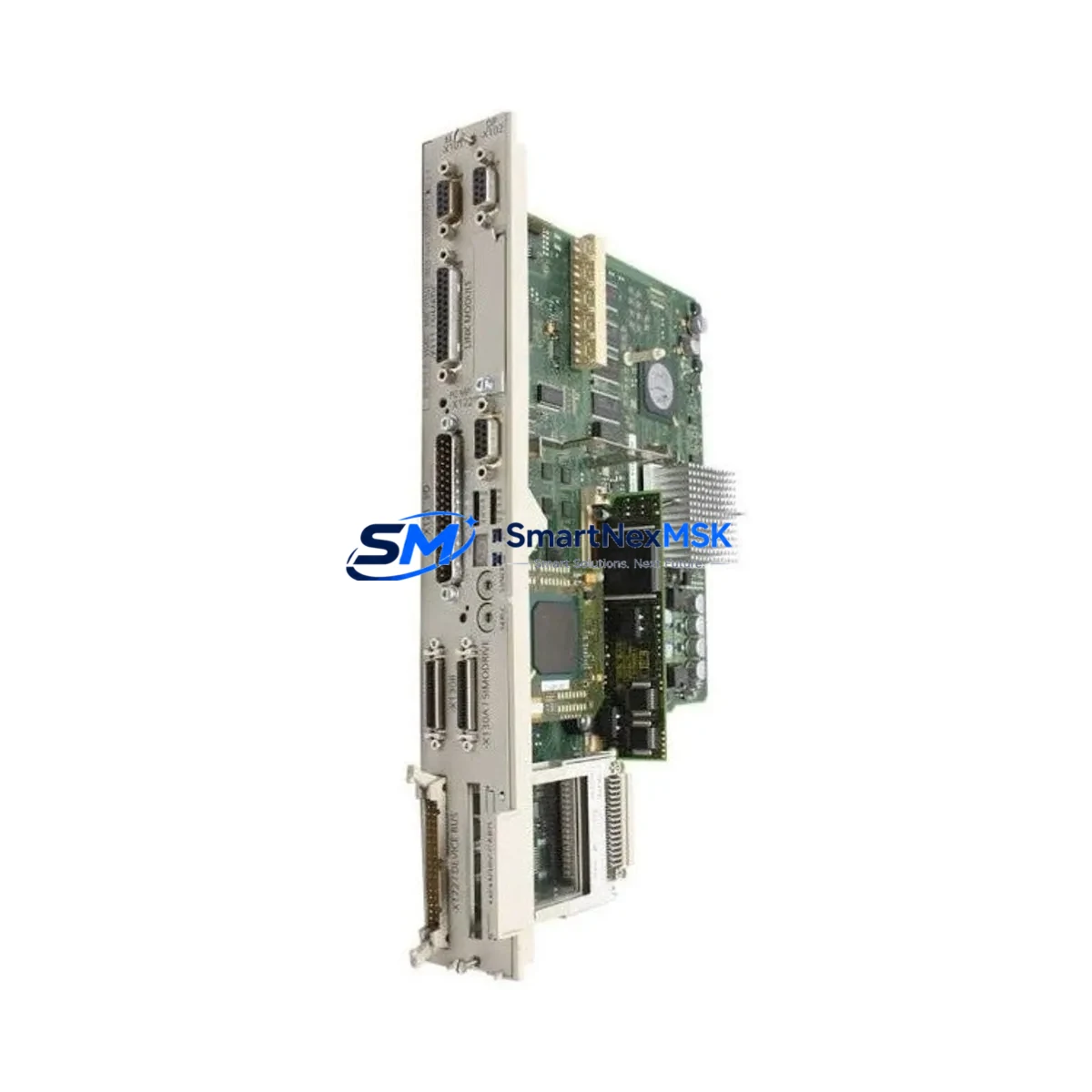
Siemens 6FC5357-0BB25-0AA0 Retrofit-Ready NCU for 840D sl Control Systems
The Siemens 6FC5357-0BB25-0AA0 is a Numerical Control Unit (NCU 572.5) designed for the SINUMERIK 840D sl platform — one of the most widely deployed CNC control architectures in precision machining, multi-axis turning, and high-speed milling environments. As legacy 840D sl installations age and original NCU modules reach end-of-life or become discontinued, the 6FC5357-0BB25-0AA0 serves as a verified retrofit-ready replacement that preserves existing machine configurations, program logic, and operator interface layouts without requiring a full control system overhaul.
This unit is sourced from authorized supply channels, individually tested prior to shipment, and backed by a 12-month warranty covering hardware defects and functional failures under normal operating conditions. Stock is maintained in Xiamen for rapid dispatch to customers across Asia, Europe, and the Americas.
Upgrade Compatibility Table
| Parameter | Details |
|---|---|
| SKU / Part Number | 6FC5357-0BB25-0AA0 |
| Module Type | NCU 572.5 — Numerical Control Unit |
| Compatible Platform | SINUMERIK 840D sl |
| Replaces / Upgrades From | NCU 571.5, NCU 572.3, NCU 572.4 (same backplane slot, firmware upgrade required) |
| Backplane Interface | DRIVE-CLiQ, MPI/PROFIBUS DP, Ethernet (X120/X130) |
| Communication Protocols | PROFIBUS DP, PROFINET IO, OPC UA (firmware-dependent) |
| Power Supply Requirement | 24 VDC via NX/NXD module or external 24 V rail; verify load capacity before swap |
| Installation Format | Rack-mount, compatible with standard 840D sl NCU rack (UR2, UR2-H) |
| Commissioning Tool | SINUMERIK Operate, STARTER, or TIA Portal (V15+) |
| Retrofit Recommendation | Back up CF card data and NCK parameters before replacement; restore via SINUMERIK Operate series commissioning wizard |
| Debugging Focus | Axis assignment, drive topology, MCP panel address, PLC I/O mapping |
| Warranty | 12 Months — covers hardware defects and functional failures under normal use |
Retrofit Planning for Existing Automation Systems
Replacing the 6FC5357-0BB25-0AA0 in an active production environment requires systematic pre-planning to avoid configuration loss and extended downtime. Before removing the existing NCU, engineers should export the complete machine data set (MDS) from the CF card, document all axis parameters, and photograph the terminal wiring on the NX10.3 or NX15 I/O expansion modules connected to the backplane. The 840D sl architecture distributes I/O across multiple NX modules, and each module’s PROFIBUS DP node address must be recorded and re-verified after the NCU swap.
Power sequencing is critical. The 840D sl NCU draws 24 VDC from the control cabinet’s power supply module — typically a Siemens SITOP PSU8600 or equivalent 24 V regulated rail. Before installation, confirm that the supply rail can sustain the inrush current of the new NCU 572.5 alongside co-installed components such as the NX10.3 terminal modules, the PP72/48D PN digital I/O module, and any active DRIVE-CLiQ hubs (DMC20 or DME20) in the cabinet.
The SINUMERIK 840D sl backplane uses DRIVE-CLiQ topology to enumerate connected drives and encoders. After installing the 6FC5357-0BB25-0AA0, the DRIVE-CLiQ topology must be re-commissioned using STARTER or TIA Portal to re-assign each SINAMICS S120 drive module to its corresponding axis. If the machine uses a SINAMICS S120 Booksize power unit (e.g., ALM or SLM infeed), the DC bus configuration and motor module addresses must be validated before enabling the drives.
For machines with a SINUMERIK Operate HMI panel (e.g., OP 010, OP 015, or TCU-based thin client), the HMI connection is established via Ethernet X130 on the NCU. After replacement, verify the IP address assignment and confirm that the HMI screen layouts, tool management databases, and workpiece program directories are intact on the CF card. If the machine uses a PCU 50.5 or PCU 20 as the HMI computing unit, the PCU’s network configuration may also require re-binding to the new NCU’s hostname.
Machines that communicate upstream via PROFINET IO — for example, to a Siemens S7-300 or S7-1500 PLC acting as a supervisory controller — will need the PROFINET device name and IP address re-confirmed in the GSD/GSDML configuration. The MCP 483C IE machine control panel, if present, communicates via PROFINET and must be re-addressed in the NCU’s machine data (MD13120). Similarly, any handwheel or MPG interface connected through the MCP or a separate HHU (handheld unit) should be tested for correct axis selection and override response after commissioning.
Downtime Control During System Migration
Minimizing production interruption during an NCU replacement begins well before the physical swap. The recommended approach is to perform a full CF card backup using the SINUMERIK Operate series commissioning archive function, capturing NCK data, PLC program (including all OB, FB, FC, and DB blocks), drive parameters, and HMI configuration in a single compressed archive. This archive should be stored on an external USB drive and verified for completeness before the maintenance window begins.
During the swap, label all DRIVE-CLiQ cables with their axis designations before disconnecting — the topology is position-sensitive, and incorrect reconnection will cause axis mismatch alarms (e.g., Alarm 26010 or 26020) that require manual topology correction in STARTER. Keep the original NCU powered down but physically available on the bench until the replacement unit has completed a full cold start and all axes have been enabled without faults.
After the new 6FC5357-0BB25-0AA0 is installed and the archive is restored, perform a controlled dry-run cycle using the machine’s reference program at reduced feedrate (G01 F100) before returning to production speed. Verify spindle orientation, axis travel limits (software and hardware), and emergency stop response. Confirm that the PLC’s I/O mapping — including signals from the PP72/48D PN module and any safety-rated inputs connected through the F-DI channels of the NX safety module — is functioning correctly before releasing the machine to operators.
With proper preparation, experienced engineers typically complete an 840D sl NCU swap and full recommissioning within a 4–8 hour maintenance window, preserving all original program logic and machine parameters without requiring re-teaching of workpiece coordinates or tool offsets.
Retrofit Support FAQ
Q1: Is the 6FC5357-0BB25-0AA0 a direct drop-in replacement for earlier NCU 572.x variants?
The NCU 572.5 uses the same physical backplane slot and DRIVE-CLiQ connector layout as the NCU 572.3 and 572.4. However, a firmware update is required to match the software version of the existing machine data. Always verify the NCK software version (accessible via Diagnostics > Version in SINUMERIK Operate) and obtain the corresponding NCU firmware from your Siemens service partner before installation.
Q2: What wiring changes are needed when replacing the NCU?
In most 840D sl installations, the NCU connects via DRIVE-CLiQ (X100–X105), Ethernet (X120, X130), MPI/PROFIBUS (X126), and 24 VDC power terminals. These connectors are keyed and labeled; no rewiring is typically required if replacing a same-generation NCU. However, if migrating from an older NCU 571.5, verify that the X126 PROFIBUS address settings and the MCP panel wiring to the NCU’s front panel connector are compatible.
Q3: How is the unit tested before shipment?
Each 6FC5357-0BB25-0AA0 unit undergoes a power-on functional test, DRIVE-CLiQ enumeration check, and communication port verification before dispatch. Units are shipped with original protective packaging and include a test report. The 12-month warranty covers all hardware defects identified during installation and normal operation.
Q4: Can the original PLC program and part programs be preserved after the NCU swap?
Yes. The SINUMERIK 840D sl stores the PLC program (STEP 7 or TIA Portal project), NCK part programs, and drive parameters on the CF card installed in the NCU. As long as the CF card is transferred intact to the replacement NCU 572.5, all program logic, tool data, and workpiece programs are preserved. It is strongly recommended to create a full commissioning archive backup before the swap as an additional safeguard.
© 2026 SMARTNEXMSK. All rights reserved.
Original Source: https://smartnexmsk.com
Contact: [email protected] | +86 18259474341



