
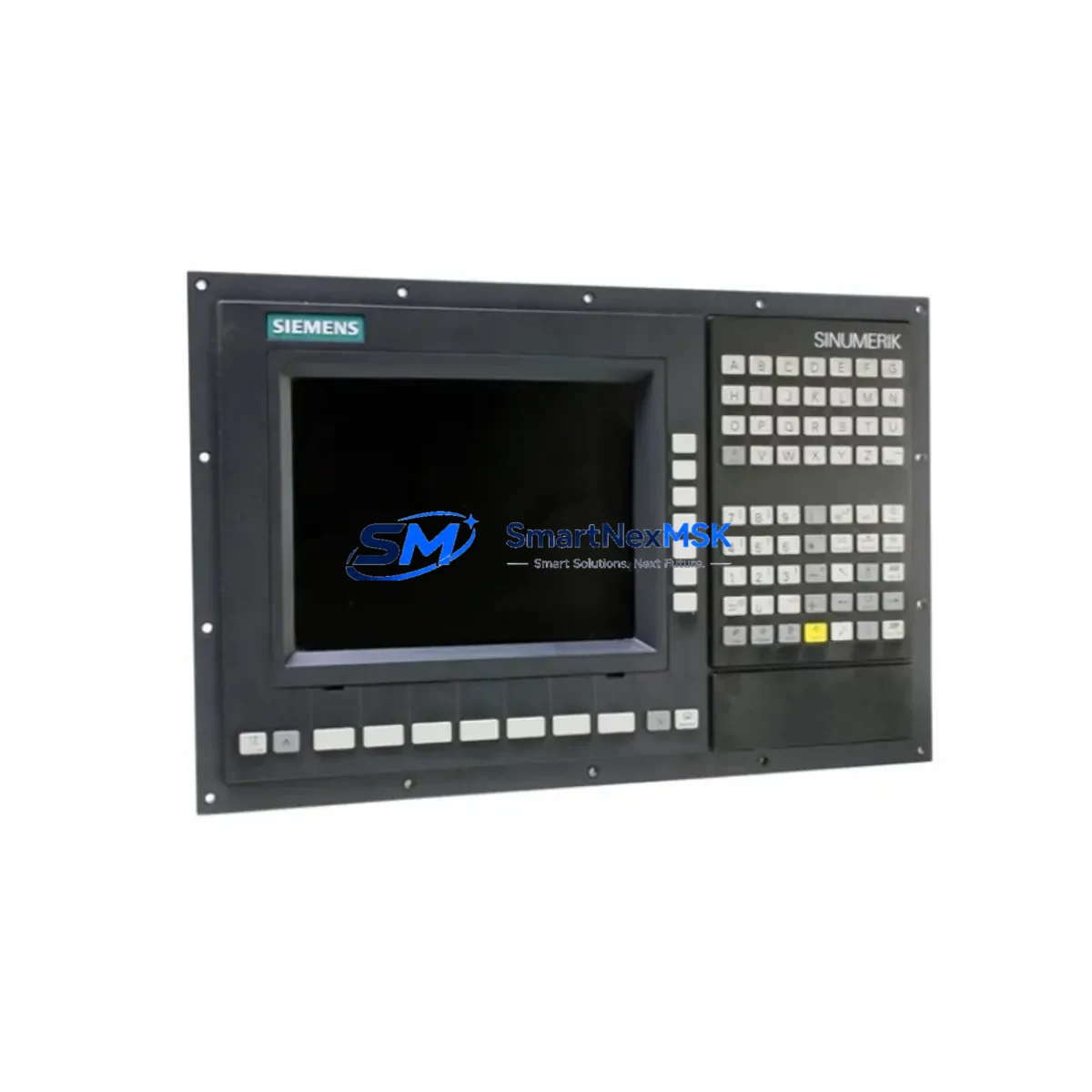
Siemens 6FC5370-2AT02-0CA0 Retrofit-Ready CNC Panel for SINUMERIK 808D Control Systems
The Siemens 6FC5370-2AT02-0CA0 is a CNC Panel Unit designed for the SINUMERIK 808D control platform, widely deployed in turning and milling machine tools across automotive, aerospace, and general manufacturing environments. As legacy SINUMERIK 808D installations age and original panel units reach end-of-life, sourcing a verified, retrofit-ready replacement becomes critical to maintaining production continuity. This unit provides a direct hardware-compatible replacement path, enabling engineers to restore full CNC functionality without redesigning the control cabinet or rewriting the part program library.
When planning a retrofit around the 6FC5370-2AT02-0CA0, the first step is confirming the existing power supply capacity within the control cabinet. The SINUMERIK 808D panel unit draws power from the 24 VDC bus, and the existing Siemens SITOP PSU100S or equivalent regulated power supply must be verified to deliver sufficient current margin before the new panel is energized. Undersized power supplies are a common cause of intermittent panel faults during commissioning.
Terminal wiring compatibility is the next critical checkpoint. The 6FC5370-2AT02-0CA0 uses the standard SINUMERIK 808D front-panel connector layout, which interfaces with the PPU (Panel Processing Unit) via a dedicated ribbon or D-sub cable assembly. Engineers should inspect the existing cable harness for pin continuity and insulation integrity before reuse. In many retrofit scenarios, the original cable assembly is retained, significantly reducing rewiring time and the risk of introducing new faults.
Backplane and rack interface compatibility must also be confirmed. The SINUMERIK 808D architecture integrates the panel unit directly with the PPU, which in turn connects to the MCP (Machine Control Panel) and the drive system — typically a SINAMICS V70 or SINAMICS S120 servo drive package. If the existing installation uses a SINAMICS V70 with PROFINET communication, the replacement panel unit must be commissioned with matching IP addressing and device naming to avoid communication faults on startup.
Module addressing and parameter migration are essential steps in any SINUMERIK 808D panel replacement. The machine data set stored in the PPU — including axis parameters, tool offset tables, and PLC user program — is typically preserved on the PPU itself and does not reside on the panel unit. However, engineers should perform a full machine data backup using SINUMERIK Operate or the SINUMERIK 808D Toolbox software before disconnecting the original panel. This protects against accidental data loss during the swap and provides a restore point if commissioning reveals unexpected behavior.
HMI screen layout and operator interface continuity are important considerations for production environments. The 6FC5370-2AT02-0CA0 panel unit supports the standard SINUMERIK 808D operator interface, including the full-screen CNC display, softkey rows, and integrated keyboard. Operators familiar with the existing HMI layout will find the replacement panel functionally identical, minimizing retraining requirements. If the original installation used custom HMI screens developed with SINUMERIK HMI Pro sl or embedded OEM screen configurations, these should be verified for compatibility with the replacement unit’s firmware version before go-live.
Communication link integrity is a key validation step. In multi-axis or multi-channel SINUMERIK 808D installations, the panel unit communicates with the PPU over an internal bus. After physical installation of the 6FC5370-2AT02-0CA0, engineers should verify that all communication links — including the connection to any Siemens OP 08T or OP 010 operator panels used as secondary displays — are re-established and error-free before releasing the machine to production.
Field commissioning typically follows a structured sequence: power-on self-test, axis reference point traversal, spindle function test, and a dry-run cycle using an existing part program. Any alarm codes generated during this sequence should be cross-referenced against the SINUMERIK 808D alarm list. Common post-replacement alarms relate to encoder signal validation and drive enable sequencing, both of which are resolved through standard commissioning procedures rather than hardware changes.
For facilities managing a fleet of SINUMERIK 808D machines, maintaining a small buffer stock of the 6FC5370-2AT02-0CA0 panel unit alongside related consumables — such as the Siemens 6FC5370-2AT01-0CA0 (the predecessor panel variant), CF cards for machine data backup, and spare SINAMICS V70 servo drive units — is a recognized best practice for minimizing unplanned downtime. The 12-month warranty provided with each unit covers manufacturing defects and supports the business case for planned spare parts investment.
Upgrade Compatibility Table
| Parameter | Detail |
|---|---|
| Part Number | 6FC5370-2AT02-0CA0 |
| Brand | Siemens |
| Series | SINUMERIK 808D |
| Product Type | CNC Panel Unit (PPU-integrated) |
| Interface Compatibility | Standard SINUMERIK 808D PPU connector; D-sub / ribbon cable harness |
| Power Supply Requirement | 24 VDC (verify SITOP PSU100S or equivalent capacity) |
| Communication Protocol | PROFINET (SINAMICS V70 / S120 drive integration) |
| Replaces / Supersedes | 6FC5370-2AT01-0CA0 and earlier SINUMERIK 808D panel variants |
| HMI Compatibility | SINUMERIK Operate; compatible with OEM custom screen configurations |
| Installation Requirement | No cabinet redesign required; direct panel swap with existing harness |
| Commissioning Tool | SINUMERIK 808D Toolbox; SINUMERIK Operate |
| Warranty | 12 Months — covers manufacturing defects, DOA replacement |
| Origin | Germany |
| Shipping | Global express; export-compliant packaging |
Retrofit Planning for Existing Automation Systems
A successful SINUMERIK 808D retrofit begins well before the replacement panel arrives on-site. The engineering team should compile a complete inventory of the existing control system, including the PPU 240.3 or PPU 280.3 panel processing unit variant, the MCP 483C IE machine control panel, the drive configuration (SINAMICS V70 or SINAMICS S120 booksize), and all I/O expansion modules connected via the internal PROFIBUS or PROFINET backbone.
Power distribution within the control cabinet should be mapped before the panel swap. The 24 VDC rail feeding the 6FC5370-2AT02-0CA0 must be isolated and verified with a calibrated meter before disconnecting the original unit. If the cabinet uses a Siemens SITOP PSU200M modular power supply, confirm that the output current capacity has not been degraded by aging capacitors — a common issue in installations older than seven years.
I/O wiring documentation is essential. Many SINUMERIK 808D installations use the integrated digital I/O on the PPU alongside external Siemens ET 200SP distributed I/O stations connected over PROFINET. The panel replacement does not affect the ET 200SP configuration, but engineers should verify that the PROFINET device names and IP addresses assigned to each ET 200SP module are documented and backed up before the maintenance window begins.
For machines that use a Siemens OP 08T touch operator panel as a secondary interface, the panel replacement sequence should include re-establishing the OP 08T communication link after the 6FC5370-2AT02-0CA0 is installed and powered. The OP 08T connects via Ethernet and requires no hardware changes, but its connection status should be confirmed in the SINUMERIK Operate network diagnostics screen before the machine is released.
Programming cable access is required if the machine data backup was not completed prior to the maintenance window. The Siemens 6FC5370-0AT00-0AA0 USB programming cable or a standard Ethernet connection to the PPU can be used with the SINUMERIK 808D Toolbox to extract and restore the full machine data archive, including PLC user program, NC part programs, and tool data tables.
Downtime Control During System Migration
Minimizing downtime during a SINUMERIK 808D panel replacement requires a structured pre-maintenance checklist and a clearly defined go/no-go decision point. The target maintenance window for a straightforward 6FC5370-2AT02-0CA0 panel swap — where the existing cable harness is reused and the machine data backup is already available — is typically two to four hours, including functional verification and a supervised production trial run.
The most effective downtime reduction strategy is completing all preparatory steps before the machine is taken offline. This includes: downloading the full machine data archive to a USB drive using the SINUMERIK 808D Toolbox, photographing all terminal connections on the original panel, confirming the replacement unit’s firmware version matches the existing PPU software release, and pre-staging all tools required for the panel removal and installation.
Original program logic is fully preserved during a panel unit replacement, as the NC part programs and PLC user program reside on the PPU — not on the panel unit itself. This means the 6FC5370-2AT02-0CA0 replacement does not require any PLC reprogramming or part program re-entry, provided the PPU is not replaced simultaneously. Engineers should communicate this clearly to production supervisors to set accurate expectations for the maintenance window duration.
Field control continuity can be maintained for multi-machine cells by sequencing the panel replacement during a planned production changeover or shift break. If the machine is part of a flexible manufacturing cell with a Siemens SINUMERIK ONE or 840D sl cell controller, the cell controller can continue managing other machines in the cell while the 808D machine is offline, further limiting the production impact of the maintenance activity.
Retrofit Support FAQ
Q1: Is the 6FC5370-2AT02-0CA0 a direct drop-in replacement for the 6FC5370-2AT01-0CA0?
Yes. The 6FC5370-2AT02-0CA0 is the current production revision of the SINUMERIK 808D CNC Panel Unit and is mechanically and electrically compatible with the earlier 6FC5370-2AT01-0CA0. The connector layout, mounting dimensions, and cable harness interface are identical. No cabinet modifications are required for the swap. Confirm the PPU firmware version is current before commissioning to ensure full feature compatibility.
Q2: What pre-shipment testing is performed on each unit?
Each 6FC5370-2AT02-0CA0 unit undergoes power-on functional verification and display panel testing prior to dispatch. Units are shipped in anti-static, export-compliant packaging with individual serial number documentation. A 12-month warranty covers manufacturing defects and dead-on-arrival (DOA) scenarios, with replacement dispatch initiated within 48 hours of confirmed fault diagnosis.
Q3: Will my existing part programs and machine data be preserved after the panel replacement?
Yes. NC part programs, tool offset tables, machine data, and the PLC user program are stored on the PPU — not on the panel unit. Replacing the 6FC5370-2AT02-0CA0 panel does not affect any data stored on the PPU. As a precaution, a full machine data backup using the SINUMERIK 808D Toolbox is strongly recommended before beginning the replacement procedure.
Q4: What should I verify if the machine displays a communication alarm after the panel replacement?
Post-replacement communication alarms on SINUMERIK 808D systems are most commonly caused by PROFINET device name or IP address conflicts introduced during the maintenance window. Verify that the PROFINET configuration in the PPU matches the device names and addresses of all connected components — including SINAMICS V70 drives and ET 200SP I/O stations — using the SINUMERIK Operate network diagnostics tool. If the alarm persists, check the Ethernet cable connection between the panel and PPU and confirm the cable is seated correctly in both connectors.
© 2026 SMARTNEXMSK. All rights reserved.
Original Source: https://smartnexmsk.com
Contact: [email protected] | +86 18259474341



