
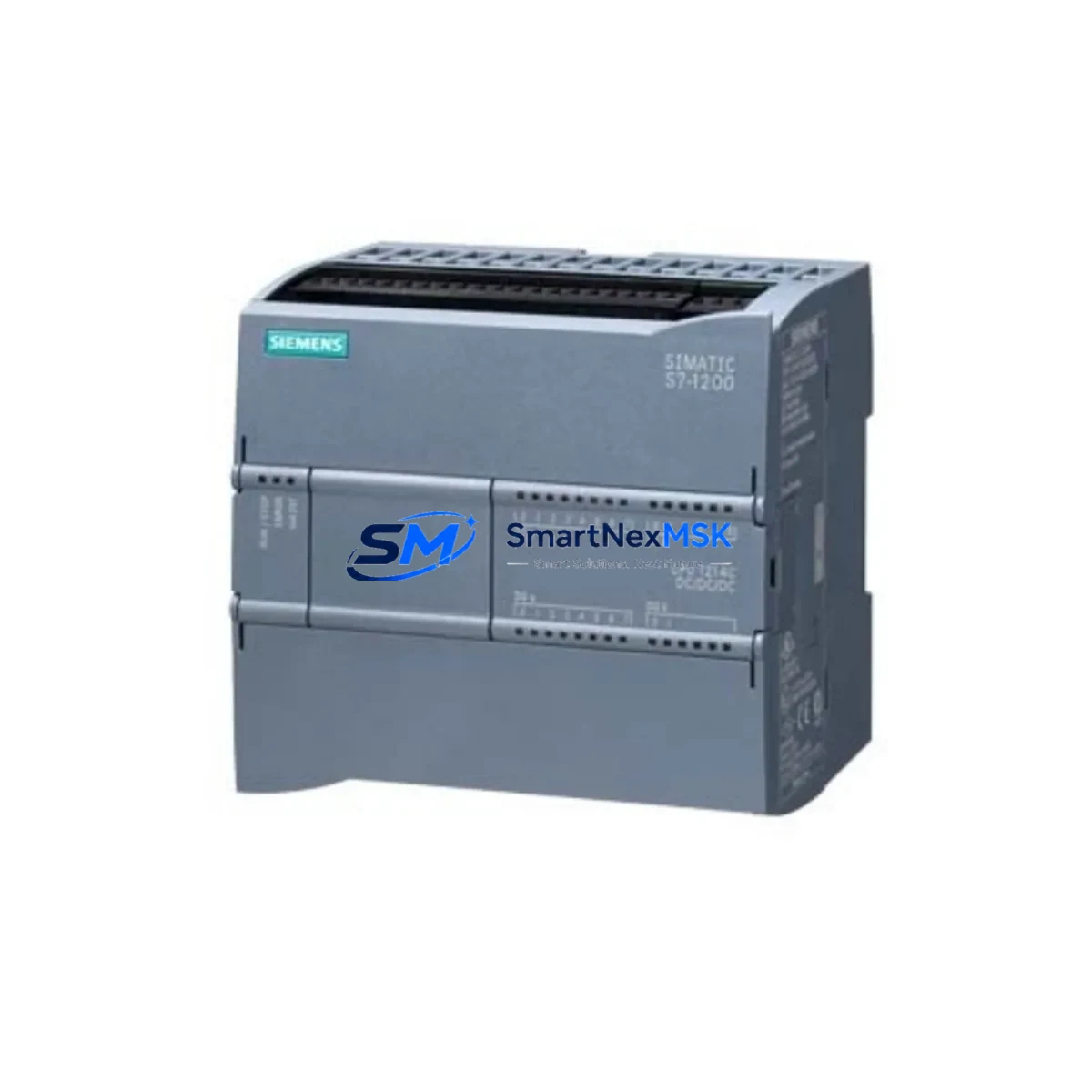
Siemens 6FL7820-8BA10 Retrofit-Ready Module for AC5100 Control Systems: Seamless Legacy Upgrade & Compatibility Modernization
The Siemens 6FL7820-8BA10 is a retrofit-ready industrial communication module engineered for the AC5100 SIMATIC NET platform. As legacy Siemens automation infrastructure reaches end-of-life, plant engineers and system integrators increasingly rely on verified replacement units to sustain production continuity without committing to full-platform migrations. This module addresses exactly that need — providing a direct, compatible replacement path for aging SIMATIC NET communication nodes while preserving existing program logic, HMI configurations, and field wiring.
Whether you are managing a phased retrofit of a SIMATIC S7-300 or S7-400 control cabinet, migrating communication links from legacy CP modules, or restoring a failed node in a distributed I/O network, the 6FL7820-8BA10 AC5100 delivers the interface compatibility and protocol support required to minimize engineering rework and reduce unplanned downtime.
Upgrade Compatibility Table
| Parameter | Details |
|---|---|
| Part Number | 6FL7820-8BA10 AC5100 |
| Manufacturer | Siemens AG (Germany) |
| Platform Series | SIMATIC NET / AC5100 |
| Communication Protocol | PROFINET, Industrial Ethernet (compatible with legacy CP 343-1 / CP 443-1 migration paths) |
| Backplane Interface | Standard SIMATIC rack bus; compatible with S7-300/S7-400 series backplanes |
| Installation Requirement | DIN rail or rack-mount; verify slot addressing before installation |
| Replacement Compatibility | Direct retrofit for discontinued AC5100-series communication nodes; verify firmware revision before swap |
| Terminal Wiring | Confirm terminal block pinout against original wiring diagram; adapter may be required for older front connectors |
| Commissioning Notes | Re-assign module address in STEP 7 / TIA Portal; validate PROFINET device name and IP assignment post-swap |
| Warranty | 12 Months — covers manufacturing defects; includes pre-shipment functional test |
| Stock Status | In Stock — available for immediate dispatch |
| Origin | Germany (OEM) |
Retrofit Planning for Existing Automation Systems
Successful integration of the 6FL7820-8BA10 into an existing control architecture requires a structured pre-installation review. Before removing the failed or obsolete module, engineers should document the current rack configuration — including the slot position of the communication module relative to the CPU, power supply unit (PSU), and any adjacent I/O modules such as SM 321 digital input cards or SM 331 analog input modules. Slot addressing in SIMATIC systems is position-dependent, and any change in physical slot assignment must be reflected in the hardware configuration within STEP 7 or TIA Portal.
Power budget verification is a critical step often overlooked during emergency replacements. The AC5100 backplane distributes 5 VDC and 24 VDC across all installed modules. Adding or swapping a communication module changes the total current draw on the rack power supply — typically a PS 307 or PS 405 unit. Confirm that the existing PSU has sufficient headroom to support the 6FL7820-8BA10 without triggering overcurrent protection or causing voltage sag on adjacent I/O rails.
Terminal wiring compatibility must be verified against the original front connector wiring diagram. In many legacy SIMATIC installations, the front connector (e.g., a 40-pin or 20-pin screw-type connector) can be unplugged and transferred to the replacement module without rewiring — provided the connector type matches. Where the original installation used an older connector variant, a transition adapter or rewiring of the field cable terminations may be necessary.
For systems that include an HMI panel — such as a Siemens TP700 Comfort or OP 177B — the communication link between the HMI and the PLC CPU must be re-validated after the module swap. PROFINET-based HMI connections are typically re-established automatically once the device name and IP address are correctly assigned, but screen tag bindings and alarm group configurations should be spot-checked during commissioning to confirm data integrity.
In distributed control architectures where the 6FL7820-8BA10 serves as a PROFINET IO controller or device, the network topology must be reviewed. Downstream ET 200S or ET 200M remote I/O stations, as well as any PROFIBUS DP slaves connected via a DP/PA coupler, will need to re-establish their communication links after the module is powered up. A PROFINET network scan using the Primary Setup Tool (PST) or TIA Portal’s device discovery function is recommended to confirm all nodes are online before resuming production.
Where the legacy system includes a programming cable connection — such as a PC Adapter USB or CP 5711 — ensure that the programming interface is accessible and that the project file in STEP 7 or TIA Portal matches the current hardware configuration, including the replacement module’s order number and firmware version. Mismatches between the configured and actual hardware will generate diagnostic errors that must be cleared before the CPU can transition to RUN mode.
Downtime Control During System Migration
Minimizing production downtime during a communication module replacement requires preparation that begins well before the maintenance window. The most effective approach is to pre-configure the replacement 6FL7820-8BA10 offline — assigning the correct PROFINET device name, IP address, and subnet parameters using TIA Portal’s offline device configuration — so that the module is ready to assume its role on the network immediately upon installation.
Before powering down the rack, export a full backup of the CPU program, including the hardware configuration, data blocks, and any safety program segments if the system includes a Siemens F-CPU. Store this backup on an external medium independent of the engineering workstation. This ensures that if the CPU loses its retentive memory during the power cycle — a risk in older S7-300 CPUs without a memory card — the program can be reloaded without delay.
During the physical swap, label all field wiring connections before disconnecting the front connector. Even when the connector is transferred intact, vibration or handling during removal can loosen individual wire terminations. A quick continuity check on critical signal lines — particularly 24 VDC supply inputs, digital output channels driving actuators, and analog input channels connected to process sensors — takes less than ten minutes and can prevent hours of fault-finding after restart.
After installing the 6FL7820-8BA10 and restoring power, monitor the CPU diagnostic buffer and the PROFINET IO system status in real time. Most communication faults caused by address conflicts or device name mismatches will appear within the first 30 seconds of power-up. Resolving these before releasing the system to operators ensures a clean handover and maintains confidence in the control system’s integrity. Our pre-shipment functional test and 12-month warranty provide an additional layer of assurance that the replacement module will perform to specification from the moment it is installed.
Retrofit Support FAQ
Q1: Is the 6FL7820-8BA10 AC5100 a direct drop-in replacement for the original module in my SIMATIC NET cabinet?
In most cases, yes — the 6FL7820-8BA10 is designed as a form-fit-function replacement for the AC5100 communication node. However, you should verify the firmware revision of the replacement unit against the version expected by your CPU’s hardware configuration. If the firmware version differs, a hardware configuration update in STEP 7 or TIA Portal may be required before the CPU will accept the module without generating a hardware fault.
Q2: What wiring checks are required before installing the replacement module?
Confirm that the front connector type (screw-type vs. spring-cage) matches the replacement module’s connector interface. If the original front connector is compatible, it can typically be transferred directly to the new module, preserving all field wiring. Verify the 24 VDC supply voltage at the connector before powering up, and check that all shielded cable screens are properly terminated at the cabinet earth rail to prevent EMI-induced communication errors.
Q3: How do I re-establish PROFINET communication after the module swap?
Use TIA Portal or the Primary Setup Tool (PST) to assign the correct PROFINET device name and IP address to the 6FL7820-8BA10 after installation. The device name must match exactly what is configured in the CPU’s hardware configuration — including case sensitivity. Once the name and address are assigned, cycle power on the module and monitor the PROFINET IO system status in the CPU’s diagnostic buffer to confirm all IO devices have re-established their connections.
Q4: What does the 12-month warranty cover, and is the module tested before shipment?
Every 6FL7820-8BA10 AC5100 unit is functionally tested prior to dispatch to verify communication interface operation, power consumption within specification, and absence of physical defects. The 12-month warranty covers manufacturing defects and functional failures under normal operating conditions. It does not cover damage resulting from incorrect installation, overvoltage events, or environmental conditions outside the module’s rated operating range. For warranty claims, contact our technical support team with the unit’s serial number and a description of the fault.
© 2026 SMARTNEXMSK. All rights reserved.
Original Source: https://smartnexmsk.com
Contact: [email protected] | +86 18259474341



