
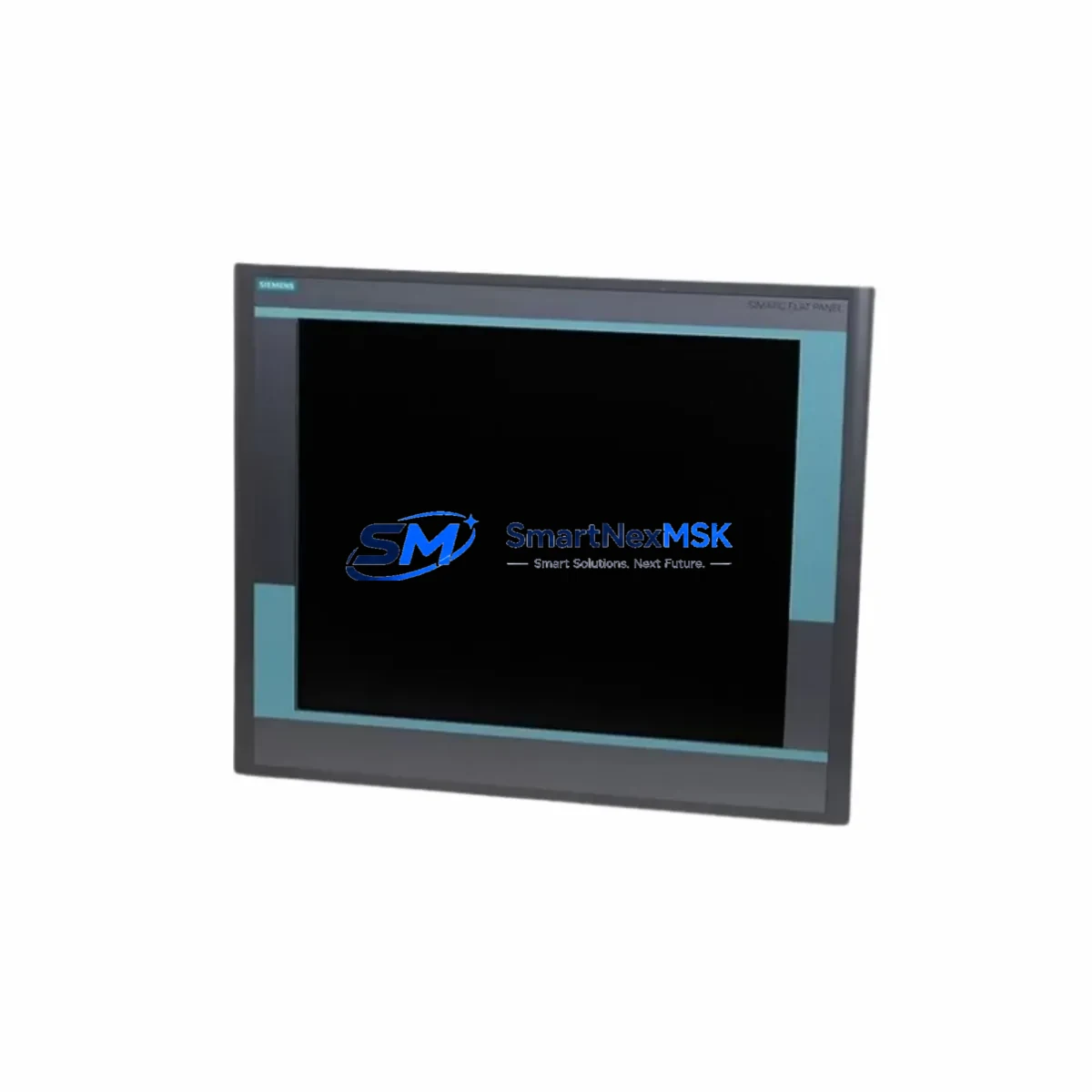
Siemens 6GF6221-2CA11 Retrofit-Ready HMI Panel for SIMATIC Control Systems: Compatible Modernization & Smooth Legacy Upgrade
The Siemens 6GF6221-2CA11 is a SIMATIC HMI panel designed for integration into legacy and current-generation Siemens control architectures. As production lines age and original equipment manufacturers discontinue older visualization components, the 6GF6221-2CA11 has become a critical retrofit solution for facilities operating SIMATIC S7-300, S7-400, and early S7-1500 control platforms. Whether you are replacing a failed panel, upgrading a control cabinet, or migrating from an obsolete operator interface, this unit provides a reliable, specification-matched path forward with minimal engineering overhead.
Procurement teams and system integrators sourcing this model typically face one of three scenarios: an unplanned failure requiring immediate like-for-like replacement, a scheduled modernization project targeting improved visualization and reduced maintenance burden, or a phased migration away from discontinued SIMATIC OP and TP series panels. In all three cases, the 6GF6221-2CA11 addresses compatibility requirements across power supply input, terminal wiring, backplane interface, and communication protocol without requiring full PLC program recompilation or HMI screen redesign from scratch.
Upgrade Compatibility Table
| Parameter | Details |
|---|---|
| Compatible PLC Platforms | SIMATIC S7-300, S7-400, S7-1500 (via PROFIBUS/MPI) |
| Communication Interface | PROFIBUS DP, MPI — compatible with existing network topology |
| Power Supply Requirement | 24 V DC; verify existing cabinet PSU capacity before installation |
| Panel Cutout / Mounting | Confirm cutout dimensions against existing enclosure before ordering |
| Terminal Wiring | Standard SIMATIC HMI connector pinout; verify against original wiring diagram |
| HMI Project Compatibility | WinCC flexible / TIA Portal project transfer recommended; screen re-validation required |
| Replacement Recommendation | Direct retrofit for SIMATIC OP/TP series panels in same form factor class |
| Commissioning Focus | Module address assignment, PROFIBUS node ID, tag mapping verification |
| Warranty | 12-Month Warranty — covers hardware defects under normal operating conditions |
Retrofit Planning for Existing Automation Systems
A successful retrofit begins well before the panel arrives on site. Engineers should pull the original wiring diagram for the existing HMI and cross-reference terminal assignments against the 6GF6221-2CA11 connector layout. In most SIMATIC installations, the 24 V DC power feed is shared with other cabinet components — confirm that the existing SITOP power supply module has sufficient residual capacity to support the replacement panel without voltage drop under full I/O load.
The PROFIBUS DP segment connecting the HMI to the S7-300 or S7-400 CPU must be inspected for correct termination resistors at both ends of the bus. If the existing segment includes other nodes — such as a SIMATIC ET 200S distributed I/O station, a SIMATIC IM 153 interface module, or a CP 342-5 communications processor — the new panel’s PROFIBUS node address must be assigned to avoid conflicts. This is configured directly on the panel during initial startup and must match the address defined in the STEP 7 or TIA Portal hardware configuration.
For facilities running WinCC flexible projects on older SIMATIC TP 177 or OP 177 panels, the existing project file should be opened and re-compiled targeting the 6GF6221-2CA11 device type. Tag connections, alarm groups, and recipe data blocks typically transfer without manual re-entry, but screen layout scaling should be verified on the physical unit before sign-off. If the control system includes a SIMATIC S7-400 CPU with a CP 443-1 Ethernet module for supervisory SCADA connectivity, ensure the HMI’s Ethernet port — if present — is configured on a separate subnet to avoid routing conflicts.
Control cabinets undergoing broader modernization may also require attention to the SIMATIC S7-300 SM 321 digital input module and SM 322 digital output module wiring, particularly if I/O expansion is planned alongside the HMI swap. Backplane rack integrity should be confirmed — loose bus connectors on the S7-300 mounting rail are a common source of intermittent faults that surface only after a panel replacement triggers a full system restart.
Downtime Control During System Migration
Minimizing production downtime during an HMI replacement requires a structured pre-shutdown checklist. Before powering down the control cabinet, back up the existing HMI project using a USB transfer or PC-based WinCC flexible archive. Export the current PLC data block values from the S7-300 or S7-400 CPU using STEP 7 or TIA Portal’s online monitor — this preserves setpoints, recipe parameters, and counter values that may not be retained in non-retentive memory areas during a cold restart.
Physical swap time for a panel-mount HMI is typically under 30 minutes when the replacement unit arrives pre-configured with the correct PROFIBUS node address and a pre-loaded HMI project. Coordinate with the shift supervisor to schedule the changeover during a planned maintenance window or shift changeover gap. After power-up, verify PROFIBUS communication status on the CPU diagnostic buffer before releasing the line to production. Confirm that all HMI alarm screens, process value displays, and operator input functions respond correctly under live PLC signals before closing the cabinet.
All units are dispatch-tested prior to shipment. Each 6GF6221-2CA11 is powered on, communication interfaces are verified, and display function is confirmed before packaging. This pre-shipment test protocol reduces the risk of DOA units and supports your site’s incoming inspection process.
Retrofit Support FAQ
Q: Is the 6GF6221-2CA11 a direct drop-in replacement for my existing SIMATIC HMI panel?
A: In most cases, yes — provided the panel cutout dimensions, power supply voltage, and PROFIBUS/MPI communication interface match your existing installation. We recommend confirming the mounting cutout size and connector pinout against your original wiring diagram before installation. Our technical team can assist with compatibility verification prior to order.
Q: Can I transfer my existing WinCC flexible HMI project to this unit?
A: Yes. Open your existing WinCC flexible project, select the target device as the 6GF6221-2CA11, and re-compile. Tag connections and alarm configurations typically migrate automatically. Screen layout adjustments may be required if the display resolution differs from the original panel. TIA Portal users should use the migration wizard for best results.
Q: What wiring changes are required during installation?
A: Terminal wiring follows the standard SIMATIC HMI connector layout. In most retrofit scenarios, the existing cable harness can be reconnected directly. Verify the 24 V DC supply polarity and PROFIBUS DP connector pin assignments (A/B lines and shield) against the 6GF6221-2CA11 datasheet before energizing. Do not power up the unit until PROFIBUS termination is confirmed correct at both segment ends.
Q: What does the 12-month warranty cover, and what is the process for a warranty claim?
A: The 12-month warranty covers hardware defects arising under normal operating conditions, including display failure, communication interface faults, and power input circuit issues. It does not cover damage from incorrect wiring, overvoltage, or physical impact. To initiate a warranty claim, contact [email protected] with your order number, a description of the fault, and photos of the unit and installation. Replacement or repair is processed within the agreed lead time after fault confirmation.
© 2026 SMARTNEXMSK. All rights reserved.
Original Source: https://smartnexmsk.com
Contact: [email protected] | +86 18259474341



