
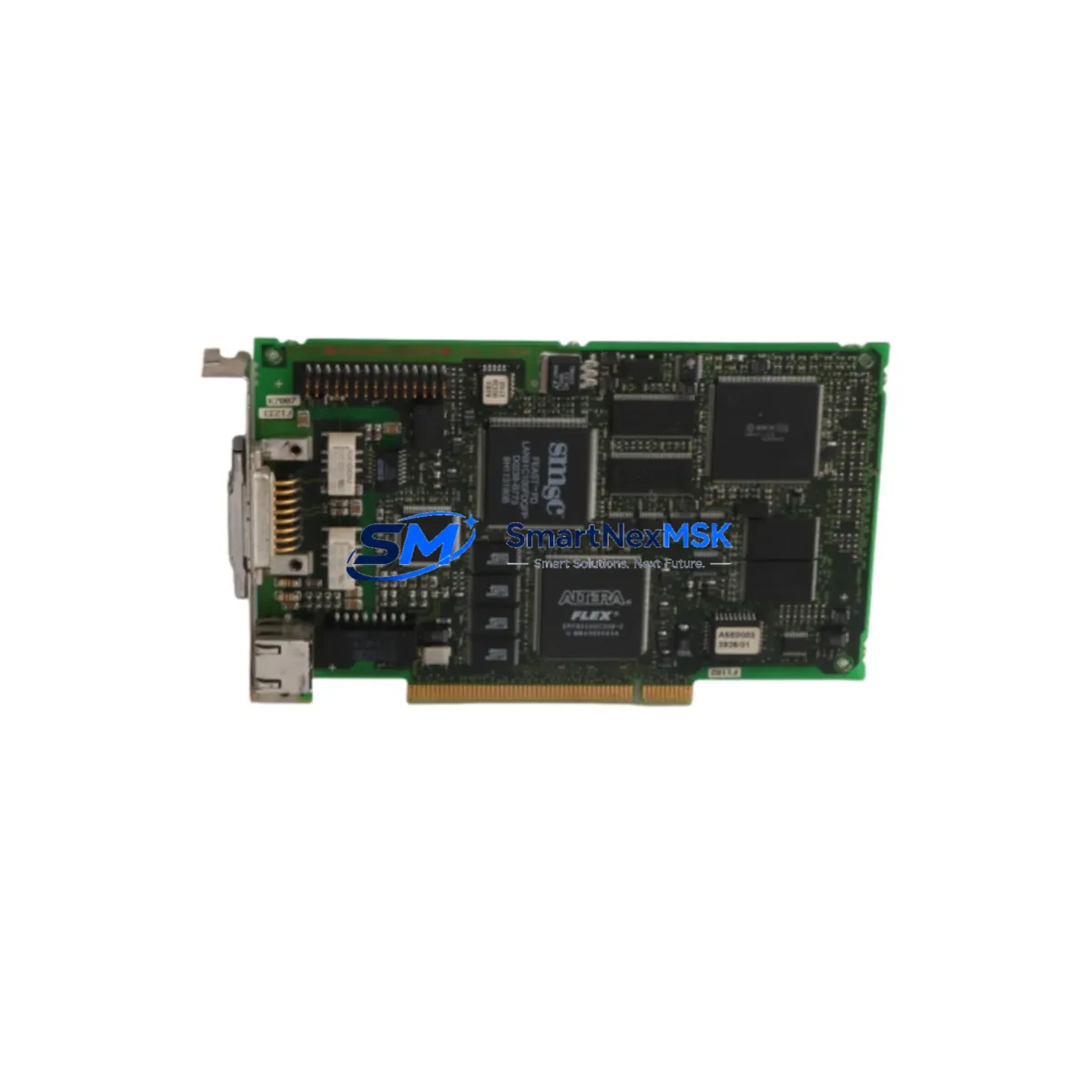
Siemens 6GK1161-3AA00 Retrofit-Ready PROFINET CP for SIMATIC S7 Systems
The Siemens 6GK1161-3AA00 is a PCI-based PROFINET communication processor (CP 1613 A2) designed for integration into PC-based SIMATIC automation environments. As the CP 1613 A2 has reached end-of-life status, the 6GK1161-3AA00 has become a critical retrofit and replacement component for engineers managing legacy SIMATIC S7-300, S7-400, and PC-based control stations that rely on PROFINET IO communication. Our stock is sourced, inspected, and shipped with a 12-month warranty to support your system continuity.
Upgrade Compatibility Table
| Parameter | Details |
|---|---|
| SKU / Order Number | 6GK1161-3AA00 |
| Product Name | CP 1613 A2 |
| Interface | PCI 32-bit / 33 MHz |
| Communication Protocol | PROFINET IO (RT / IRT), ISO, TCP/IP |
| Compatible Controllers | SIMATIC S7-300, S7-400, WinCC, STEP 7, TIA Portal (via NCM PC) |
| Replaces / Upgrades From | CP 1613 (6GK1161-3AA00 predecessor), CP 1512, legacy ISA-based CP cards |
| Installation Requirement | Standard PCI slot in IPC or PC-based SIMATIC station |
| Driver / Software | SOFTNET-IE S7 or SIMATIC NET PC Software required |
| Commissioning Tool | NCM PC / TIA Portal / STEP 7 V5.x |
| Warranty | 12 Months — Covered against manufacturing defects and functional failure |
Retrofit Planning for Existing Automation Systems
When planning a retrofit around the 6GK1161-3AA00, engineers must account for the full communication chain within the control cabinet. The CP 1613 A2 sits at the heart of PC-based PROFINET IO controller architectures, and its replacement requires careful coordination with adjacent components to avoid communication interruptions.
Begin by auditing the existing IPC or SIMATIC Microbox PC housing the card. Confirm that a free PCI 32-bit slot is available and that the system BIOS supports the card’s interrupt assignment. In many older SIMATIC IPC427C or IPC477C installations, the PCI slot configuration must be verified against the backplane layout before insertion.
Next, review the SIMATIC NET PC Software version installed on the host PC. The 6GK1161-3AA00 requires a compatible version of SOFTNET-IE S7 or the broader SIMATIC NET package to establish PROFINET IO controller functionality. If the existing installation runs an older version tied to the original CP 1613, a controlled software upgrade is necessary — this should be staged in a test environment before applying to the live system.
On the field side, verify the PROFINET IO device addresses assigned to connected peripherals such as Siemens ET 200SP distributed I/O stations, ET 200M IM 153-4 PN interface modules, and ET 200S IM 151-3 PN units. These device names and IP assignments are stored in the STEP 7 or TIA Portal project and must match the new CP’s configuration exactly. Any mismatch will prevent the IO controller from establishing a data exchange relationship with the field devices.
For systems that also use S7 communication (S7-300 or S7-400 CPUs communicating via PROFINET), confirm that the connection table in the CPU’s hardware configuration references the correct CP. In multi-rack S7-400 systems using IM 460 / IM 461 expansion racks, the communication load distribution across the backplane must be re-evaluated after the CP swap.
If the control system includes a Siemens TP1200 Comfort HMI or MP377 Multi Panel connected via PROFINET, verify that the HMI project’s communication driver settings point to the correct PLC IP address and that the panel’s PROFINET device name is correctly assigned. HMI communication loss during CP replacement is a common cause of extended downtime if not pre-planned.
For systems using OPC DA or OPC UA data access from a SCADA layer (such as WinCC V7 or WinCC Unified), the OPC server configuration must be re-validated after the CP swap, as the communication channel binding may reference the specific CP hardware. Additionally, if the system uses a Siemens SCALANCE X208 or X216 managed switch as the PROFINET backbone, ensure that the switch port configuration and VLAN assignments remain consistent with the new CP’s MAC address.
Programming cables such as the PC Adapter USB A2 or MPI/PROFIBUS adapters used for S7-300 CPU programming are unaffected by the CP 1613 A2 replacement, but should be kept on-site during commissioning for direct CPU access if PROFINET-based online access is temporarily unavailable.
Downtime Control During System Migration
Minimizing downtime during a CP 1613 A2 replacement requires a structured pre-migration checklist. Before powering down the IPC, perform a full backup of the SIMATIC NET configuration using the Configuration Console tool, and export the STEP 7 or TIA Portal project to a secure location. Document all PROFINET device names, IP addresses, and IO controller assignments currently active in the system.
Where possible, pre-configure the replacement 6GK1161-3AA00 on a bench IPC using the same SIMATIC NET software version. Load the exported configuration, assign the correct MAC-based device name, and verify that the card initializes without errors before bringing it to the production floor. This bench pre-commissioning step can reduce on-site swap time to under 30 minutes in most cases.
During the physical swap, follow ESD precautions and ensure the IPC is fully powered off and isolated from the control network. After insertion, power up the IPC and allow the SIMATIC NET driver to initialize before launching the STEP 7 or TIA Portal online connection. Monitor the PROFINET IO diagnostic buffer in the CPU for any device substitution alarms, and use the PRONETA network analysis tool to verify that all IO devices have re-established their data exchange cycles.
For critical production lines where even brief interruptions are unacceptable, consider maintaining a pre-configured spare 6GK1161-3AA00 in inventory. Our 12-month warranty and verified stock availability make this a practical and cost-effective strategy for facilities managing aging SIMATIC PC-based control stations.
Retrofit Support FAQ
Q1: Is the 6GK1161-3AA00 a direct drop-in replacement for the original CP 1613?
Yes. The CP 1613 A2 (6GK1161-3AA00) is the designated successor to the original CP 1613. It uses the same PCI form factor and is compatible with the same SIMATIC NET software stack. In most installations, the hardware swap requires no changes to the STEP 7 project or PROFINET IO device configuration, though a SIMATIC NET software update may be required depending on the installed version.
Q2: What wiring or terminal changes are required during replacement?
The 6GK1161-3AA00 connects to the PROFINET network via a standard RJ45 port — no terminal block wiring is involved. The card draws power directly from the PCI slot on the host IPC motherboard. Ensure the IPC power supply provides sufficient capacity (typically 5V/3.3V PCI rail) and that no other high-draw PCI cards are competing for the same rail.
Q3: How do I verify compatibility with my existing STEP 7 or TIA Portal project?
Open your hardware configuration in STEP 7 (HW Config) or TIA Portal and locate the CP 1613 A2 entry in the PC station. Confirm the order number matches 6GK1161-3AA00. If the project was originally configured for an older CP 1613 variant, update the hardware catalog entry to the A2 version and re-download the configuration to the PC station. Use the SIMATIC NET Configuration Console to verify that the card is recognized and that the PROFINET interface is active.
Q4: What does the 12-month warranty cover, and how is it handled?
All 6GK1161-3AA00 units shipped by SMARTNEXMSK are covered by a 12-month warranty against manufacturing defects and functional failure under normal operating conditions. Each unit undergoes pre-shipment functional testing. In the event of a warranty claim, contact our technical team with the order reference and fault description. Replacement or repair is arranged with minimal lead time to protect your production continuity.
© 2026 SMARTNEXMSK. All rights reserved.
Original Source: https://smartnexmsk.com
Contact: [email protected] | +86 18259474341



