
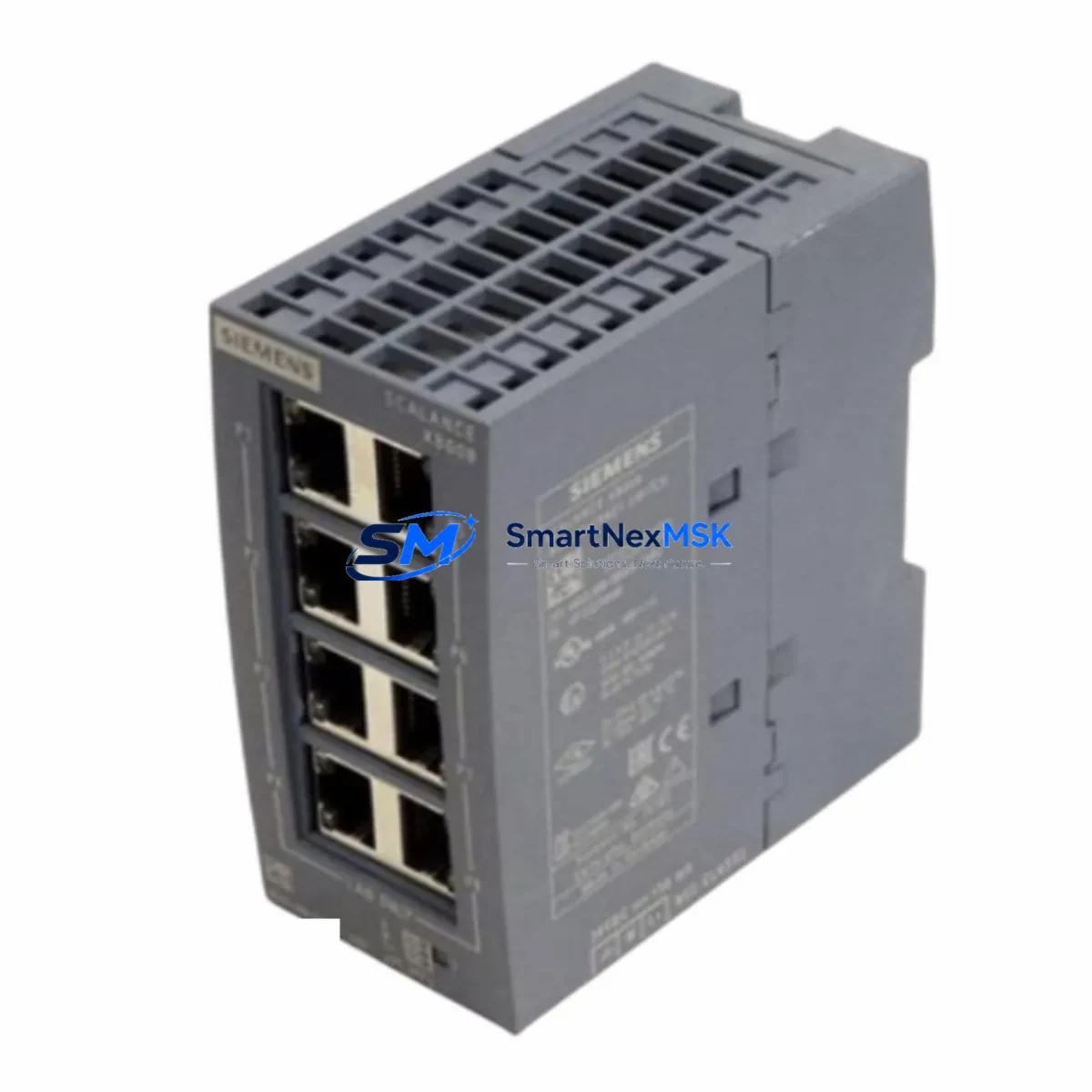
Siemens 6GK5008-0BA00-1AB2 Spare SCALANCE X008 Automation
The Siemens 6GK5008-0BA00-1AB2 is an 8-port unmanaged Industrial Ethernet switch from the SCALANCE X008 series, engineered for continuous operation in demanding automation environments. As a maintenance-ready original spare, this unit is critical for PROFINET networks, machine-level Ethernet backbones, and distributed I/O communication in manufacturing cells, process plants, and utility control systems. When a network switch fails in a live production environment, every minute of downtime translates directly into lost output and recovery costs. Stocking the 6GK5008-0BA00-1AB2 as a verified spare eliminates the lead-time risk and ensures your maintenance team can restore network connectivity within minutes rather than days.
Sourced from authorized supply channels and tested prior to dispatch, each unit ships with a 12-month warranty covering manufacturing defects and functional failures. Whether you are managing a greenfield PROFINET installation or extending the life of a legacy SIMATIC S7-300 or S7-400 control system, the SCALANCE X008 provides the plug-and-play simplicity and industrial-grade reliability that maintenance engineers depend on during both planned shutdowns and emergency callouts.
Spare Maintenance Table
| Parameter | Specification |
|---|---|
| Part Number / SKU | 6GK5008-0BA00-1AB2 |
| Series | SCALANCE X008 |
| Brand / Manufacturer | Siemens AG |
| Product Type | Unmanaged Industrial Ethernet Switch |
| Number of Ports | 8 × RJ45 (10/100 Mbit/s) |
| Protocol Compatibility | PROFINET, Industrial Ethernet, TCP/IP |
| Supply Voltage | 24 V DC (SELV / PELV) |
| Power Consumption | ≤ 3.5 W (typical) |
| Operating Temperature | -10 °C to +60 °C |
| Protection Class | IP20 |
| Mounting | DIN rail (35 mm) |
| Dimensions (W × H × D) | Approx. 60 × 125 × 75 mm |
| Weight | Approx. 700 g |
| Country of Origin | Germany |
| Certifications | CE, UL, cULus, ATEX (Zone 2 / Class I Div 2) |
| Compatible PLC / DCS Systems | SIMATIC S7-300, S7-400, S7-1200, S7-1500, ET 200 distributed I/O |
| Replacement Compatibility | Direct replacement for 6GK5008-0BA00-1AB2; compatible with SCALANCE X-100 family wiring |
| Warranty | 12 Months — covers manufacturing defects and functional failures |
| Pre-shipment Testing | Power-on, port link, and continuity verified before dispatch |
| Maintenance Recommendation | Inspect annually; replace if port LEDs indicate persistent link errors or unit runs hot |
Maintenance Planning for Continuous Operation
A network switch failure in a PROFINET segment can cascade rapidly — controllers lose visibility of remote I/O, HMI panels go blank, and safety interlocks may trigger an unplanned shutdown. When replacing the 6GK5008-0BA00-1AB2, a disciplined maintenance engineer will treat the event as a trigger for a broader cabinet inspection rather than a single-component swap.
Begin by verifying the 24 V DC supply rail feeding the switch. A failing Siemens SITOP PSU100S 24 V power supply module or a degraded SITOP PSU200M redundancy module can cause intermittent switch resets that are misdiagnosed as switch hardware failure. Check the supply voltage under load and inspect the terminal connections on the power supply output terminals.
Next, audit the patch cables and RJ45 connectors. Industrial environments subject cables to vibration, oil mist, and repeated flexing. Replace any Siemens IE FC RJ45 Plug 180 (6GK1901-1BB10-2AA0) connectors showing signs of corrosion or bent pins. Confirm that Siemens IE FC TP Standard Cable GP 2×2 runs are within the 100 m segment length limit and are routed away from high-voltage cable trays.
For cabinets integrating SIMATIC ET 200SP or ET 200M distributed I/O racks, verify that all I/O modules are communicating correctly after the switch replacement. A brief PROFINET topology scan using STEP 7 or TIA Portal will confirm that all device names and IP addresses are resolved correctly. If any SIMATIC S7-1500 CPU or S7-300 CPU 315-2 PN/DP reports a network fault after the swap, check the PROFINET device name assignment — unmanaged switches do not retain configuration, so no re-parameterization is required, but upstream controller settings must be verified.
In cabinets where the SCALANCE X008 feeds signal to Siemens SINAMICS G120 or S120 drive units via PROFINET, confirm that the drive’s communication timeout parameters have not been altered. A new switch with slightly different port initialization timing can occasionally trigger a drive fault on first power-up. A brief drive parameter check (P2030, P2040 on G120) will clear this risk.
Finally, inspect the 24 V DC fuse holders and miniature circuit breakers on the DIN rail adjacent to the switch. Overcurrent events that caused the original switch failure may have stressed nearby Phoenix Contact or Weidmüller terminal blocks and surge protection devices. Replace any discolored or heat-stressed terminals and verify that signal isolators or Zener barriers protecting analog I/O channels in the same cabinet are within calibration.
Site Replacement Workflow
Step 1 — Isolate and document. Before removing the failed 6GK5008-0BA00-1AB2, photograph the cable layout and label every RJ45 port with its destination device. The SCALANCE X008 is unmanaged and carries no configuration, but port-to-device mapping is essential for rapid reconnection.
Step 2 — Power down safely. Disconnect the 24 V DC supply to the switch. If the switch is on a shared DIN rail power bus, use the appropriate circuit breaker rather than pulling the power connector under load.
Step 3 — Physical swap. Release the DIN rail clip, remove the failed unit, and mount the replacement 6GK5008-0BA00-1AB2. The SCALANCE X008 uses a standard 35 mm DIN rail clip — no tools required. Reconnect all RJ45 cables in the documented port order.
Step 4 — Power on and verify. Apply 24 V DC. All port LEDs should illuminate green within 5 seconds as devices reconnect. Open TIA Portal or STEP 7 and run a PROFINET device scan to confirm all nodes are online. Check the PLC diagnostic buffer for any residual network fault entries and acknowledge them.
Step 5 — Restore production and log. Resume the process, monitor for 15 minutes, and log the replacement in the maintenance management system. Record the failed unit’s serial number, failure mode, and replacement date. Update the spare parts inventory to trigger a reorder of the 6GK5008-0BA00-1AB2 so the buffer stock is maintained.
This workflow is compatible with legacy SCALANCE X-100 family installations and requires no firmware updates or network reconfiguration, making it one of the fastest switch replacements available in the SIMATIC automation ecosystem.
Spare Parts Support FAQ
Q1: Is the 6GK5008-0BA00-1AB2 a direct drop-in replacement for older SCALANCE X008 units?
Yes. The 6GK5008-0BA00-1AB2 is the current production revision of the SCALANCE X008 and is mechanically and electrically compatible with all prior revisions of the same part number. No reconfiguration is required since the switch is unmanaged. Simply mount, connect, and power on.
Q2: What pre-shipment testing is performed on each unit?
Every unit undergoes power-on verification, port link-up testing across all 8 RJ45 ports, and visual inspection for physical damage before dispatch. Units that fail any test are quarantined and not shipped. A test report is available on request for quality-critical applications.
Q3: How should I manage long-term spare parts inventory for SCALANCE X008 switches?
For production lines with 5 or more SCALANCE X008 units installed, we recommend maintaining a minimum buffer of 1–2 spare units on-site. Given the typical 10–15 year lifecycle of SIMATIC automation systems, securing spares now protects against future product discontinuation. We offer long-term supply agreements and can reserve stock for scheduled annual maintenance programs.
Q4: What is covered under the 12-month warranty?
The 12-month warranty covers all manufacturing defects and functional failures under normal operating conditions (24 V DC supply within specification, operating temperature within -10 °C to +60 °C, IP20 environment). Physical damage caused by incorrect installation, overvoltage, or liquid ingress is excluded. Warranty claims are processed within 5 business days of unit receipt, with a replacement unit dispatched upon fault confirmation.
© 2026 SMARTNEXMSK. All rights reserved.
Original Source: https://smartnexmsk.com
Contact: [email protected] | +86 18259474341



