
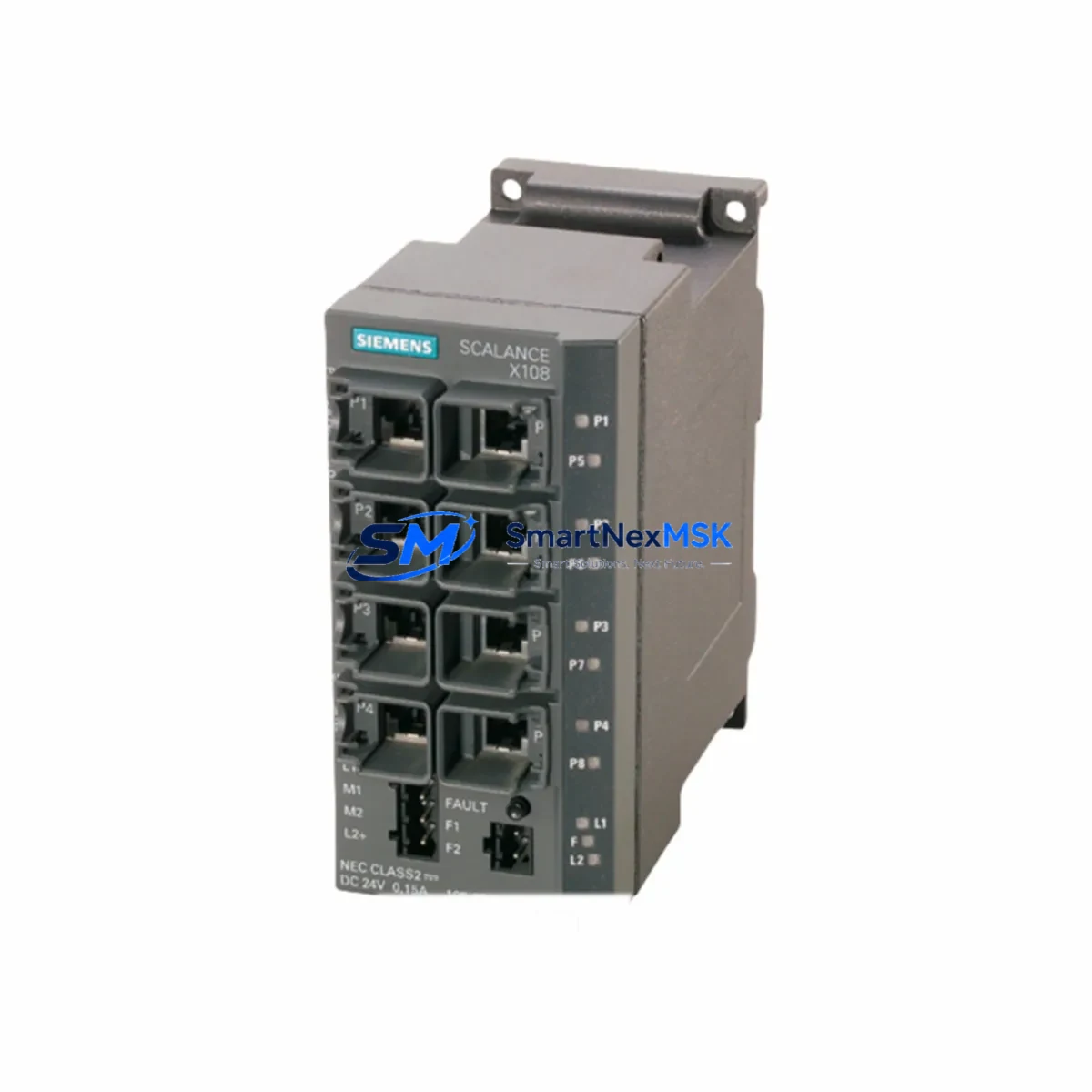
Siemens 6GK5106-1BB00-2AA3 Maintenance-Ready Spare SCALANCE X Automation
The Siemens 6GK5106-1BB00-2AA3 is an unmanaged industrial Ethernet switch from the SCALANCE X106-1 series, engineered for reliable network communication in demanding automation environments. As a maintenance-ready spare part, this unit is essential for facilities operating SIMATIC S7-300, S7-400, S7-1200, or S7-1500 PLC systems where network continuity directly impacts production uptime. Whether you are managing a scheduled overhaul, responding to an unplanned network fault, or building a strategic spare parts inventory for your control cabinet, the 6GK5106-1BB00-2AA3 delivers original Siemens quality with verified compatibility across the SCALANCE X product family.
Maintenance engineers and procurement teams working in process automation, discrete manufacturing, and infrastructure control recognize the SCALANCE X106-1 as a field-proven component. Its 6-port 10/100 Mbps Fast Ethernet design, DIN-rail mounting, and wide operating temperature range make it a standard fit for panel-level network distribution in both new installations and legacy system extensions. Stocking this spare ensures that a single switch failure does not cascade into extended production downtime.
Spare Maintenance Table
| Parameter | Specification |
|---|---|
| Part Number / SKU | 6GK5106-1BB00-2AA3 |
| Series | SCALANCE X106-1 |
| Brand | Siemens |
| Product Type | Unmanaged Industrial Ethernet Switch |
| Ports | 6 × RJ45, 10/100 Mbps Fast Ethernet |
| Supply Voltage | 24 V DC (SELV/PELV) |
| Mounting | DIN-rail (35 mm) |
| Operating Temperature | -40 °C to +70 °C |
| Protection Rating | IP30 |
| Dimensions (W×H×D) | Approx. 60 × 125 × 75 mm |
| Weight | Approx. 340 g (unit only) |
| Country of Origin | Germany |
| Compatibility | SIMATIC S7-300/400/1200/1500, PROFINET, SCALANCE X family |
| Application Environment | Industrial automation, process control, MES/SCADA networks |
| Maintenance Recommendation | Inspect annually; replace on port failure or LED fault indication |
| Warranty | 12 Months — tested and verified before shipment |
Maintenance Planning for Continuous Operation
When replacing the 6GK5106-1BB00-2AA3 in a live control cabinet, a thorough inspection of the surrounding electrical environment is critical to prevent repeat failures and ensure a clean restoration of network services. Maintenance engineers should treat this switch replacement as an opportunity to audit the entire network segment and associated power infrastructure.
Begin by verifying the 24 V DC supply rail feeding the switch. A degraded or undersized SITOP PSU8200 or SITOP PSU100S power supply module can cause intermittent switch resets that mimic port failures. Check the output voltage under load and inspect the terminal block connections for oxidation or loose crimps. If the power supply is more than five years old and shows ripple beyond specification, plan its replacement alongside the switch.
Next, inspect the PROFINET cabling connected to each RJ45 port. Industrial Cat 5e or Cat 6 patch cables with damaged boots or bent pins are a common source of CRC errors that stress unmanaged switches. Replace any cables showing physical wear. If the cabinet uses a CP 343-1 or CP 443-1 communications processor on the S7-300/400 rack, verify that its firmware is current and that its diagnostic buffer shows no recurring network timeouts.
For systems using SIMATIC ET 200SP or ET 200M distributed I/O, confirm that the PROFINET connection from the new switch to the IM 155-6 PN or IM 153-4 PN interface module is re-established and that the I/O device status in TIA Portal or STEP 7 returns to green within the expected startup time. Any persistent yellow or red status after switch replacement indicates a configuration mismatch or IP address conflict that must be resolved before returning the line to production.
If the control cabinet includes a SIMATIC HMI panel such as a KTP700 Basic or TP1200 Comfort, verify that the HMI can re-establish its PROFINET connection to the PLC after the switch is swapped. HMI communication loss during switch replacement is expected but should resolve within 30 seconds of the new unit powering up. Prolonged HMI disconnection suggests a DHCP or static IP conflict on the network segment.
Also inspect any SCALANCE W700 or SCALANCE W1700 wireless access points connected to the switch, as these devices are sensitive to power interruptions and may require a manual restart after a switch replacement event. Similarly, if a SIMATIC NET CP 1616 or CP 1604 PCI card is used in a PC-based control station on the same network segment, confirm its link status in the Windows Device Manager after the switch is restored.
Finally, check the 24 V DC fuse protecting the switch supply — typically a 2 A or 4 A miniature circuit breaker or blade fuse in a PHOENIX CONTACT or WAGO fuse terminal block. A blown or weakened fuse is often the root cause of a switch that appears dead on arrival. Replacing the fuse and the switch together eliminates ambiguity and reduces the risk of a second callout.
Site Replacement Workflow
The 6GK5106-1BB00-2AA3 is a direct plug-and-play replacement for earlier SCALANCE X106-1 variants and is backward compatible with SCALANCE X005 and X008 installations where port count and speed requirements match. No firmware configuration is required for unmanaged operation, which significantly reduces replacement time compared to managed switch alternatives.
Step 1 — Isolation: Notify the control room and place the affected PLC segment in a safe state. Document the current cable port assignments using a photograph or cable label map before disconnecting.
Step 2 — Power down: Disconnect the 24 V DC supply to the switch at the terminal block. Do not pull the DIN-rail unit while powered if other devices share the same supply rail.
Step 3 — Physical swap: Release the DIN-rail locking tab, remove the faulty unit, and clip the replacement 6GK5106-1BB00-2AA3 into position. Reconnect the supply terminals and all Ethernet cables in the documented port order.
Step 4 — Power-on verification: Apply 24 V DC and observe the PWR LED (green = normal). Confirm that all connected devices show link LEDs active within 10 seconds. Check the PLC diagnostic buffer in TIA Portal for any PROFINET alarms.
Step 5 — Return to service: Release the PLC segment from safe state, confirm HMI connectivity, and log the replacement in the maintenance record with the date, technician name, and new unit serial number.
This workflow typically achieves full network restoration in under 15 minutes, minimizing production impact and supporting your facility’s OEE targets.
Spare Parts Support FAQ
Q1: Is the 6GK5106-1BB00-2AA3 compatible with my existing SCALANCE X network?
Yes. The SCALANCE X106-1 is designed for seamless integration within the SCALANCE X product family and is compatible with PROFINET-based SIMATIC S7 systems. As an unmanaged switch, it requires no configuration and will operate immediately upon connection to a 24 V DC supply.
Q2: What is the recommended spare parts stocking strategy for this switch?
For facilities with more than three SCALANCE X106-1 units installed, we recommend maintaining at least one spare on-site. For critical production lines with zero-tolerance downtime requirements, a 1:5 ratio (one spare per five installed units) is a common industry benchmark. Long lead times from OEM channels make pre-stocked spares from authorized distributors the most reliable recovery strategy.
Q3: How is the unit tested before shipment?
Each 6GK5106-1BB00-2AA3 unit undergoes functional verification including power-on self-test, port link integrity check, and visual inspection for physical damage before dispatch. Units are shipped in anti-static packaging with a 12-month warranty covering manufacturing defects and functional failures under normal operating conditions.
Q4: What is the warranty coverage and what does it include?
All units carry a 12-month warranty from the date of shipment. The warranty covers functional failure under normal industrial operating conditions. It does not cover damage resulting from incorrect installation voltage, physical impact, or operation outside the specified temperature range. Warranty claims are processed within 5 business days of receipt of the returned unit, with replacement or full refund options available.
© 2026 SMARTNEXMSK. All rights reserved.
Original Source: https://smartnexmsk.com
Contact: [email protected] | +86 18259474341



